
Introduction
This manual provides instructions for the safe and efficient operation of your Nicewell Digital Kitchen Food Scale, Model MQD-C018. Please read this manual thoroughly before use and retain it for future reference. This scale is designed for precise measurement of food ingredients for cooking and baking.
Product Features
- High Precision: Measures up to 22 lbs (10 kg) in increments of 0.04 oz (1g).
- Multiple Unit Conversions: Easily switch between grams (g), kilograms (kg), pounds:ounces (lb:oz), fluid ounces (fl'oz), and milliliters (ml).
- Tare Function: Allows you to subtract the weight of a container to get the net weight of ingredients.
- Large Backlit LCD Display: Provides clear and easy-to-read measurements.
- Durable Surface: Constructed with tempered glass and stainless steel for easy cleaning and durability.
- Compact Design: Measures 9 x 6.3 inches, with a hook design for convenient storage.
- Battery Operated: Uses 2 AAA batteries (included).
Package Contents
- 1 x Nicewell Digital Kitchen Food Scale (Model MQD-C018)
- 2 x AAA Batteries
- 1 x Instruction Manual
Setup
- Battery Installation: Open the battery compartment on the underside of the scale. Insert the two AAA batteries, ensuring correct polarity (+/-). Close the compartment securely.
- Placement: Place the scale on a hard, flat, and stable surface. Avoid soft or uneven surfaces, as this can affect accuracy.

Image: Nicewell Digital Kitchen Food Scale showing its overall design and dimensions (22.86cm x 16cm x 1.27cm).
Operating Instructions
1. Power On/Off
- Press the ON/OFF button to turn the scale on.
- Press and hold the ON/OFF button for 3 seconds to turn the scale off. The scale will also automatically shut off after a period of inactivity to conserve battery life.
2. Unit Conversion
- With the scale on, press the UNIT button to cycle through the available units: g, kg, lb:oz, fl'oz, ml.
- The selected unit will be displayed on the LCD screen.

Image: The Nicewell food scale displaying different units (g, kg, lb:oz, fl'oz, ml) and how to switch between them using the UNIT button.
3. Tare Function
The Tare function allows you to weigh ingredients in a container by subtracting the container's weight.
- Place an empty bowl or container on the center of the scale platform.
- Press the TARE button. The display will reset to zero.
- Add your ingredients to the container. The display will show only the weight of the added ingredients.
- To weigh additional ingredients, press TARE again after adding each ingredient to reset the display to zero.
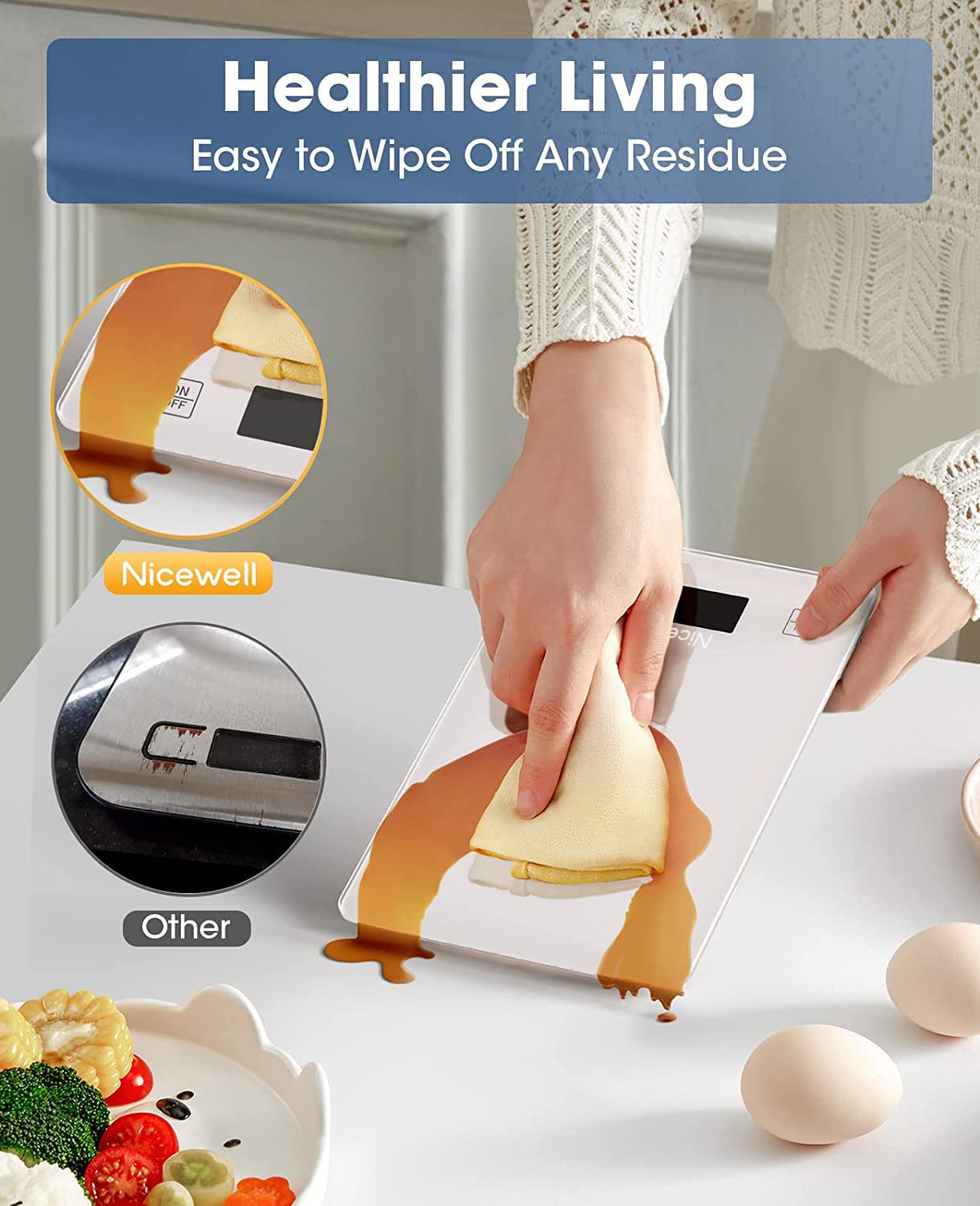
Image: A step-by-step visual guide demonstrating the tare function, showing how to place a bowl, press TARE, add ingredients, and press TARE again for subsequent additions.
4. Weighing Items
- Ensure the scale is on and displaying '0'.
- Place the item directly onto the center of the scale platform, or in a tared container.
- Read the stable weight displayed on the LCD screen.

Image: A person using the Nicewell food scale to measure ingredients for baking, illustrating its use for portion control and accurate measurement.
Maintenance and Care
- Cleaning: Wipe the scale surface with a damp cloth. Do not immerse the scale in water or wash it under running water, as this can cause malfunction. Avoid abrasive cleaners.
- Storage: Store the scale in a dry place. The compact design with a hook allows for easy storage in a drawer or hung on a hook.
- Battery Replacement: Replace batteries when the low battery indicator appears on the display.

Image: A hand wiping a spill off the tempered glass surface of the Nicewell food scale, highlighting its easy-to-clean design.
Troubleshooting
| Problem | Possible Cause | Solution |
|---|---|---|
| Scale does not turn on | Dead or incorrectly installed batteries. | Check battery polarity or replace with new AAA batteries. |
| Inaccurate readings | Scale on an uneven surface; overloaded; internal error. | Place scale on a hard, flat surface. Ensure weight does not exceed 22 lbs (10 kg). Turn off and on again. |
| Display shows "Lo" | Low battery indicator. | Replace both AAA batteries. |
| Display shows "O-Ld" | Overload warning. | Remove item immediately to prevent damage. Do not exceed maximum capacity. |
| Difficulty changing units | UNIT button not pressed firmly or quickly enough. | Press the UNIT button firmly and release. If issue persists, try turning the scale off and on. |
Specifications
- Model: MQD-C018
- Capacity: 22 lbs / 10 kg
- Graduation: 0.04 oz / 1 g
- Units: g, kg, lb:oz, fl'oz, ml
- Display: Backlit LCD
- Material: Tempered Glass, Stainless Steel
- Dimensions: 22.86 x 16 x 1.27 cm (9 x 6.3 x 0.5 inches)
- Power: 2 x AAA Batteries (included)
- Battery Type: Zinc-carbon
- Manufacturer: Nicewell
Safety Information
- Do not place the scale near heat sources or in direct sunlight.
- Avoid dropping or subjecting the scale to strong impacts, especially the glass platform.
- Keep out of reach of children.
- Do not attempt to disassemble or repair the scale yourself. Contact customer support if needed.
- Dispose of used batteries according to local regulations.
Warranty and Support
Nicewell products are manufactured with quality and performance in mind. For any questions, concerns, or support needs regarding your Nicewell Digital Kitchen Food Scale, please refer to the contact information provided with your purchase or visit the official Nicewell website for customer service details.