
Introduction
The LogiLink UA0356 is a compact USB-C to 3.5mm TRRS audio adapter designed to provide high-fidelity audio output and microphone input for devices lacking a dedicated 3.5mm jack or requiring an audio upgrade. It features an integrated Digital-to-Analog Converter (DAC) to ensure clear and high-quality sound. This manual provides essential information for the proper setup, operation, and maintenance of your UA0356 sound card.
Safety Information
- Keep the device dry. Do not expose it to moisture or extreme temperatures.
- Do not attempt to disassemble or modify the device. This may void the warranty and cause damage.
- Avoid dropping or subjecting the device to strong impacts.
- Keep out of reach of children.
- Dispose of the device according to local regulations for electronic waste.
Package Contents
- 1 x LogiLink UA0356 USB-C Sound Card
Product Overview
The LogiLink UA0356 is a compact adapter with a USB-C male connector on one end and a 3.5mm TRRS female jack on the other. It integrates a Digital-to-Analog Converter (DAC) for enhanced audio performance.

Figure 1: Front view of the LogiLink UA0356, highlighting the 3.5mm TRRS audio jack.

Figure 2: Rear view of the LogiLink UA0356, showing the USB-C male connector.
Setup Instructions
- Identify USB-C Port: Locate an available USB-C port on your smartphone, tablet, laptop, or other compatible device.
- Connect UA0356: Insert the USB-C male connector of the LogiLink UA0356 into the USB-C port of your device. Ensure it is fully seated.
- Connect Headset: Plug your 3.5mm TRRS headset (with or without an integrated microphone) into the 3.5mm female jack of the UA0356.
- Automatic Recognition: The device is plug-and-play and typically requires no additional drivers. Your operating system should automatically recognize the new audio device.
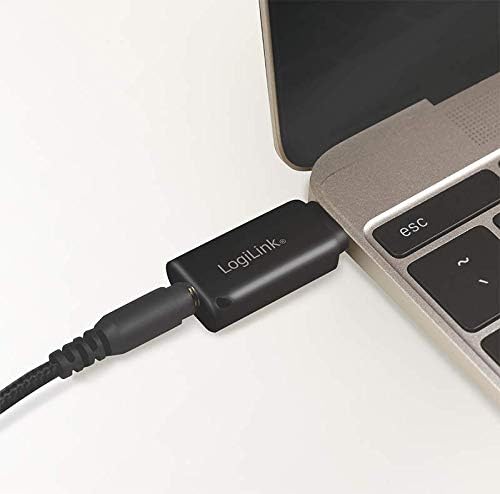
Figure 3: The UA0356 connected to a laptop, ready for use with a headset.
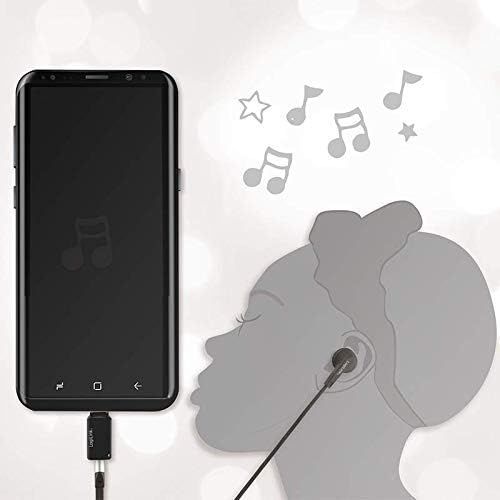
Figure 4: The UA0356 connected to a smartphone, enabling audio output to a headset.
Operating Instructions
Once connected, the LogiLink UA0356 functions as your device's primary audio output and input. You can control volume and other audio settings directly from your connected device.
- Audio Playback: Play any audio content (music, videos, calls) on your device. Sound will be routed through the UA0356 to your connected 3.5mm headset.
- Microphone Input: If your headset has a built-in microphone, it will be enabled for voice calls, recordings, or voice commands through the UA0356. Ensure your device's audio settings recognize the external microphone.
- DAC Functionality: The integrated DAC processes digital audio signals from your device into high-quality analog sound for your headset, improving the overall audio experience.

Figure 5: Illustrates the connection of a 3.5mm TRRS headset to the UA0356.

Figure 6: The UA0356's integrated Digital-to-Analog Converter (DAC) enhances audio quality.
Maintenance
- Cleaning: Use a soft, dry cloth to clean the exterior of the device. Do not use liquid cleaners or abrasive materials.
- Storage: Store the UA0356 in a cool, dry place when not in use.
- Handling: Avoid bending or twisting the connectors excessively to prevent internal damage.
Troubleshooting
| Problem | Possible Cause | Solution |
|---|---|---|
| No sound output |
|
|
| Microphone not working |
|
|
| Poor audio quality |
|
|
Specifications
| Feature | Detail |
|---|---|
| Brand | LogiLink |
| Model Name | UA0356 |
| Hardware Interface | USB-C (Male) |
| Audio Output | 3.5mm TRRS (Female) |
| Audio Output Mode | Digital |
| Compatible Devices | Headsets, Smartphones, Tablets, Laptops with USB-C |
| Surround Sound Channel Configuration | 2.0 |
| Maximum Sample Rate | 44.1 kHz |
| Signal-to-Noise Ratio (SNR) | 120 dB |
| Color | Black |
Warranty and Support
LogiLink products are designed for reliability and performance. This product is covered by a manufacturer's warranty. For specific warranty terms, technical support, or service inquiries, please refer to the warranty card included with your purchase or visit the official LogiLink website.
Please retain your proof of purchase for warranty claims.
