
Bestier H101710P-BLK
Bestier 42-inch L-Shaped Gaming Desk with LED Lights (Model H101710P-BLK) Instruction Manual
Brand: Bestier | Model: H101710P-BLK
This manual provides detailed instructions for the assembly, operation, and maintenance of your Bestier L-Shaped Gaming Desk.
Product Overview
The Bestier 42-inch L-Shaped Gaming Desk is designed to maximize efficiency in corner spaces, suitable for bedrooms, home offices, or gaming setups. It features a spacious main surface for dual monitors, a movable RGB monitor stand with 7 colors and 22 dynamic lighting modes, and an open storage cabinet for consoles, printers, or books. The desk also includes a triple-pocket felt storage bag and a metal headphone hook for organization. Its robust X-brace reinforced structure ensures stability, and the monolithic black twill industrial aesthetic offers a modern look. Constructed with eco-friendly, waterproof, scratch-resistant, and heat-resistant chipboard, it is designed for long-term use and easy maintenance.
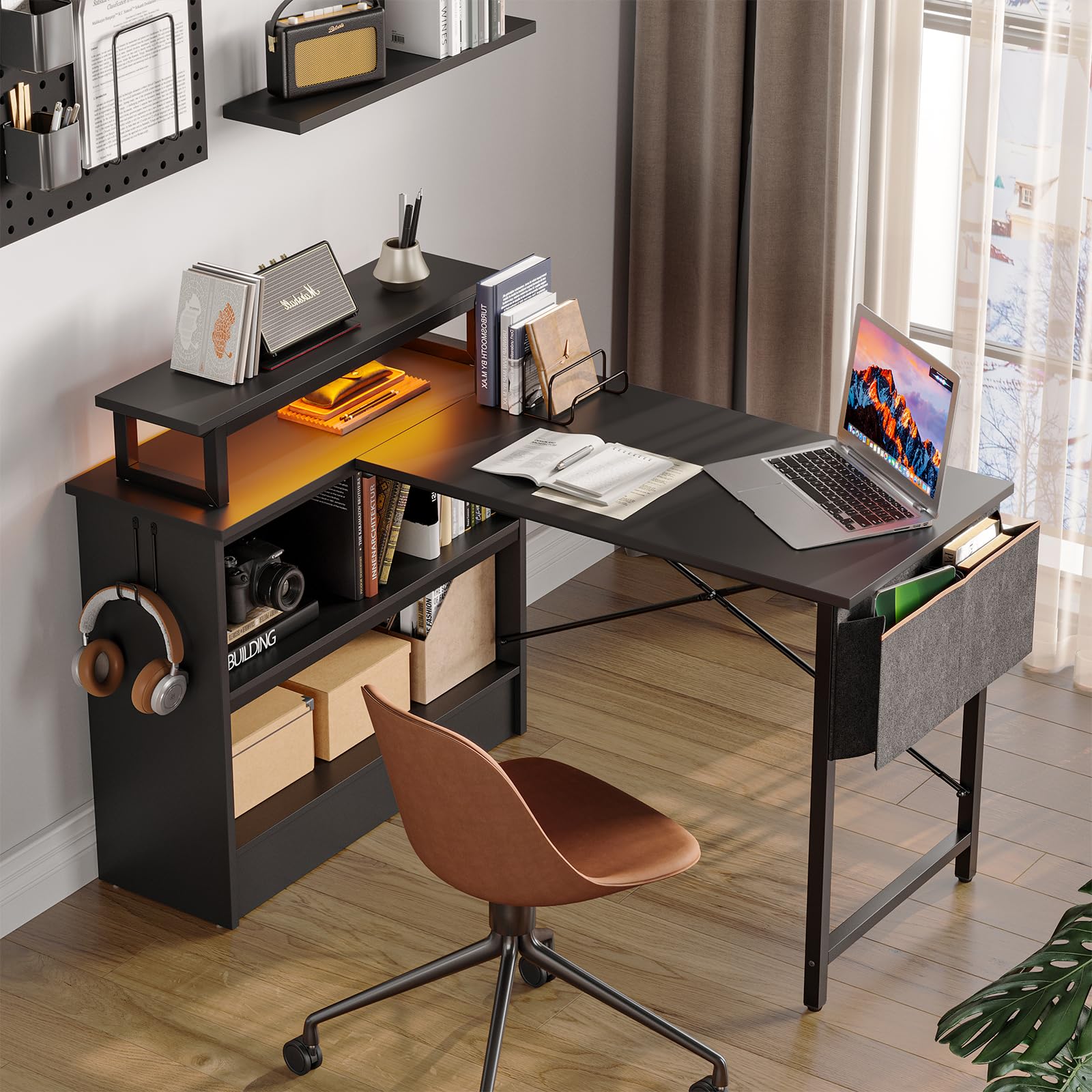
Image: Bestier 42-inch L-Shaped Gaming Desk, showcasing its black finish and L-shaped design.
Setup and Assembly
The Bestier L-Shaped Gaming Desk is designed for straightforward assembly. It includes a 7-language illustrated guide with clearly labeled parts. One person can typically complete setup in 2-3 hours using basic tools. The reversible cabinet and movable monitor stand simplify the process, allowing customization to your room layout.
Key Assembly Features:
- Reversible Design: The open storage cabinet can be installed on either the left or right side to adapt to your space.
- Movable Monitor Stand: The RGB monitor stand is freely adjustable and can be mounted on either the main desktop or the side cabinet.
- Tool-Free Assembly: While basic tools are needed, the process is simplified with clear instructions and labeled parts.
- Protective Packaging: Professional foam packaging is used to minimize the risk of shipping damage.
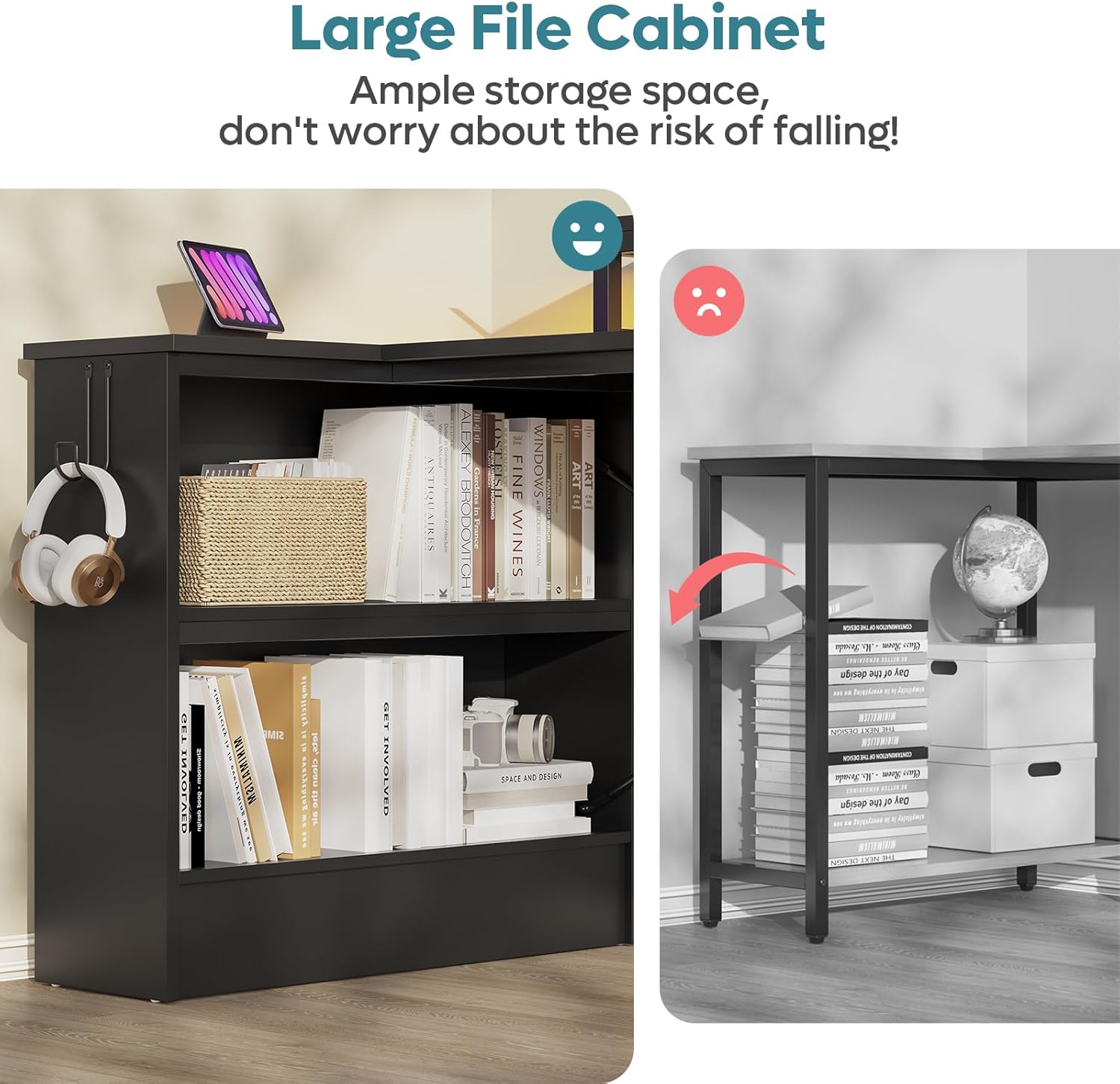
Image: Diagram illustrating the reversible L-shaped design of the desk, showing how the storage cabinet can be positioned on either side.
Assembly Video:
Video: A user demonstrating the assembly process and features of the Bestier L-Shaped Desk, highlighting its compact and useful design.
Operating Instructions
RGB Gaming Atmosphere Light Stand:
The movable RGB monitor stand features 7 colors and 22 dynamic lighting modes. Control the lighting with a one-touch button to create an immersive ambiance. This stand also ergonomically elevates your screen, freeing up desk space and promoting proper posture.

Image: Close-up of the RGB lighting strip under the monitor stand, along with details on the side pocket and headphone hook.
Storage System:
- Open Storage Cabinet: Utilize the integrated open cabinet with full side and back panels to store consoles, printers, peripherals, or books. Its reversible design allows for flexible placement.
- Triple-Pocket Bag & Hook: A custom black triple-pocket felt storage bag is included for organizing controllers, cables, and small items. A metal headphone hook keeps your headphones and keys within easy reach, helping to maintain a clean and orderly desk.

Image: The Bestier L-Shaped Desk showcasing its reversible design, with the storage cabinet on the left and a monitor stand on the main desktop.
Maintenance
The desktop surface is specially treated to be waterproof, scratch-resistant, and heat-resistant. For daily upkeep, simply wipe away spills and stains with a damp cloth.
- Cleaning: Use a damp cloth for routine cleaning. Avoid harsh chemicals that may damage the surface.
- Durability: The desk is built with high-grade chipboard and a rust-resistant Sandy Black metal frame for long-term use.
Troubleshooting
For any issues encountered during assembly or use, please refer to the included 7-language illustrated guide. Ensure all components are correctly aligned and screws are tightened as per instructions to prevent wobbling.
- Wobbling: Check that all screws are securely fastened and the X-brace reinforced structure is correctly installed.
- LED Lights: Ensure the LED light strip is properly plugged into the USB port on the desk. If using the remote, verify battery functionality.
Specifications
| Brand | Bestier |
| Model Number | H101710P-BLK |
| Product Dimensions | 31.5"D x 42"W x 35"H |
| Color | Black |
| Material | Engineered Wood (Top), Metal (Base) |
| Item Weight | 44.9 Pounds |
| Special Features | Headphone Hook, LED Light, Open Storage Cabinet, Side Storage Bag |
| Recommended Uses | Gaming, Working, Writing |
| Required Assembly | Yes |
| Product Care Instructions | Wipe with Damp Cloth |
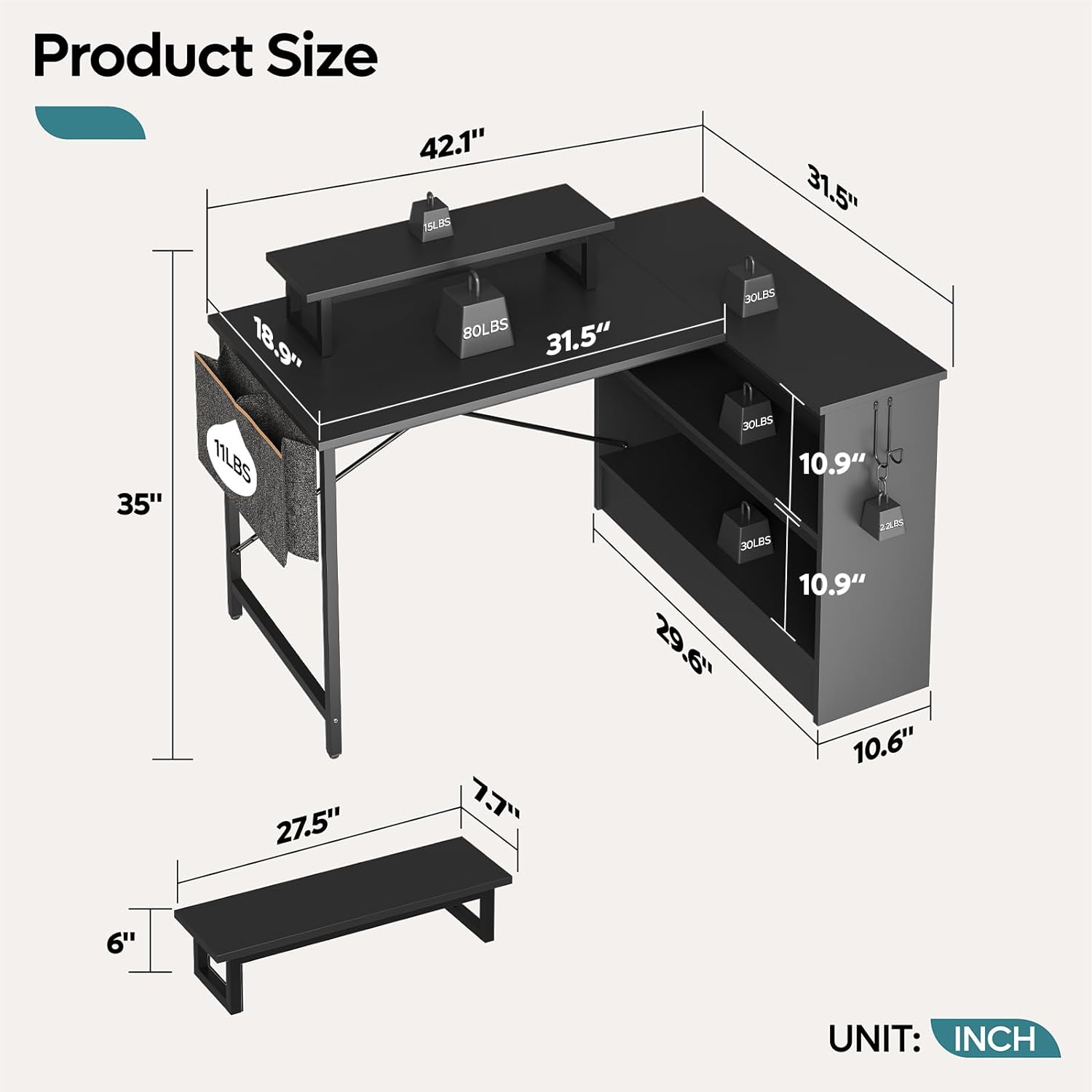
Image: Detailed diagram showing the dimensions and load capacities of the Bestier L-Shaped Desk components.
Warranty and Support
The Bestier L-Shaped Gaming Desk comes with a Limited Warranty. For specific warranty details or support inquiries, please contact Bestier customer service. The manufacturer is Bestier.
For additional information or to explore other products, visit the Bestier Store on Amazon.
Related documentsH101710P-BLK


Ask a question about this manual
Ask about setup, troubleshooting, compatibility, parts, safety, or missing instructions. Manuals+ will review the question and use this page’s manual context to help answer it.