
Tzumi 6951JCEPINK
Tzumi Wireless Charging Earbuds User Manual
Model: 6951JCEPINK
Introduction
This manual provides essential information for the safe and effective use of your Tzumi Wireless Charging Earbuds. Please read this manual thoroughly before using the product and retain it for future reference.
The Tzumi Wireless Charging Earbuds offer a compact and portable audio solution with Bluetooth connectivity, designed for daily use and travel.
What's in the Box
Verify that all items listed below are included in your package:
- Earbuds (Left and Right)
- Rechargeable Charging Case
- Silicone Case Cover
- Carabiner Clip
- Neck Band
- Stretch Neckband
- Ergonomic Sport Wings
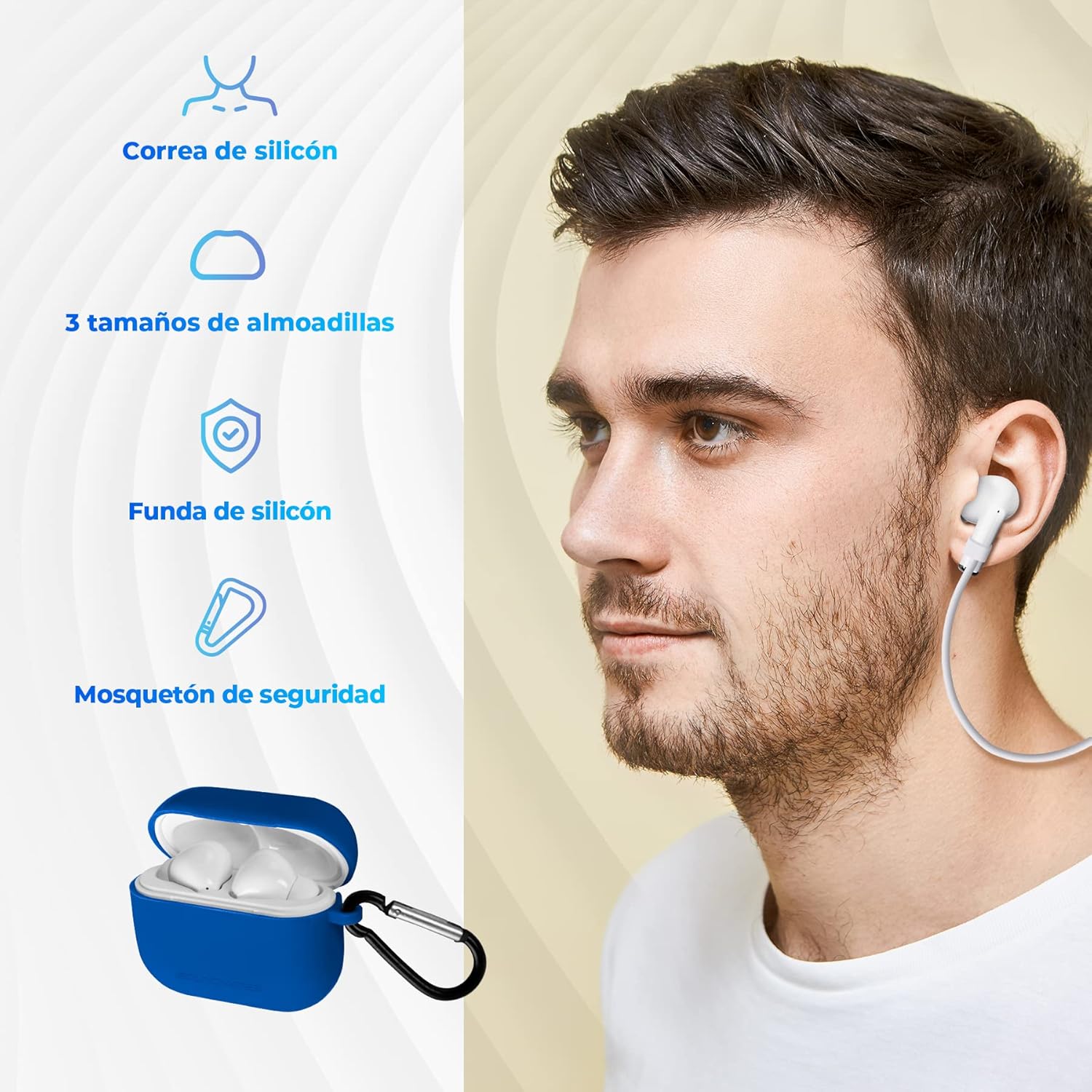
Image: The Tzumi Wireless Charging Earbuds shown with various included accessories such as a silicone neckband, different sized ear tips, a silicone case, and a carabiner clip.
Setup
Initial Charging
Before first use, fully charge the earbuds and the charging case. Place the earbuds into the charging case. Connect the charging case to a power source using a compatible USB-C cable. The charging indicator lights will show charging status.

Image: The earbuds are shown inside their charging case, indicating up to 40 hours of standby time with the case.
Bluetooth Pairing
- Ensure the earbuds are charged and inside the charging case.
- Open the charging case. The earbuds will automatically enter pairing mode.
- On your device (smartphone, tablet, etc.), go to Bluetooth settings.
- Select "Tzumi Earbuds" (or similar name) from the list of available devices.
- Once connected, a confirmation sound will play, and the indicator light on the earbuds will change.

Image: This image highlights key features including USB-C charging, Bluetooth 5.0, 5 hours of continuous playback, and true wireless freedom.
Operating Instructions
Wearing the Earbuds
Gently insert the earbuds into your ears. Adjust them for a comfortable and secure fit. The ergonomic sport wings can be used for added stability during physical activity.
Basic Controls
The earbuds feature intuitive touch controls for managing audio playback and calls.
- Play/Pause: Tap once on either earbud.
- Next Track: Double-tap the right earbud.
- Previous Track: Double-tap the left earbud.
- Answer/End Call: Tap once on either earbud during an incoming call.
- Reject Call: Press and hold either earbud for 2 seconds during an incoming call.
- Activate Voice Assistant: Triple-tap either earbud.

Image: A user interacting with the earbud, illustrating the smart touch controls for various functions.
Power On/Off
- Power On: Open the charging case, or press and hold the touch area on both earbuds for 3 seconds.
- Power Off: Place the earbuds back into the charging case and close the lid, or press and hold the touch area on both earbuds for 5 seconds.
Video: An official product video demonstrating the features and usage of the Tzumi Wireless Charging Earbuds.
Maintenance
Cleaning
Regularly clean the earbuds and charging case with a soft, dry, lint-free cloth. Do not use harsh chemicals or abrasive materials. Ensure charging contacts are free of debris.
Water Resistance
The earbuds are rated IPX4 waterproof, meaning they are protected against splashing water from any direction. They are not designed for submersion in water. Avoid exposing the charging case to water.

Image: A close-up of a person wearing an earbud, emphasizing its IPX4 waterproof rating, indicating protection against splashes.
Storage
When not in use, store the earbuds in their charging case to protect them and keep them charged. Store in a cool, dry place away from extreme temperatures and direct sunlight.
Troubleshooting
| Problem | Possible Cause | Solution |
|---|---|---|
| Earbuds not pairing | Earbuds not in pairing mode; device Bluetooth off; out of range. | Ensure earbuds are in pairing mode (open case). Turn device Bluetooth off and on. Move closer to the device (within 10 meters). |
| Only one earbud working | Earbuds not properly synced; low battery on one earbud. | Place both earbuds back in the charging case, close the lid, then open again. Ensure both earbuds are fully charged. |
| No sound or low volume | Device volume too low; earbud placement; connection issue. | Increase device volume. Adjust earbud position. Re-pair the earbuds. |
| Charging issues | Cable or power source issue; dirty charging contacts. | Try a different USB-C cable and power adapter. Clean the charging contacts on both earbuds and case. |
Specifications
| Feature | Detail |
|---|---|
| Model Name | TZUMI WIRELESS CHARGING EARBUDS |
| Item Model Number | 6951JCEPINK |
| Brand | Tzumi |
| Connectivity Technology | Bluetooth |
| Wireless Communication Technology | Bluetooth |
| Bluetooth Range | Up to 10 Meters (33 feet) |
| Product Dimensions | 1 x 1 x 1 inches |
| Item Weight | 3.53 ounces (0.22 Pounds) |
| Ear Placement | In Ear |
| Form Factor | In Ear |
| Water Resistance Rating | IPX4 (Splashproof) |
| UPC | 841351169516 |
Warranty & Support
For detailed warranty information and customer support, please refer to the official Tzumi website or the documentation included with your product.
You can also find additional support and product information through the following resources:
- Official User Manual (PDF): Download PDF
- Tzumi Store on Amazon: Visit Store