1. Introduction
Thank you for choosing the Tzumi Xtreme USB Multi Color Strip. This LED strip light kit is designed to provide vibrant accent lighting for various indoor applications. Powered conveniently via USB, it offers easy installation and customizable lighting effects to enhance your environment.

Image 1.1: The Tzumi Xtreme USB Multi Color Strip, shown coiled and illuminated in multiple colors.
2. Safety Information
- Read all instructions before use and retain them for future reference.
- This product is intended for indoor use only. Do not expose to water or moisture.
- Do not cut or modify the LED strip. This may damage the product and void the warranty.
- Ensure the USB power source provides 5V DC. Using an incorrect voltage may damage the device.
- Keep out of reach of children.
- Avoid direct eye exposure to the LED lights for extended periods.
3. Package Contents
Verify that all items are present in your package:
- Tzumi Xtreme USB Multi Color Strip (LED Lights)
4. Setup
Follow these steps to set up your LED strip light:
- Clean the Surface: Ensure the surface where you plan to install the LED strip is clean, dry, and free of dust or grease.
- Measure and Plan: Before removing the adhesive backing, temporarily position the strip to determine the desired placement and length.
- Peel and Stick: Carefully peel off the protective backing from the adhesive tape on the back of the LED strip. Press the strip firmly onto the desired surface.
- Connect to Power: Plug the USB connector of the LED strip into a standard 5V USB port (e.g., on a TV, computer, or USB wall adapter).
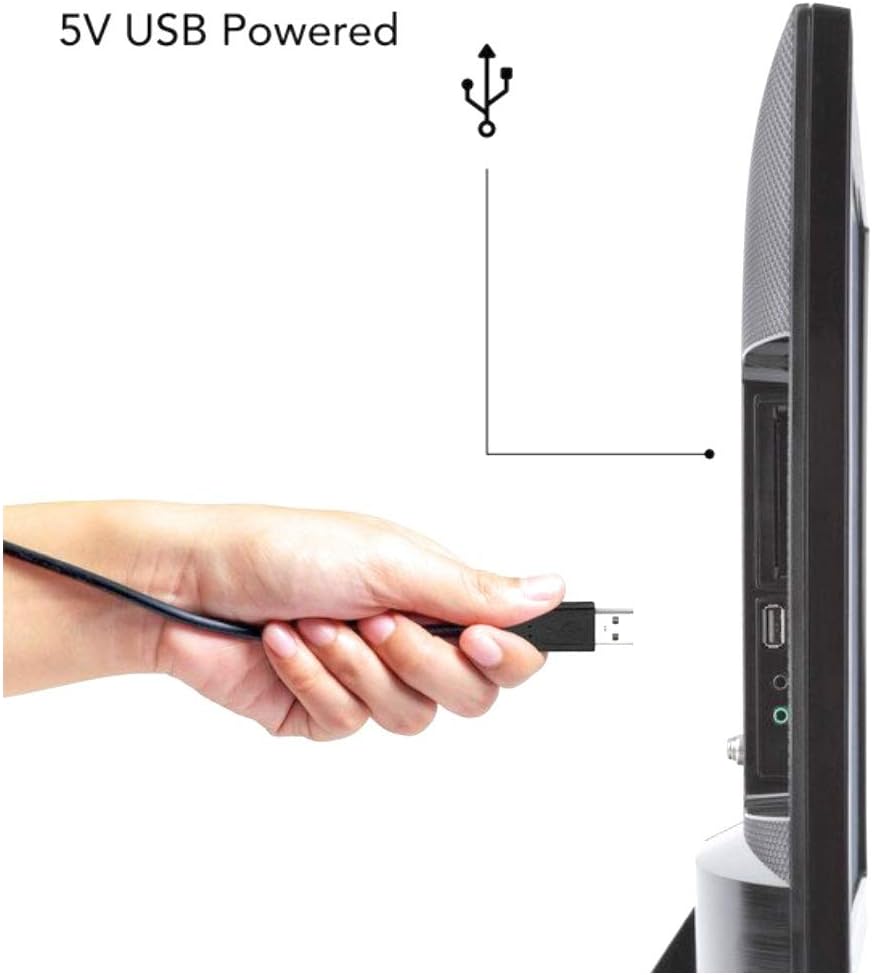
Image 4.1: A hand connecting the USB plug of the LED strip to a television's USB port for power.

Image 4.2: Examples of LED strip light applications, including behind a TV, under kitchen cabinets, in a car interior, and as bedroom accent lighting.
5. Operating Instructions
The Tzumi Xtreme USB Multi Color Strip is controlled via an integrated button control system, which may be located on the USB cable or directly on the strip itself.
- Power On/Off: Press the power button to turn the LED strip on or off.
- Change Colors/Modes: Repeatedly press the mode/color button to cycle through various static colors and dynamic lighting modes (e.g., flash, fade, jump).
- Music/Sound Reaction: Some models feature a sound-reactive mode. Activate this mode via the control button, and the lights will respond to ambient sound or music.

Image 5.1: An example of a remote control for LED strip lights, showing buttons for color selection, brightness, and various lighting modes.

Image 5.2: Two individuals in a living room, with LED strip lights illuminating the area in green, demonstrating the music/sound reactive feature.
6. Maintenance
To ensure the longevity and optimal performance of your LED strip:
- Cleaning: Gently wipe the LED strip with a dry, soft cloth to remove dust. Do not use liquid cleaners or abrasive materials.
- Storage: If storing the strip, ensure it is clean and coiled loosely to prevent damage to the LEDs or wiring.
- Adhesive: If the adhesive loses its stickiness, you may use additional double-sided tape suitable for electronics.
7. Troubleshooting
If you encounter issues with your Tzumi Xtreme USB Multi Color Strip, refer to the following common problems and solutions:
- Lights not turning on:
- Ensure the USB connector is securely plugged into a working 5V USB port.
- Try a different USB port or power adapter.
- Press the power button on the control unit.
- Lights flickering or dim:
- Check the USB power source; it might not be providing sufficient power.
- Ensure all connections are secure.
- Colors not changing:
- Press the mode/color button repeatedly to cycle through options.
- Ensure the control unit is not obstructed.
8. Specifications
| Feature | Detail |
|---|---|
| Model Number | 5763SC |
| Brand | Tzumi |
| Color | Multicolor |
| Indoor/Outdoor Usage | Indoor |
| Special Feature | Color Changing |
| Light Source Type | LED |
| Power Source | Corded Electric (USB) |
| Voltage | 5 Volts |
| Wattage | 5 watts |
| Number of Light Sources | 150 |
| Control Method | Button Control |
| Material | Plastic |
| Product Dimensions (L x W x H) | 1 x 1 x 1 inches (packaging/rolled) |
| Item Weight | 4.6 ounces |
| Water Resistance Level | Not Water Resistant |
| UPC | 841351157636 |
9. Warranty and Support
For warranty information or technical support, please refer to the contact details provided on the product packaging or visit the official Tzumi website. Keep your purchase receipt as proof of purchase.


