
Introduction
This manual provides essential information for the proper setup, operation, and maintenance of your POLY Plantronics EncorePro 310 Quick Disconnect (QD) Headset. Designed for clear communication, this headset features a flexible noise-canceling microphone, voice-optimized frequency response, and SoundGuard acoustic limiting technology for user protection. Its proven reliability with Quick Disconnect (QD) ensures durability and ease of use.
What's in the Box
- POLY Plantronics EncorePro 310 QD Headset
Setup
Follow these steps to set up your EncorePro 310 QD Headset:
- Connect the Headset: Insert the Quick Disconnect (QD) connector of the headset into a compatible QD port on your telephone or amplifier. Ensure the connection is secure.
- Adjust Fit: Place the headset on your head and adjust the headband for a comfortable and secure fit. The microphone boom should be positioned approximately two finger-widths from the corner of your mouth.
- Microphone Positioning: Bend the flexible microphone boom to optimize its position for clear voice capture, ensuring it is close to your mouth but not touching.
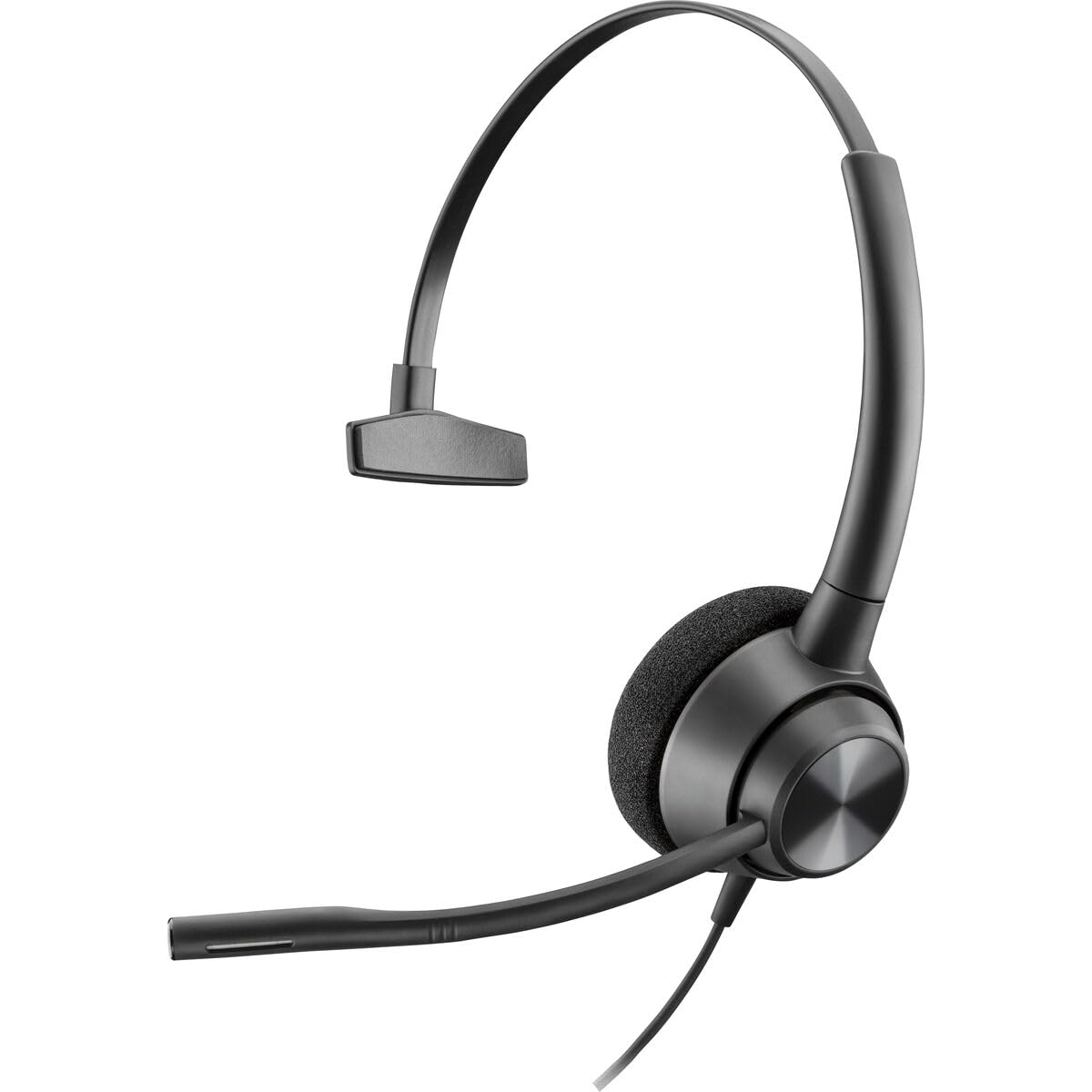
Image: The POLY Plantronics EncorePro 310 QD Headset, showing its over-ear design and flexible microphone boom.
Operating Instructions
The EncorePro 310 QD Headset is designed for intuitive communication:
- Making/Receiving Calls: Once connected to a compatible telephone or amplifier, use your phone's controls to make or receive calls. Audio will be routed through the headset.
- Noise-Canceling Microphone: The integrated noise-canceling microphone reduces background noise, ensuring your voice is heard clearly by the other party.
- SoundGuard Technology: This headset incorporates SoundGuard acoustic limiting technology to protect against acoustic shock by limiting sounds to below 118dBA, safeguarding your hearing during prolonged use.
- Quick Disconnect (QD): The QD feature allows you to quickly disconnect the headset from the telephone or amplifier without dropping the call, providing mobility away from your desk.
Maintenance
To ensure the longevity and optimal performance of your headset:
- Cleaning: Regularly wipe the headset with a soft, dry cloth. For ear cushions, use a slightly damp cloth with mild soap if necessary, and allow to air dry completely before use. Avoid harsh chemicals or abrasive materials.
- Storage: Store the headset in a clean, dry place away from extreme temperatures and direct sunlight when not in use.
- Cable Care: Avoid sharp bends or excessive pulling on the cables to prevent damage.
Troubleshooting
If you encounter issues with your headset, try the following:
- No Audio/Low Volume:
- Ensure the QD connection is fully seated.
- Check the volume settings on your telephone or amplifier.
- Verify that the headset is selected as the audio output device on your communication system, if applicable.
- Microphone Not Working:
- Confirm the microphone boom is correctly positioned.
- Check if the microphone is muted on your telephone or amplifier.
- Ensure the headset is properly connected.
- Distorted Audio:
- Adjust the volume levels on your telephone or amplifier.
- Check for any loose connections.
Specifications
| Brand | POLY |
| Model Name | EncorePro 310 |
| Model Number | 214572-01 |
| Color | Black |
| Ear Placement | Over Ear |
| Form Factor | Over Ear |
| Impedance | 32 Ohms |
| Item Weight | 144 Grams |
| Noise Control | Active Noise Cancellation |
| Frequency Response | 8000 Hz |
| Compatible Devices | Devices with an audio jack or compatible Quick Disconnect port |
| Headphone Jack | Quick Disconnect |
| Connectivity Technology | Wired |
| Material | Plastic |
Warranty
The POLY Plantronics EncorePro 310 QD Headset comes with a 2-year warranty. Please retain your proof of purchase for warranty claims. For detailed warranty terms and conditions, refer to the official POLY website or contact customer support.
Support
For further assistance, technical support, or to inquire about replacement parts, please visit the official POLY support website or contact their customer service department. Contact information can typically be found on the product packaging or the manufacturer's website.


