
1. Introduction
This manual provides essential information for the safe installation, operation, and maintenance of your Smartwares FSM-11516 Smoke Detector. This device is designed to provide early warning of smoke and fire, enhancing your home safety.
The FSM-11516 smoke detector features a replaceable battery with an expected lifespan of up to 5 years. It is equipped with a photoelectric sensor, which is effective at detecting slow-smoldering fires. Upon detection, it activates a powerful 85 dB alarm at a distance of 3 meters. A convenient silence function allows you to temporarily reduce the alarm sound level for 10 minutes in case of nuisance alarms.
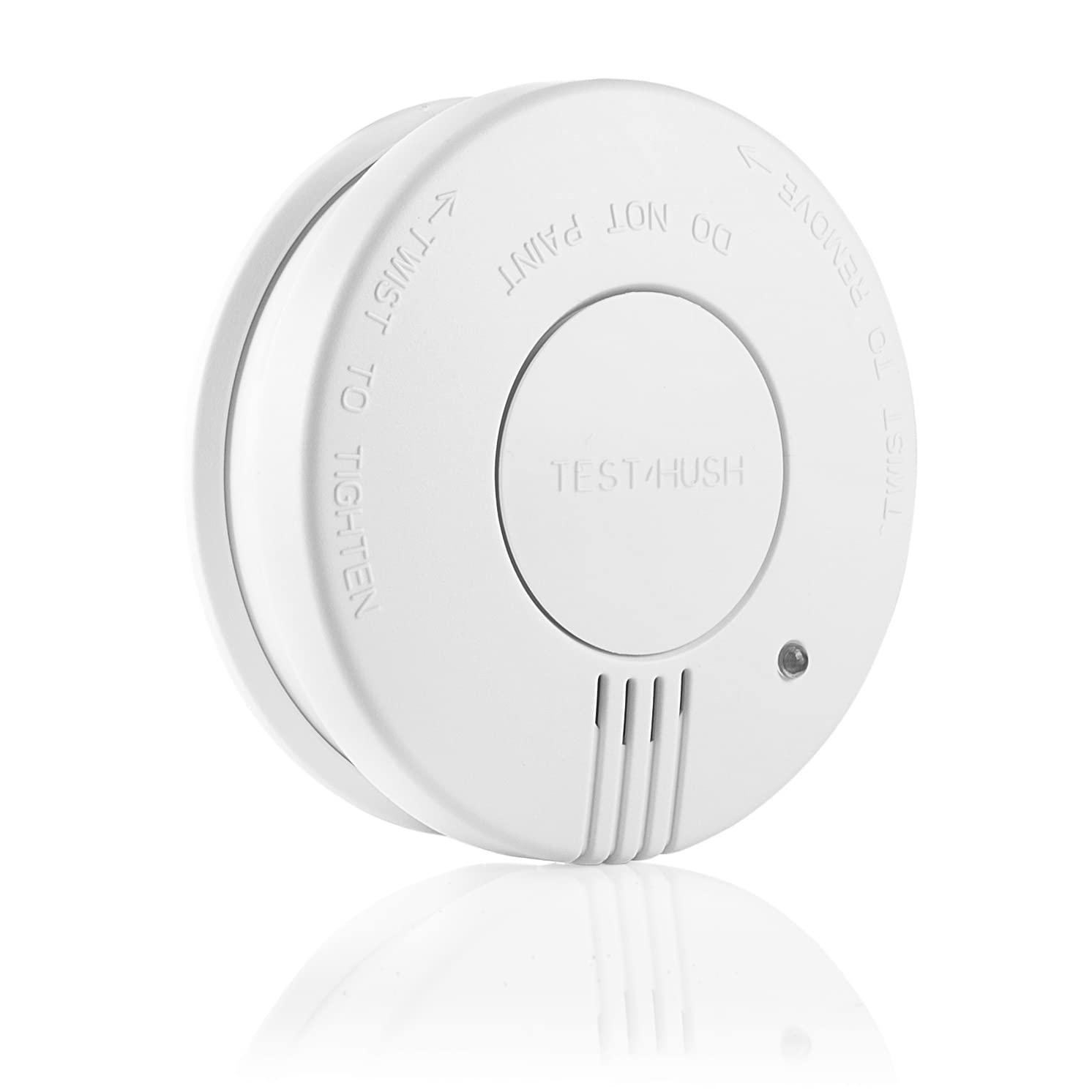
Figure 1: Front view of the Smartwares FSM-11516 Smoke Detector, showing the test/hush button and alarm vents.
2. Safety Information
- Do not paint the smoke detector. Paint can clog the sensing chambers and prevent the alarm from functioning correctly.
- Test the smoke detector regularly, at least once a month, to ensure proper operation.
- Replace the battery immediately when the low battery warning sounds.
- This device is intended for indoor use only.
- Keep the smoke detector clean and free from dust.
- Do not attempt to repair the unit yourself. Refer to qualified personnel for service.
3. Package Contents
Verify that all items are present in the package:
- Smartwares FSM-11516 Smoke Detector
- Mounting kit (screws and wall plugs)
- 9V Alkaline Battery
- User Manual
4. Setup and Installation
Proper placement and installation are crucial for the effective operation of your smoke detector.
4.1 Choosing a Location
- Install smoke detectors in all sleeping areas and on every level of your home.
- Place detectors in hallways that lead to sleeping areas.
- Avoid placing detectors within 3 meters (10 feet) of cooking appliances to prevent nuisance alarms.
- Do not install in bathrooms, near heating vents, or in areas with high humidity or extreme temperatures.
- Mount on the ceiling, at least 10 cm (4 inches) from any wall. If wall mounting is necessary, place the detector between 10-30 cm (4-12 inches) from the ceiling.
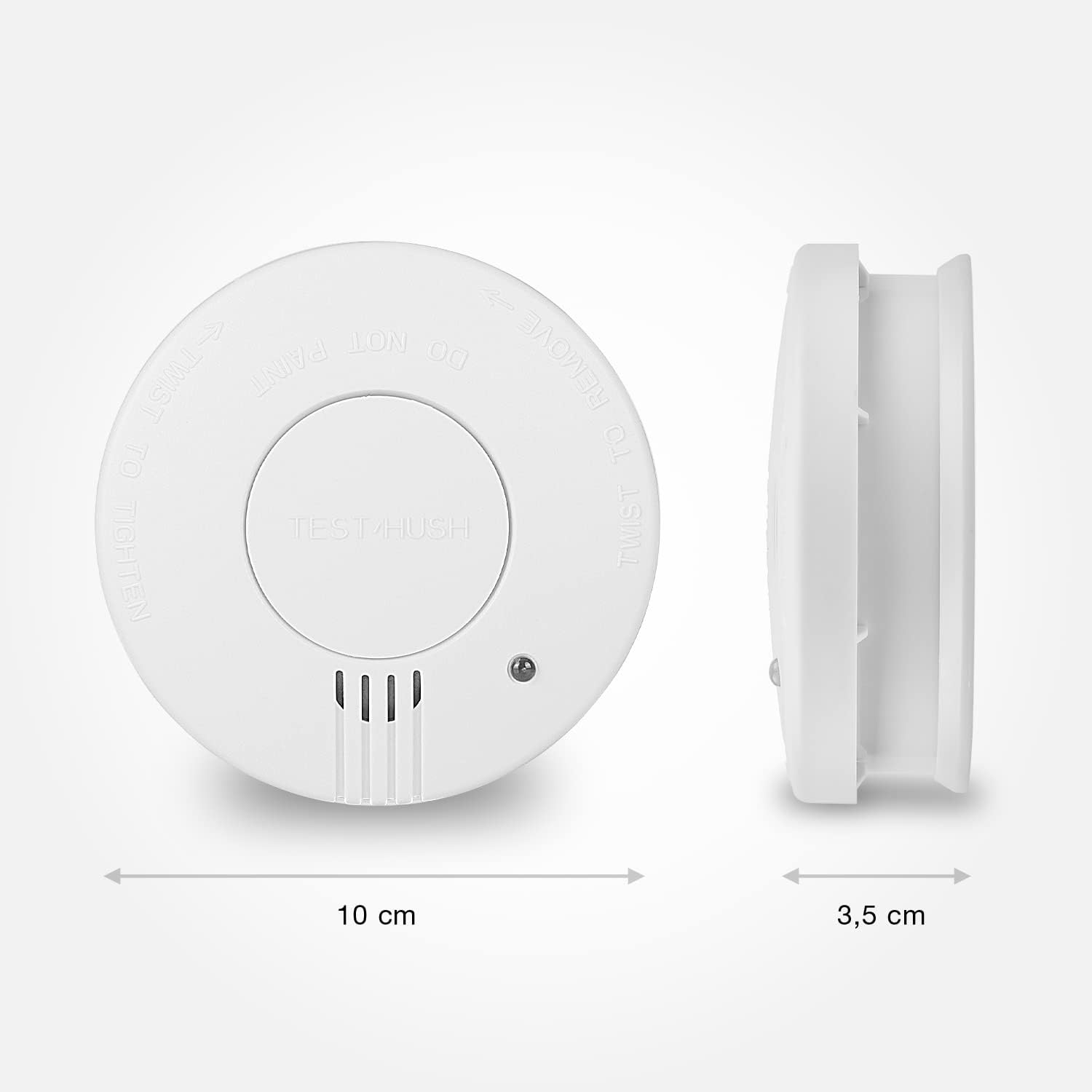
Figure 2: Dimensions of the Smartwares FSM-11516 Smoke Detector, showing a diameter of 10 cm and a depth of 3.5 cm.
4.2 Battery Installation
- Remove the mounting bracket from the smoke detector by twisting it counter-clockwise.
- Insert the supplied 9V alkaline battery into the battery compartment, ensuring correct polarity (+/-).
- The detector will emit a short beep to indicate the battery is correctly installed.

Figure 3: A hand inserting the 9V battery into the back compartment of the Smartwares FSM-11516 Smoke Detector before mounting.
4.3 Mounting the Detector
- Hold the mounting bracket against the chosen ceiling or wall location and mark the screw holes.
- Drill two holes at the marked positions. Insert the wall plugs if necessary.
- Secure the mounting bracket with the provided screws.
- Align the smoke detector with the mounting bracket and twist it clockwise until it clicks securely into place.

Figure 4: A hand twisting the Smartwares FSM-11516 Smoke Detector onto its ceiling-mounted base plate.
5. Operating Instructions
5.1 Normal Operation
Once installed with a fresh battery, the smoke detector is operational. A small LED indicator light will flash periodically (approximately every 40-60 seconds) to confirm that the unit is functioning correctly.
5.2 Testing the Detector
Test your smoke detector weekly to ensure it is working. Press and hold the large central 'TEST/HUSH' button for a few seconds. The alarm will sound loudly, and the LED will flash rapidly. Release the button when the alarm sounds. If the alarm does not sound, refer to the Troubleshooting section.

Figure 5: A finger pressing the central test/hush button on the Smartwares FSM-11516 Smoke Detector, indicating a functional test.
5.3 Silence (Hush) Function
In case of a nuisance alarm (e.g., from cooking fumes), you can temporarily silence the alarm. Press the 'TEST/HUSH' button once. The alarm will stop for approximately 10 minutes. The LED will continue to flash every 10 seconds during the silence period. After 10 minutes, the detector will automatically reset to normal operation. If smoke is still present, the alarm will sound again.
6. Maintenance
6.1 Cleaning
Dust and debris can affect the performance of your smoke detector. Clean the detector at least once a month by gently vacuuming the exterior with a soft brush attachment or wiping it with a damp cloth. Do not use cleaning sprays or solvents.
6.2 Battery Replacement
The smoke detector will emit a short chirp approximately every 40-60 seconds when the battery is low. This indicates that the battery needs to be replaced immediately. To replace the battery:
- Twist the detector counter-clockwise to remove it from its mounting bracket.
- Remove the old 9V battery.
- Insert a new 9V alkaline battery, observing polarity.
- Reattach the detector to the mounting bracket by twisting it clockwise until it locks.
- Test the detector to ensure proper function with the new battery.
7. Troubleshooting
| Problem | Possible Cause | Solution |
|---|---|---|
| Detector chirps every 40-60 seconds | Low battery | Replace the 9V alkaline battery. |
| Alarm sounds without visible smoke | Nuisance alarm (steam, cooking fumes, dust) | Press the 'TEST/HUSH' button to silence for 10 minutes. Clean the detector. Relocate if false alarms persist. |
| Alarm does not sound during test | Dead or improperly installed battery; unit malfunction | Check battery installation and replace if necessary. Ensure the detector is securely mounted. If problem persists, replace the unit. |
| LED indicator not flashing | No power; unit malfunction | Check battery. If battery is new and correctly installed, and LED still doesn't flash, replace the unit. |
8. Specifications
| Feature | Specification |
|---|---|
| Manufacturer | Smartwares |
| Model Number | FSM-11516 |
| Item Weight | 150 g |
| Product Dimensions (L x W x H) | 10 x 10 x 3.5 cm |
| Color | White |
| Style | Sold individually |
| Power Source Type | Battery powered |
| Mounting Type | Surface mount |
| Number of Units | 1 |
| Batteries Included | Yes |
| Batteries Required | Yes |
| Battery Cell Type | Alkaline (9V) |
| Alarm Type | Audible (85 dB at 3 meters) |
| Operating Humidity | 25-85% |
| Sensor Type | Photoelectric |
| Certifications | NF Certified |
9. Warranty and Support
Warranty information for the Smartwares FSM-11516 Smoke Detector is not provided in the available product data. For support or further inquiries, please refer to the manufacturer's official website or contact their customer service.


