
Introduction
This manual provides detailed instructions for the Dr Trust 505 Smart Fitness Body Fat Composition Analyzer Weighing Scale. This device is designed to accurately measure body weight and various body composition metrics, syncing data with a mobile application for comprehensive fitness tracking and health management. Please read this manual thoroughly before using the device.

Image: Dr Trust 505 Smart Fitness Body Fat Composition Analyzer Weighing Scale, showcasing its sleek design and digital display.
Package Contents
Verify that all items are present in the package:
- 1 x Dr Trust 505 Rechargeable Smart Scale
- 1 x USB Charging Cable (Micro USB)
- 1 x User Manual

Image: Contents of the Dr Trust 505 Smart Scale package, including the scale, USB cable, and user manual.
Setup
1. Initial Charging
The Dr Trust 505 scale is equipped with a rechargeable battery. Before first use, ensure the scale is fully charged.
- Locate the Micro USB charging port on the side of the scale.
- Connect the provided USB charging cable to the scale and to any standard USB power source (e.g., mobile charger, power bank, computer USB port).
- Allow the scale to charge until the battery indicator on the display shows full. A full charge can last for months under standard home use.
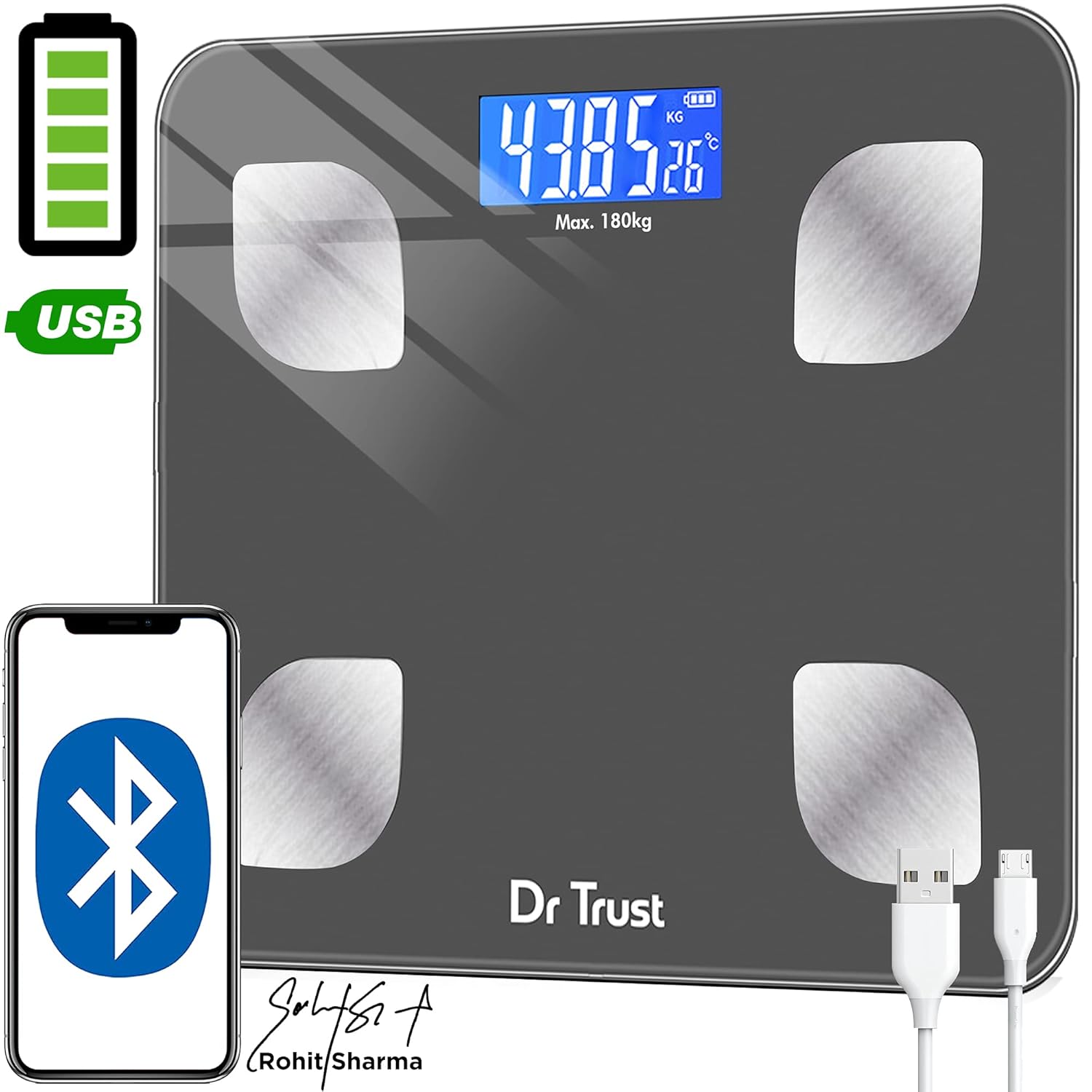
Image: Dr Trust 505 Smart Scale connected via USB cable for charging, highlighting its rechargeable feature.
2. App Installation and Pairing
To utilize the full features of the Dr Trust 505 scale, including body composition analysis and data tracking, download the companion mobile application.
- Download the Dr Trust 360 app from the Google Play Store (for Android devices) or the Apple App Store (for iOS devices).
- Ensure Bluetooth is enabled on your smartphone.
- Open the Dr Trust 360 app and create your user profile.
- Step onto the scale to activate it. The display will show your weight.
- Follow the in-app instructions to pair your scale with the application via Bluetooth. The app will automatically detect the scale.
- Once paired, your measurements will sync automatically to your profile in the app. The app also supports integration with Apple Health and Google Fit.

Image: Screenshot of the Dr Trust 360 app interface, showing connectivity options with Google Play, Apple App Store, Apple Health, and Google Fit.
Operating Instructions
1. Taking a Measurement
- Place the scale on a hard, flat surface. Avoid carpets or uneven flooring for accurate readings.
- Step onto the scale barefoot. Ensure your feet are placed on the four metal electrodes for body composition analysis.
- The scale will automatically power on and display your weight. Remain still until the reading stabilizes.
- If connected to the Dr Trust 360 app, your weight and other body composition metrics will automatically sync to your profile.
2. Understanding Body Composition Metrics
The Dr Trust 505 scale, in conjunction with the Dr Trust 360 app, measures up to 16 essential body metrics:
- Body Weight
- BMI (Body Mass Index)
- Body Fat Percentage
- Muscle Mass
- Bone Mass
- Body Water Percentage
- Visceral Fat
- Subcutaneous Fat
- Protein Rate
- BMR (Basal Metabolic Rate)
- BFR (Body Fat Rate)
- Fat-Free Weight
- Skeletal Muscle
- Body Age
- Metabolic Age
- Obesity Level

Image: Visual representation of the 16 essential body metrics measured by the Dr Trust 505 Smart Scale and tracked in the app.
3. Multiple User Support
The Dr Trust 360 app supports up to 8 user profiles, allowing multiple family members or individuals to track their data separately on the same scale.
- Each user creates their own profile within the app.
- The app intelligently recognizes users based on their weight and previous measurements.
- Data is synced to the respective user's profile, ensuring personalized tracking.

Image: Illustration showing how one Dr Trust 505 Smart Scale can be used by multiple users, with data shared via the app.
4. Changing Measurement Units
The scale allows you to switch between different weight units (e.g., kilograms, pounds). Look for a "Unit" button, usually on the underside or side of the scale, to toggle between units.

Image: Close-up view of the Dr Trust 505 Smart Scale showing the unit button, micro USB charging port, and display indicators.
Maintenance
1. Cleaning the Scale
- Wipe the scale surface with a soft, damp cloth.
- Do not use abrasive cleaners, harsh chemicals, or immerse the scale in water.
- Ensure the scale is dry before storage or next use.
2. Storage
- Store the scale in a cool, dry place.
- Avoid extreme temperatures or direct sunlight.
- Do not place heavy objects on the scale when not in use.
Troubleshooting
| Problem | Possible Cause | Solution |
|---|---|---|
| "Lo" displayed on screen | Low battery. | Recharge the scale using the provided USB cable. |
| "Err" displayed on screen | Overload or measurement error. | The weight exceeds the maximum capacity (180 kg). Step off the scale. If the error persists, ensure the scale is on a flat, stable surface. |
| Inaccurate or fluctuating readings |
|
|
| Scale does not connect to app |
|
|
Specifications
- Model: 505 (IHJ00004)
- Brand: Dr Trust
- Product Dimensions: 32 x 28 x 4 cm
- Item Weight: 1.5 kg (1500 Grams)
- Material: Tempered Glass
- Display Type: LCD
- Weight Capacity: Maximum 180 Kilograms
- Readout Accuracy: 0.01 kg
- Power Source: Rechargeable Battery (USB Micro-B)
- Connectivity: Bluetooth
- Sensors: 4 High Precision Sensors
- Country of Origin: India
Warranty and Support
For warranty information, technical support, or service inquiries, please contact the manufacturer directly.
- Manufacturer: Nureca Limited
- Address: B2-166, Time Square, 7th and 8th Floor, CTS No 349 and 349-1, Western Express Highway, Andheri East, Mumbai, Mumbai City, Maharashtra, 400069, India
- Contact Number: 7527013265
Please retain your purchase receipt as proof of purchase for any warranty claims.


