
1. Introduction
This manual provides instructions for the Easytry123 replacement remote control. It is designed to function as a direct replacement for various JVC LCD LED HDTV TV models. Please read this manual carefully to ensure proper setup and operation of your new remote control.
2. Product Overview
The Easytry123 replacement remote control is constructed from durable ABS plastic and is designed to provide essential control functions for compatible JVC televisions. It does not include batteries or a separate manual in the packaging.

Image 2.1: Front view of the Easytry123 replacement remote control. This image displays the full layout of buttons, including power, input selection, channel and volume controls, number pad, and navigation buttons.
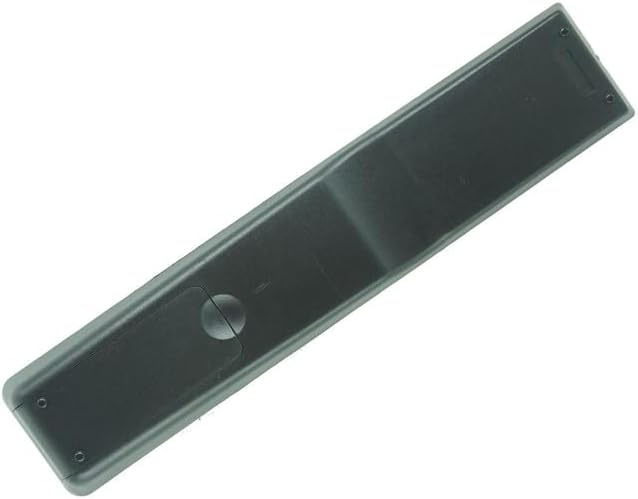
Image 2.2: Back view of the Easytry123 replacement remote control. This image shows the smooth, ergonomic design of the remote's rear casing.
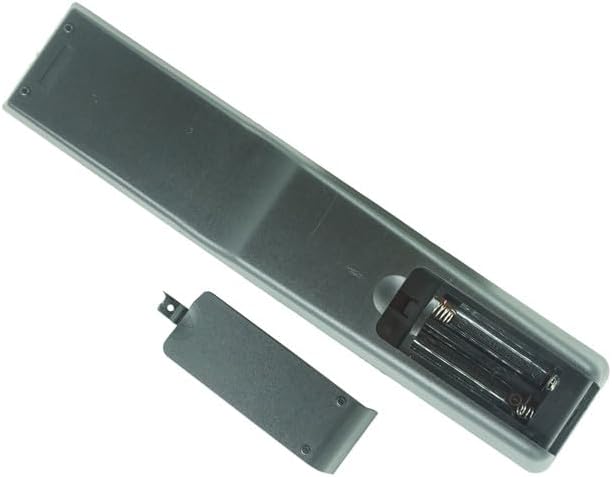
Image 2.3: Battery compartment of the Easytry123 replacement remote control. This image illustrates the open battery compartment, showing the slots for two AAA batteries and the removable cover.
3. Setup
3.1 Battery Installation
The remote control requires two (2) AAA batteries (not included) for operation. Follow these steps to install the batteries:
- Locate the battery compartment cover on the back of the remote control.
- Press down on the tab and slide the cover downwards to open the compartment.
- Insert two AAA batteries, ensuring the positive (+) and negative (-) terminals align correctly with the markings inside the compartment.
- Slide the battery compartment cover back into place until it clicks securely.
Note: Always replace both batteries at the same time. Do not mix old and new batteries, or different types of batteries.
4. Operation
This replacement remote control is designed to function immediately with compatible JVC TV models without requiring programming. Point the remote directly at your television's infrared sensor.
4.1 Basic Functions
- POWER: Turns the television on or off.
- INPUT: Cycles through available input sources (e.g., HDMI, AV, Component).
- HDMI / PC / MEDIA / TV: Direct access buttons for specific input sources.
- VOL +/-: Adjusts the volume level.
- CH +/-: Changes the television channel.
- MUTE: Silences or restores the television audio.
- Number Pad (0-9): Directly enters channel numbers.
- OK / Navigation Arrows: Navigates menus and confirms selections.
- BACK / EXIT: Returns to the previous menu or exits the current menu.
- ZOOM: Adjusts the screen zoom level (functionality may vary by TV model).
- USB / COMP: Direct access to USB or Component video inputs.
- CC: Activates or deactivates Closed Captions.
Note: Specific button functions may vary slightly depending on your JVC TV model.
5. Compatibility
This remote control is a replacement unit and is specifically designed to be compatible with the following JVC LCD LED HDTV TV models:
- RM-C20601C
- RM-C741
- RM-C740
- RM-C735
- RM-C734
- RM-C733
- RM-C732
- RM-C731
- RM-C730
- RM-C729
It is also noted to replace models such as RAV272, RAV273, RAV353, RAV352, RAV323, RAV361, RAV362, RAV358, RAV359. To ensure full compatibility, please compare the appearance and button layout of this remote with your original remote control.
6. Troubleshooting
6.1 Remote Not Responding
- Check Batteries: Ensure batteries are inserted correctly with the correct polarity (+/-). Replace old batteries with new AAA batteries.
- Line of Sight: Make sure there are no obstructions between the remote control and the TV's infrared sensor.
- Distance: Operate the remote within a reasonable distance from the TV.
- TV Sensor: Verify that the TV's infrared sensor is clean and not blocked.
6.2 Limited Functionality
- Compatibility: While designed as a replacement, some advanced or specific functions of your original remote may not be fully replicated. This remote provides core TV control.
- TV Model: Ensure your TV model is listed as compatible.
7. Specifications
- Brand: Easytry123
- Connectivity Technology: Infrared (IR)
- Compatible Devices: Television (JVC LCD LED HDTV TV models)
- Special Feature: Ergonomic, Replacement
- Power Source: 2 x AAA Batteries (not included)
- Material: New ABS Plastic
8. Maintenance
- Cleaning: Wipe the remote control with a soft, dry cloth. Do not use liquid cleaners or abrasive materials.
- Battery Care: Remove batteries if the remote will not be used for an extended period to prevent leakage. Dispose of used batteries responsibly according to local regulations.
- Storage: Store the remote in a cool, dry place away from direct sunlight and extreme temperatures.
9. Warranty and Support
Information regarding specific warranty terms or direct customer support for this Easytry123 replacement remote control is not provided in the product details. For any inquiries or support needs, please refer to the seller or the platform where the product was purchased.