
Introduction
This manual provides essential information for the operation and maintenance of your Easytry123 Replacement Remote Control. This remote is designed as a direct replacement for various Hisense LCD LED HDTV TV models, including 40K390PA, 50K390PAD, 55K390PAD, 60K390PAG, 65K390PAD, 55K680UAD, and 65K680UAD. Please read this manual thoroughly before use to ensure proper functionality and to maximize the lifespan of your device.
Note: This replacement remote may not support all functions of your original remote. It is designed for basic and essential TV control.
Product Overview
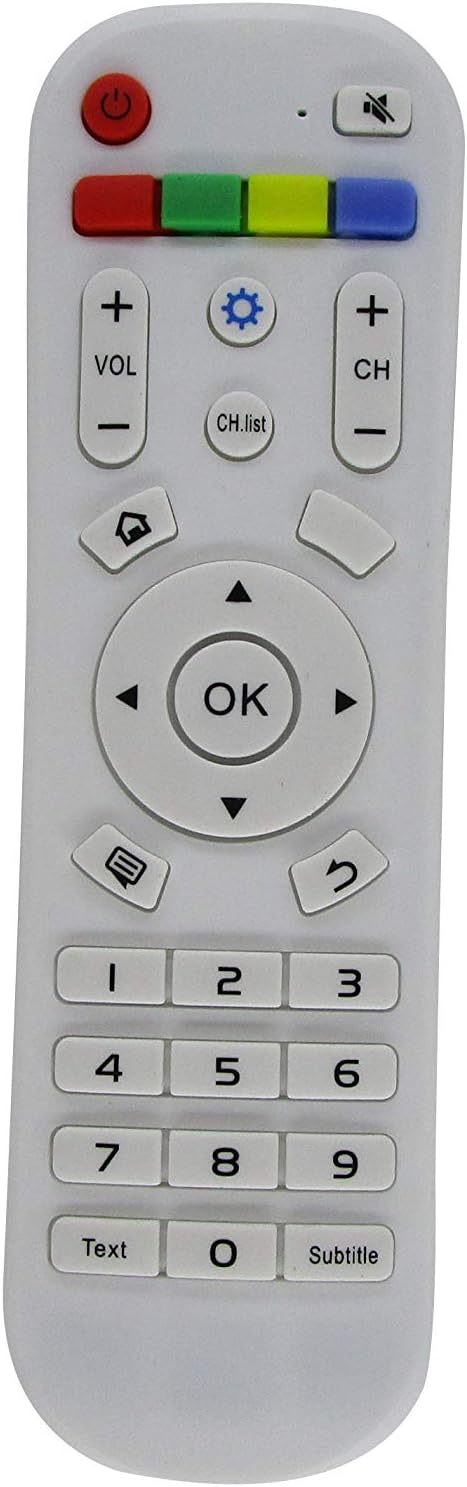
Figure 1: Front View of Remote Control
This image displays the front of the Easytry123 replacement remote control, highlighting the layout of its buttons, including power, volume, channel, navigation, number pad, and special function keys like 'Text' and 'Subtitle'.

Figure 2: Rear View and Battery Compartment
This image shows the back of the remote control with the battery cover removed, revealing the compartment designed to hold two AAA batteries. The battery cover is shown detached next to the remote.
Setup
Installing Batteries
- Locate the battery compartment on the back of the remote control.
- Slide the battery cover downwards or press the latch to open it. Refer to Figure 2 for visual guidance.
- Insert two (2) AAA batteries, ensuring the positive (+) and negative (-) terminals align correctly with the markings inside the compartment.
- Replace the battery cover by sliding it back into place until it clicks securely.
Important: Remove batteries if the remote control will not be used for an extended period to prevent leakage and damage. Do not mix old and new batteries, or different types of batteries.
Initial Use
This replacement remote control is designed to be used directly with compatible Hisense TV models without the need for programming. Once batteries are installed, point the remote at your television and begin operation.
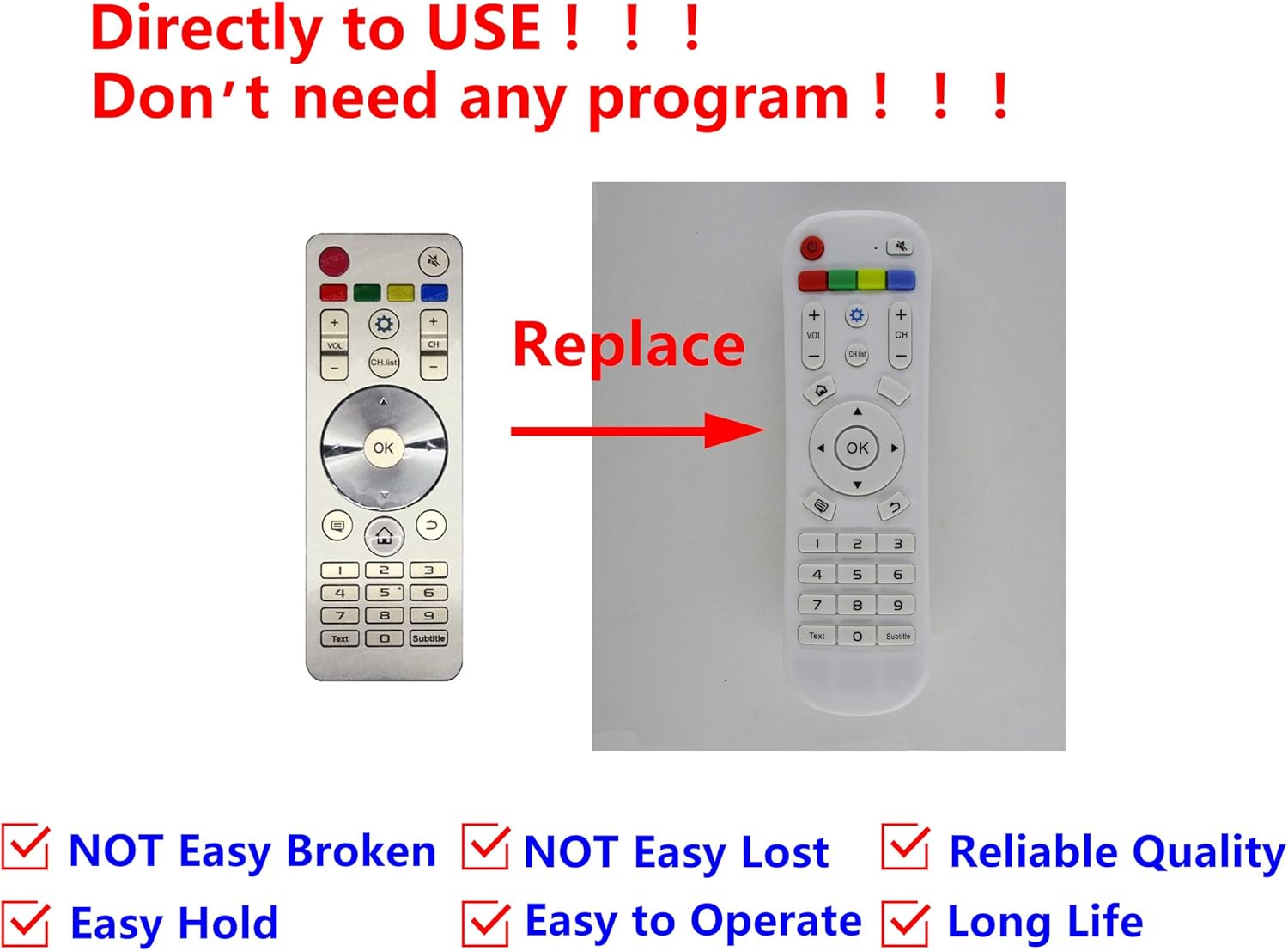
Figure 3: Direct Use Confirmation
This diagram visually confirms that the Easytry123 remote is a direct replacement and requires no programming. It shows an older remote being replaced by the new one, emphasizing ease of use.
Operating Instructions
The remote control features standard buttons for common television functions. Refer to Figure 1 for button layout.
- Power Button (●): Turns the television on or off.
- Volume Up/Down (VOL +/-): Adjusts the audio volume.
- Channel Up/Down (CH +/-): Changes the television channel.
- Mute Button (🔇): Mutes or unmutes the television audio.
- Navigation Buttons (▲ ▼ ◄ ►): Used to navigate menus and select options.
- OK Button: Confirms selections in menus.
- Number Pad (0-9): Directly enters channel numbers.
- Input/Source Button (⎌): Cycles through available input sources (HDMI, AV, etc.).
- Back/Return Button (↶): Returns to the previous screen or menu.
- Home Button (⌂): Accesses the TV's main menu or smart features.
- CH.list Button: Displays the channel list.
- Text Button: Activates teletext or similar text-based services.
- Subtitle Button: Toggles subtitles on or off.
Maintenance
- Cleaning: Use a soft, dry cloth to clean the remote control. Do not use liquid cleaners or abrasive materials.
- Storage: Store the remote in a cool, dry place away from direct sunlight and extreme temperatures.
- Battery Replacement: Replace batteries when the remote's response becomes sluggish or stops working. Always replace both batteries at the same time.
Troubleshooting
| Problem | Possible Cause | Solution |
|---|---|---|
| Remote not responding. | Dead or incorrectly inserted batteries. | Replace batteries with new AAA batteries, ensuring correct polarity. |
| Remote works intermittently. | Weak batteries or obstruction between remote and TV. | Replace batteries. Ensure a clear line of sight to the TV's IR receiver. |
| Certain functions do not work. | Function not supported by replacement remote. | This replacement remote may not support all advanced functions of your original TV remote. It is designed for essential controls. |
Specifications
- Model Compatibility: Hisense 40K390PA, 50K390PAD, 55K390PAD, 60K390PAG, 65K390PAD, 55K680UAD, 65K680UAD LCD LED HDTV TVs
- Power Source: 2 x AAA Batteries (not included)
- Connectivity Technology: Infrared (IR)
- Number of Buttons: 25
- Brand: Easytry123
- Special Feature: Ergonomic design
Warranty and Support
For information regarding warranty or customer support, please refer to the seller's policy on the platform where the product was purchased. Typically, replacement items like this remote control are covered by a standard return policy.
- Return Policy: 30-day refund/replacement policy (as per product listing).
- Manufacturer: Easytry123
If you encounter issues not covered in this manual, please contact the seller directly for assistance.