
Introduction
This manual provides essential information and instructions for the Easytry123 replacement remote control. This remote is designed to be compatible with various Hisense LCD LED HDTV models, specifically those that originally used the EN3A31 series remote. Please review this manual thoroughly before use.
Setup
Battery Installation
The remote control requires two (2) AAA batteries for operation. Batteries are not included with the remote control and must be purchased separately.
- Locate the battery compartment on the back of the remote control.
- Slide the battery compartment cover downwards and remove it.
- Insert two AAA batteries, ensuring the positive (+) and negative (-) terminals align correctly with the markings inside the compartment.
- Replace the battery compartment cover by sliding it back into position until it clicks securely.

This image illustrates the battery compartment located on the back of the remote control. The cover slides off to allow insertion of two AAA batteries.
Operating Instructions
This replacement remote control is designed for immediate use with compatible Hisense televisions. No programming is typically required.
Compatibility
- Ensure your television model is listed as compatible with the Hisense EN3A31 series remote. Compatible models include LTDN42K320UWSEU, LTDN42K390XWSEU3D, and LTDN42K680XWSEU3D.
- While designed to replace the original, some advanced or specific functions of your original remote may not be fully supported by this replacement unit.
Basic Functions
Point the remote control directly at the infrared receiver on your television. Press the desired buttons to control functions such as power, volume, channel selection, and menu navigation.
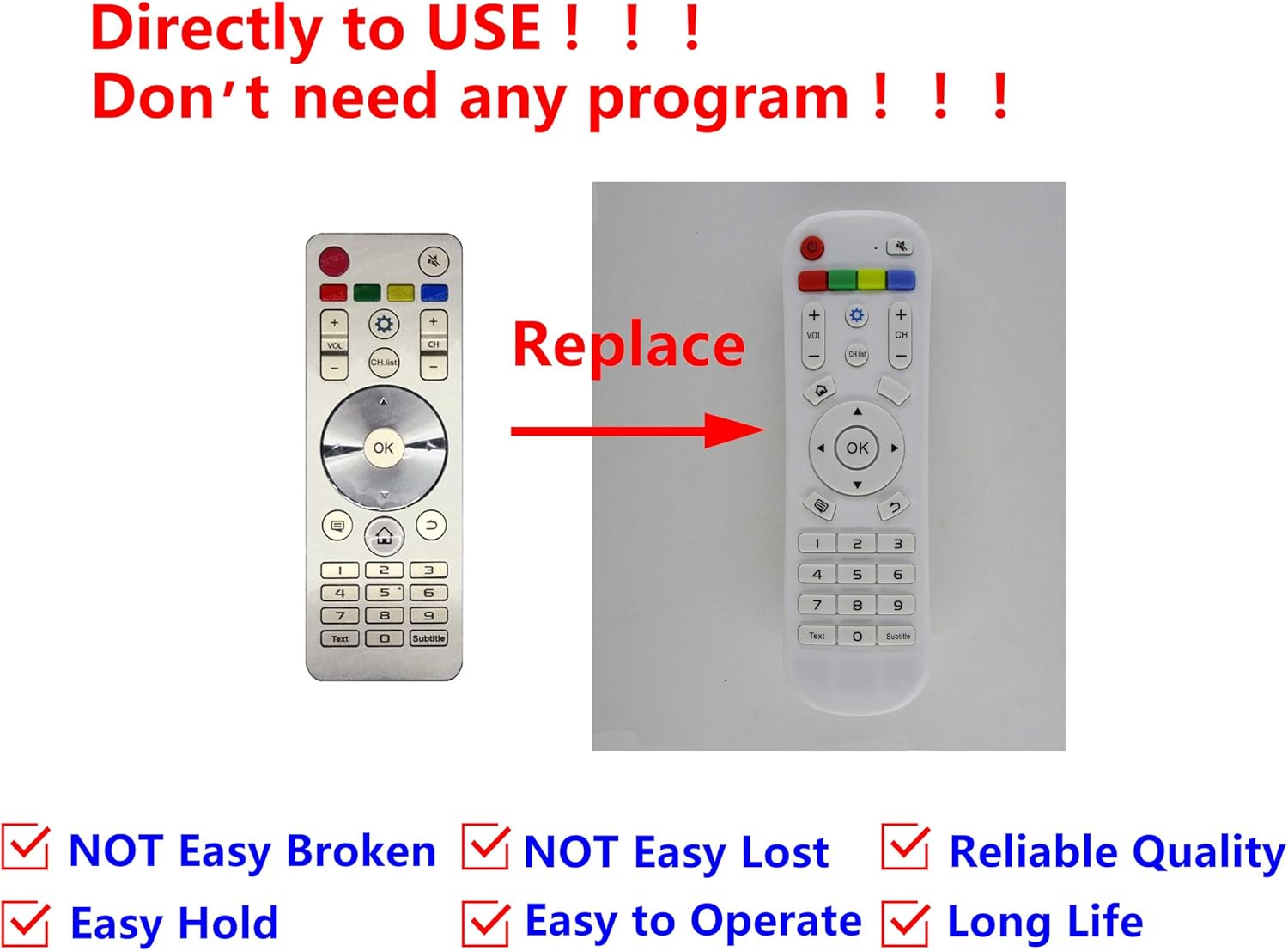
This image displays the Easytry123 replacement remote control, showing its button layout. It also includes a comparison to an original Hisense remote, indicating that the replacement is designed to function similarly.
Maintenance
Cleaning
To clean the remote control, gently wipe it with a soft, dry cloth. Do not use liquid cleaners, abrasive pads, or chemical solvents, as these can damage the remote's surface or internal components.
Battery Care
- Replace batteries when the remote's performance diminishes or stops working.
- Remove batteries if the remote control will not be used for an extended period to prevent leakage and potential damage.
- Dispose of used batteries responsibly according to local regulations.
Troubleshooting
Remote Not Responding
- Check Batteries: Ensure batteries are inserted correctly with the correct polarity (+/-) and are not depleted. Replace with fresh AAA batteries if necessary.
- Line of Sight: Make sure there are no obstructions between the remote control and the television's infrared receiver. The remote uses infrared technology, requiring a clear line of sight.
- Distance: Ensure you are within the effective operating range of the remote control.
- TV Compatibility: Double-check that your television model is indeed compatible with the EN3A31 series remote.
Specifications
| Brand | Easytry123 |
| Model Series | EN3A31 |
| Compatible Devices | Hisense Televisions (e.g., LTDN42K320UWSEU, LTDN42K390XWSEU3D, LTDN42K680XWSEU3D) |
| Connectivity Technology | Infrared (IR) |
| Controller Type | Button Control |
| Special Feature | Ergonomic design |
| Batteries Required | 2 x AAA (not included) |
Warranty and Support
For any issues or questions regarding your Easytry123 replacement remote control, please contact the seller directly through your purchase platform. Specific warranty details may vary by retailer and purchase date.