
Product Overview
The GUESS Bounce U1281L2 is a multifunction digital watch designed for daily use. It features a clear digital display, backlight for visibility in low light, and essential functions such as a stopwatch, alarm, and countdown timer. This manual provides instructions for setting up, operating, and maintaining your watch.

Image 1: Front view of the GUESS Bounce U1281L2 digital watch. This image displays the watch face, showing the digital time, date, and various function indicators. The watch features a black silicone strap and a black case with silver-toned buttons on the sides.
Key Features
- Quartz Movement: Ensures accurate timekeeping.
- Mineral Crystal: Durable watch face for enhanced scratch resistance.
- Stainless Steel Case with Silicone Band: Provides a robust yet comfortable wear.
- Water Resistance: Rated for 30 Meters (100 Feet / 3 ATM), suitable for splashes or brief immersion, but not for swimming or diving.
- Multifunction Digital Display: Includes time, date, stopwatch, alarm, and countdown timer.
- Backlight: For enhanced visibility in low-light conditions.
Setup and Initial Operation
1. Activating the Watch
Your watch may arrive in a power-saving mode. Press any button to activate the display. If the display remains blank, the battery may need to be replaced (refer to the Maintenance section).
2. Setting the Time and Date
- Press the MODE button repeatedly until the time setting mode is displayed (usually indicated by flashing digits).
- Use the SET button to select the digit or setting you wish to adjust (e.g., hours, minutes, 12/24-hour format).
- Use the START button to increase the value or cycle through options.
- Use the LIGHT button to decrease the value or cycle through options (if applicable).
- Once time and date are set, press the MODE button to exit the setting mode.
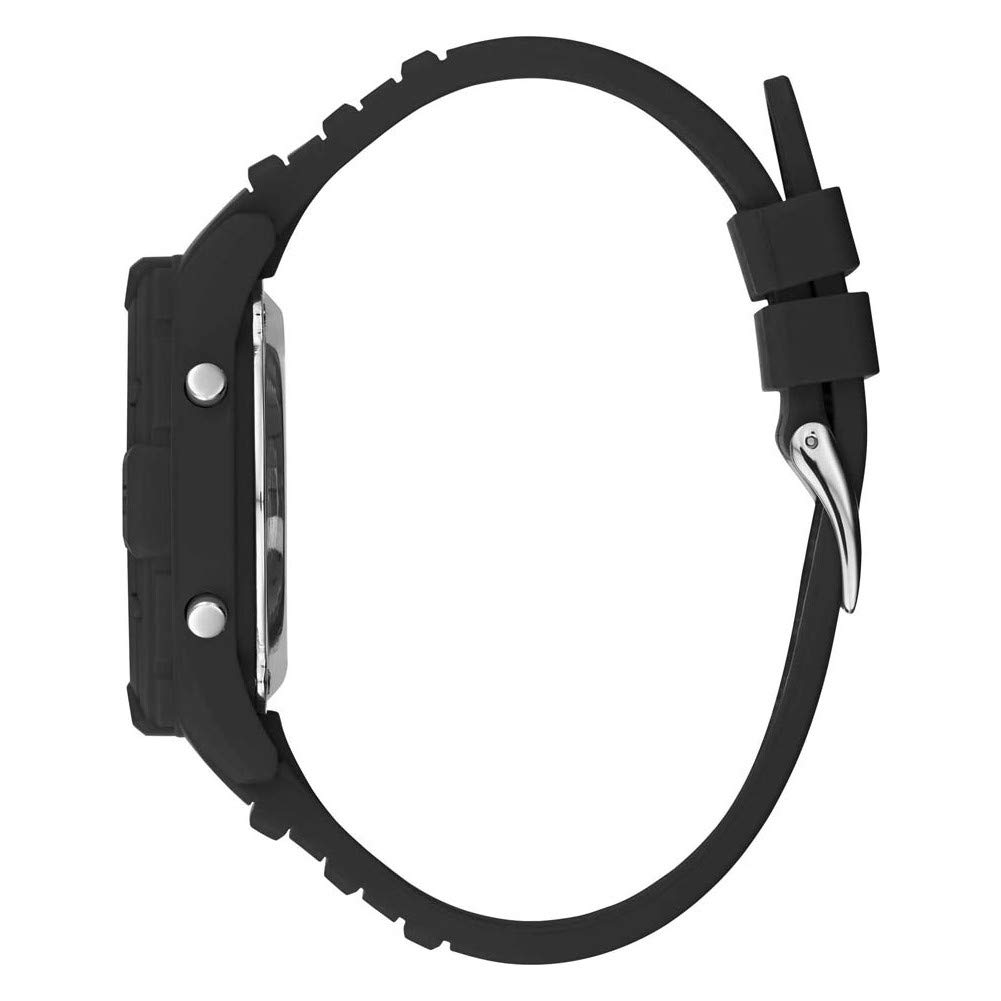
Image 2: Side view of the GUESS Bounce U1281L2 digital watch. This image highlights the watch's profile, including the thickness of the case and the placement of the control buttons (LIGHT, MODE, START, SET) on the left and right sides of the watch.
Operating Functions
1. Stopwatch Function
- Press the MODE button until "CHRONOGRAPH" or "STOPWATCH" is displayed.
- Press START to begin timing.
- Press START again to pause timing.
- Press SET to reset the stopwatch to zero.
2. Alarm Function
- Press the MODE button until "ALARM" is displayed.
- Use the SET button to select the hour or minute digits.
- Use the START button to adjust the time.
- Press MODE to exit. To turn the alarm on/off, typically press START while in alarm mode.
3. Countdown Timer
- Press the MODE button until "COUNTDOWN" is displayed.
- Use SET to select the hour or minute digits.
- Use START to adjust the time.
- Press START to begin the countdown. Press again to pause.
- Press SET to reset the timer.
4. Backlight
Press the LIGHT button to illuminate the display for a few seconds.
Maintenance and Care
- Cleaning: Wipe the watch with a soft, damp cloth. Avoid harsh chemicals or abrasive materials.
- Water Resistance: The watch is water-resistant to 30 meters (3 ATM). This means it can withstand splashes or brief immersion in water. Do not press buttons underwater. Not suitable for swimming, diving, or showering.
- Battery Replacement: The watch uses 1 Lithium Ion battery (included). When the display dims or functions become erratic, it's time to replace the battery. It is recommended to have battery replacement performed by a qualified watch technician to ensure water resistance is maintained.
- Storage: Store the watch in a cool, dry place away from direct sunlight and extreme temperatures.

Image 3: Back view of the GUESS Bounce U1281L2 digital watch. This image focuses on the black silicone strap and the polished silver-toned buckle, which secures the watch to the wrist.
Troubleshooting
| Problem | Possible Cause | Solution |
|---|---|---|
| Display is blank or dim. | Low battery or power-saving mode. | Press any button to activate. If still blank, replace the battery. |
| Time is incorrect. | Time not set correctly or accidental adjustment. | Refer to "Setting the Time and Date" section to reset. |
| Buttons are unresponsive. | Watch may be in a locked mode or battery is very low. | Try pressing all buttons. If unresponsive, consider battery replacement. |
| Water inside the watch. | Exceeded water resistance limits or damaged seal. | Immediately take the watch to a qualified technician for inspection and repair. Do not attempt to dry it yourself. |
Specifications
- Model Number: Bounce U1281L2
- Movement: Quartz
- Case Material: Stainless Steel
- Band Material: Silicone
- Case Diameter: 41mm
- Case Thickness: 10mm
- Band Width: 20mm
- Crystal: Mineral
- Water Resistance: 30 Meters / 100 Feet / 3 ATM
- Battery: 1 Lithium Ion (included)
- Item Weight: 136 g
- Product Dimensions: 8 x 9 x 9 cm
Warranty and Support
For warranty information and customer support, please refer to the warranty card included with your purchase or visit the official GUESS website. Keep your proof of purchase for warranty claims.
GUESS Official Website: www.guess.com

