
1. Introduction
This manual provides essential information for the safe installation, operation, and maintenance of your EMOS A6003.0 LED Rotary Dimmer. Please read these instructions carefully before installation and retain them for future reference. This flush-mounted rotary dimmer is designed for controlling the brightness of compatible light sources.
2. Safety Information
- Electrical Hazard: Installation must be performed by a qualified electrician in accordance with all local and national electrical codes.
- Power Disconnection: Always disconnect power at the circuit breaker before installing, servicing, or removing the dimmer.
- Compatibility: This dimmer is designed for use only with dimmable light sources. Using non-dimmable light sources may cause damage to the dimmer or the light source.
- Indoor Use Only: The dimmer has an IP20 protection class, making it suitable for indoor use in dry environments only. Do not expose to moisture or extreme temperatures.
- Load Limits: Do not exceed the specified maximum load for the dimmer.
3. Package Contents
Verify that all components are present in the package:
- 1 x EMOS A6003.0 Rotary Dimmer
- Mounting Accessories
- Instruction Manual (English language)

Figure 3.1: EMOS A6003.0 Rotary Dimmer in its retail packaging.
4. Specifications
| Feature | Specification |
|---|---|
| Model Number | A6003.0 |
| Input Voltage | 230 V, 50 Hz |
| Output (Halogen/Fluorescent) | 7-110 W/VA |
| Output (Dimmable LED) | 3-60 W/VA |
| Protection Class | IP20 (Indoor Use) |
| Control Method | Rotary Knob with Push Function |
| Dimensions (W x H x D) | 80 x 80 x 59 mm (approx.) |
| Weight | 133 grams (approx.) |
| Compliance | CE |
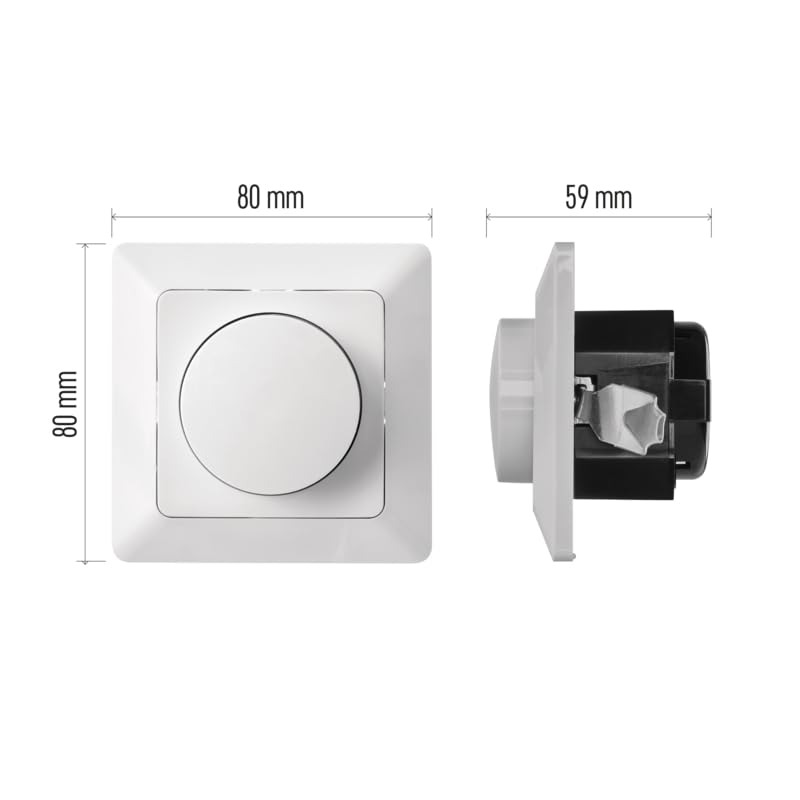
Figure 4.1: Approximate dimensions of the EMOS A6003.0 Dimmer.
5. Installation
Important: Installation should only be carried out by a qualified electrician. Ensure the main power supply is switched off at the circuit breaker before commencing installation.
5.1 Wiring Diagram
The dimmer requires connection to the live (L) wire and the switched live (load) wire to the light fixture. Refer to the markings on the dimmer terminals for correct connection.

Figure 5.1: Rear view of the dimmer showing connection terminals. L1 is typically the incoming live, and the arrowed terminals are for the switched live to the load.
5.2 Mounting
- Ensure power is off.
- Connect the wiring according to the diagram in Section 5.1.
- Carefully place the dimmer mechanism into a standard flush-mounted wall box.
- Secure the dimmer to the wall box using the provided mounting accessories.
- Attach the front plate and rotary knob.
- Restore power at the circuit breaker.

Figure 5.2: Front view of the EMOS A6003.0 Rotary Dimmer.
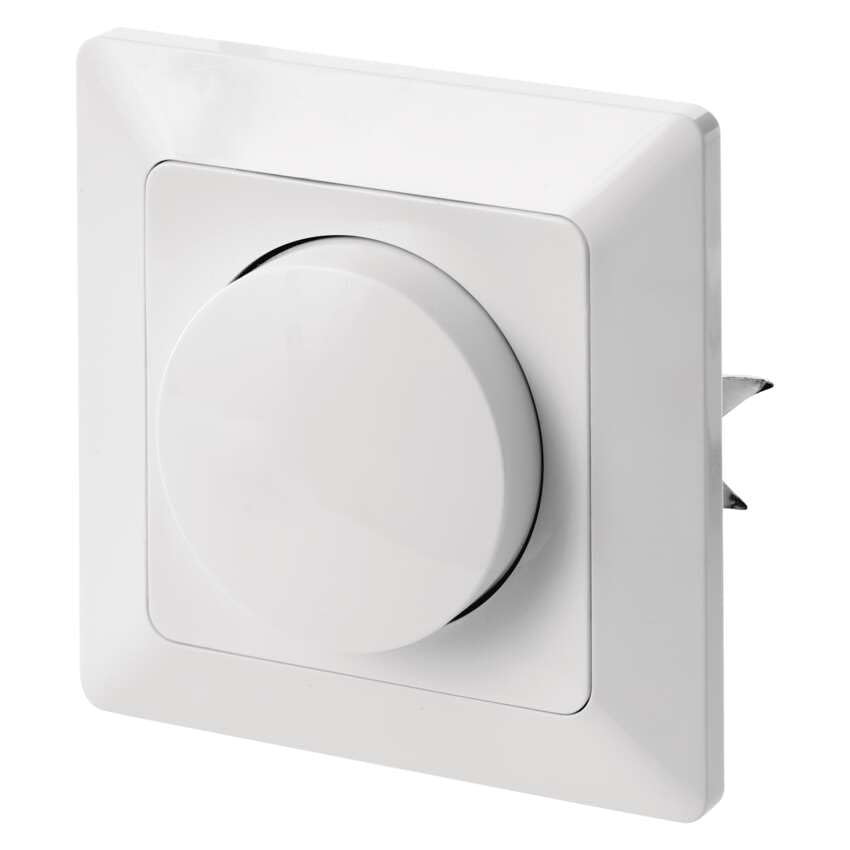
Figure 5.3: Side view of the dimmer, illustrating its flush-mounted design.
6. Operation
The EMOS A6003.0 dimmer features a simple rotary knob for control.
- Turning On/Off: Press the rotary knob to switch the connected light source on or off.
- Dimming: Rotate the knob clockwise to increase brightness and counter-clockwise to decrease brightness.
- Minimum Brightness Adjustment: Some dimmable LED bulbs may require adjustment of the dimmer's minimum brightness setting to prevent flickering or ensure stable operation at low levels. Consult the dimmer's internal adjustment screw if available and necessary, following the manufacturer's guidelines.
7. Maintenance
The EMOS A6003.0 LED Rotary Dimmer requires minimal maintenance.
- Cleaning: To clean the dimmer, wipe the surface with a soft, dry cloth. Do not use abrasive cleaners, solvents, or excessive moisture, as these can damage the finish or internal components.
- No User-Serviceable Parts: There are no user-serviceable parts inside the dimmer. Do not attempt to open or repair the unit yourself.
8. Troubleshooting
If you encounter issues with your dimmer, refer to the following common problems and solutions:
| Problem | Possible Cause | Solution |
|---|---|---|
| Light does not turn on. | No power, incorrect wiring, faulty bulb, dimmer failure. | Check circuit breaker. Verify wiring connections. Test with a known working bulb. If problem persists, consult a qualified electrician. |
| Light does not dim or flickers. | Non-dimmable bulb, incompatible bulb, load too low/high, minimum brightness not adjusted. | Ensure bulbs are explicitly marked as dimmable. Check if the total wattage of bulbs is within the dimmer's specified range (3-60W/VA for LED, 7-110W/VA for Halogen/Fluorescent). Adjust the dimmer's minimum brightness setting if applicable. |
| Dimmer feels warm. | Normal operation, overloaded circuit. | A slight warmth during operation is normal. If the dimmer becomes excessively hot, immediately disconnect power and check the total load connected to ensure it does not exceed the dimmer's maximum capacity. |
9. Warranty and Support
For warranty information or technical support regarding your EMOS A6003.0 LED Rotary Dimmer, please refer to the warranty card included with your purchase or contact EMOS customer service directly. Contact details can typically be found on the EMOS official website or on your purchase documentation.


