
1. Introduction
The Tosuny 4.3 Inch TFT LCD Digital Peephole Camera provides a simple and secure way to monitor your doorstep. Designed for easy installation without drilling or complex wiring, it features a user-friendly interface suitable for all ages. This manual provides instructions for setup, operation, and maintenance of your digital peephole camera.
2. Product Overview
2.1 Key Features
- 4.3-inch HD TFT LCD Screen for clear viewing.
- 1-megapixel professional security camera with 145-degree wide-angle viewing.
- Built-in 1800mAh Li-ion battery for convenient and portable use.
- Durable metal peephole viewer design.
- Supports charging via USB or a mobile power bank.
- Energy-saving technology with automatic standby mode.
- One-key operation for instant viewing.

Image: The Tosuny 4.3 Inch Digital Peephole Viewer, displaying its screen and the outdoor camera unit. Key features like the 4.3" TFT display, built-in 1800mA battery, super wide-angle, and million-pixel camera are highlighted.
2.2 Package Contents
Please check the package for the following items:
- 1 x Outdoor Camera Unit
- 1 x Indoor Host Unit (Monitor)
- 1 x USB Cable
- 1 x Installation Package (Screws, Mounting Bracket)

Image: All components included in the product package: the indoor monitor, outdoor camera, USB cable, and installation hardware.
3. Installation Guide
3.1 Pre-installation Checks
- Ensure your door thickness is between 35 mm and 110 mm.
- Ensure your existing peephole diameter is between 14 mm and 50 mm.
3.2 Installation Steps
- Remove your existing peephole from the door.
- Insert the Outdoor Camera Unit through the peephole from the outside of the door. Ensure the camera is facing outwards and is securely seated.
- From the inside of the door, attach the mounting bracket to the Outdoor Camera Unit's threaded tube. Secure it tightly with the provided screws.
- Connect the cable from the Outdoor Camera Unit to the corresponding port on the Indoor Host Unit (monitor).
- Mount the Indoor Host Unit onto the mounting bracket. Ensure it clicks into place securely.
- Power on the device to test the installation.

Image: The Tosuny Digital Peephole Camera installed on a door, showing the outdoor camera unit in the peephole and the indoor monitor mounted next to it.

Image: The back of the Indoor Host Unit, illustrating the connection points for the outdoor camera cable and the USB charging port.
4. Operating Instructions
4.1 Powering On/Off
To power on the device, press and hold the power button (usually located on the side or bottom of the indoor unit) until the screen illuminates. To power off, press and hold the same button until the screen turns off.
4.2 Viewing Visitors
When the device is in standby mode, press the wake-up button (often indicated by a bell or eye icon) on the Indoor Host Unit to activate the screen and view outside. The screen will display a live feed from the outdoor camera.

Image: Front view of the Indoor Host Unit, showing the 4.3-inch screen and the wake-up button.
4.3 Charging the Battery
When the battery is low, connect the provided USB cable to the charging port on the Indoor Host Unit and plug the other end into a USB power adapter (not included) or a mobile power bank. The device will indicate when it is charging.
5. Maintenance
5.1 Cleaning
Wipe the screen and camera lens with a soft, dry, lint-free cloth. Do not use liquid cleaners or abrasive materials, as they may damage the surfaces.
5.2 Battery Care
To prolong battery life, avoid fully discharging the battery frequently. Recharge the device when the low battery indicator appears. If the device will not be used for an extended period, charge it periodically to maintain battery health.
6. Troubleshooting
6.1 Device Not Powering On
- Ensure the battery is charged. Connect the device to a USB power source and allow it to charge for at least 30 minutes before attempting to power it on again.
- Check the USB cable and power adapter for any damage.
6.2 No Image on Screen
- Verify that the cable connecting the Outdoor Camera Unit to the Indoor Host Unit is securely plugged in at both ends.
- Ensure the outdoor camera lens is not obstructed or dirty.
6.3 Poor Image Quality
- Clean the camera lens and the screen with a soft cloth.
- Ensure there is adequate lighting outside the door.
7. Specifications
| Feature | Specification |
|---|---|
| LCD Screen | 4.3-inch TFT Color Screen |
| Viewing Angle | 145 degrees |
| Camera Resolution | 1 Million Pixels |
| Suitable Door Thickness | 35 ~ 110 mm |
| Suitable Peephole Diameter | 14 ~ 50 mm |
| Battery | 1800mAh Li-ion Battery |
| Indoor Unit Dimensions | 134 x 82 x 13.5 mm (5.28 x 3.23 x 0.53 inches) |
| Color | Black |
| Weight | 350 g |
| Model Number | Tosunys658oxdw4b |

Image: A diagram illustrating the dimensions of the Indoor Host Unit: 13.4 cm length, 8.20 cm width, and 1.35 cm thickness.
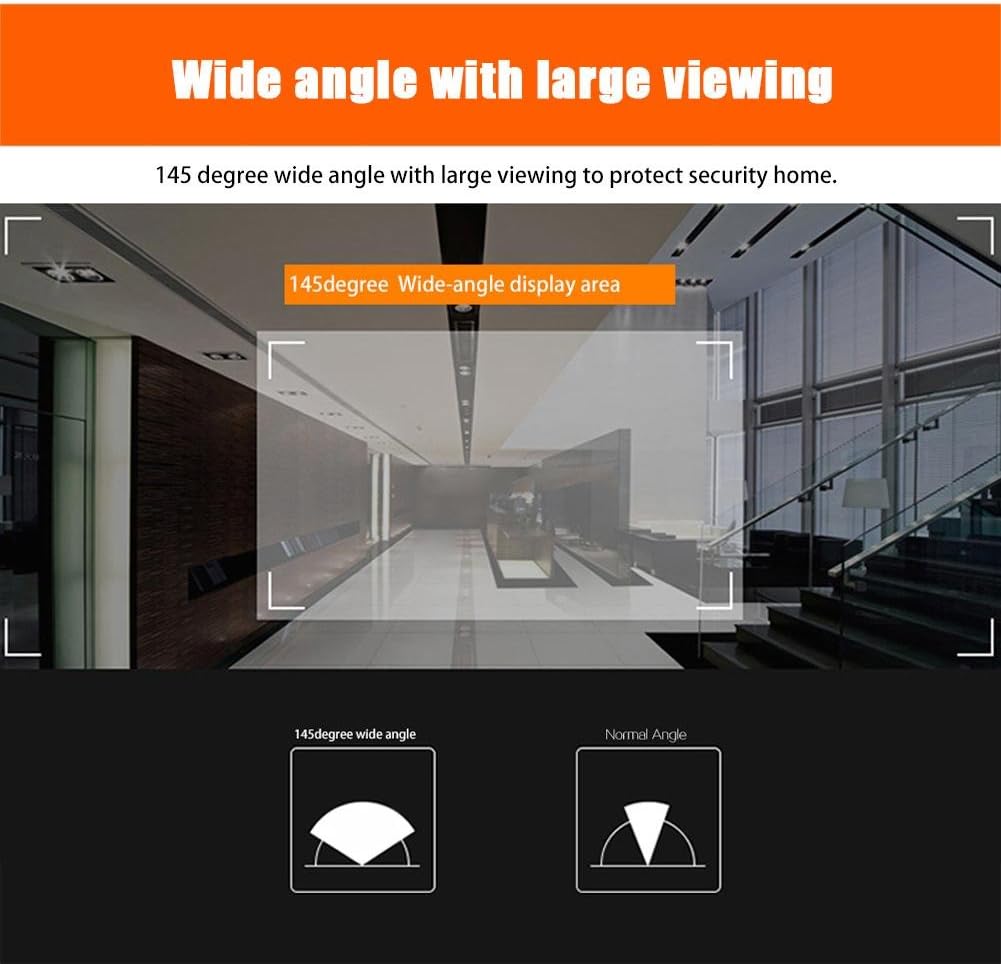
Image: A visual comparison demonstrating the expanded field of view provided by the 145-degree wide-angle lens compared to a normal angle, enhancing home security.
8. Warranty and Support
For warranty information and technical support, please refer to the product packaging or contact your retailer. Keep your purchase receipt as proof of purchase.