
Alecto DBX-115
Alecto DECT Baby Monitor DBX-115 User Manual
Model: DBX-115
Introduction
This manual provides essential instructions for the safe and effective use of your Alecto DECT Baby Monitor DBX-115. Please read this manual thoroughly before operating the device and retain it for future reference. The Alecto DBX-115 is an audio baby monitor designed to provide a secure and interference-free connection between the baby unit and the parent unit, ensuring you can hear your baby clearly.
Key features include DECT digital technology for 100% interference-free communication, a range of up to 300 meters in open areas, and a Full Eco mode that minimizes radiation when the baby is quiet.
Package Contents
Upon opening the package, ensure all the following items are present and in good condition:
- 1x Baby Unit (DBX-115)
- 1x Parent Unit (DBX-115)
- 2x Power Adapters
- 2x Ni-MH Rechargeable AAA Batteries (for Parent Unit)
- 1x User Manual

Image: Contents of the Alecto DBX-115 baby monitor package, showing both the baby and parent units, two power adapters, two AAA rechargeable batteries, and the instruction manual.
Safety Instructions
To ensure safe operation and prevent damage, please observe the following safety guidelines:
- Keep the baby unit and its power cord out of reach of children (at least 1 meter away from the crib).
- Do not place the baby unit or parent unit in or near water.
- Use only the provided power adapters. Using unauthorized adapters may damage the device and void the warranty.
- Do not attempt to open or repair the units yourself. Refer all servicing to qualified personnel.
- Avoid exposing the units to extreme temperatures, direct sunlight, or excessive humidity.
- Ensure proper ventilation around both units. Do not cover them with cloths or other materials.
Setup
1. Installing Batteries (Parent Unit)
The parent unit operates on rechargeable Ni-MH AAA batteries. Before first use, install the batteries and charge the unit.
- Open the battery compartment cover on the back of the parent unit.
- Insert the two supplied Ni-MH AAA rechargeable batteries, observing the correct polarity (+/-).
- Close the battery compartment cover securely.

Image: The underside of the parent unit, revealing the battery compartment where the rechargeable AAA batteries are inserted.
2. Connecting Power Adapters
Connect each unit to its respective power adapter and then plug the adapters into a standard wall outlet.
- Connect one power adapter to the baby unit's power input.
- Connect the second power adapter to the parent unit's power input.
- Plug both adapters into electrical outlets. The parent unit will begin charging.
3. Positioning the Units
Optimal placement ensures clear audio transmission and minimizes interference.
- Baby Unit: Place the baby unit in the baby's room, at least 1 meter (3 feet) away from the baby's crib. Ensure it is on a stable, flat surface.
- Parent Unit: Keep the parent unit with you. It is portable once charged.
- Avoid placing units near other electronic devices that may cause interference (e.g., Wi-Fi routers, cordless phones, microwaves).

Image: The Alecto DBX-115 baby monitor, showing both the baby unit (left) and the parent unit (right) from a slightly elevated perspective.
Operating Instructions
1. Powering On/Off
- To Power On: Press and hold the power button (⏻) on both the baby unit and the parent unit until the power indicator light illuminates.
- To Power Off: Press and hold the power button (⏻) on both units until the power indicator light turns off.
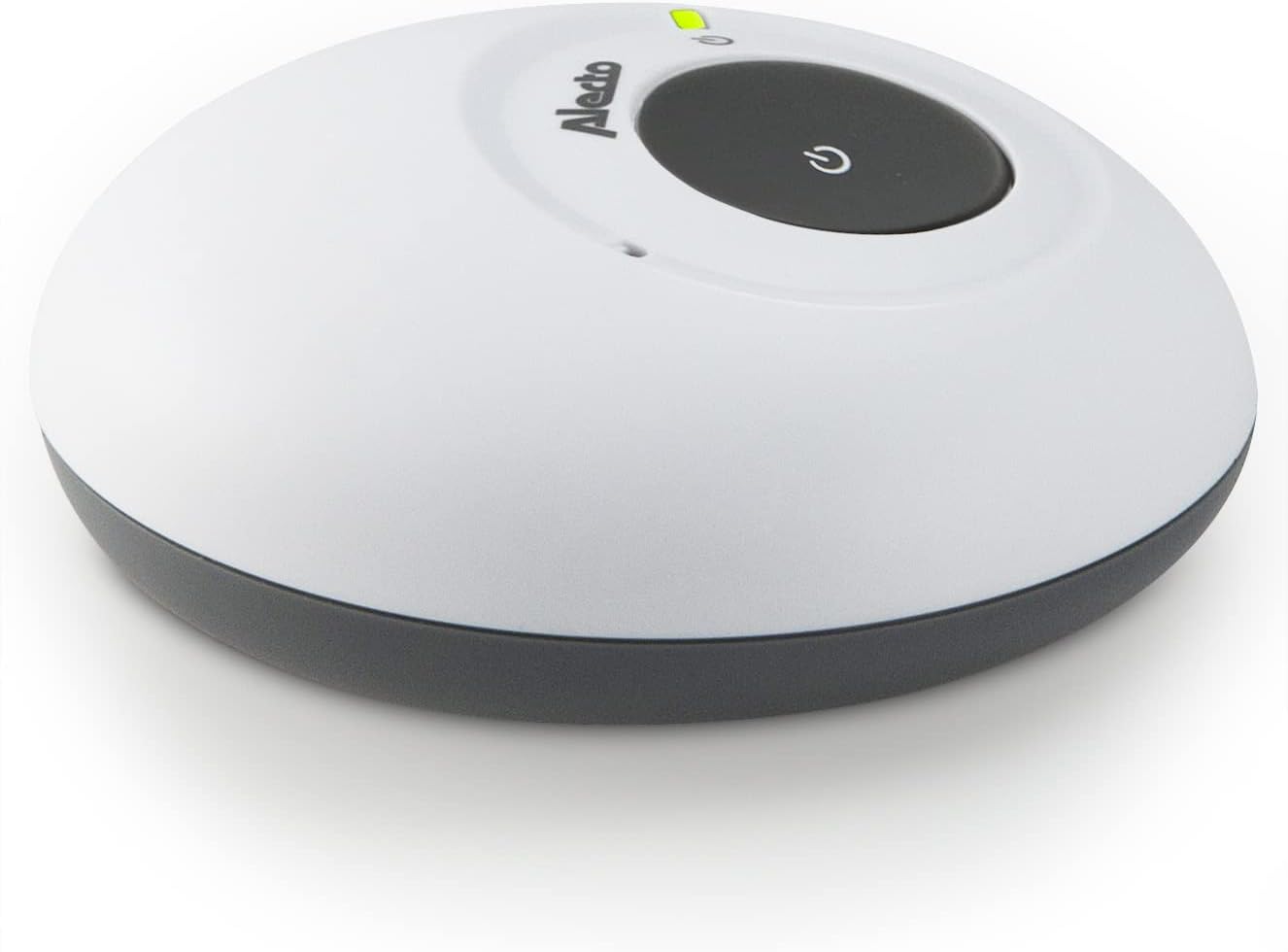
Image: A finger pressing the central power button on the Alecto DBX-115 parent unit, which also features volume controls.
2. Volume Control (Parent Unit)
Adjust the listening volume on the parent unit using the dedicated buttons.
- Press the + button to increase the volume.
- Press the - button to decrease the volume.

Image: A person holding the Alecto DBX-115 parent unit, highlighting its ergonomic design and the visible volume control buttons.
3. Range and Connection
The monitor utilizes DECT digital technology for a secure and interference-free connection. The maximum range is approximately 300 meters in open outdoor areas and up to 50 meters indoors, depending on environmental factors and obstacles.
- A link indicator light on the parent unit will show if a connection to the baby unit is established.
- If the units are out of range, an alert may sound, and the link indicator will flash or turn off. Move the parent unit closer to the baby unit.
Eco Mode Information
The Alecto DBX-115 features a Full Eco mode designed to conserve energy and minimize radiation. In this mode, the audio transmission is only activated when sounds are detected from the baby's room. When the baby is quiet, the monitor enters a standby state with minimal to no radiation.
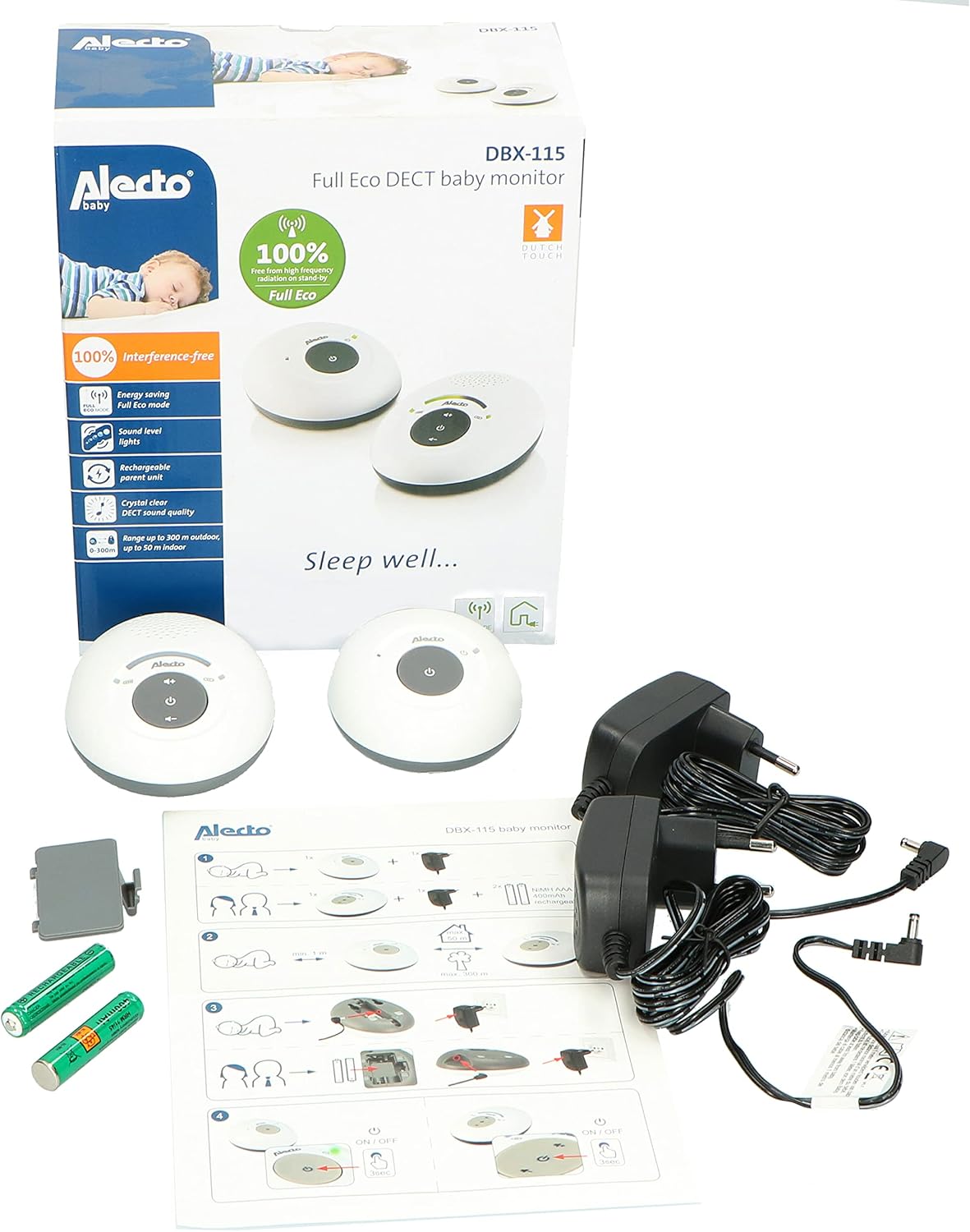
Image: A green circular badge highlighting the "Full Eco" feature, stating "100% Free from high frequency radiation on stand-by."
Battery Information
The parent unit uses two rechargeable Ni-MH AAA batteries. The baby unit operates solely on AC power via its adapter.
- Charging: When the parent unit is connected to the power adapter, the batteries will charge automatically. A battery indicator on the parent unit will show the charging status.
- Low Battery: When the battery level is low, the parent unit will typically provide an audible or visual alert. Recharge the unit promptly.
- Battery Replacement: Only replace with Ni-MH AAA rechargeable batteries of the same type and capacity. Do not use alkaline or other non-rechargeable batteries in the parent unit.
- Disposal: Dispose of old batteries responsibly according to local regulations.
Maintenance
Proper maintenance ensures the longevity and optimal performance of your baby monitor.
- Cleaning: Wipe the units with a soft, dry, or slightly damp cloth. Do not use abrasive cleaners or solvents. Ensure units are completely dry before use.
- Storage: If storing the monitor for an extended period, remove the rechargeable batteries from the parent unit. Store both units in a cool, dry place, away from direct sunlight.
Troubleshooting
| Problem | Possible Cause | Solution |
|---|---|---|
| No sound from parent unit. | Parent unit is off, volume is too low, or units are out of range. | Ensure parent unit is on and charged. Increase volume. Move parent unit closer to baby unit. |
| Interference or poor sound quality. | Units are too close to other electronic devices or obstacles. | Relocate units away from other electronics. Ensure clear line of sight if possible. |
| Parent unit not charging. | Power adapter not connected properly, or batteries are not inserted correctly/faulty. | Check adapter connection to unit and wall outlet. Verify battery polarity. Replace batteries if necessary. |
| No link between units. | Units are out of range or not powered on. | Ensure both units are powered on. Move units closer to each other. |
Specifications
- Model: DBX-115
- Brand: Alecto
- Technology: DECT Digital
- Frequency Range: 1.88 - 1.90 GHz
- Maximum Range: Up to 300 meters (outdoor, open field), Up to 50 meters (indoor)
- Power Input: 200V AC (via included adapters)
- Parent Unit Batteries: 2x AAA Ni-MH rechargeable (included)
- Special Features: Full Eco Mode, 100% Interference-free
- Water Resistance: Not waterproof
Warranty and Support
For warranty information, technical support, or service inquiries, please refer to the warranty card included in your product packaging or visit the official Alecto website. Keep your proof of purchase for warranty claims.
Contact information for support may vary by region. Please consult the Alecto website for the most up-to-date contact details.
Related documentsDBX-115


Ask a question about this manual
Ask about setup, troubleshooting, compatibility, parts, safety, or missing instructions. Manuals+ will review the question and use this page’s manual context to help answer it.