
Introduction
The RAVEMEN TR300 Rear Light is designed to enhance cycling safety by providing powerful and visible illumination from the rear. Featuring a maximum output of 300 lumens, this light ensures you are seen by other road users, especially in low-light conditions or during daylight rides. Its compact design and durable construction make it a reliable accessory for any cyclist.
Package Contents
Please check the package for the following items:
- RAVEMEN TR300 Rear Light Unit
- USB Charging Cable
- Mounting Strap/Bracket
- User Manual (this document)
Product Overview
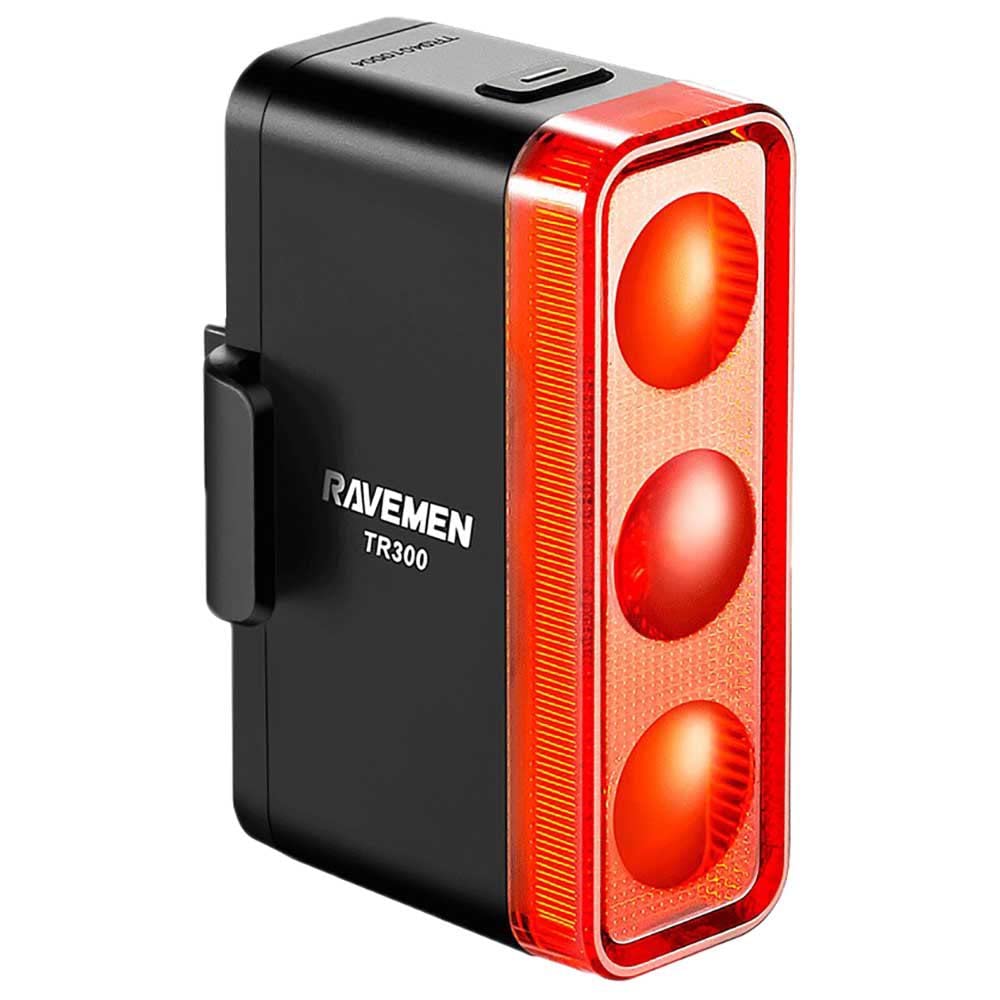
Image: The RAVEMEN TR300 Rear Light, showcasing its compact black body, red lens, and integrated mounting point.
The TR300 features a single power/mode button, a USB charging port, and a flexible mounting system. The red lens covers the high-intensity LED array, designed for maximum visibility.
Installation
- Select Mounting Location: Choose a suitable location on your bicycle's seatpost or frame. Ensure the light is positioned vertically and faces directly backward for optimal visibility.
- Attach Mounting Strap: Secure the provided mounting strap or bracket around the seatpost/frame. The TR300 is designed for frame mounting.
- Mount the Light: Slide the TR300 light unit onto the mounting strap/bracket until it clicks securely into place. Verify that the light is firmly attached and does not wobble.
- Adjust Angle: Ensure the light is level and not pointing excessively upwards or downwards.
Charging
The TR300 Rear Light is equipped with a rechargeable battery. Follow these steps to charge the device:
- Locate the USB charging port, usually covered by a rubber flap to protect against water and dust.
- Open the rubber flap and insert the small end of the provided USB charging cable into the light's port.
- Connect the larger end of the USB cable to a USB power source (e.g., computer USB port, USB wall adapter, power bank).
- A charging indicator light (often red) will illuminate to show that the device is charging. Once fully charged, the indicator light will typically change color (e.g., green or blue) or turn off.
- Charging time may vary but typically takes a few hours for a full charge.
- After charging, securely close the rubber flap to maintain water resistance.
Operating Instructions
The TR300 Rear Light features a single button for all operations.
- Power On/Off: Press and hold the power button for approximately 1-2 seconds to turn the light ON or OFF.
- Change Modes: With the light ON, short press the power button to cycle through the available lighting modes (e.g., constant high, constant low, various flashing patterns). The light offers multiple modes, including a bright 300-lumen flash, as noted by users for daytime visibility.
- Mode Memory: Some models may remember the last used mode when turned back on.
Maintenance
- Cleaning: Wipe the light's body and lens with a soft, damp cloth. Avoid using abrasive cleaners or solvents, as these can damage the casing or lens.
- Water Resistance: The TR300 has an IPX4 water resistance rating, meaning it is protected against splashing water from any direction. It is suitable for use in rainy conditions but should not be submerged in water. Ensure the USB port cover is always securely closed.
- Storage: When not in use for extended periods, store the light in a cool, dry place. It is recommended to charge the battery every 3-6 months to maintain its lifespan.
Troubleshooting
- Light does not turn on:
- Ensure the battery is charged. Connect the light to a USB power source and check the charging indicator.
- Verify that the power button is pressed and held for the correct duration (1-2 seconds).
- Light does not charge:
- Check the USB cable for damage and try a different cable.
- Try a different USB power source.
- Ensure the charging port is clean and free of debris.
- Short battery life:
- Battery performance can decrease over time.
- Using the light on its highest brightness setting or most intense flashing mode will consume battery faster. Consider using lower settings for longer runtimes.
Specifications
| Brand | Ravemen |
| Model Name | TR300 |
| Light Output Maximum | 300 Lumens |
| Power Source | Battery Powered |
| Water Resistance Level | IPX4 (Water Resistant) |
| Item Weight | 77 Grams |
| Mounting Type | Frame Mount |
| Item Dimensions (LxWxH) | 1.61 x 1.3 x 2.44 inches |
| Color | Black |
Warranty and Support
RAVEMEN products are manufactured to high-quality standards. For information regarding warranty coverage, technical support, or replacement parts, please refer to the official RAVEMEN website or contact their customer service directly.
You can find more information and contact details by visiting the Ravemen Store on Amazon or searching for "Ravemen official website" online.


