
iLuv bbgtwsairbl
iLuv Bubble Gum True Wireless Earbuds (Blue) - User Manual
Model: bbgtwsairbl
Introduction
This manual provides essential information for the proper use and maintenance of your iLuv Bubble Gum True Wireless Earbuds. Please read this manual thoroughly before using the product to ensure optimal performance and longevity.
The iLuv Bubble Gum True Wireless Earbuds are designed for a seamless audio experience, featuring true wireless connectivity, simple controls, and a waterproof design for versatile use.
Package Contents
- iLuv Bubble Gum True Wireless Earbuds (Left and Right)
- Charging Case
- USB Charging Cable
- User Manual (this document)
- Changeable Eartips (various sizes)
Product Overview
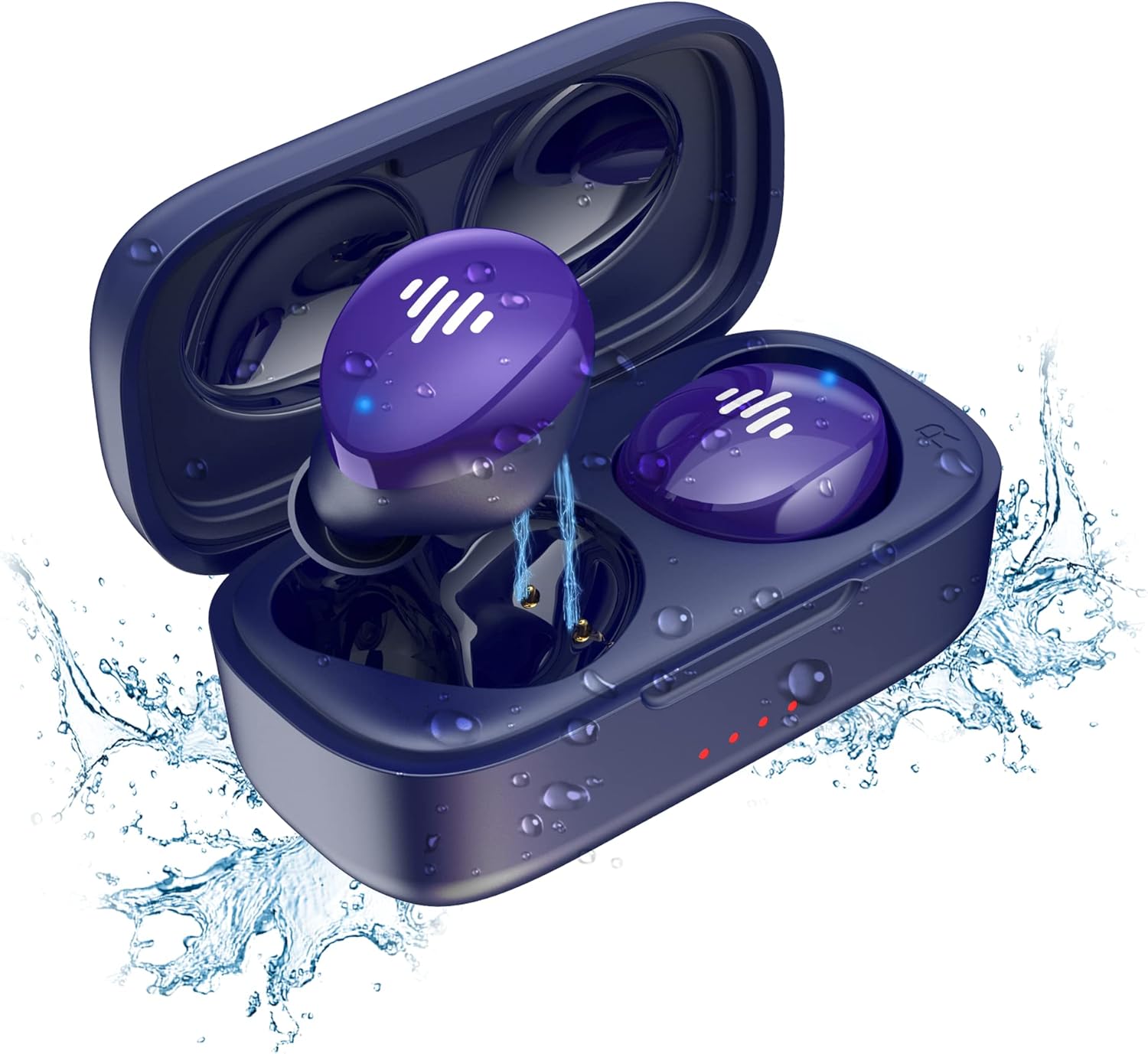
Figure 1: iLuv Bubble Gum True Wireless Earbuds and Charging Case. The image displays the blue earbuds inside their open charging case, surrounded by water droplets, highlighting their waterproof feature. The earbuds are a vibrant purple-blue with white indicator lights, and the case has small red indicator lights on the front.
The iLuv Bubble Gum True Wireless Earbuds consist of two independent earbuds (left and right) and a portable charging case. The earbuds are designed to fit comfortably in the ear and provide high-quality audio. The charging case not only protects the earbuds but also recharges them on the go.
Key Features:
- True Wireless Stereo (TWS) technology
- Bluetooth 5.0 for stable connectivity
- Up to 20 hours of total listening time (with charging case)
- Simple, intuitive touch controls
- Waterproof design
- One-step pairing
Setup
1. Charging the Earbuds and Case
Before first use, fully charge both the earbuds and the charging case.
- Place the earbuds into the charging case, ensuring they are correctly seated in their respective slots (L for left, R for right).
- Connect the USB charging cable to the charging port on the case and the other end to a USB power source (e.g., wall adapter, computer USB port).
- The indicator lights on the charging case will illuminate to show charging status. Once fully charged, the lights may turn solid or turn off, depending on the model.
- The earbuds will also show an indicator light while charging inside the case, which will turn off or change color when fully charged.
2. Pairing with Your Device
The earbuds feature one-step pairing for convenience.
- Open the charging case. The earbuds will automatically enter pairing mode.
- On your device (smartphone, tablet, computer), go to the Bluetooth settings.
- Ensure Bluetooth is enabled.
- Search for available devices. You should see "iLuv Bubble Gum TWS" or a similar name.
- Select the earbuds from the list to connect. Once connected, you will hear an audible confirmation, and the earbud indicator lights may turn off or flash slowly.
- If pairing fails, place the earbuds back into the case, close the lid, wait a few seconds, and then repeat the steps.
Note: The earbuds will automatically reconnect to the last paired device when taken out of the case, if Bluetooth is enabled on the device.
Operating Instructions
Touch Controls:
The iLuv Bubble Gum True Wireless Earbuds feature intuitive touch controls on each earbud. The specific functions may vary slightly, but common controls include:
| Action | Function |
|---|---|
| Single Tap (Left/Right) | Play/Pause Music, Answer/End Call |
| Double Tap (Right Earbud) | Next Track |
| Double Tap (Left Earbud) | Previous Track |
| Triple Tap (Left/Right) | Activate Voice Assistant (Siri, Google Assistant) |
| Long Press (2 seconds) | Reject Call |
Please refer to the specific control scheme provided in your product's quick start guide if it differs.
Wearing the Earbuds:
For optimal sound quality and comfort, choose the correct size eartips. Gently insert each earbud into your ear canal and twist slightly to secure a snug fit. The "L" and "R" markings indicate the left and right earbuds, respectively.
Maintenance
Cleaning:
Regular cleaning helps maintain sound quality and hygiene.
- Use a soft, dry, lint-free cloth to wipe the earbuds and charging case.
- For stubborn dirt, slightly dampen the cloth with water. Do not use harsh chemicals or abrasive materials.
- Gently clean the earbud mesh and charging contacts with a dry cotton swab or a soft brush.
- Ensure the earbuds and charging case are completely dry before placing them back in the case or charging.
Storage:
When not in use, store the earbuds in their charging case to protect them and keep them charged. Store the case in a cool, dry place away from direct sunlight and extreme temperatures.
Water Resistance:
The earbuds are waterproof. However, this does not mean they are suitable for swimming or prolonged submersion. They are designed to withstand sweat, splashes, and light rain. Always ensure the charging port on the case is dry before charging.
Troubleshooting
| Problem | Possible Solution |
|---|---|
| Earbuds not pairing |
|
| Only one earbud working |
|
| Low volume or poor sound quality |
|
| Charging case not charging |
|
Specifications
| Feature | Detail |
|---|---|
| Model Name | bbgtwsairbl |
| Brand | iLuv |
| Connectivity | Bluetooth 5.0 |
| Ear Placement | In Ear |
| Form Factor | In Ear |
| Color | Blue |
| Water Resistance | Waterproof |
| Battery Life (Total) | Up to 20 hours (with charging case) |
| Batteries | 2 Lithium Ion batteries (included) |
| Item Weight | 3.52 ounces |
| Product Dimensions | 1.39 x 3.18 x 7.15 inches |
| Manufacturer | JWIN Electronics |
| UPC | 639247142220 |
Warranty and Support
For warranty information and customer support, please visit the official iLuv website or contact their customer service directly. Keep your proof of purchase for warranty claims.
Official iLuv Website: www.iluv.com
Related documentsbbgtwsairbl

Ask a question about this manual
Ask about setup, troubleshooting, compatibility, parts, safety, or missing instructions. Manuals+ will review the question and use this page’s manual context to help answer it.