
1. Introduction
This manual provides essential information for the safe and effective operation, maintenance, and troubleshooting of your Fitkit FT063 Carbon DC-Motorized Treadmill. Please read this manual thoroughly before using the treadmill and retain it for future reference.
The Fitkit FT063 Carbon Treadmill is designed for home use, featuring a 3HP Peak DC motor, a speed range of 1-14 km/h, and automatic inclination up to 15 levels. It supports a maximum user weight of 100 kg and includes features like auto-lubrication, a massager, and transportation wheels.
2. Safety Information
To ensure safe operation and prevent damage to the unit or injury, observe the following safety guidelines:
- Power Supply: Always connect the treadmill to a power point with adequate earthing. It is strongly advised to use a voltage stabilizer with the treadmill to protect the motor from power fluctuations and ensure its longevity.
- Weight Limit: Do not exceed the maximum user weight of 100 kg.
- Clearance: Maintain a clear area of at least 2 meters behind the treadmill and 0.5 meters on each side during operation.
- Children and Pets: Keep children and pets away from the treadmill during operation.
- Emergency Stop: Familiarize yourself with the safety key and emergency stop procedure. Always attach the safety key clip to your clothing before starting a workout.
- Medical Conditions: Consult a physician before starting any new exercise program, especially if you have pre-existing medical conditions.
- Maintenance: Perform regular maintenance as described in this manual to ensure safe and efficient operation.
3. Package Contents
Upon unpacking, verify that all components are present:
- 1 x Fitkit FT063 Carbon Treadmill
- User Manual (this document)
- Tool Kit
- Warranty Card
4. Assembly and Setup
The Fitkit FT063 Carbon Treadmill is designed for ease of setup. Professional home installation services are provided across India. After delivery, please contact customer support for installation assistance. The product is marked as "No Assembly Required" for the user, as professional installation is included.
Initial Setup Steps:
- Placement: Choose a flat, stable surface for the treadmill, ensuring adequate clearance around the unit.
- Power Connection: Connect the treadmill to a grounded power outlet. Use a voltage stabilizer as recommended.
- Safety Key: Locate the safety key and ensure it is accessible.
5. Product Overview
Familiarize yourself with the main components and control panel of your Fitkit FT063 Carbon Treadmill.

Figure 5.1: Overall view of the Fitkit FT063 Carbon Treadmill, highlighting its main components such as the console, running belt, and motor cover.

Figure 5.2: Detailed view of the treadmill console, showing control buttons for speed, inclination, program selection, start/stop, volume, AUX input, Hi-Fi speaker, bottle holder, and heart rate sensor.
5.1. Key Components
- Console: Central control unit with LCD display and buttons.
- LED Display: Shows metrics such as Distance, Calories Burned, Time, Heart Rate, and Speed.
- Safety Key: Magnetic key for emergency stop.
- Heart Rate Sensor: Integrated sensors on handlebars to measure pulse.
- Running Belt: Dimensions 1230x420 mm.
- Massager: Located at the front for muscle relaxation (refer to Figure 5.3).
- Dumbbell Holder: For convenient storage of small weights (refer to Figure 5.3).
- AUX IN: Audio input for connecting external devices.
- Hi-Fi Speaker: For audio output.
- Bottle Holder: For hydration during workouts.

Figure 5.3: Close-up view of the integrated massager for muscle relaxation and the dumbbell holder for strength training accessories.
6. Operating Instructions
6.1. Starting the Treadmill
- Ensure the treadmill is properly plugged into a grounded outlet.
- Attach the safety key to the designated slot on the console and clip the other end to your clothing.
- Press the Start button on the console. The belt will begin to move at a low speed.
6.2. Adjusting Speed and Inclination
- Speed: Use the Speed + and Speed - buttons to increase or decrease the running belt speed (range: 1-14 km/h).
- Inclination: The treadmill features auto-inclination. Use the inclination control buttons (if present on your model, typically labeled with up/down arrows or specific levels) to adjust the incline level up to 15 levels.
6.3. Using Pre-set Programs
The treadmill comes with 12 pre-set programs. To select a program:
- Press the Prog. button to cycle through the available programs.
- Once your desired program is displayed, press Start to begin the workout.
6.4. Heart Rate Monitoring
To measure your heart rate, grip the heart rate sensors on the handlebars firmly with both hands. Your pulse will be displayed on the LCD screen after a few seconds.
6.5. Using the Massager
The integrated massager can be used for muscle relaxation after a workout. To activate the massager, locate the power switch near the massager unit and turn it on. Ensure you are seated or positioned safely before using.
6.6. Stopping the Treadmill
- Press the Stop button to gradually bring the running belt to a halt.
- In an emergency, pull the safety key from the console. The treadmill will stop immediately.
7. Smart Features and App Integration
Your Fitkit FT063 Carbon Treadmill offers enhanced functionality through integration with various fitness platforms.
7.1. Cultsport Live & Cultsport Play
Access live workout sessions and immersive fitness games:
- Cult Pass Live: Enjoy 3 months of unlimited access to at-home workouts, celebrity workouts, goal-based workouts, and meditation sessions. Contact the toll-free number to redeem this offer.
- Cultsport Play: Receive a one-year free subscription to this immersive fitness game.
- Connect your treadmill to the cultsport app to participate in live sessions and earn Healthcoins.
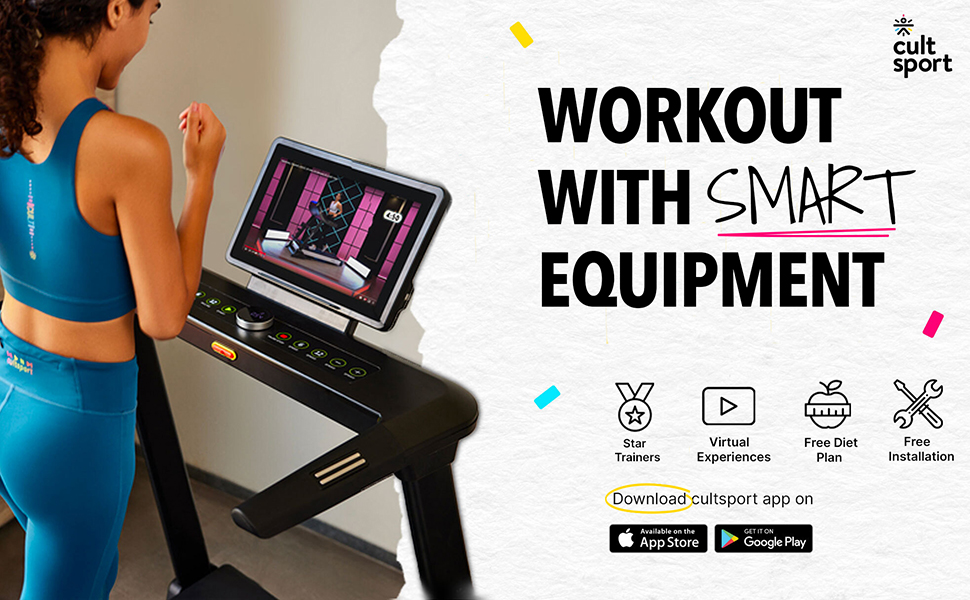
Figure 7.1: Illustrates the integration of the treadmill with the cultsport app for interactive workouts.

Figure 7.2: Shows the virtual scenic rides feature available through the connected app, enhancing the workout experience.
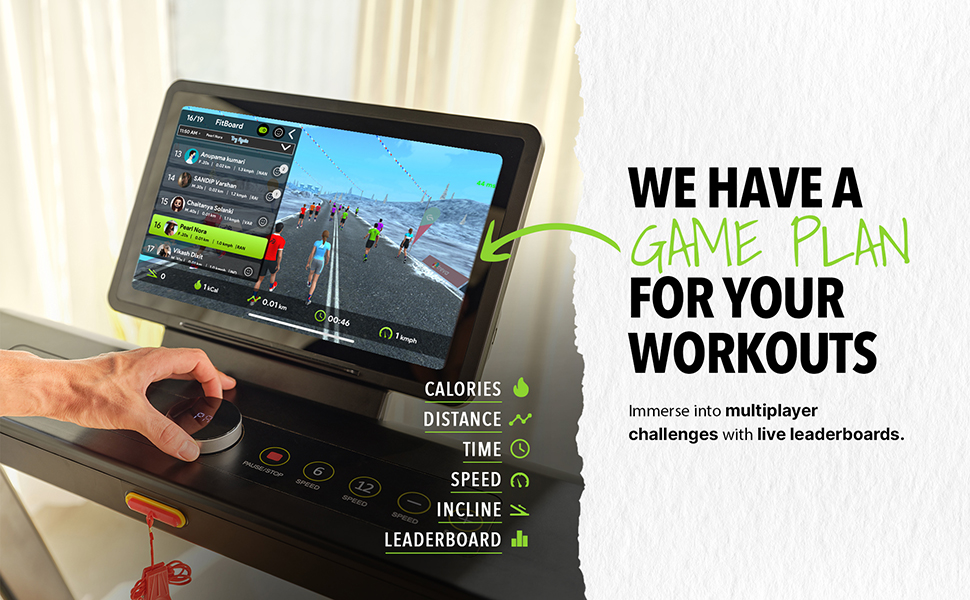
Figure 7.3: Depicts multiplayer challenges and live leaderboards for engaging workouts.
7.2. OneFitPlus App Integration
Sync your workout data and engage in virtual racing:
- Connect your treadmill to the OneFitPlus app to set ride targets and track your activity.
- Compete against virtual racers and check rankings.
- Display your workout on a smart TV for an immersive experience.
- Sync data like minutes, kilometers, and calories burned with your OneFitPlus app.
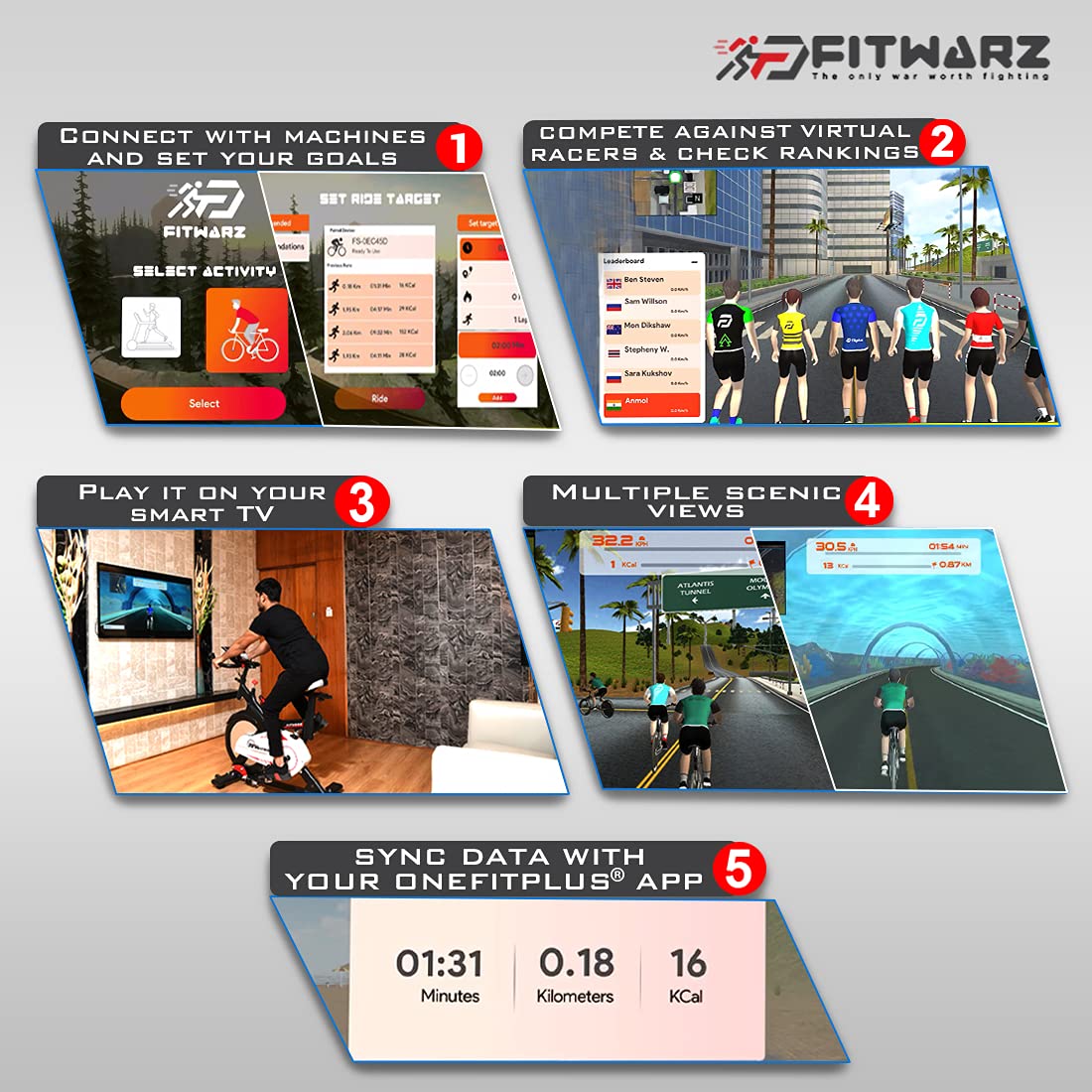
Figure 7.4: Features of the OneFitPlus app, including setting targets, virtual racing, smart TV connectivity, and data synchronization.
7.3. Alexa Voice Control
Control your treadmill using Amazon Alexa voice commands:
- Ensure your treadmill is connected to your smart home network and linked with your Alexa account.
- Example commands:
- "Alexa, Open FitPlus Health"
- "Alexa, Increase Speed to 8"
- "Alexa, Increase Inclination to 6"
- "Alexa, How many steps have I taken today?"

Figure 7.5: Demonstrates how to use Amazon Alexa for voice control of the treadmill's functions.
7.4. Diet & Fitness Plans
- Receive a free diet & fitness plan for 3 months.
- Includes 1 doctor consultation and a personal video training session.
- Customized 3-month meal plans and in-app diet tracking are available.
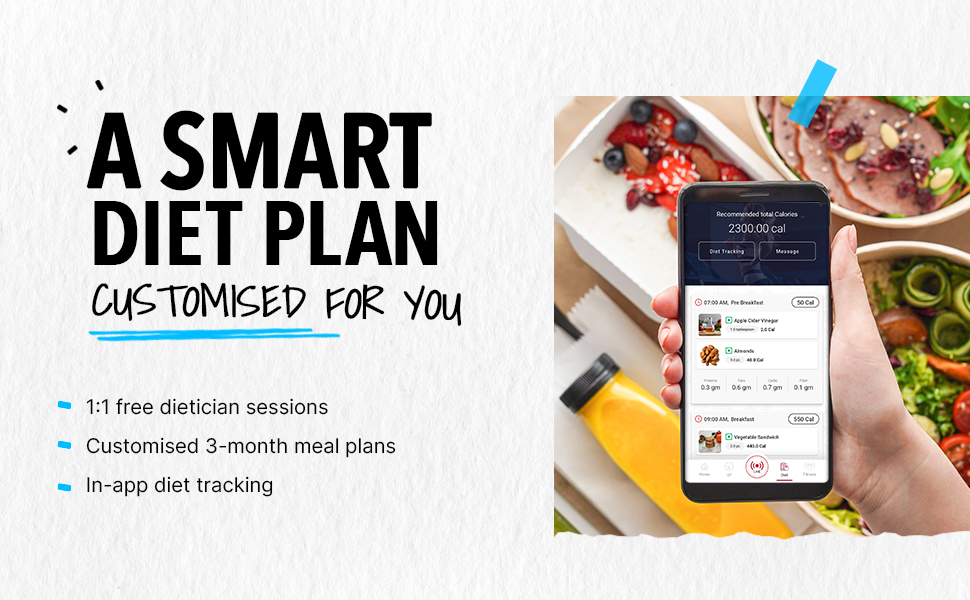
Figure 7.6: Illustrates the smart diet plan feature, including customized meal plans and in-app tracking.
8. Maintenance
Regular maintenance ensures the longevity and optimal performance of your treadmill.
- Auto-Lubrication: The Fitkit FT063 Carbon Treadmill features an auto-lubrication system. Ensure the lubrication reservoir is filled as per the instructions provided by the installation technician or customer support.
- Cleaning: Regularly wipe down the treadmill with a damp cloth to remove sweat and dust. Avoid using abrasive cleaners.
- Belt Tension and Alignment: Periodically check the running belt tension and alignment. If adjustments are needed, refer to the detailed instructions in the full user manual or contact customer support.
- Power Cord: Inspect the power cord for any damage. If damaged, contact customer support for replacement.
9. Troubleshooting
If you encounter issues with your treadmill, refer to the following common problems and solutions. For more complex issues, contact customer support.
| Problem | Possible Cause | Solution |
|---|---|---|
| Treadmill does not start. | Power cord not plugged in; Safety key not in place; Circuit breaker tripped. | Ensure power cord is securely plugged in. Insert safety key fully. Check household circuit breaker. |
| Running belt slips or hesitates. | Belt tension too loose; Belt requires lubrication. | Adjust belt tension (refer to full manual or contact support). Check auto-lubrication system and refill if necessary. |
| Unusual noise during operation. | Loose components; Belt friction; Motor issue. | Check for and tighten any loose bolts or screws. Ensure belt is lubricated. If noise persists, contact customer support. |
| Heart rate monitor not reading. | Hands not firmly on sensors; Dry hands. | Ensure both hands are firmly gripping the sensors. Lightly moisten hands if they are too dry. |
10. Specifications
Detailed technical specifications for the Fitkit FT063 Carbon Treadmill:
| Feature | Detail |
|---|---|
| Model Number | FT063 Carbon |
| Motor Horsepower | 3HP Peak |
| Motor Type | DC-Motorized |
| Speed Range | 1-14 km/h |
| Maximum User Weight | 100 kg |
| Inclination Type | Auto |
| Inclination Levels | 15 |
| Running Belt Size | 1230 x 420 mm |
| Lubrication | Auto |
| Pre-set Programs | 12 |
| Foldable | Hydraulic |
| Display Type | LCD (7 Inches) |
| Metrics Measured | Distance, Calories Burned, Time, Heart Rate, Speed |
| Frame Material | Carbon Steel |
| Product Dimensions (D x W x H) | 170D x 70.5W x 129H Centimeters |
| Item Weight | 63000 Grams |

Figure 10.1: Visual summary of key treadmill specifications.

Figure 10.2: Treadmill dimensions: 1700mm (Depth), 705mm (Width), 1290mm (Height).
11. Warranty and Support
11.1. Warranty Information
- Motor and Manufacturing Defect: 1 Year Warranty
- Frame: 3 Year Warranty
Please refer to your Warranty Card for complete terms and conditions.
11.2. Customer Support
For installation support, post-sales assistance, or any queries, please contact Fitkit customer support:
- Toll-Free Number: 1800-572-6402
- Working Hours: Monday to Saturday, 9 AM to 6 PM (Service schedule may vary by location).
- Manufacturer Contact: SHOORA RETAIL DC GANDHI WAREHOUSE NO - 116, ORAKKADU ROAD, SHOLAVARAM, CHENNAI, THIRUVALLUR, TAMIL NADU 600067, INDIA.
Remember to register your installation after delivery by contacting the support number.


