
1. Important Safety Information
Please read all instructions carefully before using the appliance. Retain this manual for future reference. Improper installation, adjustment, alteration, service, or maintenance can cause injury or property damage. Refer to this manual. For assistance or additional information, consult a qualified installer, service agency, or the manufacturer.
- Ensure the oven is correctly installed by a qualified technician before use.
- Do not touch hot surfaces. Use oven mitts or pot holders when handling hot items.
- Supervise children closely when the oven is in use.
- Never use the oven for heating the room.
- Do not store flammable materials in or near the oven.
- Disconnect the power supply before cleaning or performing maintenance.
- Ensure proper ventilation around the appliance.
2. Product Overview
The Faber FBIO 80L 8F is an 80-liter built-in electric oven designed for versatile cooking. It features 8 distinct cooking functions, precise temperature control, and a user-friendly interface, making it suitable for a wide range of culinary tasks.
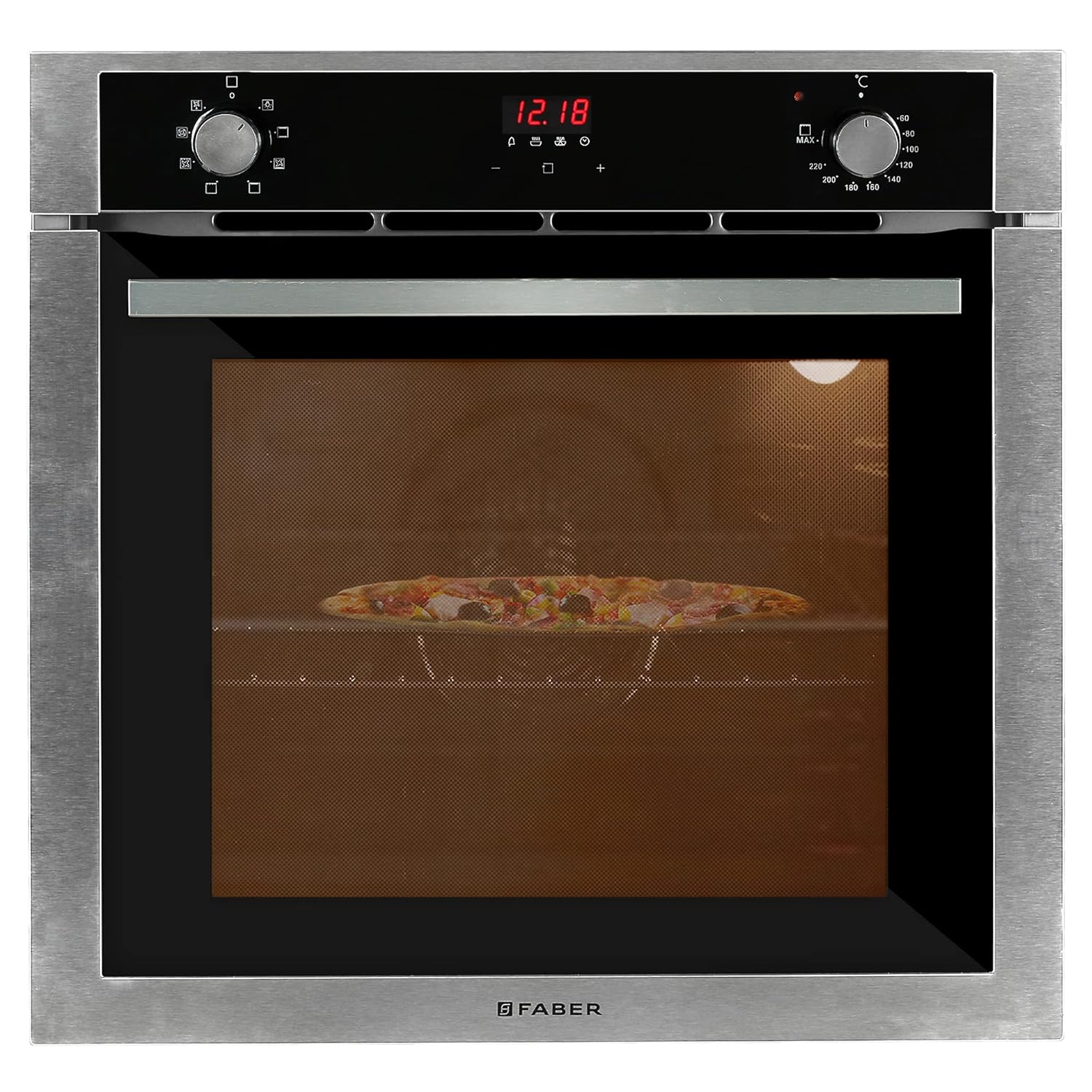
Figure 2.1: Front view of the Faber FBIO 80L 8F Built-in Oven with food cooking inside.

Figure 2.2: The oven integrated into a kitchen setting, illustrating its 80-liter capacity and 50°-250°C temperature range.
Key Features:
- Capacity: 80 Liters, suitable for various cooking needs.
- Cooking Functions: 8 functions including Light, Grill, Convection, Fan with bottom heat, Convection heating, Top heat, Defrost, and Fan.
- Control: Intuitive knob controls for function and temperature selection.
- Temperature Range: Adjustable from 50°C to 250°C.
- Interior: Easy-to-clean enamel interior.
- Door: Three-layer cool touch glass door for safety and insulation.
3. Setup and Installation
The Faber FBIO 80L 8F is designed for built-in installation. It is highly recommended that installation be performed by a qualified professional to ensure proper fitting, electrical connection, and safe operation.
Dimensions:
Ensure your cabinet opening matches the required dimensions for a seamless fit.
- Product Dimensions (D x W x H): 59 x 56 x 59 Centimeters
- Item Weight: 37 kg 500 g

Figure 3.1: Dimensional drawing of the oven for installation planning.
Electrical Connection:
The oven requires a 230 Volts power supply with a wattage of 2400 Watts. The electrical connection must comply with local regulations and be performed by a licensed electrician.
4. Operating Instructions
Familiarize yourself with the control panel and functions before first use.

Figure 4.1: The oven's control panel, featuring rotary knobs for function and temperature selection, and a digital timer display.
Control Panel:
- Function Selector Knob: Located on the left, this knob allows you to choose from the 8 available cooking functions.
- Temperature Selector Knob: Located on the right, this knob sets the desired cooking temperature from 50°C to 250°C.
- Digital Display/Timer: Shows the current time and allows setting cooking duration.
Cooking Functions:
- Light: Illuminates the oven interior for visibility.
- Defrost: Gently thaws frozen food.
- Convection: Uses a fan to circulate hot air for even cooking, ideal for baking and roasting.
- Grill: Provides intense top heat for grilling and browning.
- Fan with Bottom Heat: Combines fan circulation with heat from the bottom element, suitable for pastries and pizzas.
- Convection Heating: A general convection mode for various dishes.
- Top Heat: Provides heat from the top element, useful for browning the top of dishes.
- Fan: Circulates air without heat, useful for cooling or drying.
Using the Rotisserie Function:
The oven includes a rotisserie accessory for roasting poultry or other meats evenly.

Figure 4.2: Rotisserie accessories included with the oven.
- Secure the food onto the rotisserie spit using the forks.
- Insert the rotisserie spit into the designated slots inside the oven.
- Select the appropriate cooking function (e.g., Grill or Convection) and set the desired temperature.
- Activate the rotisserie motor if it's a separate function.
5. Maintenance and Cleaning
Regular cleaning and maintenance ensure the longevity and optimal performance of your oven.
General Cleaning:
- Always ensure the oven is cool and disconnected from the power supply before cleaning.
- The oven features an easy-to-clean enamel interior. Wipe down the interior with a soft cloth and mild detergent after each use.
- For stubborn stains, use a non-abrasive oven cleaner specifically designed for enamel surfaces. Follow the product instructions carefully.
- Clean the exterior surfaces with a soft, damp cloth. Avoid abrasive cleaners or scouring pads that can scratch the finish.
- The oven racks and rotisserie accessories can be removed and washed in warm soapy water.
Light Bulb Replacement:
Refer to the detailed instructions in the full user manual for replacing the oven light bulb, ensuring the oven is unplugged before attempting replacement.
6. Troubleshooting
If you encounter issues with your oven, refer to the following common troubleshooting steps. For problems not listed here, contact customer support.
| Problem | Possible Cause | Solution |
|---|---|---|
| Oven does not heat | No power supply; incorrect function/temperature setting; faulty heating element. | Check power connection and circuit breaker. Verify function and temperature settings. If problem persists, contact service. |
| Uneven cooking | Improper rack position; overcrowding the oven; faulty fan. | Use recommended rack positions. Avoid overcrowding. Ensure fan is operating. |
| Digital display not working | Power interruption; internal fault. | Reset power by turning off and on at the circuit breaker. If issue continues, contact service. |
| Excessive smoke during cooking | Food spills; grease buildup; incorrect temperature. | Clean oven interior thoroughly. Reduce cooking temperature if necessary. |
7. Specifications
Detailed technical specifications for the Faber FBIO 80L 8F Built-in Oven.
| Specification | Detail |
|---|---|
| Brand | Faber |
| Model | FBIO 80L 8F |
| Capacity | 80 Liters |
| Installation Type | Built-In |
| Annual Energy Consumption | 2835 Watts |
| Part Number | 116.0522.773 |
| Special Features | Temperature Control, Timer |
| Oven Cooking Mode | Convection |
| Burner Type | Ceramic (Note: This might be a misclassification in source data, as it's an oven, not a hob) |
| Colour | Black |
| Voltage | 230 Volts |
| Wattage | 2400 Watts |
| Fuel Type | Electric |
| Defrost System | Defrost |
| Material | Steel |
| Inner Material Type | Enamel |
| Item Weight | 37 kg 500 g |
| Item Dimensions (LxWxH) | 59 x 56 x 59 Centimeters |
| Included Components | Oven & user manual |
8. Warranty and Support
Your Faber FBIO 80L 8F Built-in Oven comes with a standard warranty, which includes a free 1-year extended warranty as per product details. Please retain your purchase receipt for warranty claims.
Manufacturer:
FRANKE FABER INDIA PRIVATE LIMITED
1086/1/2, Sanaswadi, Nagar Road, TAL-Shirur, Pune, Maharashtra, 412208
Customer Support:
For technical assistance, service requests, or warranty claims, please contact Faber customer support. Refer to the contact information provided in your warranty card or visit the official Faber India website for the most up-to-date support details.
When contacting support, please have your model number (FBIO 80L 8F) and purchase date readily available.


