
Product Overview
The Epson EF-100 is a compact, smart streaming laser projector designed for versatile entertainment. Utilizing Epson MicroLaser Array Technology, it delivers a bright and colorful image up to 150 inches. Integrated with Google's Android TV, it provides immediate access to popular streaming applications. This projector is engineered for an exceptional viewing experience with advanced 3LCD technology ensuring accurate color reproduction and high brightness.
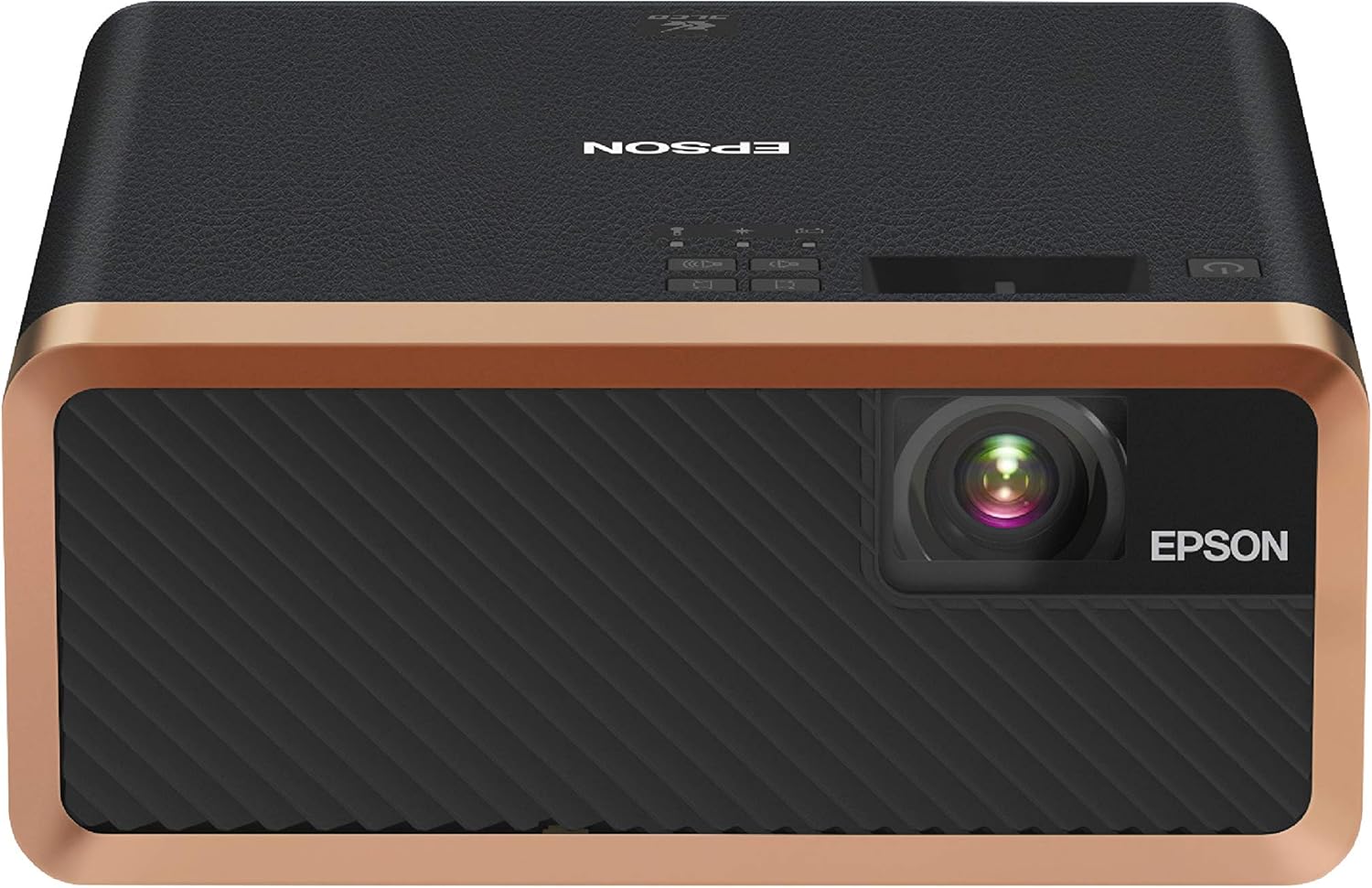
Figure 1: The Epson EF-100 Smart Streaming Laser Projector. This compact device features a sleek black design with gold accents, a prominent lens, and control buttons on top.
Key Features
- Stunning Picture Quality: Projects bright and colorful images up to 150 inches.
- Included Android TV: Built-in Android TV with voice search and Google Assistant for streaming apps like Netflix, YouTube, HBO NOW, Hulu, and ESPN.
- Integrated Audio System: High-quality bass-reflex speaker with a standard 3.5mm stereo output.
- Elegant Compact Design: Modern design in black and copper to fit various decors.
- Epson MicroLaser Array Projection Technology: Unique multi-array laser diode technology for exceptional brightness and enhanced black density.
- True 3-Chip Projector Design: Advanced 3LCD technology for 100% RGB color signal display, ensuring accurate colors without "rainbowing."
- Outstanding Brightness: Capable of 2,000 lumens for both color and white content.
- Epson Cinema Lens: Proprietary 9-element lens structure for clarity and edge-to-edge focus.
- Auto Picture Skew Correction: Automatically corrects vertical geometry of the picture.
What's in the Box
Upon unboxing your Epson EF-100 projector, please verify that all the following components are included:
- Epson EF-100 Projector
- Android TV HDMI Dongle
- Power Cable
- 2 Remote Controls
- 2 AAA Batteries (for remotes)
- Quick Setup Guide

Figure 2: All components included in the Epson EF-100 projector package. This image displays the projector, Android TV HDMI dongle, power cable, two remote controls, two AAA batteries, and the Quick Setup Guide.
Setup Guide
1. Placement and Power
Position the projector on a stable, flat surface. Ensure adequate ventilation around the unit. Connect the power cable to the projector and then to a power outlet. The projector can project images up to 150 inches, with optimal viewing distances varying based on desired screen size. For example, a 150-inch image requires approximately 11.5 feet of distance.

Figure 3: Projection distances for various screen sizes. This diagram illustrates the approximate distances required for the EF-100B to project images of 80, 100, and 150 inches.
2. Connecting Devices
The EF-100 projector features a single HDMI input for connecting external devices. It also includes USB Type A (for 2A power supply, firmware update, OSD settings copy) and USB Type B (for firmware and OSD) ports. For audio output, a 3.5mm stereo output connection is available. The projector supports Bluetooth connectivity for audio devices.
- HDMI: Connect your Android TV HDMI dongle, Blu-ray/DVD player, game console, or other HDMI-enabled devices.
- USB Type A: Use for power supply to external devices or for system updates.
- USB Type B: For firmware updates and On-Screen Display (OSD) settings.
- Bluetooth: Pair with Bluetooth speakers or headphones for wireless audio.

Figure 4: Connectivity options for the Epson EF-100B. This image displays the various devices that can be connected to the projector, including tablets, smartphones, laptops, game consoles, and media streaming devices, highlighting the available ports.
3. Android TV Setup
The included Android TV HDMI dongle provides smart streaming capabilities. Insert the dongle into the projector's HDMI port. Power on the projector and follow the on-screen instructions to connect to your wireless network. This is essential for accessing streaming apps and Google Assistant features. You will use one of the provided remote controls for navigation and voice commands.
Operating Instructions
Powering On/Off
Press the power button on the projector or the remote control to turn the unit on or off. Allow a few moments for the projector to initialize.
Using Android TV
Once the Android TV dongle is set up and connected to Wi-Fi, you can access a wide range of streaming applications. Use the Android TV remote to navigate menus, select apps, and utilize voice search with Google Assistant. Ensure your network connection is stable for optimal streaming performance.
Picture Adjustments
The projector features an automatic picture skew correction to adjust the vertical geometry of the image. For further adjustments, navigate through the projector's on-screen display (OSD) menu using the remote control. You can fine-tune brightness, contrast, color, and other image settings. Note that some settings, like light output and zoom, may reset upon power-off unless saved to a "Memory" profile.
Audio Management
The integrated bass-reflex speaker provides clear audio. For external audio, connect speakers or headphones via the 3.5mm stereo output or pair Bluetooth audio devices. Adjust volume using the remote control. Note that there is no dedicated mute button; volume must be set to zero for silence.
Maintenance
Cleaning the Projector
- Lens: Gently wipe the projector lens with a soft, lint-free cloth specifically designed for optical surfaces. Do not use abrasive cleaners or excessive force.
- Exterior: Clean the exterior casing with a soft, dry cloth. For stubborn marks, a slightly damp cloth can be used, followed by a dry cloth. Avoid using harsh chemicals or solvents.
- Ventilation: Ensure the projector's ventilation openings are clear of dust and obstructions to prevent overheating.
The Epson EF-100 uses a laser light source, which offers long-term durability and does not require lamp replacement like traditional projectors.
Troubleshooting
This section addresses common issues you might encounter with your Epson EF-100 projector.
| Problem | Possible Cause / Solution |
|---|---|
| No image projected / "No Signal" message |
|
| No sound from projector or connected audio device |
|
| Image is distorted or not rectangular |
|
| Android TV dongle not working or connecting to Wi-Fi |
|
| Settings (e.g., brightness, zoom) reset after power off |
|
Specifications
| Feature | Detail |
|---|---|
| Product Dimensions | 9.1 x 8.3 x 3.6 inches |
| Item Weight | 6 pounds |
| Model Number | EF-100B |
| Brand | Epson |
| Recommended Uses | Home theaters, presentations, and gaming |
| Special Features | Bluetooth, Built-In Wi-Fi, Android TV with Google Assistant |
| Connectivity Technology | Bluetooth |
| Display Resolution | 1280 x 800 HD widescreen |
| Visible Screen Diagonal | 150" / 381 cm |
| Manufacturer | Epson |
| First Available | January 6, 2020 |
Warranty and Support
The Epson EF-100 projector comes with a standard 2-year limited warranty, which typically includes next-business-day, full-unit replacement. Free technical phone support is also available for the life of the product.
Optional Protection Plans
Extended protection plans may be available for purchase to provide additional coverage beyond the standard warranty period:
- 2-Year Protection Plan: Extends coverage for an additional period.
- 3-Year Protection Plan: Provides extended coverage for a longer duration.
- Complete Protect: A monthly plan covering eligible past and future purchases.
For detailed terms and conditions of the warranty and available protection plans, please refer to the official Epson documentation or contact Epson customer support.


