
1. Introduction
Thank you for purchasing the Kisonli A404 Wired Mini USB Speakers. These compact speakers are designed to provide clear audio for your PC or Mac laptop/desktop setup. Please read this manual carefully to ensure proper installation and operation.
2. Product Overview
The Kisonli A404 speakers are a 2-piece wired speaker system featuring both USB and 3.5mm audio jack connectivity. They are designed for tabletop placement and offer a surround sound output mode for an enhanced audio experience.
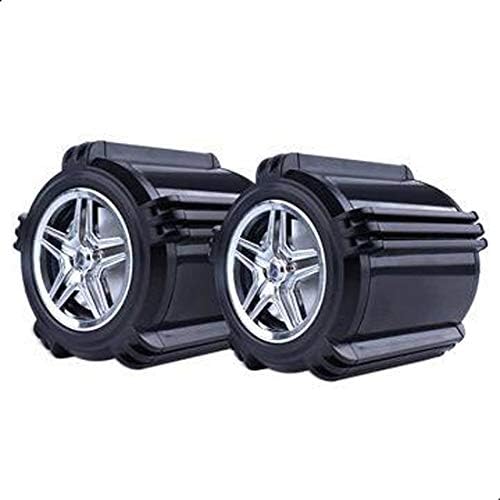
Image 2.1: Front view of the Kisonli A404 speakers.
3. Package Contents
- 2 x Kisonli A404 Mini USB Speakers (with integrated USB power cable and 3.5mm audio cable)
4. Setup Instructions
- Placement: Place the two speakers on a stable, flat surface, such as your desk, on either side of your computer monitor.
- Connect USB Power: Locate the USB cable attached to the speakers. Plug this USB connector into an available USB port on your computer or a compatible USB power adapter (5V). This provides power to the speakers.
- Connect Audio: Locate the 3.5mm audio jack cable attached to the speakers. Plug this 3.5mm audio jack into the headphone or audio output port on your computer, laptop, or other audio source.
- Power On: Once both cables are connected, the speakers should power on automatically. Some models may have an inline volume control with a power switch.
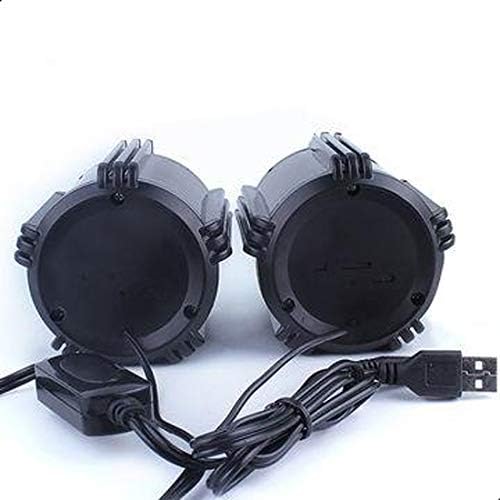
Image 4.1: Rear view of speakers showing USB and 3.5mm audio connections.
5. Operating Instructions
- Volume Control: Adjust the volume using the volume controls on your computer or the inline volume control on the speaker cable (if present).
- Audio Playback: Once connected and powered, play audio from your computer. Sound should now be routed through the Kisonli A404 speakers.
- Disconnecting: To turn off the speakers, simply unplug the USB power cable from your computer or power source.
6. Maintenance
- Cleaning: Use a soft, dry cloth to clean the exterior of the speakers. Do not use liquid cleaners or aerosols.
- Storage: When not in use for extended periods, store the speakers in a cool, dry place away from direct sunlight and extreme temperatures.
- Cable Care: Avoid bending or crimping the cables excessively to prevent damage.
7. Troubleshooting
| Problem | Possible Cause | Solution |
|---|---|---|
| No sound from speakers |
|
|
| Low volume or distorted sound |
|
|
8. Specifications
- Brand: Kisonli
- Model Number: A404
- Connectivity Technology: Wired
- Audio Output Mode: Surround
- Mounting Type: Tabletop Mount
- Speaker Type: Computer Speakers
- Compatible Devices: PC and Mac
- Color: Black
- Item Weight: 350 grams
- Speaker Size: 7.5 cm (75mm)
- Number of Pieces: 2
- Output Power: Less than 5 Watts

Image 8.1: Kisonli A404 speaker dimensions.
9. Safety Information
- Do not expose the speakers to water or excessive moisture.
- Avoid placing speakers near heat sources or in direct sunlight.
- Do not attempt to disassemble or repair the speakers yourself. Refer to qualified service personnel.
- Keep out of reach of children.
10. Warranty and Support
Kisonli products are manufactured to high-quality standards. For warranty information or technical support, please refer to the documentation provided at the time of purchase or contact your retailer. Please retain your proof of purchase for warranty claims.