
1. Introduction
Thank you for choosing the eclife Gaming Chair OF-D01. This manual provides essential information for the safe assembly, operation, and maintenance of your new chair. Please read these instructions carefully before use and retain them for future reference.
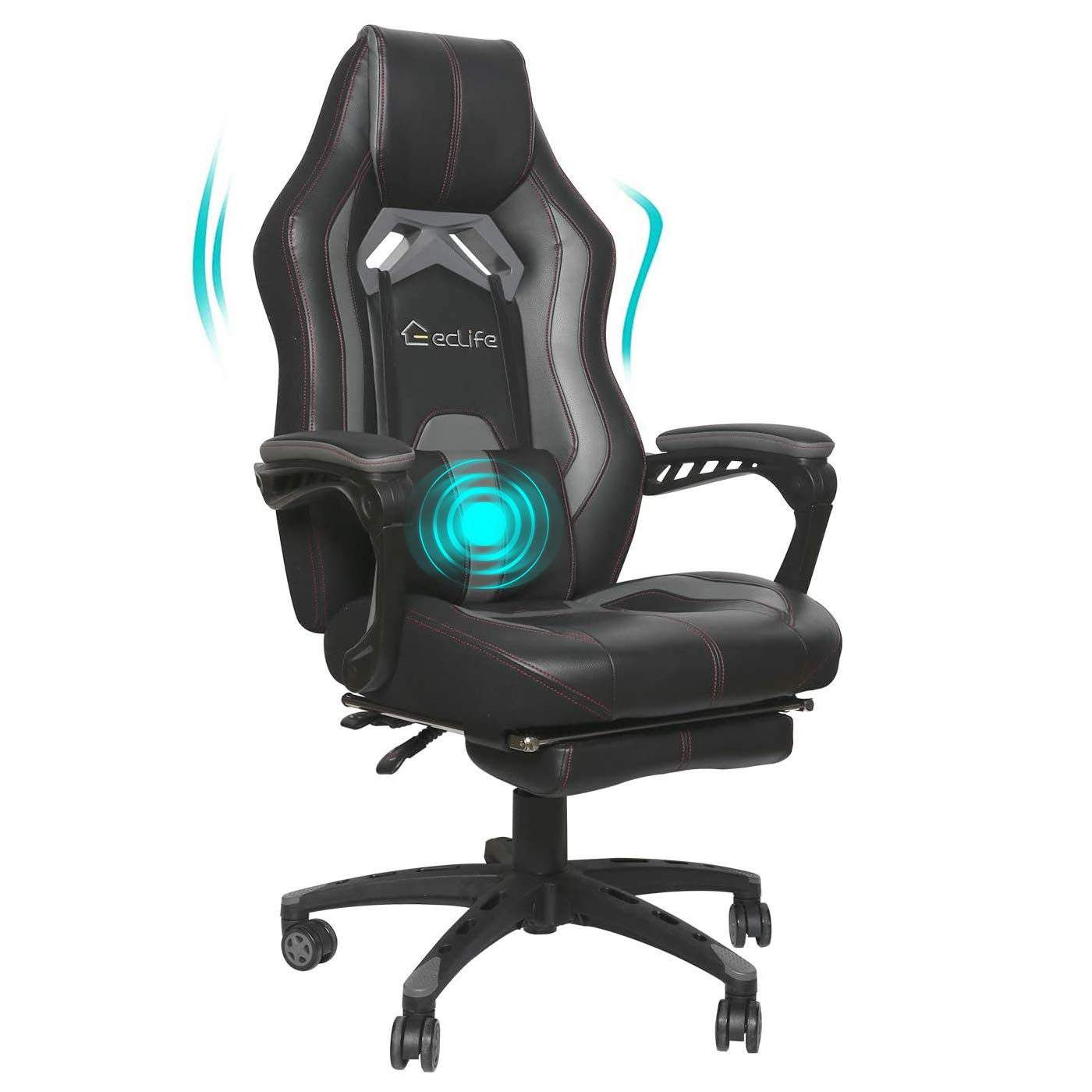
Image 1: The eclife Gaming Chair OF-D01 in a home office environment, showcasing its design and presence.
2. Safety Information
- Ensure all components are securely fastened before use. Periodically check all bolts and screws for tightness.
- Do not stand on the chair.
- Do not use the chair on uneven surfaces.
- Keep children away from moving parts during assembly and operation.
- Avoid exposing the chair to direct sunlight or extreme temperatures to prevent material degradation.
- Maximum weight capacity: 250 lbs (113 kg).
3. Included Components
Please verify that all parts are present before beginning assembly. Refer to the assembly video for visual guidance on parts and steps.
- Chair Backrest
- Chair Seat
- Armrests (2)
- 5-Star Base
- Gas Lift Cylinder
- Gas Lift Cover
- Mechanism Plate
- Footrest Assembly
- Lumbar Support Pillow
- Casters (5)
- Hardware Pack (Bolts, Washers, Allen Wrench)
4. Setup and Assembly
Follow these steps to assemble your eclife Gaming Chair OF-D01. It is recommended to have a clear, flat workspace. Power tools may be used for tightening bolts, but ensure not to overtighten.
Video 1: Detailed assembly guide for the eclife Gaming Chair. This video demonstrates each step of the chair's construction, from base assembly to attaching the backrest and armrests.
- Step 1: Assemble the Base. Stretch the 5-star base and insert the gas cylinder into the center hole. Place the gas cylinder cover over the gas cylinder.
- Step 2: Attach the Mechanism Plate. Align the iron plate base (mechanism) to the underside of the chair seat. Secure it with four M6*20 bolts (Part Q). Ensure proper alignment before fully tightening all bolts.
- Step 3: Assemble the Footrest. Attach the footrest assembly to the designated points on the underside of the chair seat using the remaining four M6*20 bolts.
- Step 4: Connect Seat to Base. Carefully place the assembled chair seat onto the gas cylinder. Apply some pressure to ensure it is seated correctly. Test the height adjustment lever.
- Step 5: Attach Connecting Iron Plate. Insert the connecting iron plate to the backrest using four M6*25 bolts (Part P). Once secured, cover the bolts with the provided leather flaps.
- Step 6: Fix the Backrest. Align the backrest with the seat and fix it using four M8*20 bolts (Part O). Ensure the chair back is upright and securely attached.
- Step 7: Armrest Assembly. Attach the armrests to the sides of the chair using four M8*40 bolts (Part N) for each armrest. Once tightened, insert the rubber caps into the bolt holes for a finished look.
- Step 8: Insert Casters. Push the rubber casters firmly into the holes at the end of each leg of the 5-star base. This step can also be done earlier, during Step 1.
- Final Touch: Lumbar Pillow. Attach the removable lumbar support pillow to the backrest as desired for added comfort.
5. Operating Instructions
Your eclife Gaming Chair OF-D01 offers several adjustable features for personalized comfort.
5.1. Height Adjustment
To adjust the chair height, pull the lever located on the right side of the seat upwards. To raise the chair, lift the lever while taking your weight off the seat. To lower the chair, lift the lever while remaining seated.
5.2. Backrest Recline
The backrest can be reclined to various angles for different activities. Pull the recline lever, typically on the right side, to adjust the angle. Release the lever to lock the backrest in place. The chair supports working (90°), gaming (120°), and napping (150°) modes.

Image 2: The eclife Gaming Chair OF-D01 demonstrating its recline capabilities, from upright to a relaxed 150-degree angle.
5.3. Footrest Operation
To extend the footrest, pull it out from underneath the seat. To retract, push it back until it is fully stored. The footrest provides additional support for relaxation.
5.4. Swivel Function
The chair features a 360-degree swivel function, allowing for easy rotation without moving the base.
5.5. Massage Function (if applicable)
If your model includes a massage function, connect the USB cable to a power source (e.g., computer, USB adapter). The massage pillow can be adjusted or removed as needed.
6. Maintenance
Regular maintenance will prolong the life and appearance of your chair.
- Cleaning: Wipe the faux leather surfaces with a soft, damp cloth. For stubborn stains, use a mild soap solution and dry immediately. Avoid harsh chemicals or abrasive cleaners.
- Hardware Check: Periodically inspect all bolts and screws to ensure they are tight. Retighten as necessary to maintain stability.
- Caster Care: Clean casters regularly to remove dust and debris that may hinder smooth movement.
- Lubrication: The gas lift mechanism is sealed and does not require lubrication.
7. Troubleshooting
If you encounter any issues with your chair, refer to the following common problems and solutions:
| Problem | Possible Cause | Solution |
|---|---|---|
| Chair wobbles or feels unstable | Loose bolts or uneven assembly. | Check and tighten all assembly bolts. Ensure the chair is on a flat surface. |
| Height adjustment not working | Gas lift lever not engaged or gas lift malfunction. | Ensure the lever is fully pulled. If the issue persists, the gas lift may need replacement. |
| Backrest does not recline or lock | Recline mechanism jammed or damaged. | Check for obstructions. Ensure the recline lever is fully engaged. |
| Casters not rolling smoothly | Debris in casters or damaged casters. | Remove any hair or debris from the casters. Replace damaged casters if necessary. |
8. Specifications
Key features and dimensions of the eclife Gaming Chair OF-D01:
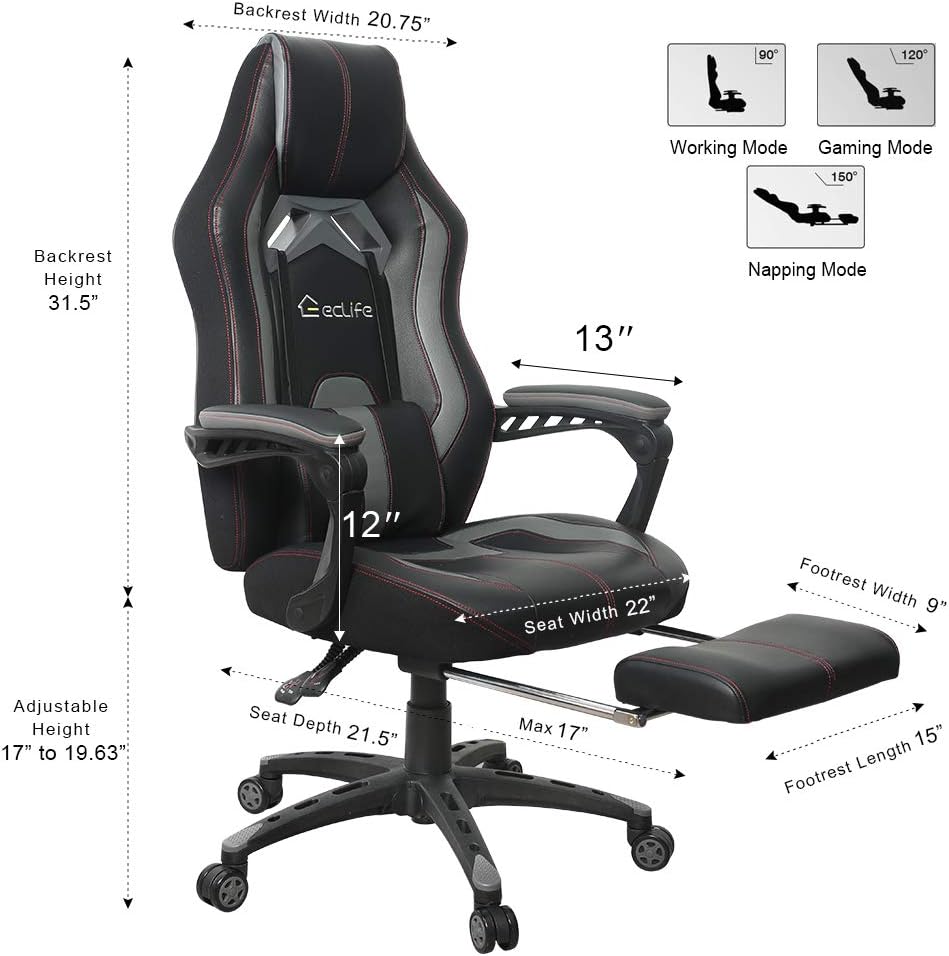
Image 3: Detailed diagram of the eclife Gaming Chair OF-D01, illustrating key dimensions such as backrest width, backrest height, seat width, seat depth, adjustable height range, footrest width, and footrest length. It also shows the working, gaming, and napping modes.

Image 4: An exploded view highlighting the ergonomic metal frame, lumbar support, seat height adjustment, back recline lockable mechanism, comfort footrest, Class-3 gas lift, and 360-degree swivel casters of the eclife Gaming Chair OF-D01.
- Model Name: OF-D01
- Brand: eclife
- Material: Faux Leather, Foam
- Color: Black
- Overall Dimensions: 22D x 25W x 32H inches (approximate, varies with adjustments)
- Seat Depth: 21.5 inches
- Back Style: Solid Back
- Special Features: Adjustable, Removable Lumbar Support, Sturdy Construction, Reclining Backrest, Retractable Footrest, 360-degree Swivel
- Recommended Uses: Gaming, Office, Massage
- Age Range: Adult
- Furniture Base Movement: Swivel
- Form Factor: 360, Rocking, Ergonomic
- UPC: 791309266920
9. Warranty and Support
For warranty information, product support, or to inquire about replacement parts, please refer to the contact information provided at the point of purchase or visit the official eclife website. Keep your purchase receipt as proof of purchase.