
PFAFF admireair5000
PFAFF Admire AIR 5000 Overlock Machine User Manual
Model: admireair5000 | Brand: PFAFF
1. Introduction
This manual provides essential instructions for the safe and efficient operation, setup, and maintenance of your PFAFF Admire AIR 5000 overlock machine. Please read this manual thoroughly before using the machine and keep it for future reference.
2. Safety Information
Always follow basic safety precautions when using electrical appliances to reduce the risk of fire, electric shock, or injury to persons.
- Read all instructions before using this machine.
- Keep fingers away from all moving parts. Special care is required around the sewing machine needle.
- Always use the correct needle plate. The wrong plate can cause the needle to break.
- Do not pull or push fabric while stitching. This may deflect the needle, causing it to break.
- Unplug the machine from the electrical outlet when removing covers, lubricating, or when making any other user servicing adjustments mentioned in the instruction manual.
- The machine will not operate if the front cover is not properly closed, ensuring user safety.
3. Product Overview
The PFAFF Admire AIR 5000 is an advanced overlock machine designed for precise and versatile sewing. Key features include:
- Air Threading System: Effortlessly thread the loopers with the push of a lever.
- Built-in Needle Threader: Simplifies threading of both right and left needles.
- Adjustable Differential Feed: Ensures smooth seams, preventing stretching or puckering on various fabrics.
- LED Lighting: Provides clear illumination of the sewing area.
- Adjustable Settings: Control stitch length, cutting width, and presser foot pressure for optimal results.
- Extra High Presser Foot Lift: Accommodates multiple layers of fabric or bulky materials.
- Safety Switch: Prevents machine operation if the front cover is open.
- Versatile Stitch Options: Offers 2/3/4 thread overlock for 15 different stitches, including wide and narrow overlock, rolled edge, flatlock, and stretch overlock.
- Electronic Speed Control: Maintains full piercing power at all speeds, up to 1300 stitches per minute.
- Integrated Waste Tray: Collects fabric scraps for a cleaner workspace.
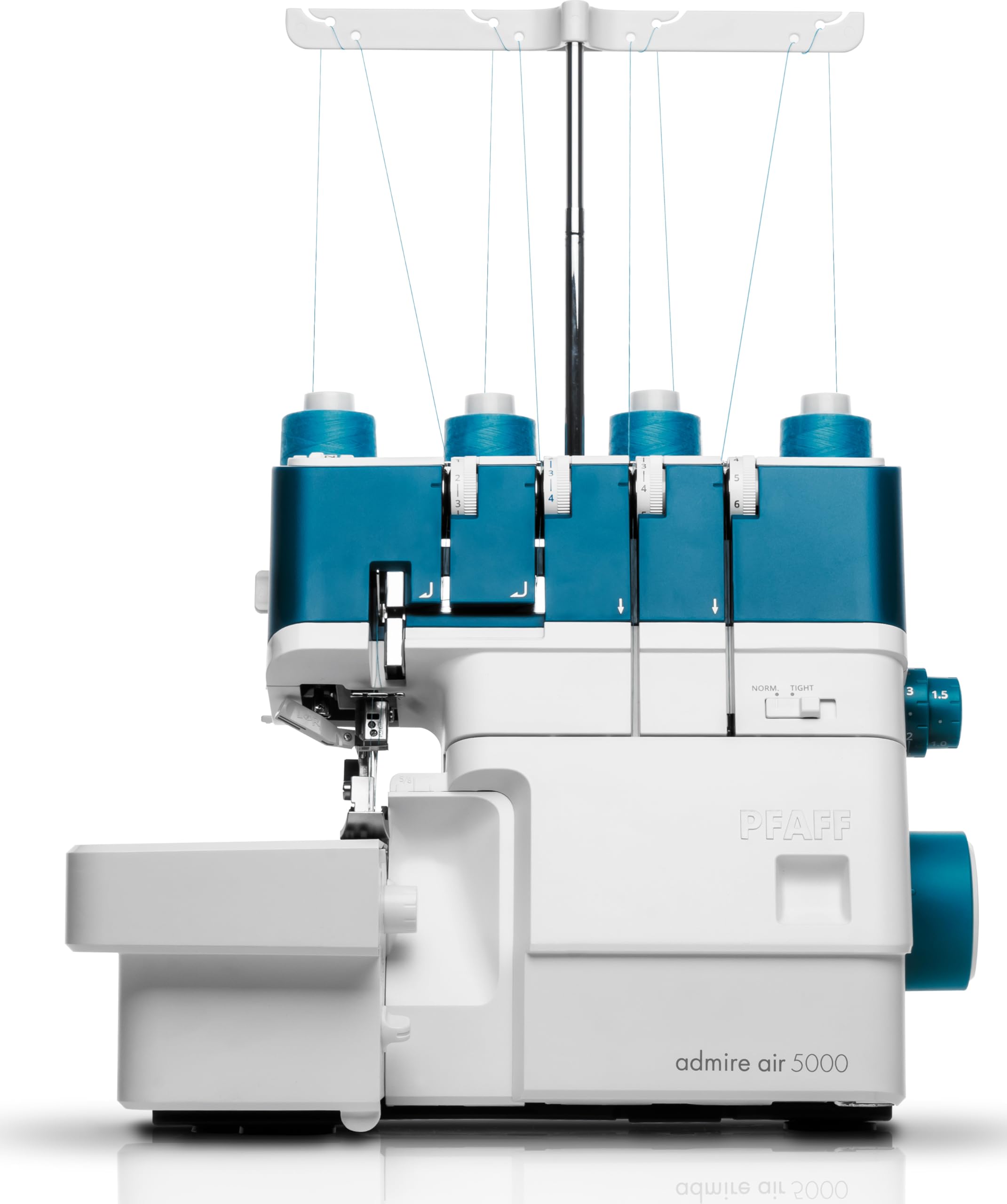
Image: PFAFF Admire AIR 5000 Overlock Machine, showcasing its compact design and threading components.
4. Setup
4.1 Unboxing and Placement
Carefully remove the machine and all accessories from the packaging. Place the machine on a stable, flat surface. Ensure adequate space around the machine for fabric handling and ventilation.
4.2 Power Connection
Connect the power cord to the machine and then to a suitable electrical outlet. Ensure the power switch is in the 'OFF' position before connecting.
4.3 Thread Spool Setup
Place the thread spools onto the spool pins. Use the provided spool caps and nets if necessary to ensure smooth thread unwinding.
4.4 Attaching the Waste Tray
Locate the waste tray and attach it to the designated area on the machine, typically below the cutting knife, to collect fabric trimmings.
5. Operating Instructions
5.1 Threading the Machine
The PFAFF Admire AIR 5000 features an innovative air threading system for the loopers and a built-in needle threader for the needles, making the process significantly easier.
- Looper Threading (Air System): Open the front cover. Follow the color-coded threading paths. Insert the looper thread into the air threading port and press the air threading lever. The machine will automatically guide the thread through the loopers.
- Needle Threading: Use the built-in needle threader for quick and easy threading of the right and left needles. Follow the color-coded guides for the needle threads.
Video: Demonstrates the threading process and basic operation of an overlock machine, highlighting the ease of use.
5.2 Stitch Selection and Adjustment
Your machine offers 15 different stitch types using 2, 3, or 4 threads. Adjustments for optimal stitch quality are made using the control dials.
- Stitch Type: Refer to the stitch chart in your full manual to select the appropriate stitch for your project.
- Stitch Length: Use the stitch length dial to adjust the length of your stitches.
- Cutting Width: Adjust the cutting width to trim the fabric edge precisely.
- Differential Feed: Use the differential feed lever to control fabric feeding. Adjust to prevent stretching on knits or puckering on fine fabrics.
- Presser Foot Pressure: Adjust the presser foot pressure according to the fabric thickness.
5.3 Sewing
With the machine threaded and settings adjusted, you are ready to sew.
- Raise the presser foot.
- Place the fabric under the presser foot, aligning the edge with the cutting knife.
- Lower the presser foot.
- Press the foot controller to start sewing. Guide the fabric gently.
6. Maintenance
Regular maintenance ensures the longevity and optimal performance of your overlock machine.
- Cleaning: Regularly clean lint and dust from the machine, especially around the loopers, knives, and feed dogs. Use the provided brush and remove the waste tray for easy disposal of scraps.
- Needle Replacement: Replace needles frequently, especially when working with new projects or if they become dull or bent. Always use the correct type and size of needles for your machine and fabric.
- Lubrication: Refer to your full instruction manual for specific lubrication points and frequency.
7. Troubleshooting
If you encounter issues, consult this section before contacting customer support.
- Skipped Stitches: Check if the needles are inserted correctly, if they are bent or dull, or if the machine is threaded properly. Ensure you are using the correct needle type for your fabric.
- Thread Breakage: Verify correct threading, proper tension settings, and that the thread is not snagging anywhere. Check for burrs on the needle plate or loopers.
- Fabric Puckering/Stretching: Adjust the differential feed setting. Increase differential feed for knits to prevent stretching, or decrease it for fine fabrics to prevent puckering. Adjust presser foot pressure.
- Machine Not Starting: Ensure the power cord is securely plugged in, the power switch is on, and the front cover is fully closed (safety switch engaged).
8. Specifications
| Feature | Detail |
|---|---|
| Brand | PFAFF |
| Model Number | admireair5000 |
| Material | Metal |
| Product Dimensions | 35P x 35W x 45H cm |
| Item Weight | 7.8 Kilograms |
| Power Source | Corded Electric |
| Electrical | Yes |
| EU Spare Part Availability | 2 Years |
| Global Trade Identification Number (GTIN) | 07393033103002 |
| Country of Origin | Japan |
9. Warranty and Support
For warranty information and customer support, please refer to the documentation included with your product or visit the official PFAFF website. Keep your proof of purchase for any warranty claims.
Related documentsadmireair5000


Ask a question about this manual
Ask about setup, troubleshooting, compatibility, parts, safety, or missing instructions. Manuals+ will review the question and use this page’s manual context to help answer it.