
W-KING D8 mini
W-KING D8 mini Portable Bluetooth Speaker User Manual
Model: D8 mini | Brand: W-KING
Introduction
The W-KING D8 mini portable Bluetooth speaker is designed to deliver powerful, clear audio for both indoor and outdoor environments. Featuring robust construction, IPX6 waterproofing, and versatile connectivity options, it is built for durability and high-quality sound performance. This manual provides essential information on setting up, operating, and maintaining your speaker to ensure optimal performance and longevity.
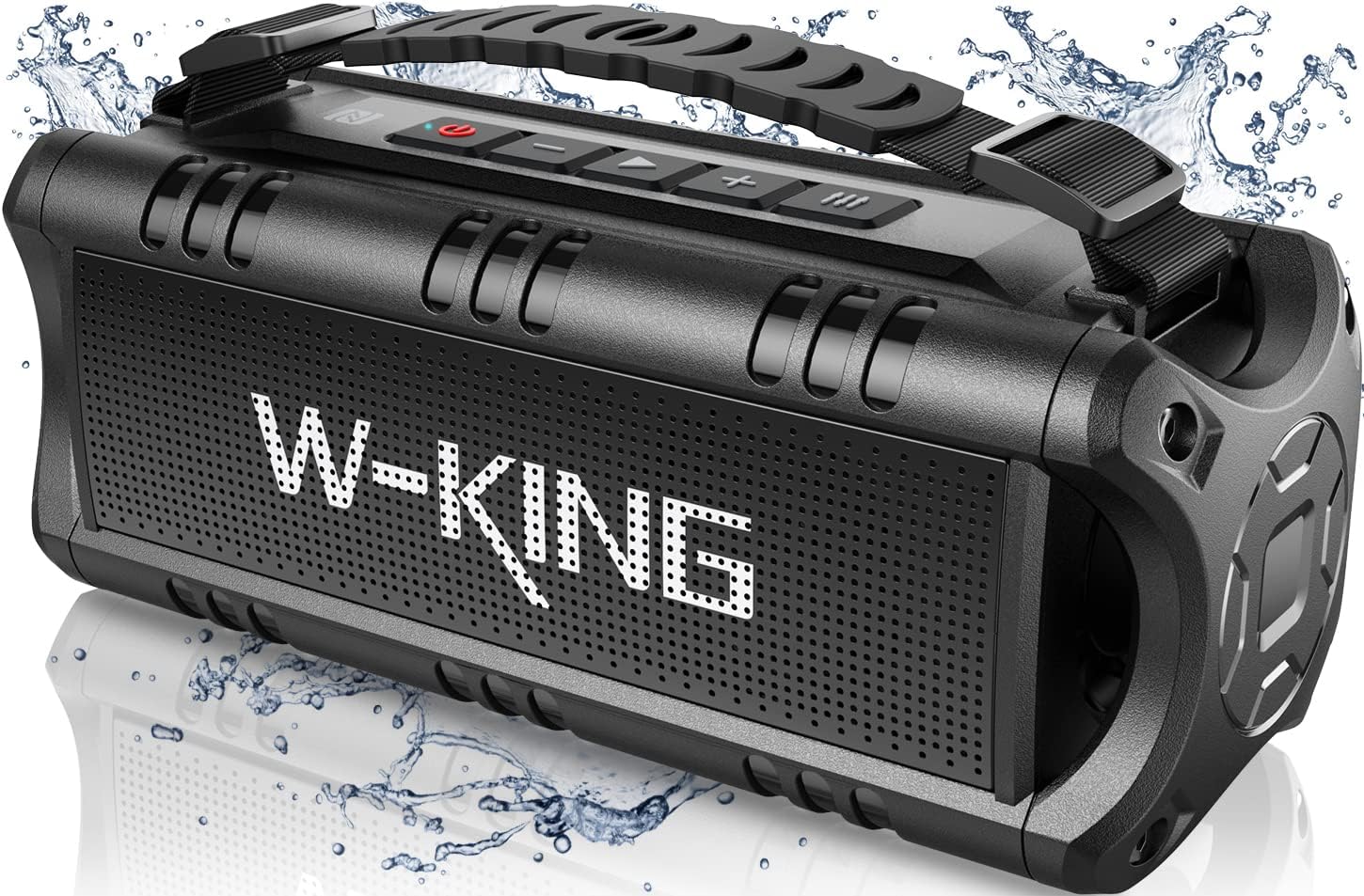
Image: The W-KING D8 mini portable Bluetooth speaker, showcasing its rugged design and water-resistant capabilities with water splashes around it.
Safety Information
Please read and follow these safety guidelines to prevent damage to your device or injury to yourself:
- Do not expose the speaker to extreme temperatures or direct sunlight for prolonged periods.
- While IPX6 rated for water resistance, do not submerge the speaker in water.
- Keep the speaker away from strong magnetic fields.
- Use only the provided charging cable and a 5V/2A power adapter (not included) for charging.
- Do not attempt to disassemble, repair, or modify the speaker. Contact customer support for assistance.
- Keep out of reach of children.
Package Contents
Upon unpacking, please ensure all the following items are present:
- W-KING D8 mini Portable Bluetooth Speaker
- USB Type-C Charging Cable
- 3.5mm AUX Audio Cable
- User Manual (this document)
- Detachable Nylon Strap
Product Features
The W-KING D8 mini speaker boasts a range of features designed for an enhanced audio experience:
- Powerful Audio: Equipped with two precision acoustic drivers and two passive subwoofers, delivering 30W of clear stereo sound with enhanced bass.
- IPX6 Water Resistance: Certified to withstand mild water jets and splashes, making it suitable for outdoor use.
- Extended Battery Life: A 7.2V 2600mAh rechargeable battery provides up to 24 hours of playtime at 2/3 volume.
- Bluetooth 5.0 Connectivity: Ensures fast and stable connection up to 10 meters (66 feet) with automatic re-connection to the last paired device.
- Multiple Playback Modes: Supports music playback via Bluetooth, TF card, USB flash drive, and 3.5mm AUX input.
- True Wireless Stereo (TWS): Pair two D8 mini speakers for a combined 60W output and immersive 3D stereo sound.
- Portable Design: Lightweight and robust unibody construction with an adjustable and detachable nylon strap for easy carrying.

Image: Overview of the D8 mini speaker's key features, including 30W superior sound, 24-hour playtime, and various input options.
Setup
Charging the Speaker
Before first use, fully charge the speaker. Connect the provided USB Type-C charging cable to the speaker's charging port (9) and the other end to a 5V/2A power adapter (not included). The charging indicator light will show charging status.
Powering On/Off
Press and hold the Power ON/OFF button (5) for a few seconds to turn the speaker on or off.
Bluetooth Pairing
- Turn on the W-KING D8 mini speaker. It will automatically enter Bluetooth pairing mode.
- Enable Bluetooth on your device (smartphone, tablet, computer).
- Search for "D8 mini" in your device's Bluetooth list and select it to connect.
- Once connected, the speaker will emit an audible confirmation.
True Wireless Stereo (TWS) Pairing
To achieve 60W stereo sound, you can pair two D8 mini speakers:
- Place both D8 mini speakers close to each other.
- Turn on the first D8 mini speaker and wait a few seconds.
- Turn on the second D8 mini speaker.
- Quickly double-press the Power ON/OFF button (5) on the first D8 mini speaker. The speakers will attempt to pair with each other.
- Once successfully paired, they will indicate a stereo connection.
- Now, enable Bluetooth on your phone and connect to "D8 mini". Both speakers will play in stereo.
Note: If you have previously paired the speakers individually with your phone, clear the "D8 mini" entry from your phone's Bluetooth list before attempting TWS pairing.

Image: Two D8 mini speakers demonstrating the True Wireless Stereo (TWS) pairing feature for enhanced sound.
Operation
Button Functions

Image: Detailed view of the D8 mini speaker's control panel, highlighting each button and port.
- EQ Button: Press to cycle through different equalizer sound modes.
- Volume + / Next Track: Short press for Volume Up. Long press for Next Track.
- Play/Pause: Press to Play or Pause music.
- Volume - / Previous Track: Short press for Volume Down. Long press for Previous Track.
- Power ON/OFF: Press and hold to turn the speaker on or off. Double-press for TWS pairing (on first speaker).
- USB Drive Port (6): Insert a USB flash drive for music playback.
- 3.5mm AUX Input (7): Connect external audio devices using the 3.5mm AUX cable.
- Reset (8): Small pinhole for resetting the device if needed.
- Type-C Charging Port (9): Connect the USB Type-C cable for charging.
- TF Card Slot (10): Insert a TF (Micro SD) card for music playback.
Playing Music
The D8 mini supports various music playback methods:
- Bluetooth: After successful pairing, music from your connected device will play through the speaker.
- TF Card: Insert a TF card with supported audio files (MP3, WAV, APE, FLAC, WMA) into the TF card slot (10). The speaker will automatically begin playback.
- USB Flash Drive: Insert a USB flash drive with supported audio files into the USB drive port (6). The speaker will automatically begin playback.
- AUX Input: Connect an external audio source (e.g., MP3 player, TV) to the 3.5mm AUX input (7) using the provided AUX cable. The speaker will switch to AUX mode.
Hands-Free Calling
When connected via Bluetooth, the speaker can be used for hands-free calls:
- Answer/End Call: Press the Play/Pause button (3) to answer an incoming call or end an ongoing call.
- Reject Call: Long press the Play/Pause button (3) to reject an incoming call.

Image: The D8 mini speaker facilitating a hands-free call, showing its integrated microphone functionality.
Maintenance
- Cleaning: Wipe the speaker with a soft, damp cloth. Do not use abrasive cleaners or solvents.
- Storage: Store the speaker in a cool, dry place away from direct sunlight and extreme temperatures when not in use for extended periods.
- Battery Care: To prolong battery life, avoid fully discharging the battery frequently. Charge the speaker regularly, even if not in use.
Troubleshooting
| Problem | Possible Cause | Solution |
|---|---|---|
| Speaker does not turn on. | Low battery; Power button not pressed long enough. | Charge the speaker; Press and hold the Power button for 3-5 seconds. |
| Cannot pair via Bluetooth. | Speaker not in pairing mode; Device Bluetooth off; Too far from speaker; Previously paired device interfering. | Ensure speaker is on and in pairing mode; Enable Bluetooth on your device; Move device closer (within 10m); Clear "D8 mini" from your device's Bluetooth list and try again. |
| No sound from speaker. | Volume too low; Incorrect input mode; Audio file format not supported (for TF/USB). | Increase volume on speaker and connected device; Ensure correct input mode (Bluetooth, AUX, TF, USB); Check audio file format. |
| TWS pairing fails. | Incorrect pairing steps; Speakers too far apart; Previously paired with a device. | Follow TWS pairing steps precisely; Ensure speakers are close; Clear "D8 mini" from your phone's Bluetooth list before TWS pairing. |
Specifications
| Feature | Detail |
|---|---|
| Model Number | D8 mini |
| Speaker Output Power | 30 Watts |
| Bluetooth Version | V5.0 |
| Wireless Range | Up to 10 meters (66 feet) |
| Waterproof Rating | IPX6 |
| Battery Capacity | 7.2V 2600mAh (Lithium-ion) |
| Playtime | Up to 24 hours (at 2/3 volume) |
| Charging Time | Approximately 4 hours |
| Dimensions (L x W x H) | 25.4 x 9.4 x 9.5 cm (9.4D x 25.4B x 9.4H centimeters) |
| Weight | 1.5 Kilograms |
| Supported Audio Formats (USB/TF) | MP3, WAV, APE, FLAC, WMA |
| Connectivity | Bluetooth, TF Card, USB Drive, AUX |
Warranty and Support
W-KING provides customer support for its products. If you encounter any issues or have questions regarding your D8 mini speaker, please contact our customer service team. We offer 24-hour email support to assist you.
For warranty information and further assistance, please refer to the contact details provided with your purchase or visit the official W-KING website.
Related documentsD8 mini


Ask a question about this manual
Ask about setup, troubleshooting, compatibility, parts, safety, or missing instructions. Manuals+ will review the question and use this page’s manual context to help answer it.