
1. Introduction
This instruction manual provides detailed guidance for installing and operating your LIGHTAILING LED Light Kit, specifically designed for the LEGO Creator Expert Winter Holiday Train (Model 10254). This kit enhances your building block model with vibrant illumination, bringing it to life. Please read all instructions carefully before beginning installation.
2. Package Contents
Verify that all components listed below are present in your package:
- 1x USB Light Kit (LED lights with connecting wires)
- 1x Battery Box (requires 3 AA batteries, not included)
- 1x Installation Guide (this document)
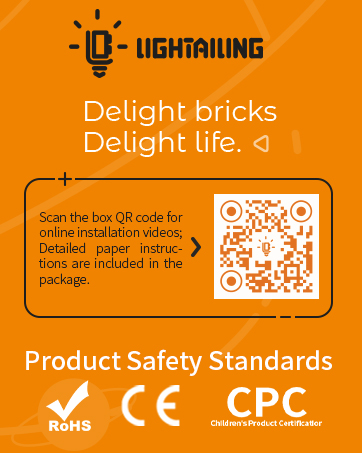
Image: Contents of the LIGHTAILING LED Light Kit package.

Image: The retail packaging for the LIGHTAILING LED Light Kit.
3. Installation Guide
The installation of the LED light kit requires careful handling. Please follow these steps and refer to the provided video for visual assistance. The LEGO model (10254) is not included with this light kit.
3.1 General Precautions
- Handle all wires and LED components gently. Avoid hard pulling, bending, or shaking.
- Ensure the power source (USB charger or batteries) provides less than 5V to prevent damage.
- Some disassembly of your LEGO model may be required to properly route wires and place lights.
3.2 Step-by-Step Installation
For detailed visual instructions, please watch the official installation video below. This video demonstrates the process of integrating the light kit into the LEGO Creator Expert Winter Holiday Train (Model 10254).
Video: Official installation guide for the LIGHTAILING LED Light Kit on the LEGO Creator Expert Winter Holiday Train (Model 10254).
The light kit is designed to be integrated into various sections of the train, including the engine, passenger car, and cargo car, to illuminate details such as headlights, interior lighting, and decorative elements.

Image: The LEGO Winter Holiday Train illuminated by the LIGHTAILING LED Light Kit.

Image: Detailed view of the illuminated passenger car.

Image: Detailed view of the illuminated engine and cargo car.
4. Operating Instructions
Once the light kit is fully installed and connected:
- Power On: Insert 3 AA batteries into the battery box or connect the USB cable to a compatible USB power source (e.g., USB wall adapter, power bank, computer USB port).
- Power Off: Disconnect the USB cable or remove the batteries from the battery box.
The lights will illuminate automatically upon receiving power.
5. Care and Maintenance
- Keep the light kit and your LEGO model clean by gently dusting with a soft, dry cloth.
- Avoid exposing the kit to excessive moisture or extreme temperatures.
- When not in use for extended periods, remove batteries from the battery box to prevent leakage.
6. Troubleshooting
| Problem | Possible Cause | Solution |
|---|---|---|
| Lights do not turn on. | No power, incorrect battery installation, loose connection, damaged wire. | Check battery orientation and charge. Ensure USB cable is securely connected. Inspect all wire connections for looseness. Gently check wires for visible damage. |
| Some lights are not working. | Loose connection to specific LED, damaged LED or wire. | Carefully check the connection of the non-working LED to the main circuit. Inspect the individual LED and its wire for damage. |
| Lights are dim or flickering. | Low battery power, unstable power source. | Replace batteries with new ones. If using USB, try a different USB port or power adapter. |
7. Product Specifications
- Brand: LIGHTAILING
- Model Compatibility: LEGO Creator Expert Winter Holiday Train (Model 10254)
- Power Source: USB (Corded Electric) or 3x AA Batteries (not included)
- Voltage: 5 Volts
- Light Source Type: Light Emitting Diode (LED)
- Material: Plastic
- Item Weight: Approximately 160 Grams (5.6 ounces)
- Product Dimensions (Packaging): 6.5"L x 6.5"W x 1.57"H
8. Warranty and Support
LIGHTAILING is committed to providing quality products and customer service. If you encounter any issues with your light kit or require assistance with installation, please do not hesitate to contact our support team. Refer to the contact information provided on the product packaging or visit the official LIGHTAILING website for further assistance.
Contact Information:
- Email: support@lightailing.com
- Website: www.lightailing.com

Image: Back of the product box showing company and support information.