
Introduction
Thank you for choosing the TOSING V2 Wireless Bluetooth Karaoke Microphone. This device combines a microphone and dual speakers into a portable unit, offering a versatile solution for karaoke, singing practice, and entertainment. Please read this manual carefully to ensure proper use and to maximize your experience with the product.
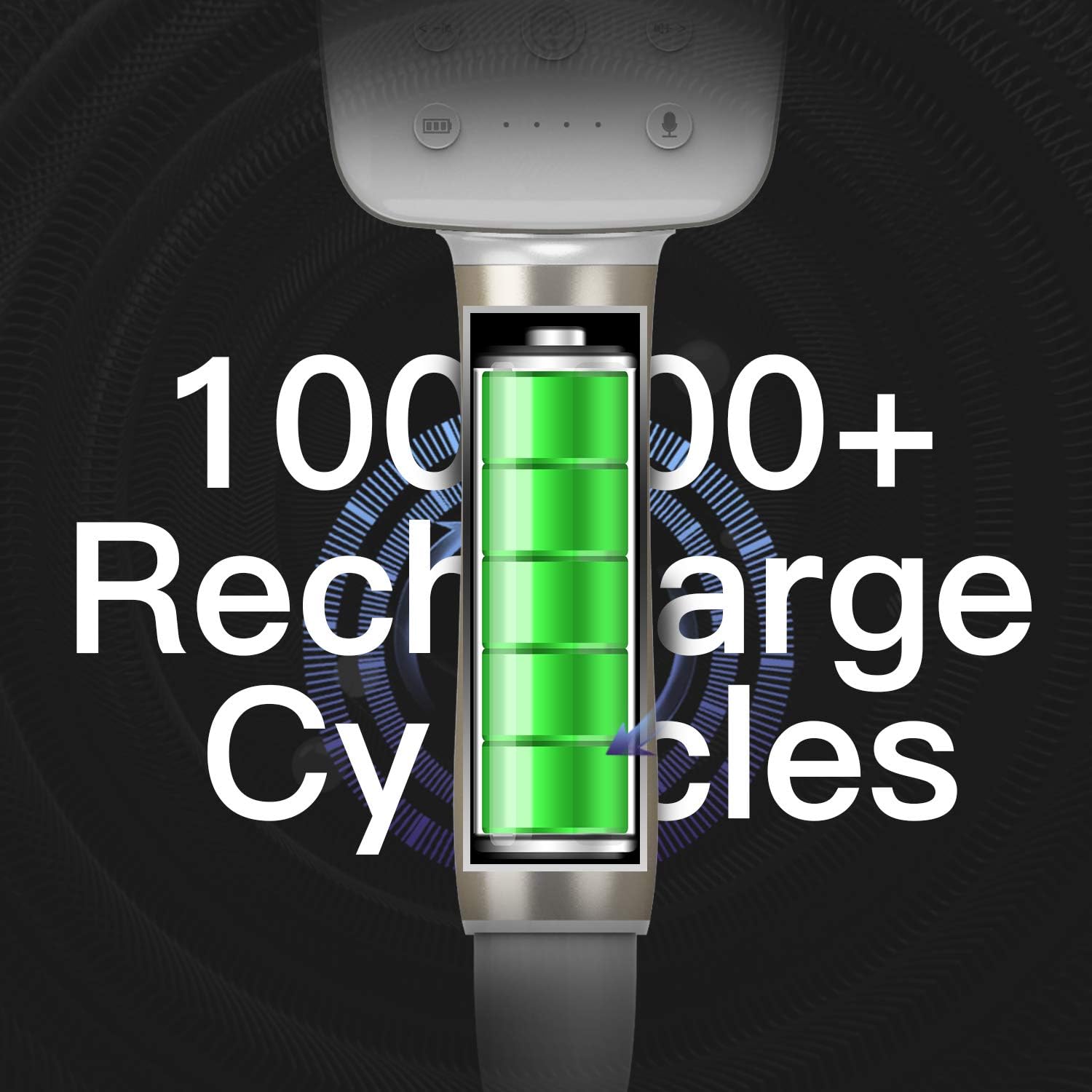
Image: The TOSING V2 Wireless Bluetooth Karaoke Microphone in a general usage scenario.
Product Overview and Controls
Familiarize yourself with the various parts and controls of your TOSING V2 microphone to ensure correct operation.

Image: Detailed diagram illustrating the control buttons and ports on the TOSING V2 microphone.
- Echo: Adjusts the echo effect for your voice.
- Volume: Controls the overall microphone volume.
- Bass: Adjusts the bass level of the audio output.
- Treble: Adjusts the treble level of the audio output.
- Music-/Prev: Decreases music volume or skips to the previous track.
- U Segment Light Indicator: Indicates the status of the UHF function.
- Power On/Off: Press and hold to power the device on or off.
- Smart Voice Conversation: Activates AI smart voice control features.
- Music+/Next: Increases music volume or skips to the next track.
- Speaker On/Off / EOV (Eliminate Original Voice): Toggles the speaker or activates the original voice elimination function.
- 3.5mm Earphone Port: For connecting headphones.
- TF Card Slot: For playing music directly from a TF (MicroSD) card.
- Line In/Charge Port: For charging the device or connecting external audio sources via a 3.5mm audio cable.
Getting Started (Setup)
Initial Charging
Before first use, fully charge the microphone. Connect the provided charging cable to the Line In/Charge port on the microphone and to a suitable USB power adapter (not included). The light indicator will show charging status and turn off when fully charged.
Powering On/Off
Press and hold the Power On/Off button for a few seconds until the device powers on or off.
Bluetooth Connectivity
The TOSING V2 microphone can connect to various Bluetooth-enabled devices.
- Ensure the microphone is powered on.
- Activate Bluetooth on your smartphone, MP3 player, MP4 player, laptop (Windows 7, 8, 10), or other compatible device.
- Search for available Bluetooth devices. The microphone will appear as "TOSING V2" or similar.
- Select the microphone to pair. A confirmation sound will indicate successful pairing.
For non-Bluetooth devices or TVs, use the included 3.5mm audio cable to connect to the AUX-IN Jack (Line In/Charge Port) on the microphone.
Operating Modes and Functions
The TOSING V2 offers 9 major functions to enhance your singing experience.
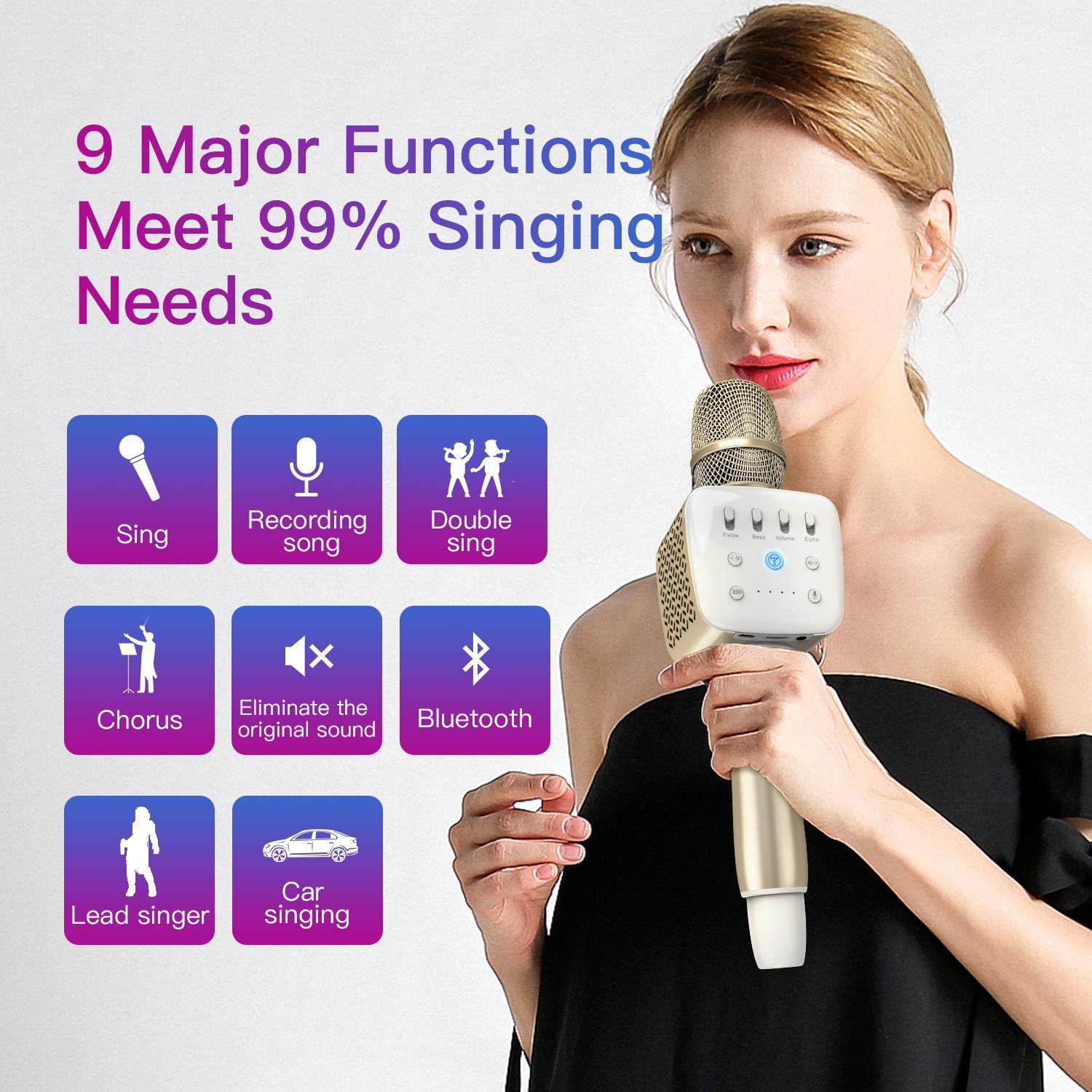
Image: Visual representation of the 9 major functions available on the TOSING V2 microphone.
- Sing: Standard karaoke mode.
- Recording Song: Record your singing performances.
- Double Sing: Allows two microphones to connect for duet performances (requires a second compatible microphone).
- Chorus: Enhances vocal presence for group singing.
- Eliminate Original Voice (EOV): Removes vocals from a song, allowing you to sing along to the instrumental track.
- Bluetooth 4.2 Function: Wireless connectivity for audio streaming.
- UHF: Utilizes Ultra High Frequency for stable wireless connection (if applicable to specific models or accessories).
- Lead Singer: Optimizes microphone settings for a primary vocalist.
- Car Singing: Designed for use in vehicles, potentially optimizing sound for car audio systems.
AI Smart Voice Control
The TOSING V2 features an advanced AI smart voice control DSP chipset. Use the Smart Voice Conversation button to activate voice commands for 3D surround sound effects and smart search functions.
Using the "Eliminate Original Voice" Function
The TOSING V2 microphone includes a dedicated function to remove the original vocals from a song, regardless of whether your music software has this feature. To activate:
- Play a song from your connected device.
- Press the Speaker On/Off / EOV button. The microphone will process the audio to reduce or eliminate the lead vocals, allowing you to sing over the instrumental track.
- Press the button again to deactivate the EOV function.
Charging and Battery Information
The TOSING V2 is equipped with a 2600mAh Lithium-ion polymer battery, designed for long-lasting performance and safety.

Image: Illustration highlighting the durable battery with over 10,000 recharge cycles.
- Battery Capacity: 2600mAh Lithium-ion polymer.
- Charging: Use the provided cable with a standard USB power adapter.
- Safety: Built-in 6-security protection mechanisms ensure safe charging and usage.
- Recharge Cycles: Designed for over 10,000 recharge cycles.
Maintenance
To ensure the longevity and optimal performance of your TOSING V2 microphone, follow these maintenance guidelines:
- Keep the device dry. Do not expose it to water or excessive moisture.
- Clean the microphone with a soft, dry cloth. Avoid using harsh chemicals or abrasive cleaners.
- Store the microphone in a cool, dry place away from direct sunlight and extreme temperatures.
- Avoid dropping or subjecting the device to strong impacts.
Troubleshooting
If you encounter issues with your TOSING V2 microphone, refer to the following common problems and solutions:
| Problem | Possible Cause | Solution |
|---|---|---|
| Microphone does not power on. | Low battery. | Charge the microphone fully. |
| Cannot connect via Bluetooth. | Bluetooth not enabled on device; microphone not in pairing mode; too far from device. | Ensure Bluetooth is on and visible. Restart microphone and try pairing again. Keep devices within range. |
| No sound from speakers. | Volume too low; microphone muted; incorrect connection. | Increase volume. Check if microphone is muted. Ensure proper Bluetooth or AUX connection. |
| Echo/sound quality issues. | Incorrect settings; environmental factors. | Adjust Echo, Bass, and Treble controls. Test in different environments. |
Specifications
Technical details for the TOSING V2 Wireless Bluetooth Karaoke Microphone.
- Model: V2
- Microphone Form Factor: Handheld
- Power Source: Battery Powered (2600mAh Lithium-ion polymer)
- Hardware Platform: Karaoke Machine
- Number of Channels: 1
- Frequency Response: 10 KHz
- Connectivity Technology: Bluetooth 4.2, 3.5 mm Jack
- Compatible Devices: Smartphones, MP3, MP4, Laptops (Windows 7, 8, 10), Personal Computer, Speaker
- Special Features: Bluetooth, Portable, Rechargeable, Wireless, AI Smart Voice Control, Eliminate Original Voice (EOV)
- Polar Pattern: Unidirectional
- Audio Sensitivity: 115 Decibels
- Item Weight: 1.65 pounds (0.75 Kilograms)
- Package Dimensions: 14.49 x 6.1 x 4.17 inches
- UPC: 711005681148
Warranty and Customer Support
TOSING is committed to providing high-quality products. Your TOSING V2 microphone is constructed with durability in mind, featuring a battery designed for over 10,000 recharge cycles and built-in security protections.
If you encounter any issues during use, please contact customer support for assistance. We offer a 100% exchange or money-back guarantee for product-related concerns.
For support, please refer to the contact information provided with your purchase or visit the official TOSING website.