
Introduction
Glovii heated clothing provides thermal comfort in cold conditions. These products utilize heated carbon fibers to promote blood circulation through infrared waves. Designed for various outdoor activities and professions, these gloves offer warmth and functionality.
Setup
1. Charging the Battery
Before first use, fully charge the provided Li-Ion battery using a USB 5V, 1A charger (not included). The battery has a built-in energy gauge to indicate charge status.
2. Inserting the Battery
- Locate the zippered pocket on the cuff of each glove.
- Connect the glove's internal cable to the fully charged battery.
- Carefully place the battery into the pocket and close the zipper securely.
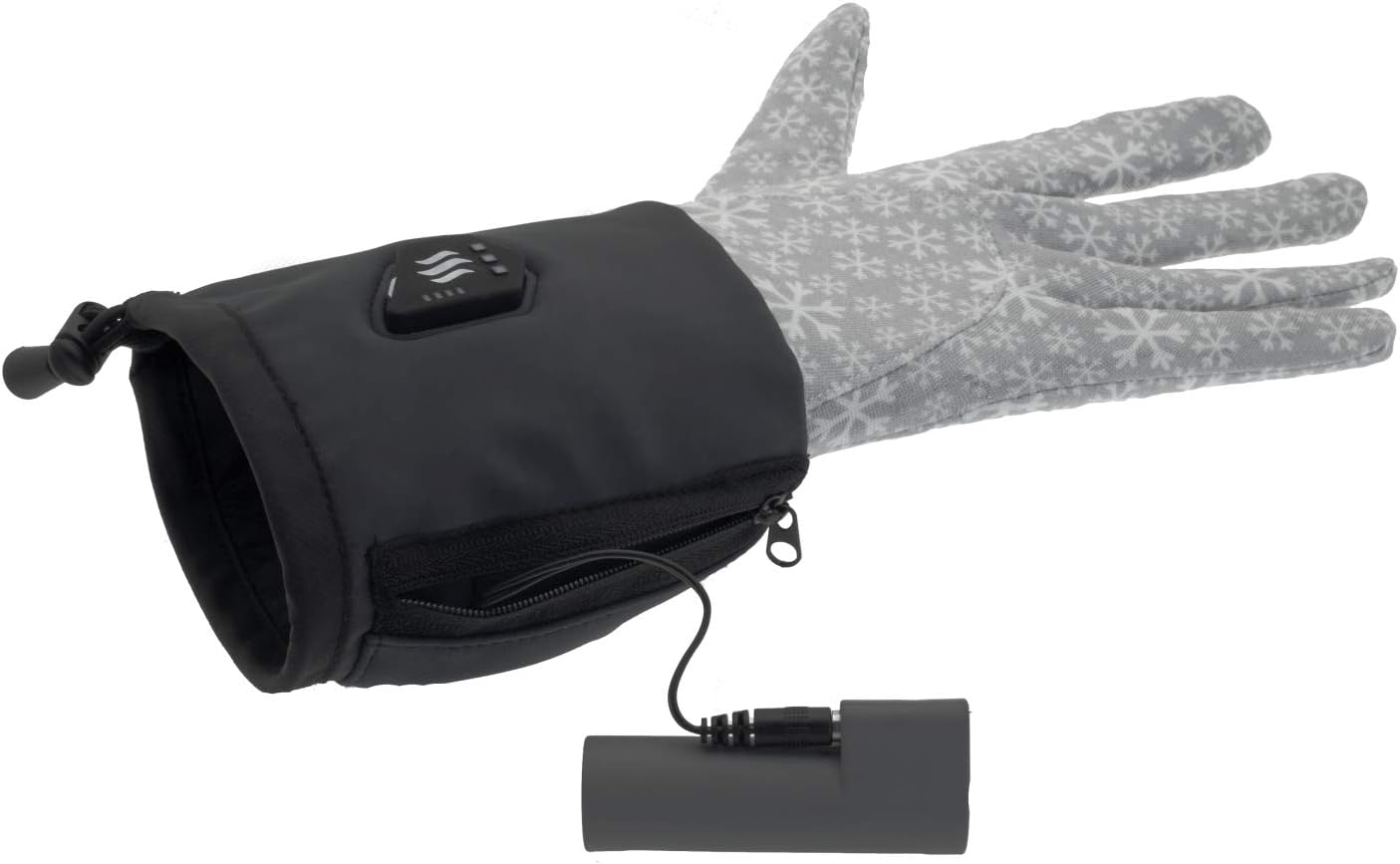
Image: The glove's internal cable connected to the battery, ready for insertion into the pocket.

Image: The battery being carefully placed into the zippered pocket on the glove cuff.
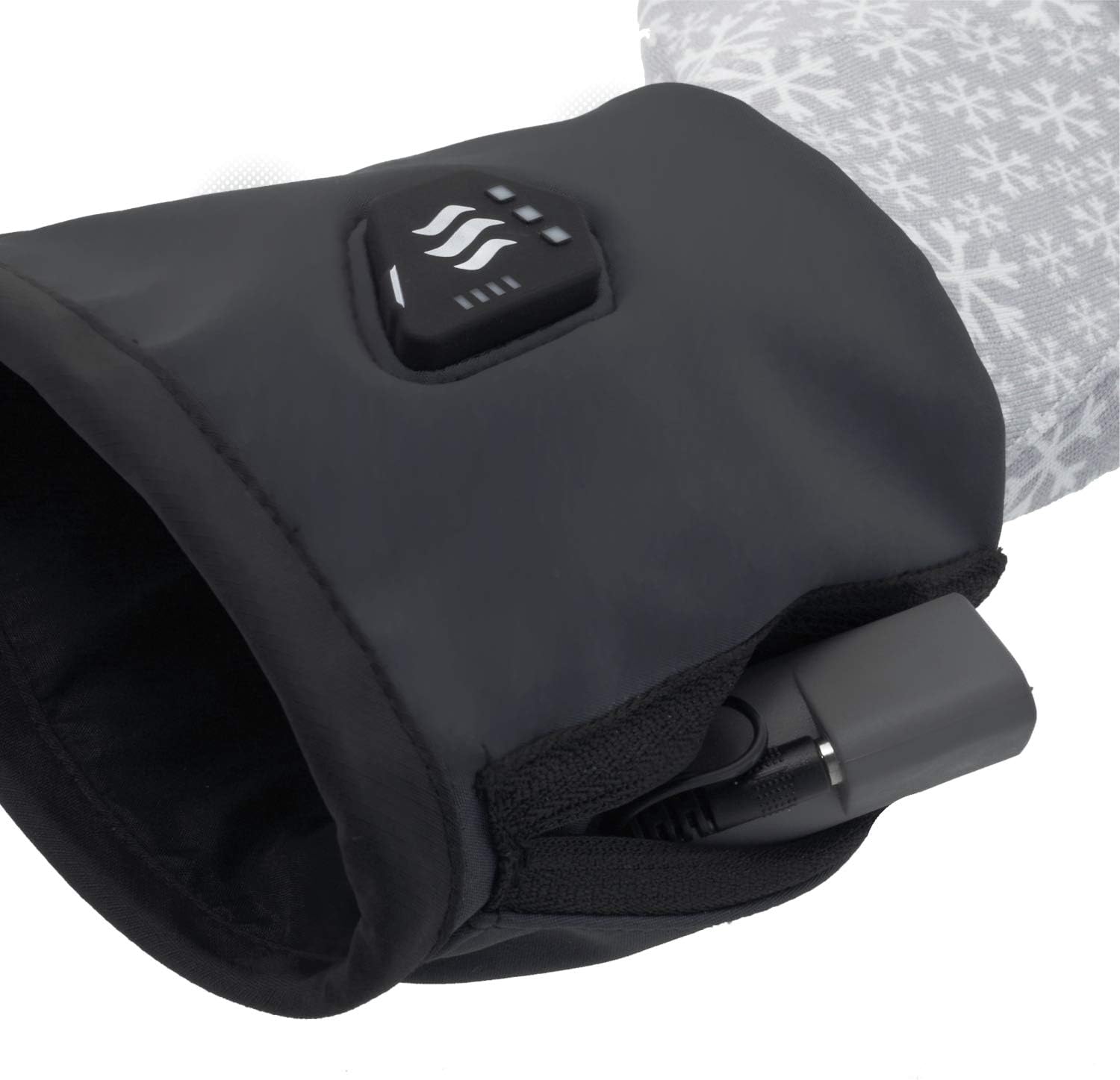
Image: The battery fully secured inside the glove pocket with the zipper closed.
Operating Instructions
1. Powering On and Adjusting Heat Levels
The control button is located on the back of the glove cuff.

Image: A close-up view of the power and heat level control button located on the back of the glove cuff.
- To Power On: Press and hold the control button for a few seconds until the indicator light illuminates.
- To Adjust Heat Level: Briefly press the control button to cycle through the heat modes:
- LO (33%): Lowest heat setting.
- MED (66%): Medium heat setting.
- HI (100%): Highest heat setting.
- To Power Off: Press and hold the control button for a few seconds until the indicator light turns off.
2. Heating Element Location
The carbon fiber heating element is strategically placed around all fingers to ensure comprehensive warmth.
3. Touch Screen Compatibility
These gloves are designed to work with touch screens, allowing you to operate devices without removing your gloves.
Maintenance
Cleaning Instructions
To ensure the longevity of your heated gloves, follow these care instructions:
- Hand Wash Only: Do not machine wash, tumble dry, or dry clean.
- Before washing, ensure the battery is removed from the glove pocket.
- Use mild soap and cold water. Gently hand wash the gloves.
- Rinse thoroughly and air dry completely before reconnecting the battery or storing. Do not wring or twist.
Storage
When not in use, store the gloves and battery in a cool, dry place. Ensure the battery is partially charged (around 50%) if storing for extended periods to maintain battery health.
Troubleshooting
- Gloves not heating:
- Ensure the battery is fully charged.
- Verify that the battery is correctly connected to the glove's internal cable.
- Confirm the gloves are powered on and a heat level is selected.
- Battery not charging:
- Check the USB charger and cable for damage.
- Ensure the charger meets the specified output (USB 5V, 1A).
- Uneven heating:
- This is unlikely due to the carbon fiber heating element. If experienced, ensure the gloves are worn correctly and contact support if the issue persists.
If you encounter issues not listed here, please refer to the manufacturer's support channels.
Specifications
| Battery | 2600mAh (9.62Wh) Li-Ion, Built-in energy gauge |
| Heating Element | 5W - Carbon Fiber, located around all fingers |
| Heat Modes | 33% (LO), 66% (MED), 100% (HI) |
| Working Time | 3h (LO), 2h (MED), 1h (HI) |
| Fabric Composition | 95% Polyester, 5% Spandex |
| Charger (Not Included) | USB 5V, 1A |
| Size | Small-Medium |
| Weight (without batteries) | 130g (0.29 lbs) |
| Weight (with battery) | 250g (0.55 lbs) |
| Color | Black |
| Closure Type | Hook |
Warranty and Support
Information regarding product warranty and customer support is not provided within this manual. Please refer to the manufacturer's official website or contact your retailer for details on warranty coverage and support services.
