
GoolRC KF606
GoolRC KF606 RC Plane Instruction Manual
Model: KF606 | Brand: GoolRC
1. Safety Information
Read all instructions before operating the GoolRC KF606 RC Plane. Failure to follow these instructions may result in injury or damage to the product.
- Flight Environment: Operate the RC plane in open, unobstructed areas. Avoid flying near people, animals, buildings, power lines, or trees.
- Wind Conditions: This lightweight aircraft (approximately 11 grams) is sensitive to wind. Avoid flying in windy conditions. A light breeze can significantly affect control.
- Battery Safety: Use only the provided charging cable and batteries. Do not overcharge or puncture batteries. Discontinue use if batteries show signs of damage or swelling.
- Supervision: Adult supervision is recommended, especially for younger operators.
- Impact Resistance: The plane is constructed from durable EPP foam, offering good flexibility and anti-dropping characteristics. However, severe impacts can still cause damage.
2. Product Overview
The GoolRC KF606 is a 2.4Ghz remote control fixed-wing gliding aircraft made from EPP foam, designed for stable flight and ease of use.
Package Contents:
- RC Airplane (KF606)
- Remote Controller
- Battery for Airplane (Lithium-Ion Polymer)
- USB Charging Cable
- Instructional Manual (this document)
- Extra Propellers
- Snap Joint

Image: The GoolRC KF606 RC Plane, remote controller, batteries, USB charging cable, and spare propellers.
3. Setup
3.1 Charging the Aircraft Battery
- Connect the provided USB charging cable to a USB power source (e.g., computer USB port, USB wall adapter).
- Connect the aircraft battery to the charging cable.
- The indicator light on the USB charger will show the charging status (refer to charger for specific light indications).
- Charging typically takes approximately 30-40 minutes. Disconnect the battery once fully charged to prevent overcharging.
3.2 Installing Remote Controller Batteries
- Open the battery compartment on the back of the remote controller.
- Insert 2 'AA' batteries (not included) into the compartment, ensuring correct polarity.
- Close the battery compartment securely.
3.3 Aircraft Assembly
The GoolRC KF606 RC Plane comes ready-to-fly (RTF) with minimal assembly required. Ensure the wings and tail are securely attached. If propellers are detached, gently snap them onto the motor shafts.

Image: The GoolRC KF606 RC Plane, fully assembled and ready for operation.
4. Operating Instructions
4.1 Remote Controller Functions

Image: Diagram of the remote controller showing button functions.
- Left Trimming: Adjusts the plane's flight path to the left.
- Right Trimming: Adjusts the plane's flight path to the right.
- Throttle: Controls the motor speed and thus the plane's altitude. Push forward to increase speed/climb, pull back to decrease speed/descend.
- Turn Left/Right: Controls the plane's direction using differential thrust from the dual motors.
- H/L (High/Low Speed): Toggles between high and low-speed modes for different flight experiences.
- Switch (Power): Turns the remote controller on or off.
4.2 Binding the Aircraft to the Remote Controller
- Ensure both the aircraft battery is charged and installed, and the remote controller has fresh batteries.
- Turn on the remote controller using the 'Switch' button.
- Connect the aircraft battery. The aircraft's indicator light will flash.
- Move the throttle stick on the remote controller fully up, then fully down. The aircraft's indicator light should become solid, indicating successful binding.
4.3 Pre-Flight Checks
- Verify the aircraft battery is fully charged.
- Confirm the remote controller batteries are installed and functional.
- Check that propellers are securely attached and undamaged.
- Ensure the flight area is clear of obstacles, people, and animals.
4.4 Take-off and Flight
- Hold the aircraft firmly and gently hand-launch it forward into the air.
- Immediately apply throttle to gain altitude.
- Use the 'Turn Left/Right' stick to control direction. The plane uses differential thrust for steering.
- Adjust the throttle to control altitude. Efficient aerodynamic design allows for good gliding performance.
- Use the trimming buttons to correct any unwanted drifting during straight flight.
4.5 Landing
To land, gradually reduce the throttle and allow the plane to glide down. Aim for a soft landing in an open area.
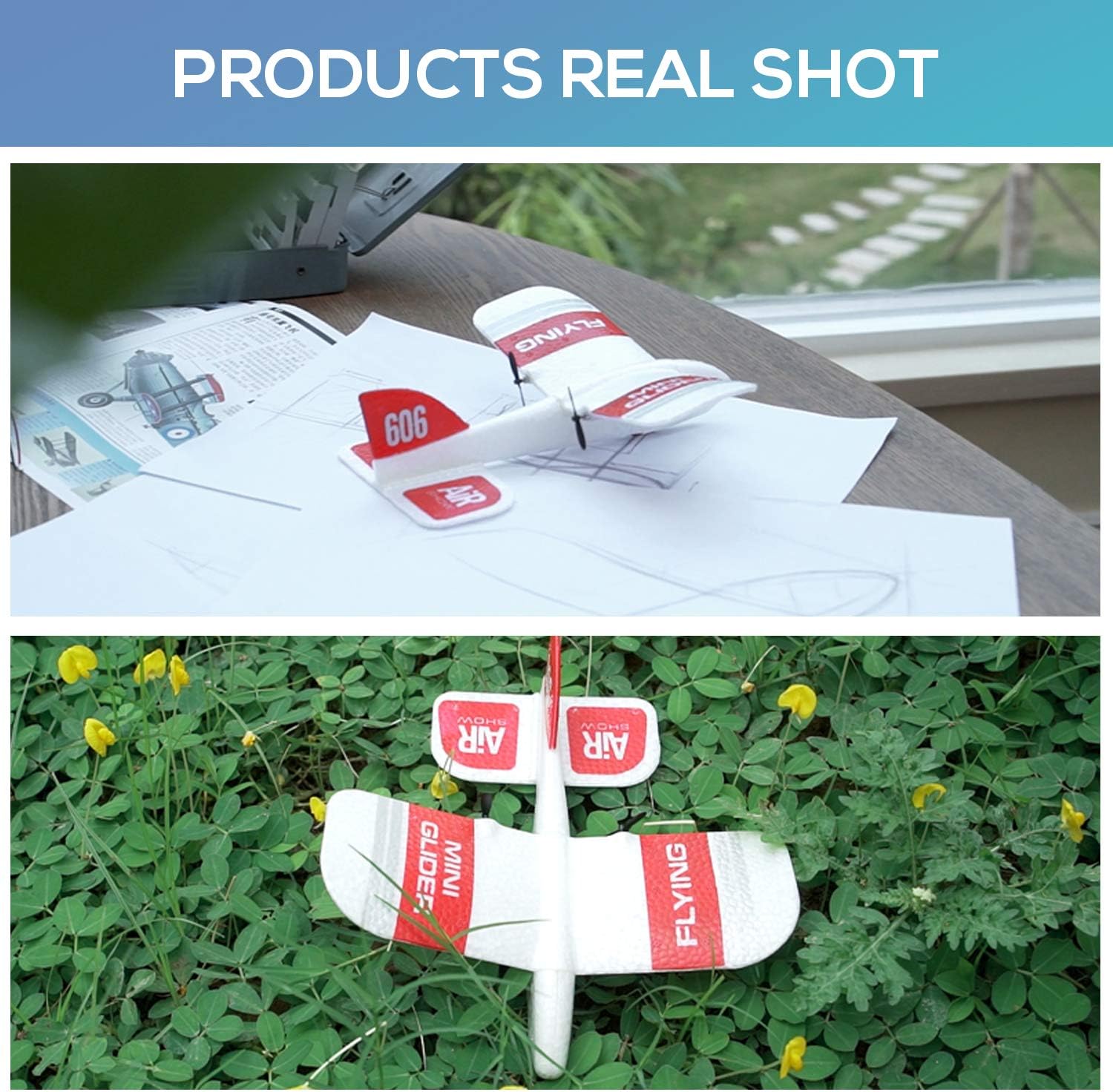
Image: Examples of the KF606 RC Plane flying in an indoor setting and an outdoor garden.
5. Maintenance
- Cleaning: Wipe the EPP foam body with a soft, dry cloth. Avoid using harsh chemicals or excessive moisture.
- Propeller Replacement: If propellers are damaged, replace them with the provided spare parts. Gently pull off the old propeller and push on the new one.
- Battery Care: Store batteries in a cool, dry place away from direct sunlight. Do not store fully charged or fully discharged for extended periods.
- Storage: When not in use, store the aircraft and remote controller in their original packaging or a protective case to prevent damage.
6. Troubleshooting
| Problem | Possible Cause | Solution |
|---|---|---|
| Plane does not respond to remote controller. | Remote controller batteries low/dead; Not bound; Aircraft battery low/dead. | Replace remote controller batteries; Perform binding procedure; Charge aircraft battery. |
| Plane flies erratically or drifts. | Incorrect trim settings; Wind interference; Damaged propeller. | Adjust left/right trimming; Fly in calm conditions; Replace damaged propeller. |
| Plane lacks power or cannot gain altitude. | Aircraft battery low; Damaged motor/propeller. | Charge aircraft battery; Inspect and replace damaged propellers or contact support if motor issue. |
| Propellers are not spinning. | Aircraft not powered on; Not bound; Obstruction; Motor damage. | Ensure aircraft battery is connected; Perform binding procedure; Check for obstructions; Contact support if motor issue. |
7. Specifications
| Feature | Detail |
|---|---|
| Brand | GoolRC |
| Model Name | KF606 |
| Material | EPP Foam (body) |
| Dimensions (L x W x H) | 7.48 x 7.08 x 1.97 inches (19 x 18 x 5 cm) |
| Weight | Approx. 11 grams |
| Control Frequency | 2.4 GHz |
| Channels | 2-Channel (Throttle, Left/Right) |
| Battery Type | Lithium-Ion Polymer |
| Power Source | Battery Powered |
| Operation Mode | Manual |
| Recommended Age | Adult (suitable for beginners with supervision) |

Image: Diagram showing the dimensions of the GoolRC KF606 RC Plane.
8. Warranty and Support
For any issues or inquiries regarding your GoolRC KF606 RC Plane, please contact GoolRC customer support. We are committed to serving you and resolving any concerns you may have.
Please refer to your purchase documentation for specific warranty details, if applicable.
Ask a question about this manual
Ask about setup, troubleshooting, compatibility, parts, safety, or missing instructions. Manuals+ will review the question and use this page’s manual context to help answer it.