
Evapolar EV-1500
User Manual for Evapolar evaLIGHT Plus Personal Air Cooler
Model: EV-1500
Introduction
The Evapolar evaLIGHT Plus is a versatile 3-in-1 device designed to cool, humidify, and purify the air in your personal space. Utilizing natural evaporative technology, it provides a refreshing breeze within 3-5 feet, making it an ideal solution for hot, dry climates. This portable unit is energy-efficient, consuming only 10W, and is safe for breathing due to its basalt fiber filter material. It features a display, a removable water tank, a sleep timer, and customizable LED lighting.
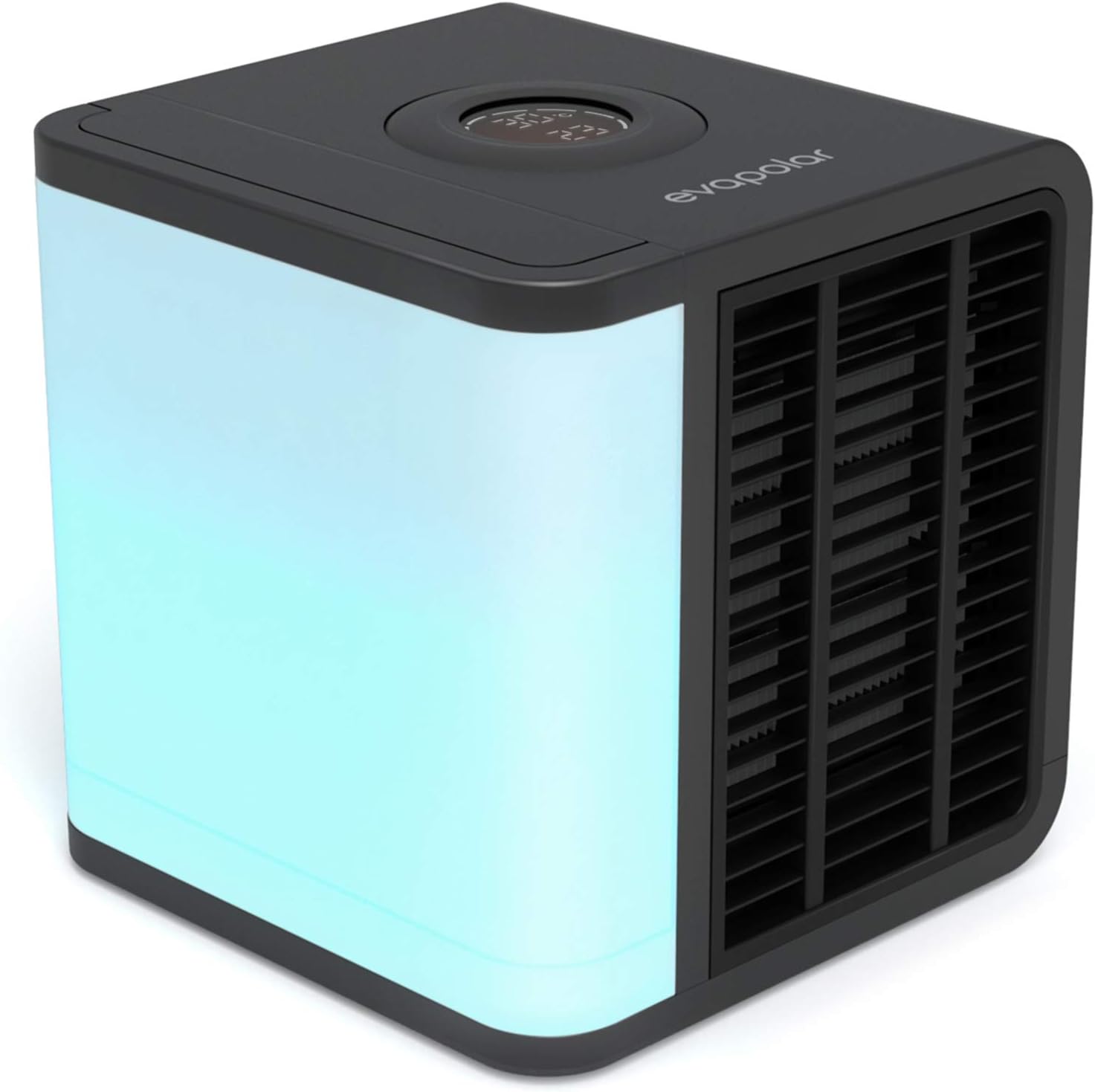
Figure 1: Evapolar evaLIGHT Plus Personal Air Cooler
Setup Guide
Follow these steps to set up your Evapolar evaLIGHT Plus for optimal performance:
- Fill the Water Tank: The evaLIGHT Plus features a removable 34 oz (1000 ml) water tank. Carefully remove the tank and fill it with clean water. Ensure the tank is securely reinserted into the device.
- Connect to Power: Connect the device via its USB-C power cable to a power source. This can be a PC, a power bank, or a wall adapter (included). The air cooler only operates when connected to power.
- Power On: Press and hold the round screen on the top of the device to turn it on. Press once again to enter the menu for further adjustments.
- Adjust Airflow: Use the control wheel on the top screen to navigate through the menu and adjust the airflow and other features. You can also manually adjust the front grill to direct the airflow.

Figure 2: Quick Setup Steps
Official Setup Video
Video 1: Step-by-step guide for evaLIGHTplus air cooler (Source: CoolTrade Inc)
Operating Instructions
The evaLIGHT Plus offers various features for personalized comfort:
- Control Wheel & Display: The top-mounted control wheel allows you to navigate through settings. The LED display shows environmental temperature and the temperature of the outgoing air.
- Fan Speed: Adjust the fan speed to your preference. The device offers 10 speed settings.
- LED Lighting: The unit features full-spectrum LED lighting with adjustable brightness settings. You can choose from various colors to create a desired ambiance.
- Sleep Timer: Set a sleep timer for automatic shut-off, ensuring comfortable sleep without continuous operation.
- Airflow Direction: Manually adjust the front grill to direct the cool air precisely where you need it.

Figure 3: Control Panel Overview

Figure 4: Quiet Operation for Restful Sleep
Maintenance
Regular maintenance ensures the longevity and efficiency of your evaLIGHT Plus:
- Filter Replacement: The device uses a replaceable evaBREEZE basalt-based cartridge. While designed for long-lasting use, the filter may need replacement every 4-6 weeks depending on water quality and usage. Signs of needing replacement include reduced cooling performance or visible discoloration/mineral buildup on the filter.
- Water Tank Cleaning: Periodically clean the removable water tank to prevent mineral buildup and maintain optimal humidification.
- General Cleaning: Wipe the exterior of the unit with a soft, damp cloth. Do not use abrasive cleaners or immerse the device in water.

Figure 5: EvaBREEZE Filter Technology
Troubleshooting
If you encounter issues with your evaLIGHT Plus, try the following solutions:
- Device Turns On/Off Intermittently:
- Ensure the power cable is securely connected to both the device and the power source.
- Verify the power source (USB port, power bank, adapter) is providing sufficient and stable power (at least 2A 5V).
- Check for any obstructions around the fan or air intake/output.
- If the issue persists, try a different power cable or adapter.
- Light Does Not Turn Off:
- Navigate through the control wheel settings to ensure the light is set to "off" or the lowest brightness.
- If the control panel is unresponsive, try unplugging the device for a few minutes and then plugging it back in to reset it.
- Reduced Cooling Performance:
- Check the water level in the reservoir and refill if low.
- Inspect the evaBREEZE filter for clogs or mineral buildup. Replace the filter if necessary.
- Ensure the device is placed in an area with adequate air circulation.
Troubleshooting Video Example
Video 2: Customer review showing intermittent operation (Source: amanda reading)
Specifications
| Feature | Detail |
|---|---|
| Brand | Evapolar |
| Model Name | evaLight (EV-1500) |
| Cooling Type | Evaporative |
| 3-in-1 Function | Cools, Humidifies, Purifies |
| Power Consumption | 10 Watts |
| Reservoir Capacity | 1000 Milliliters (34 oz) |
| Air Flow Capacity | 80 Cubic Feet Per Minute |
| Noise Level | 25 dB |
| Dimensions (D x W x H) | 7.16"D x 7.08"W x 7.08"H |
| Item Weight | 2.8 pounds |
| Special Features | Portable, USB connectivity, LED light, Wheel control, Fast Cooling, Energy efficient |
Warranty and Support
The Evapolar evaLIGHT Plus comes with a 1-year limited warranty from the manufacturer. For detailed warranty information, product support, or to access the full user guide, please refer to the official documentation provided with your product or visit the Evapolar Store on Amazon.
You can also download the official User Guide in PDF format: User Guide (PDF).
Ask a question about this manual
Ask about setup, troubleshooting, compatibility, parts, safety, or missing instructions. Manuals+ will review the question and use this page’s manual context to help answer it.