
1. Introduction
The Lamicall WS01-US-B 2-in-1 Desktop Stand is designed to securely hold and organize your Apple Watch and smartphone. Crafted from durable metal with protective silicone pads, this stand provides a stable and convenient charging station for your devices. Its ergonomic design supports both vertical and horizontal phone placement, and features integrated cable management to maintain a tidy workspace.

Figure 1: Lamicall 2-in-1 Desktop Stand with devices.
2. Package Contents
Please verify that all items are present upon opening the package:
- Lamicall WS01-US-B 2-in-1 Desktop Stand (1 unit)
- Extra Rubber Pads (for replacement, if needed)
- User Manual (this document)
Note: Charging cables for Apple Watch and smartphone are not included and must be supplied by the user.
3. Setup Instructions
Follow these steps to set up your Lamicall 2-in-1 Desktop Stand:
- Unpack the Stand: Carefully remove the stand from its packaging.
Video 1: Unboxing and initial setup of the Lamicall 2-in-1 Desktop Stand.
- Install Apple Watch Charging Cable:
- Locate the circular cutout on the right arm of the stand.
- Insert your Apple Watch magnetic charging puck into this cutout. Ensure it sits flush within the silicone adapter.
- Route the charging cable through the designated channel on the stand's arm and down through the cable management opening at the back.
- Install Phone Charging Cable:
- Identify the opening at the base of the phone holder section.
- Thread your smartphone charging cable (e.g., Lightning, USB-C) through this opening from the back.
- Adjust the cable length so the connector protrudes slightly from the front, allowing easy connection to your phone.
- Route the remaining cable through the cable management opening at the back of the stand.

Figure 2: Detailed view of cable management and protective pads.
- Connect to Power: Plug both charging cables into a suitable power adapter (not included).
4. Operating Instructions
Using your Lamicall 2-in-1 Desktop Stand is straightforward:
- Charging Your Apple Watch:
- Place your Apple Watch onto the magnetic charging puck on the stand's right arm.
- Ensure the watch is properly aligned and begins charging. The stand supports Nightstand Mode, allowing your watch to display time and alarms horizontally.
- Charging Your Smartphone:
- Rest your smartphone on the front cradle of the stand.
- Connect the charging cable to your phone's charging port. The stand's 14mm hook width accommodates most phones with cases.
- The stand supports both vertical and horizontal phone orientation for viewing content while charging.
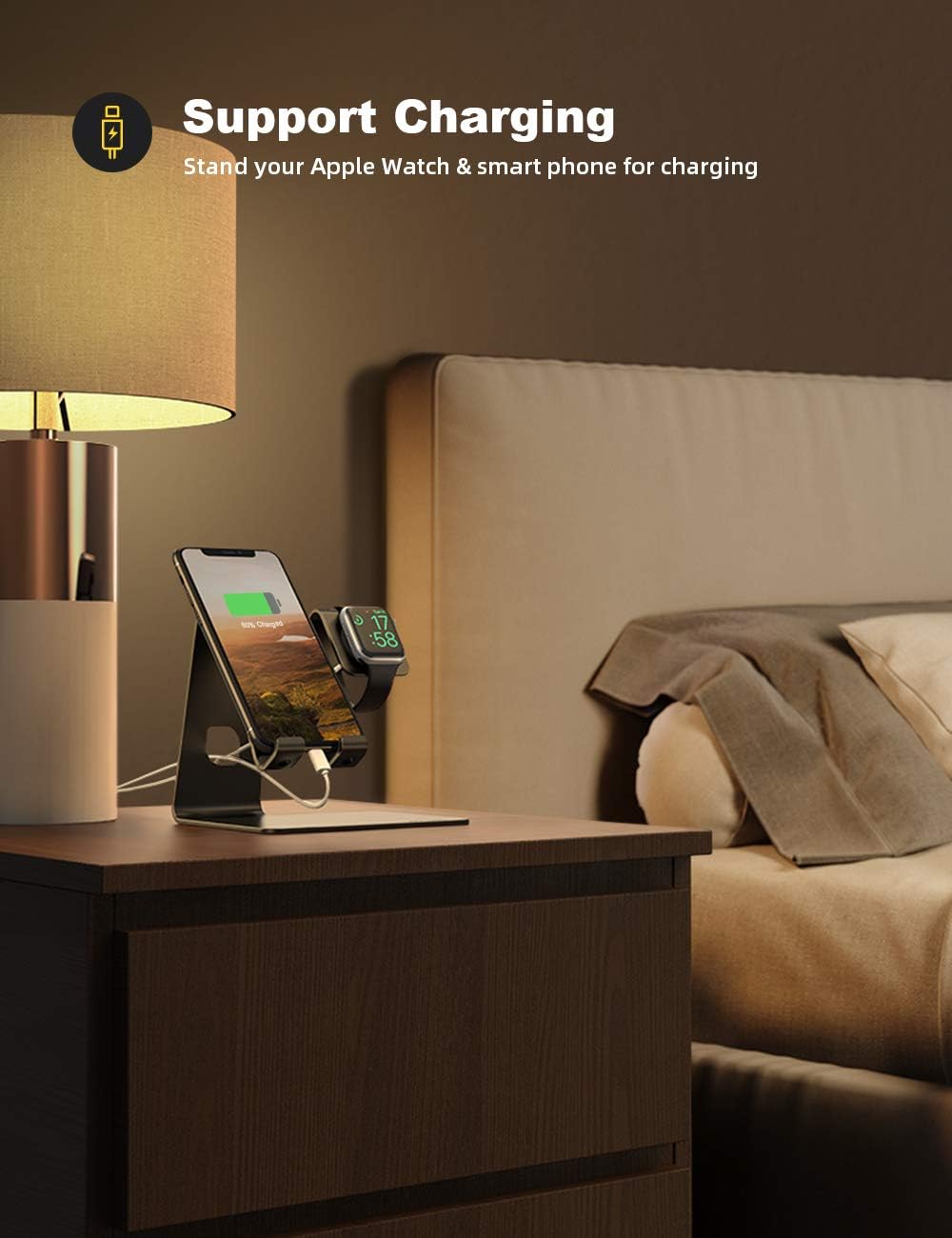
Figure 3: Stand in use on a nightstand.
5. Key Features
- Universal Compatibility: Designed for Apple Watch Series SE Ultra 8/7/6/5/4/3/2/1 (all sizes: 49mm, 45mm, 41mm, 38mm, 40mm, 42mm, 44mm) and smartphones ranging from 4 to 10.5 inches, including iPhone and Android models.
- Integrated Apple Watch Charging: Features a dedicated slot for your Apple Watch magnetic charging cable, ensuring a secure fit and supporting Nightstand Mode.
- Robust Construction: Made from high-quality metal with anti-slip silicone pads on the base and device contact points, providing stability and protecting your devices from scratches.
- Efficient Cable Management: Built-in cable routing channels keep charging cords organized and prevent clutter on your desk or nightstand.
- Case-Friendly Design: The phone cradle has a 14mm hook width, accommodating most smartphones even with protective cases installed.
- Versatile Viewing Angles: Supports both vertical and horizontal orientation for your smartphone, ideal for video calls, media consumption, or monitoring notifications.

Figure 4: Ergonomic design and dimensions.
6. Specifications
| Model Number | WS01-US-B |
| Brand | Lamicall |
| Material | Metal (Aluminum Alloy) with Silicone Pads |
| Color | Black |
| Product Dimensions | 5.8 x 4.4 x 5.5 inches (14.7 x 11.2 x 14 cm) |
| Item Weight | 8.8 ounces (249 grams) |
| Compatible Devices | Apple Watch Series SE Ultra 8/7/6/5/4/3/2/1 (all sizes), Smartphones 4-10.5 inches (e.g., iPhone, Samsung Galaxy, LG, Moto, Google Pixel) |
| Phone Cradle Hook Width | 14mm |
7. Maintenance
To ensure the longevity and optimal performance of your Lamicall Desktop Stand, follow these simple maintenance guidelines:
- Cleaning: Wipe the stand regularly with a soft, dry cloth to remove dust and fingerprints. For stubborn marks, a slightly damp cloth can be used, followed by immediate drying. Avoid abrasive cleaners or solvents.
- Pad Inspection: Periodically check the silicone pads on the base and device contact points for wear or damage. Replace them with the provided extra pads if necessary to maintain anti-slip and anti-scratch protection.
- Cable Management: Ensure cables are routed correctly through the designated channels to prevent kinks or damage. Avoid excessive pulling or bending of cables.
- Placement: Place the stand on a flat, stable surface to prevent accidental tipping.
8. Troubleshooting
If you encounter any issues with your Lamicall Desktop Stand, refer to the following common problems and solutions:
- Device Not Charging:
- Ensure the charging cable is securely connected to both the device and the power adapter.
- Verify that the power adapter is plugged into a functional power outlet.
- Check if the charging cable itself is damaged. Try using a different cable to isolate the issue.
- For Apple Watch, ensure the magnetic puck is correctly seated in its cutout and making proper contact with the watch.
- Stand is Unstable/Slipping:
- Ensure the stand is placed on a clean, dry, and flat surface.
- Check the rubber pads on the bottom of the stand. If they are worn or missing, replace them with the provided extra pads.
- Phone Does Not Fit with Case:
- The phone cradle has a 14mm hook width. If your case is thicker than this, it may not fit. Consider removing the case or using a thinner one.
9. Warranty and Support
Lamicall products are designed for durability and performance. For specific warranty information and customer support, please refer to the official Lamicall website or contact their customer service directly. Keep your purchase receipt for warranty claims.
For further assistance, visit the Lamicall Store on Amazon.