
1. Introduction
This manual provides detailed instructions for the installation, operation, and maintenance of the ENERLITES 51300L-W Low Voltage Slide Dimmer Decorator Switch. This device is designed to control 0-10V dimmable LED lights, LED drivers, LED fixtures, and fluorescent ballasts. It features an on/off rocker switch and a linear dimming slider for precise light level adjustment.

Image 1.1: Front view of the ENERLITES 51300L-W Low Voltage Slide Dimmer Decorator Switch.
The 51300L-W dimmer is suitable for both single-pole and 3-way applications, offering flexibility in various lighting setups. Its low-voltage design ensures compatibility with modern energy-efficient lighting systems.
2. Safety Information
WARNING: To avoid fire, shock, or death, turn off power at the circuit breaker or fuse box and test that power is off before wiring. Installation should be performed by a qualified electrician in accordance with all local and national electrical codes.
- Do not use with standard (120V) incandescent or halogen lighting. This dimmer is for 0-10V low voltage systems only.
- Ensure all wire connections are secure.
- Do not exceed the maximum electrical ratings of the device.
- For indoor use only.
3. Package Contents
- ENERLITES 51300L-W Low Voltage Slide Dimmer Decorator Switch
- Mounting Screws
- Installation Instructions (this manual)
4. Specifications
| Feature | Specification |
|---|---|
| Model Number | 51300L-W |
| Operation Mode | Off, Paddle, Slide Dimmer |
| Current Rating | 3 Amps |
| Operating Voltage | 120-277VAC |
| Dimming Output | 0-10V DC, 30mA |
| Circuit Type | Single-Pole or 3-Way |
| Compatible Devices | Low voltage LED lights, LED drivers, LED fixtures, fluorescent ballasts |
| Certifications | UL Listed |
| Dimensions (L x W x H) | 5.1 x 5.8 x 11.4 inches (approximate) |
| Item Weight | 3.52 ounces |
| Color | White |
5. Installation
5.1 Wiring Diagram
Before beginning installation, ensure power is turned off at the circuit breaker. The 51300L-W dimmer requires specific wiring for 0-10V systems. Refer to the diagram below for proper connections.

Image 5.1: Wiring connections for the 0-10V Dimmer Switch. This diagram illustrates the typical wiring for a 0-10V dimmer, including line, load, neutral, and 0-10V control wires.
5.2 Installation Steps
- Turn Off Power: Locate the circuit breaker controlling the light fixture and turn it off. Verify power is off using a voltage tester.
- Remove Existing Switch: Carefully remove the wall plate and unscrew the existing switch from the wall box. Disconnect the wires.
- Wire the Dimmer: Connect the wires from the wall box to the dimmer according to the wiring diagram (Image 5.1). Ensure all connections are tight and secure. The 0-10V dimmer controls the driver or ballast of your lighting fixture.
- Mount the Dimmer: Gently push the wired dimmer into the wall box and secure it with the provided screws.
- Install Wall Plate: Attach the decorator wall plate (not included) over the dimmer.
- Restore Power: Turn the power back on at the circuit breaker.
5.3 3-Way Application
The 51300L-W dimmer supports 3-way applications, allowing control of a single light fixture from two different locations. Consult a qualified electrician for proper 3-way wiring configurations.
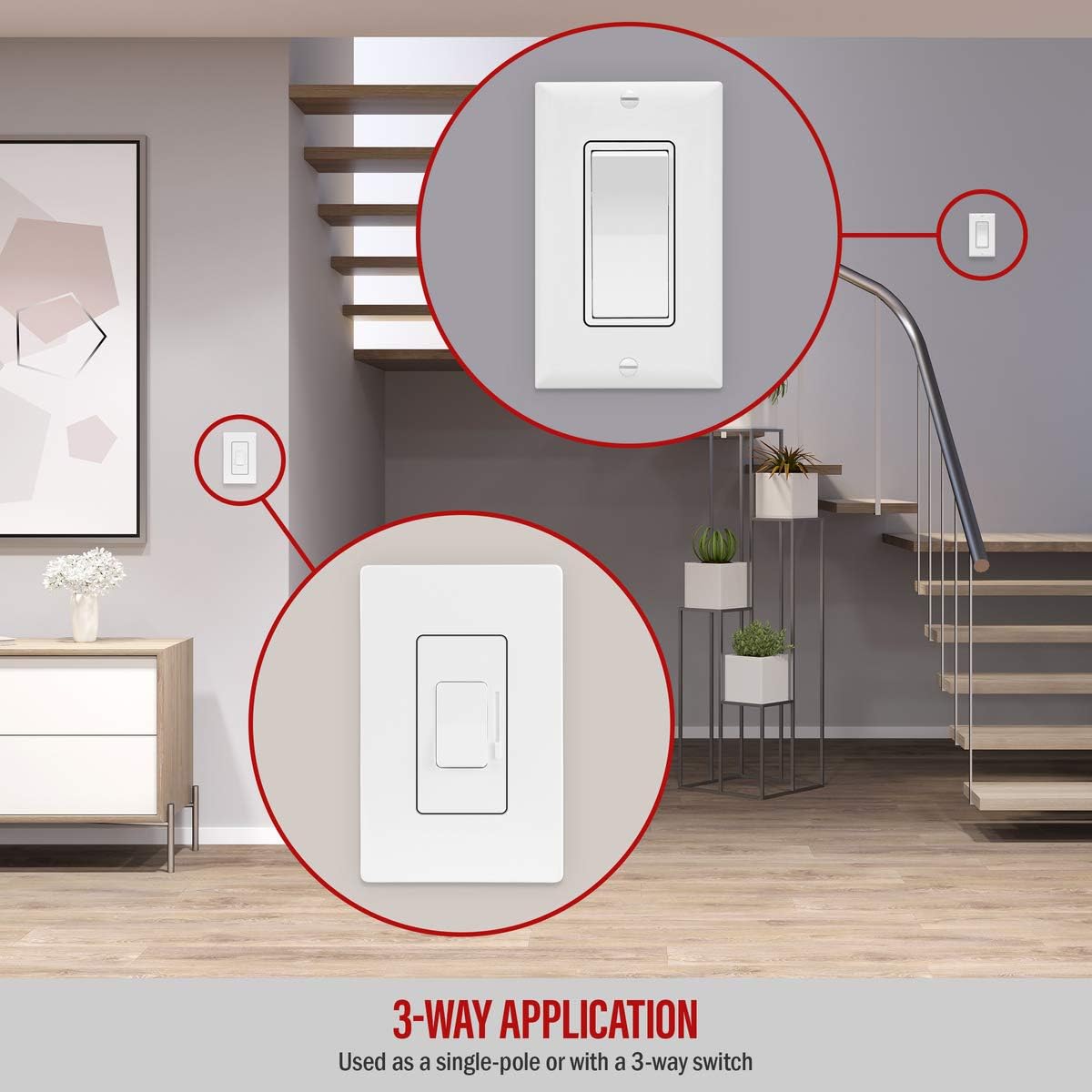
Image 5.2: Example of a 3-way application with the ENERLITES dimmer, showing control from two locations.
6. Operation
6.1 On/Off Control
The large rocker switch on the dimmer controls the on/off function of the lights. Press the top of the rocker to turn lights on, and the bottom to turn lights off. The dimmer will remember the last set dimming level when turned off and on.
6.2 Dimming Control
Use the vertical slide bar next to the rocker switch to adjust the brightness level. Slide the control up for brighter light and down for dimmer light. This linear dimming slider provides smooth adjustment.
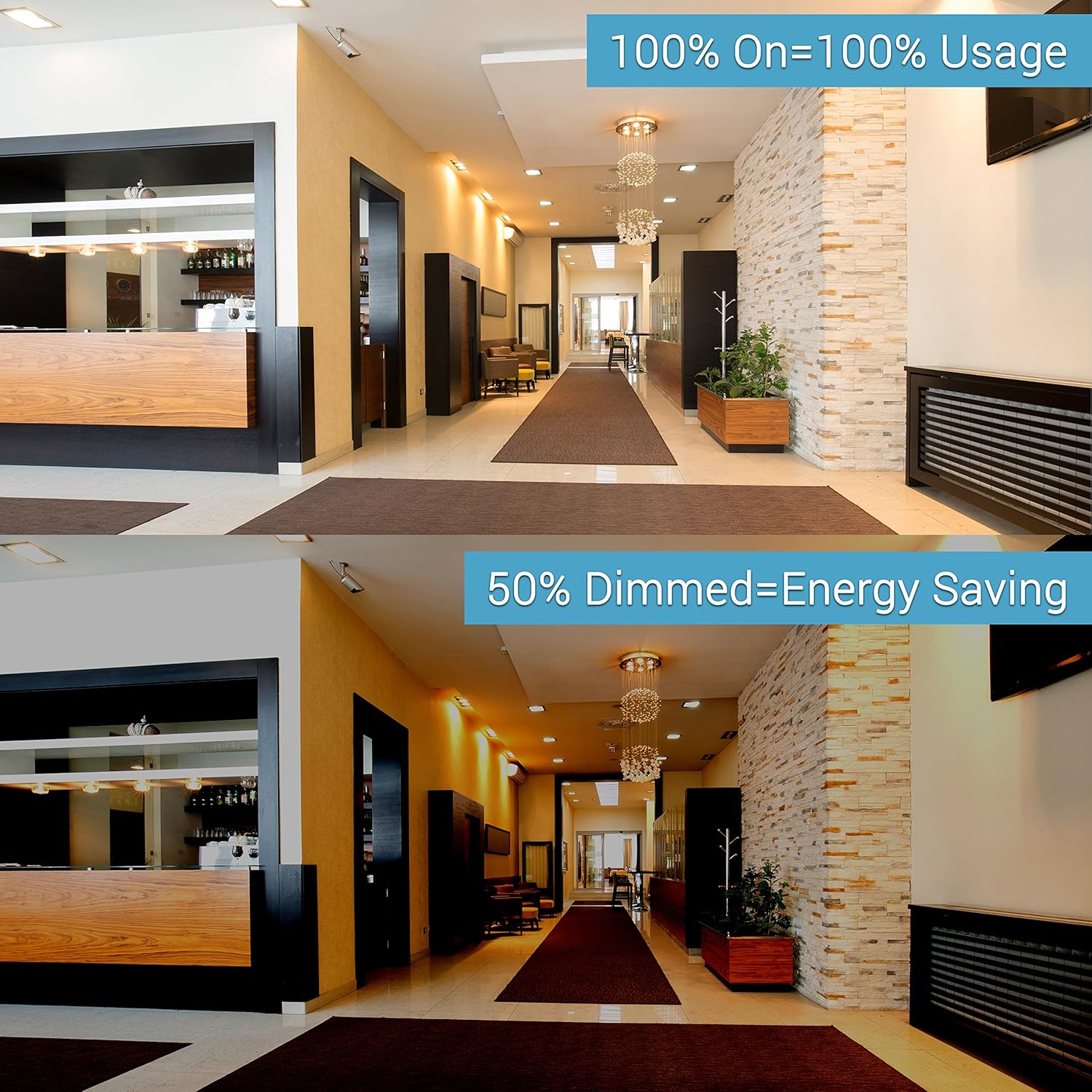
Image 6.1: Visual comparison of lights at 100% brightness versus 50% dimmed, demonstrating the dimmer's effect.
6.3 Dimming Range Adjustment (Trim-Pot)
The dimmer features an adjustment wheel (trim-pot) located on the left side. This allows you to fine-tune the dimming range to optimize performance with your specific LED light bulbs or fixtures. Adjusting the trim-pot can help eliminate flickering at low dimming levels and maximize the overall dimming range.

Image 6.2: Close-up view of the dimmer, highlighting the trim-pot adjustment wheel for fine-tuning the dimming range.
To adjust: Use a small screwdriver to turn the trim-pot wheel. Turn it clockwise to increase the minimum brightness level or counter-clockwise to decrease it, until desired performance is achieved without flickering.
7. Maintenance
The ENERLITES 51300L-W dimmer requires minimal maintenance. To clean the device, gently wipe the surface with a soft, damp cloth. Do not use abrasive cleaners or solvents, as these may damage the finish or internal components. Ensure power is off before cleaning.
8. Troubleshooting
- Lights are flickering at low dimming levels: Adjust the trim-pot wheel on the side of the dimmer (refer to Section 6.3) to set a higher minimum brightness level.
- Lights do not dim or turn on/off:
- Verify that power is supplied to the dimmer at the circuit breaker.
- Check all wiring connections for tightness and correctness according to the wiring diagram (Image 5.1).
- Ensure the connected light fixtures or ballasts are 0-10V dimmable.
- Dimmer feels warm: It is normal for dimmers to feel warm during operation. If the dimmer becomes excessively hot or emits a burning smell, immediately turn off power at the circuit breaker and contact a qualified electrician.
9. Warranty and Support
9.1 Warranty Information
The ENERLITES 51300L-W Low Voltage Slide Dimmer Decorator Switch comes with a 1-year warranty from the date of purchase. This warranty covers defects in materials and workmanship under normal use. It does not cover damage caused by improper installation, misuse, abuse, or unauthorized modifications.
9.2 Customer Support
For technical assistance, troubleshooting beyond this manual, or warranty claims, please contact ENERLITES customer support. Refer to the product packaging or the official ENERLITES website for current contact information.

