
Westek TWRJ11W1-10
Contents
Westek TWRJ11W1-10 Phone Jack Wall Plate User Manual
Model: TWRJ11W1-10
Product Overview
The Westek TWRJ11W1-10 is a 1-gang flush mount RJ11 phone jack wall plate designed for single phone line connections. It features a 4-conductor configuration and comes with a white thermoplastic finish, blending seamlessly with most interior decors. This product is typically supplied in a 10-pack carton, making it suitable for contractor use or multi-room installations.
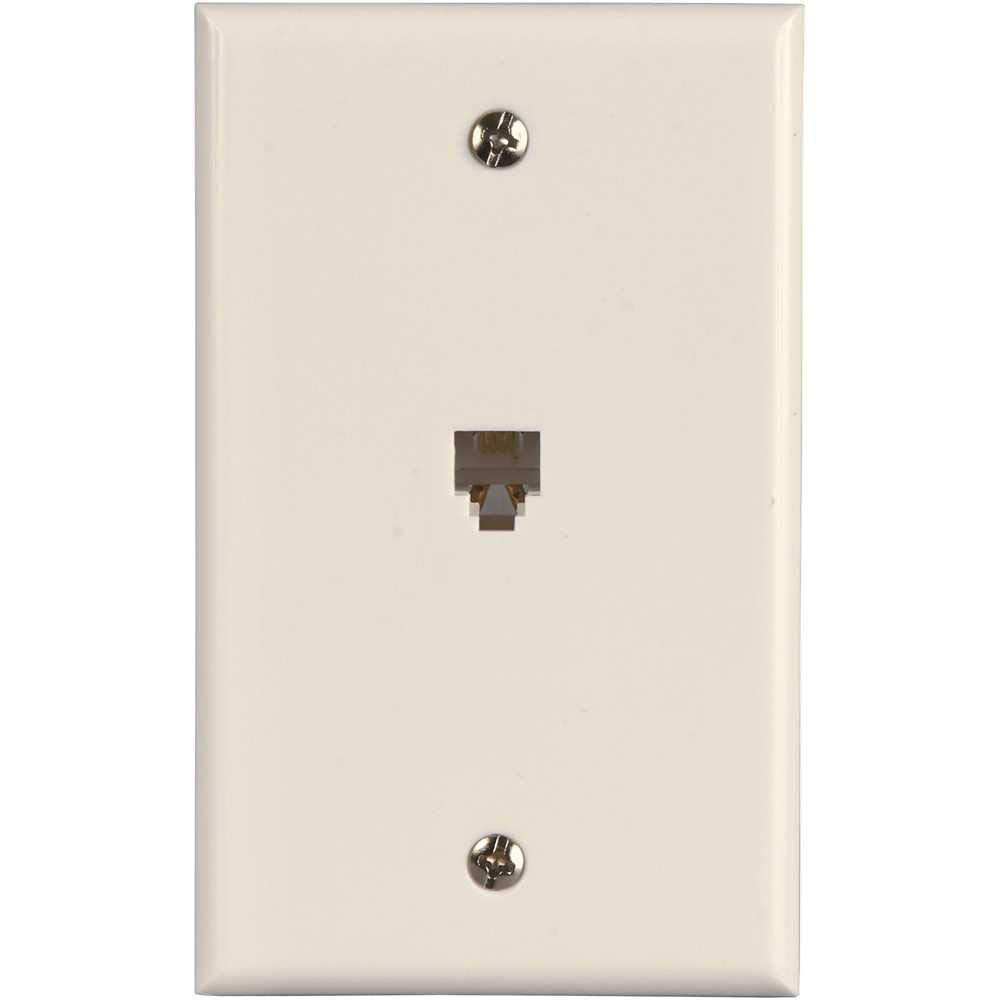
Image: Front view of the Westek TWRJ11W1-10 1-Gang Phone Jack Wall Plate. It is white with a single RJ11 port in the center and two visible screw holes, one at the top and one at the bottom, for mounting.
Setup and Installation
This section provides instructions for the proper setup and installation of the Westek TWRJ11W1-10 phone jack wall plate.
Required Tools and Materials:
- Screwdriver (Phillips or flathead, depending on screw type)
- Wire strippers/cutters (if connecting new wiring)
- Existing low-voltage wall box or mounting bracket
- RJ11 4-conductor phone cable (if not already present)
Installation Steps:
- Safety First: Before beginning any electrical work, ensure that power to the area is turned off at the circuit breaker. While this is a low-voltage application, it is good practice to ensure safety.
- Prepare Wiring: If connecting new phone wiring, strip approximately 1/2 inch of insulation from the ends of the 4-conductor phone cable wires. Ensure the wires are properly color-coded for RJ11 (typically green, red, black, yellow).
- Connect Wires: Connect the phone cable wires to the terminals on the back of the RJ11 jack. The Westek TWRJ11W1-10 is a 4-conductor jack, so connect the corresponding wires (e.g., red to red, green to green, etc.). Ensure connections are secure.
- Mount Wall Plate: Gently push any excess wiring back into the wall box. Align the wall plate with the mounting holes on the wall box. Insert the provided mounting screws into the top and bottom holes of the wall plate.
- Secure Plate: Using a screwdriver, carefully tighten the mounting screws until the wall plate is flush and secure against the wall. Do not overtighten, as this can crack the plastic.
- Test Connection: Once installed, connect a phone or other RJ11 device to the jack to verify proper operation.
Operating Instructions
The Westek TWRJ11W1-10 phone jack wall plate is a passive component designed for simple connectivity. There are no active operational controls.
- Connecting Devices: To use the phone jack, simply insert a standard RJ11 phone cable from your telephone, modem, or other compatible device into the port on the wall plate.
- Disconnecting Devices: To disconnect, gently press the release tab on the RJ11 cable connector and pull the cable straight out from the port. Avoid pulling the cable by the wire itself.
Maintenance
The Westek TWRJ11W1-10 phone jack wall plate requires minimal maintenance.
- Cleaning: To clean the surface of the wall plate, use a soft, damp cloth. Avoid abrasive cleaners or solvents, as these may damage the finish.
- Inspection: Periodically inspect the wall plate for any signs of damage, such as cracks or loose connections. Ensure the mounting screws remain tight.
Troubleshooting
If you experience issues with your Westek TWRJ11W1-10 phone jack, consider the following troubleshooting steps:
- No Dial Tone/Connection:
- Verify that the phone cable is securely plugged into both the wall jack and the device (phone, modem).
- Check the wiring connections behind the wall plate. Ensure all 4 conductors are properly connected to their respective terminals and are not loose.
- Test the device (phone, modem) with another known working phone jack or cable to rule out a device issue.
- Ensure the main phone line service to your premises is active and functioning.
- Loose Wall Plate:
- Gently tighten the mounting screws on the wall plate. Do not overtighten.
- Damaged Port:
- If the RJ11 port appears physically damaged (e.g., bent pins), the wall plate may need to be replaced.
Specifications
| Model Number | TWRJ11W1-10 |
| Brand | Westek |
| Type | 1-Gang Phone Jack Modular with Wallplate |
| Connector Type | RJ11, 4-Conductor |
| Material | Thermoplastic (Plastic) |
| Color | White |
| Dimensions (H x W) | 4.53 inches x 2.75 inches |
| Installation Type | Screw-In (Flush Mount) |
| Item Weight | Approximately 8 ounces (for the pack of 10) |
| UPC | 070686005507 |
| Package Quantity | 10-Pack |
Warranty and Support
For warranty information or technical support regarding your Westek TWRJ11W1-10 phone jack wall plate, please contact Westek customer service directly. Specific warranty terms may vary and are typically provided with the product packaging or available on the manufacturer's official website.
Manufacturer: Westek
Website: Visit the Westek Store on Amazon (for general brand information)
Please have your model number (TWRJ11W1-10) and UPC (070686005507) available when contacting support.
Ask a question about this manual
Ask about setup, troubleshooting, compatibility, parts, safety, or missing instructions. Manuals+ will review the question and use this page’s manual context to help answer it.