
Introduction
This manual provides instructions for the BOMAZ Replacement Remote Control, model RM-AAU170. This remote is designed as a direct replacement for various Sony AV System models, including STR-DH540, STR-DH550, STR-DH740, and STR-DN840. It operates using infrared technology and requires no programming for immediate use.
Setup
1. Battery Installation
The remote control requires two AAA batteries (not included). Follow these steps to install them:
- Locate the battery compartment on the back of the remote control.
- Press down on the latch and slide the battery cover downwards to open it.
- Insert two AAA batteries, ensuring the positive (+) and negative (-) terminals align correctly with the markings inside the compartment.
- Slide the battery cover back into place until it clicks securely.
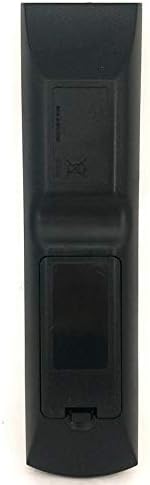
Image: Back view of the remote control with the battery compartment. The compartment is located at the bottom rear of the remote and is designed to hold two AAA batteries.
2. Initial Use
This replacement remote control is pre-programmed and requires no additional setup. Once batteries are installed, it is ready for immediate use with compatible Sony AV systems.
Operation
The BOMAZ RM-AAU170 remote control functions identically to the original Sony RM-AAU170 remote. Point the remote directly at your Sony AV system and press the desired function button.
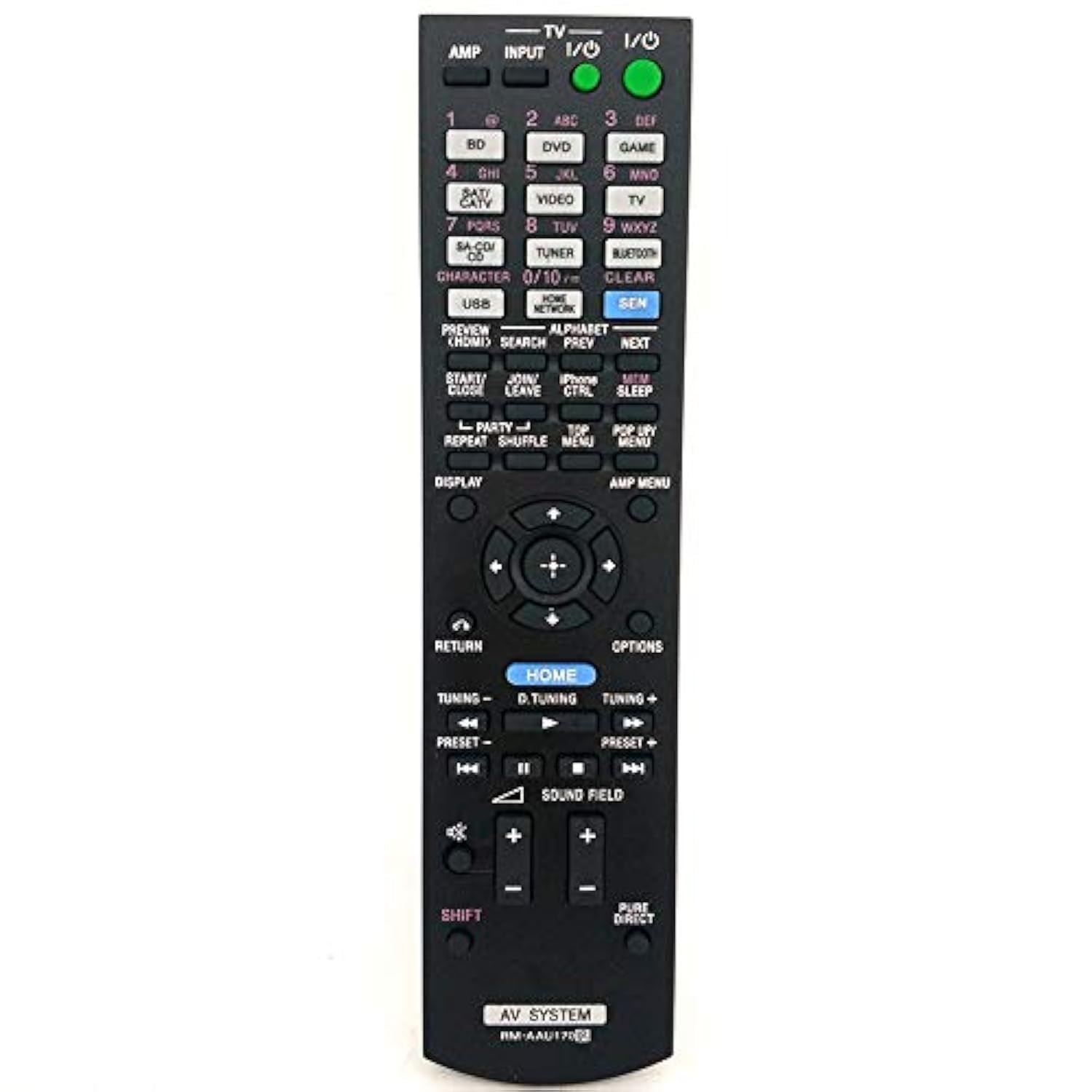
Image: Front view of the remote control, displaying all buttons for various functions such as power, input selection, volume, navigation, and playback controls.
Key Functions:
- Power (I/O): Turns the AV system on or off.
- Input: Selects the audio/video input source (e.g., BD, DVD, TV, TUNER, USB, BLUETOOTH).
- Volume (+/-): Adjusts the master volume level.
- Mute: Silences the audio output.
- Navigation (Up/Down/Left/Right, Enter): Used for menu navigation and selection.
- Home: Accesses the main menu or home screen of the AV system.
- Return: Goes back to the previous screen or menu.
- Sound Field: Cycles through various sound modes.
- Playback Controls (Play, Pause, Stop, Fast Forward, Rewind): Controls media playback.
- Number Buttons (0-9): For direct input or channel selection.
For detailed information on specific functions, refer to your Sony AV system's original user manual.
Maintenance
- Cleaning: Wipe the remote control with a soft, dry cloth. Do not use liquid cleaners or abrasive materials.
- Battery Replacement: Replace batteries when the remote's response becomes sluggish or stops working. Always replace both batteries at the same time with new ones of the same type.
- Storage: If the remote will not be used for an extended period, remove the batteries to prevent leakage and potential damage.
- Avoid Exposure: Keep the remote away from direct sunlight, heat sources, moisture, and extreme temperatures.
Troubleshooting
| Problem | Possible Cause / Solution |
|---|---|
| Remote control does not work. |
|
| Remote control works intermittently. |
|
| Specific buttons do not respond. |
|
Specifications
- Model: RM-AAU170
- Brand: BOMAZ
- Compatibility: Sony AV System models STR-DH540, STR-DH550, STR-DH740, STR-DN840, and RM-AAU169.
- Connectivity: Infrared (IR)
- Operating Distance: Up to 8 meters (26 feet)
- Power Source: 2 x AAA Batteries (not included)
- Material: ABS
- Dimensions: Approximately 9.53 x 4.37 x 1.34 inches (24.2 x 11.1 x 3.4 cm)
- Weight: Approximately 3.2 ounces (90.7 grams) (without batteries)
- Special Feature: No programming required
Warranty and Support
Warranty Information
This BOMAZ remote control comes with a 360-day warranty from the date of purchase. This warranty covers manufacturing defects. It does not cover damage caused by misuse, accidents, unauthorized modifications, or normal wear and tear.
Customer Support
If you encounter any issues or have questions regarding your remote control, please contact the seller or BOMAZ customer support for assistance. Please have your purchase details and model number (RM-AAU170) ready when contacting support.