
Introduction
Thank you for purchasing the Cadrim Wake-Up Light Alarm Clock. This device is designed to enhance your daily routine with features like sunrise and sunset simulation, dual alarms, FM radio, and customizable light and sound settings. Please read this manual carefully to ensure proper use and optimal performance.

The Cadrim Wake-Up Light Alarm Clock features a large digital time display and intuitive icons for various functions.
Product Overview
Package Contents
- Cadrim Wake-Up Light Alarm Clock
- Power Adapter
- USB Cable
- CR2032 Button Battery (for backup)
- User Manual
Device Layout and Controls

The rear of the device includes a USB port, a charging port for power input, the LED display, and a compartment for the CR2032 button battery, which serves as a backup.

This image illustrates the control buttons located on the sides of the alarm clock, including snooze, volume controls, FM radio, sleep aid, general settings, light intensity, and dedicated buttons for Alarm 1 and Alarm 2.
Familiarize yourself with the buttons and ports:
- Snooze Button: Temporarily pauses the alarm.
- Volume + / -: Adjusts sound volume.
- FM Radio: Activates and controls the FM radio.
- Sleep Aid: Initiates sunset simulation and sleep sounds.
- Setting Button: Enters time and alarm setting modes.
- Lightness + / -: Adjusts light brightness.
- Light Button: Toggles light on/off and changes color modes.
- Alarm Clock 1 / 2: Activates and sets individual alarms.
- USB Port: For charging external devices (output).
- Charging Port: For powering the alarm clock (input).
Setup
1. Power Connection
- Connect the USB cable to the charging port on the back of the alarm clock.
- Plug the other end of the USB cable into the provided power adapter.
- Insert the power adapter into a standard wall outlet.
- The display will light up, indicating the device is powered on.
2. Backup Battery Installation
The CR2032 button battery provides backup power to retain time and alarm settings during a power outage.
- Locate the battery compartment on the back of the device.
- Open the compartment cover.
- Insert the CR2032 battery with the positive (+) side facing up.
- Close the battery compartment cover securely.
3. Time Setting
- Press the Setting button to enter time setting mode. The hour display will flash.
- Use the Volume + / - buttons to adjust the hour.
- Press the Setting button again to confirm the hour and move to minute setting. The minute display will flash.
- Use the Volume + / - buttons to adjust the minute.
- Press the Setting button a third time to confirm the minute and exit time setting mode.
- You can also choose between 12-hour and 24-hour format during the hour setting by pressing the Light button.
Operating Instructions
1. Alarm Clock Settings (Dual Alarms)

The device supports dual alarms, allowing you to set separate alarms for weekdays (Alarm 1) and weekends (Alarm 2) or for different users.
The Cadrim Wake-Up Light Alarm Clock features two independent alarms (Alarm 1 and Alarm 2).
- To Set Alarm 1: Press the Alarm Clock 1 button. The alarm time will flash. Follow the same steps as time setting to adjust the hour and minute.
- To Set Alarm 2: Press the Alarm Clock 2 button. The alarm time will flash. Follow the same steps as time setting to adjust the hour and minute.
- Alarm Sound Selection: After setting the time, press the Alarm Clock button again. Use Volume + / - to cycle through 8 alarm sounds (7 natural sounds + FM radio). Press the Alarm Clock button to confirm.
- Alarm Volume Adjustment: After selecting the sound, press the Alarm Clock button again. Use Volume + / - to adjust the alarm volume (V-01 to V-16). Press the Alarm Clock button to confirm and activate the alarm.
- To turn off an active alarm, press any button except the Snooze button.
2. Sunrise Simulation
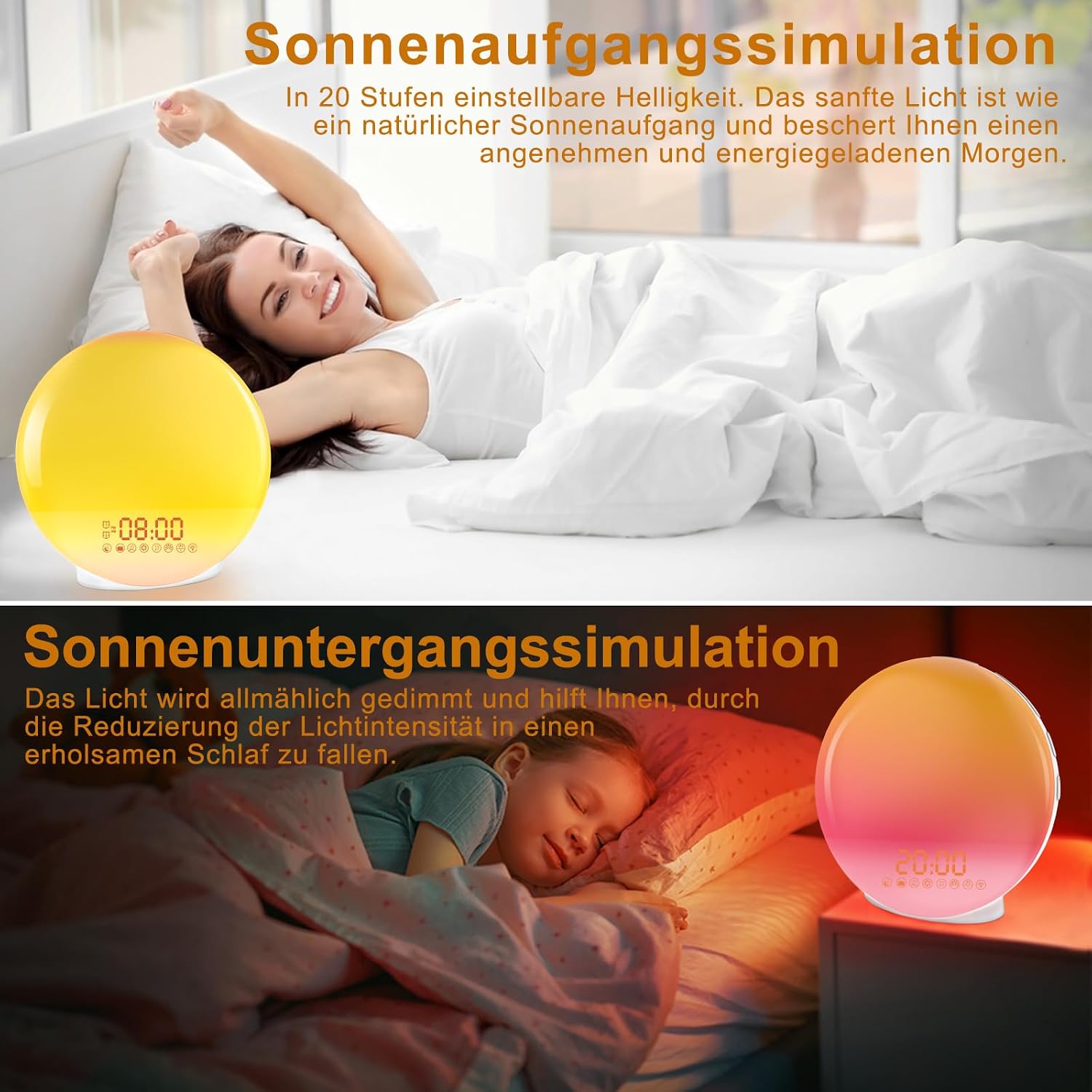
Experience a gentle awakening with the sunrise simulation, where light gradually brightens over 20 levels. The sunset simulation gradually dims the light and sound to help you fall asleep naturally.
The sunrise simulation begins 30 minutes before your set alarm time. The light gradually increases from 0% to 100% brightness, mimicking a natural sunrise to gently wake you up.
3. Sunset Simulation (Sleep Aid)
The sunset simulation helps you relax and fall asleep. The light and sound gradually decrease over a set period (e.g., 30, 60 minutes) until they turn off.
- Press the Sleep Aid button.
- Use Volume + / - to select the duration (e.g., 30 or 60 minutes) and the desired sleep sound.
- Press the Sleep Aid button again to confirm and start the simulation.
4. Snooze Function
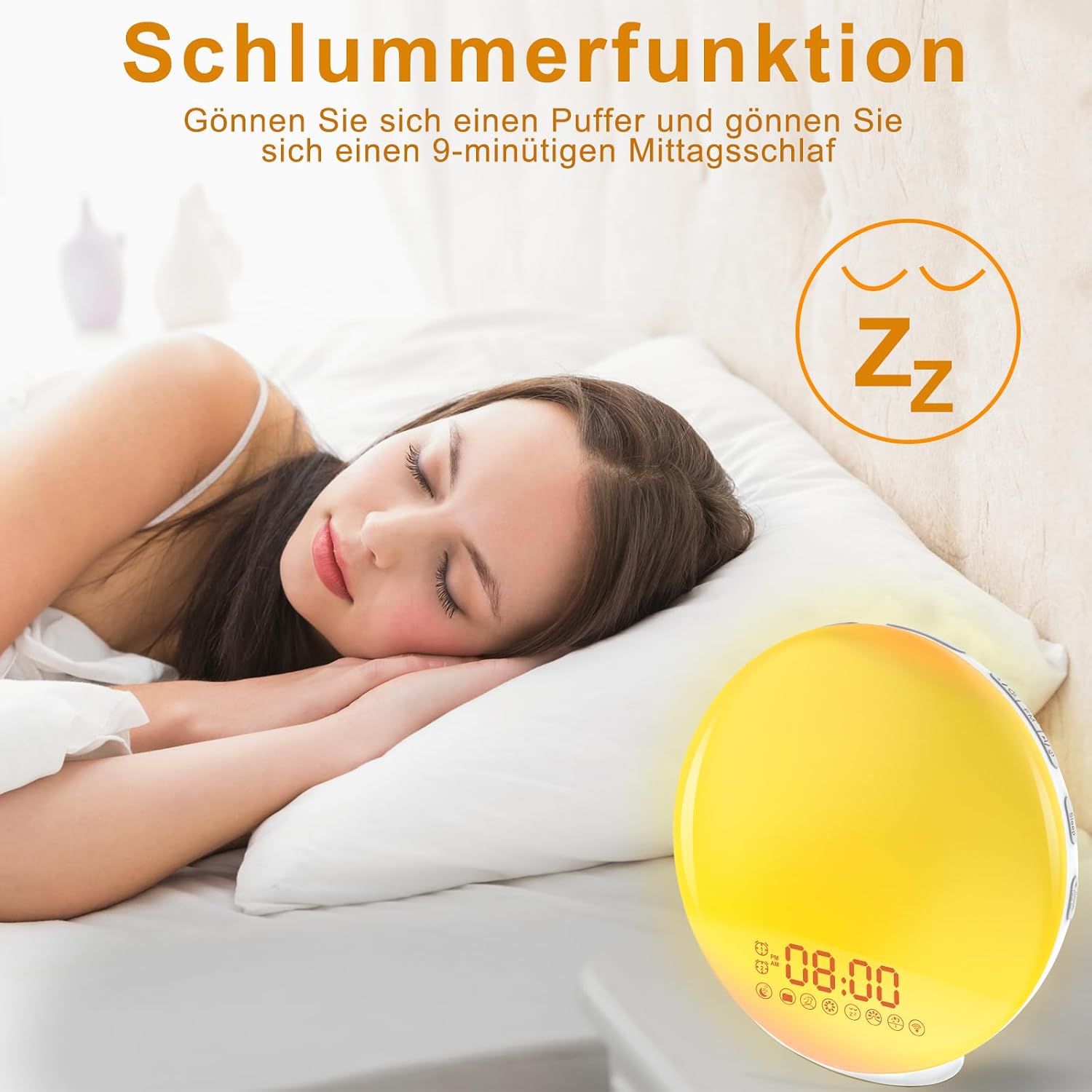
The snooze function provides an additional 9 minutes of sleep. Simply press the 'Snooze' button when the alarm sounds.
When the alarm sounds, press the Snooze button to get an additional 9 minutes of sleep. The alarm will sound again after 9 minutes. This can be repeated multiple times.
5. FM Radio Operation

The alarm clock offers 8 different wake-up sounds: bird song, ocean waves, stream, beep, wind chimes, soft music, piano music, and FM radio. These options allow for a personalized wake-up experience.
The device includes an FM radio (87.5-108MHz).
- Press the FM Radio button to turn on the radio.
- Press and hold the FM Radio button for 2 seconds to automatically scan and save available stations.
- Use the Volume + / - buttons to manually tune to a station or cycle through saved presets.
- Press the FM Radio button again to turn off the radio.
6. Light Settings

The wake-up light offers 20 adjustable brightness levels. The time display itself has 3 brightness settings: Light, Medium, and Dark, allowing customization for comfort.

The alarm clock offers 7 distinct LED colors for ambient lighting, which can be set manually or cycle automatically.
The device offers adjustable light settings for both the wake-up light and the time display.
- Brightness Adjustment: Use the Lightness + / - buttons to adjust the brightness of the wake-up light (L-01 to L-20).
- Color Modes: Press the Light button to cycle through 7 different LED colors or select an automatic color-changing mode.
- Time Display Brightness: Press and hold the Setting button to adjust the brightness of the digital time display (Light, Medium, Dark).
Maintenance
To ensure the longevity and proper functioning of your Cadrim Wake-Up Light Alarm Clock, follow these maintenance guidelines:
- Cleaning: Wipe the device with a soft, dry cloth. Do not use abrasive cleaners or solvents.
- Water Exposure: Keep the device away from water and high humidity. It is not waterproof.
- Storage: If not in use for an extended period, store the device in a cool, dry place.
- Battery Replacement: Replace the CR2032 backup battery annually or if you notice settings are not retained during power outages.
Troubleshooting
| Problem | Possible Cause | Solution |
|---|---|---|
| Device does not power on. | Power adapter not connected or faulty. | Ensure the power adapter is securely connected to the device and a working power outlet. Try a different outlet. |
| Time/alarm settings are lost after power outage. | CR2032 backup battery is dead or not installed. | Install or replace the CR2032 button battery. |
| Alarm does not sound. | Alarm is not activated or volume is too low. | Ensure the alarm is set and activated (icon visible on display). Increase alarm volume (V-01 to V-16). |
| FM radio reception is poor. | Antenna not extended or poor signal. | Ensure the antenna on the back of the device is fully extended. Try repositioning the device for better signal. |
| Light is not working. | Light is turned off or brightness is set to minimum. | Press the Light button to turn on the light. Use Lightness + / - to increase brightness. |
Specifications
| Feature | Detail |
|---|---|
| Brand | Cadrim |
| Model Number | HX10004 |
| Dimensions (L x W x H) | 20.32 x 20.32 x 2.36 cm (8 x 8 x 0.93 inches) |
| Weight | 315 grams (0.69 lbs) |
| Power Source | Corded Electric (USB powered) |
| Backup Battery | 1 x CR2032 (included) |
| Light Type | LED |
| Light Brightness Levels | 20 |
| Light Colors | 7 (manual or automatic cycle) |
| Alarm Sounds | 8 (7 natural sounds + FM radio) |
| FM Radio Frequency | 87.5-108 MHz |
| Special Features | Sunrise Simulation, Sunset Simulation, Dual Alarm, Snooze, FM Radio |
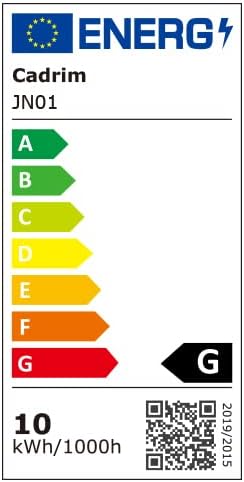
The energy label for the Cadrim Wake-Up Light Alarm Clock (Model JN01) indicates an energy efficiency class G with a consumption of 10 kWh per 1000 hours of operation. For more details, visit the EPREL database.
Warranty and Support
Cadrim products are manufactured with high-quality standards. For any questions, technical support, or warranty claims, please refer to the contact information provided with your purchase or visit the official Cadrim website. Please retain your proof of purchase for warranty purposes.