
Introduction
The Andis Cordless Master Lithium-Ion Clipper (Model AS12480) is a professional-grade hair clipper designed for precision cutting and extended use. It features a powerful motor and a durable, adjustable blade for versatile styling. This manual provides essential information for the safe and effective operation and maintenance of your clipper.
Package Contents
Your Andis Cordless Master Clipper package typically includes:
- Andis Cordless Master Lithium-Ion Clipper
- Charging Stand
- Power Adapter with various international plugs
- Blade Oil
- Blade Guard

Image: Andis Cordless Master Clipper and included accessories.
Safety Information
WARNING: To reduce the risk of electric shock, burns, fire, or injury:
- Avoid contact with eyes, skin, and water.
- Keep away from heat sources and open flames.
- Do not use while charging.
- Always unplug or remove battery before cleaning.
- Do not use on infants or children without adult supervision.
- Always keep the blade guard in place when not in use.
- Always store the product out of reach of children and pets.
- Follow all instructions provided in this user manual.
Setup
1. Charging the Clipper
Before first use, fully charge the clipper. The lithium-ion battery delivers over 90 minutes of nonstop run time and charges in approximately 1 hour.
- Connect the power adapter to the charging stand.
- Plug the power adapter into an appropriate electrical outlet.
- Place the clipper onto the charging stand. Ensure it is seated correctly for charging to begin.
- A blue indicator light on the clipper or stand will illuminate to show it is charging.
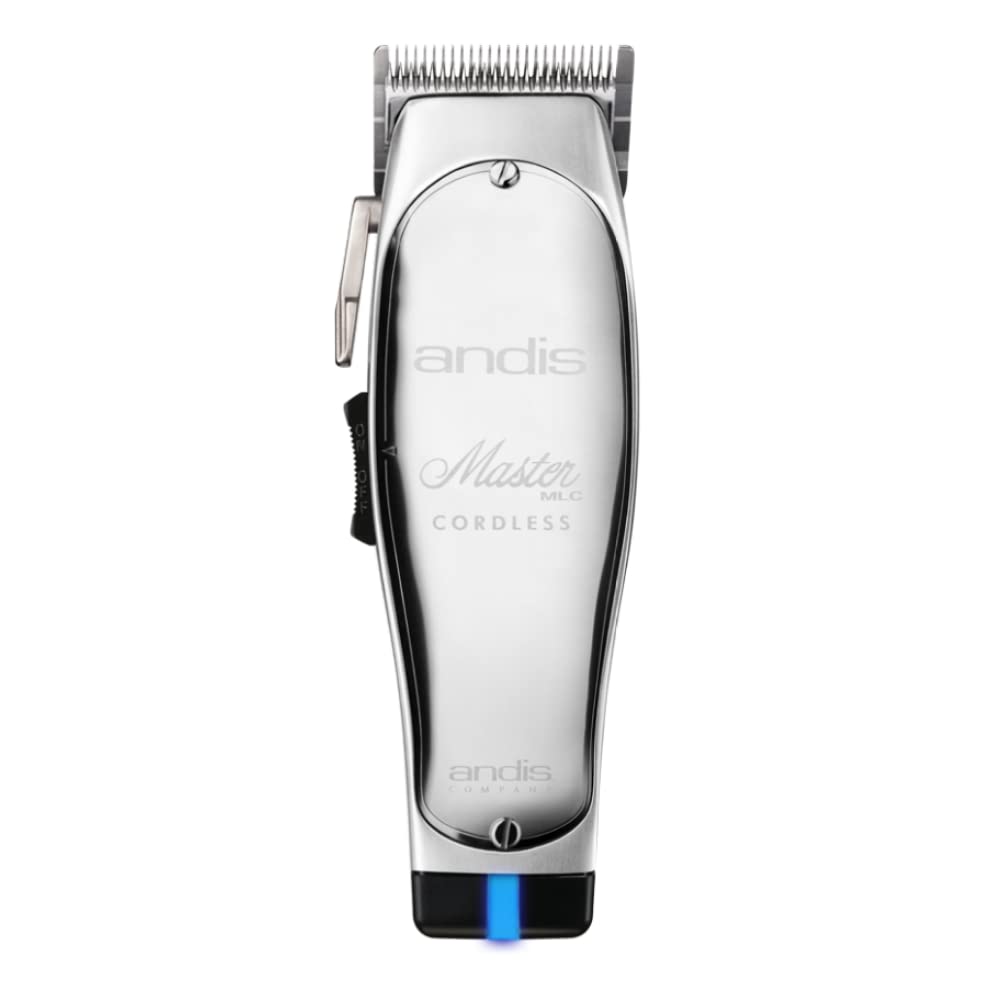
Image: Andis Cordless Master Clipper on charging stand.
2. Initial Blade Adjustment
The iconic, chrome-plated carbon-steel blade is adjustable from fine (#000) to coarse (#1). Adjust the blade to your desired setting before use.
- Locate the taper lever on the side of the clipper.
- Move the lever up or down to adjust the cutting length of the blade.
- For finer cuts, move the lever upwards. For coarser cuts, move it downwards.
Operating Instructions
Use the product according to its intended purpose, such as clipping or trimming hair.
1. Turning On/Off
To turn the clipper ON, slide the power switch located on the side of the unit upwards. To turn it OFF, slide the switch downwards.
2. Using the Clipper
The clipper features an extremely powerful, high-speed rotary motor with blade speeds over 7,200 SPM, incorporating constant speed technology to prevent dragging or stalling. Its unbreakable, lightweight aluminum housing ensures years of dependable use.
- Ensure the blade is clean and oiled before each use.
- Select the desired cutting length using the taper lever or by attaching a compatible guide comb (sold separately).
- Hold the clipper firmly and guide it through the hair against the direction of hair growth for an even cut.
- For detailed work or outlining, use the fine adjustment setting.
Maintenance
Regular maintenance ensures optimal performance and extends the life of your clipper.
1. Cleaning the Blade
After each use, it is crucial to clean the blade to remove hair and debris.
- Turn off and unplug the clipper from the charging stand.
- Use a small brush (often included with the clipper) to brush away any loose hair from the blade teeth and housing.
- For a more thorough cleaning, you may carefully remove the blade set according to manufacturer instructions (refer to specific blade removal guides if available).
2. Oiling the Blade
Oiling the blade regularly is essential for smooth operation and to prevent rust.
- Apply a few drops of blade oil (provided) to the teeth and heel of the blade.
- Turn the clipper on for a few seconds to allow the oil to distribute evenly across the blade.
- Wipe off any excess oil with a clean, dry cloth.
Troubleshooting
If you encounter issues with your Andis Cordless Master Clipper, refer to the following common solutions:
| Problem | Possible Cause | Solution |
|---|---|---|
| Clipper does not turn on. | Battery is depleted or not charged. | Charge the clipper fully. Ensure the charging stand and adapter are properly connected. |
| Clipper pulls or snags hair. | Blade is dull, dirty, or not properly oiled. | Clean and oil the blade. If the problem persists, consider replacing the blade. |
| Clipper runs slowly or stalls. | Battery is low or motor is obstructed. | Recharge the battery. Clean any hair or debris from the motor area and blade. |
| Excessive noise or vibration. | Blade alignment issue or lack of lubrication. | Check blade alignment and oil the blade. If necessary, consult a qualified service technician. |
Specifications
- Model Number: AS12480
- Power Source: Battery Powered (Lithium Ion)
- Battery Life: Over 90 minutes run time
- Charge Time: Approximately 1 hour
- Motor Type: High-speed rotary motor (7,200+ SPM)
- Blade Material: Chrome-plated Carbon Steel
- Blade Adjustment: #000 to #1 (fine to coarse)
- Housing Material: Unbreakable, lightweight aluminum
- Item Weight: 635 Grams (1.4 Pounds)
- Product Dimensions: 3.27 x 5 x 9.8 inches
Warranty and Support
For warranty information and customer support, please refer to the documentation included with your product or visit the official Andis website. Keep your purchase receipt as proof of purchase for any warranty claims.


