
1. Product Overview
The Runleader RL-HM011G is a self-powered digital maintenance reminder tachometer designed for various gas-powered equipment. It integrates multiple functions including a tachometer, hour meter, and service timers. Its robust design features IP65 waterproofing and a replaceable battery, ensuring durability and convenience. The unit can also be shut down when not in use, preserving battery life while retaining all recorded data.
Key features include:
- Hour Meter: Displays total engine run time, visible even when the engine is off. Initial hours are programmable for replacement scenarios, and total hours can be reset within the first hour of operation. Accuracy is 0.1 hours.
- Maintenance Reminder: Features a programmable service timer (SERVICE) that counts down to the next maintenance interval. A flashing service warning icon and backlight remind you when maintenance is due.
- Tachometer: Accurately records real-time RPMs when the engine is running, aiding in engine idle adjustments. It can be programmed for different engine firing patterns to ensure accurate readings.
- Battery Replaceable: Utilizes an internal replaceable CR2450 battery, with all data retained after battery changes. The unit can be turned off to conserve power, with data remaining intact.
- Durability: Easy to install, comes with detailed instructions, boasts an IP65 waterproof rating, and is CE ROHS certified.

Figure 1: Runleader RL-HM011G Digital Tachometer and Hour Meter
2. Setup and Installation
2.1 Package Contents
Before installation, ensure all components are present:
- Runleader RL-HM011G Tachometer/Hour Meter Unit
- CR2450 Lithium Battery (pre-installed or included)
- Signal Wire
- 3M Double Coated Tissue Tape
- Cable Ties (x2)
- User Manual
2.2 Initial Activation and Installation
To activate the tachometer/hour meter, first remove the insulated sheet from the battery cartridge. For RPM measurement, wrap the signal wire 5-8 times around the engine's spark plug wire. Secure the wire with the provided cable ties. Once connected, turn on your equipment to display real-time RPM.

Figure 2: Connecting the signal wire to the spark plug
For a visual guide on installation and initial setup, please refer to the official product video below (starts at 0:23 for wire wrapping):
Video 1: Official Runleader HM011G Hours Tachometer Overview and Setup
2.3 Setting Initial Hours (TOT)
If replacing an old hour meter, you can set the initial total hours (TOT) on the RL-HM011G. Press and hold the 'S' button to enter the setting mode and adjust the initial hour value. This allows for continuous tracking from your previous meter's readings.

Figure 3: Setting Initial Hours
For a demonstration on setting initial hours, refer to the official product video (starts at 1:41).
2.4 Programming Engine Firing Patterns
For accurate RPM readings, it is crucial to program the correct engine firing pattern. The device supports various engine types. Use the 'M' and 'S' buttons to navigate through the settings and select the appropriate pattern for your engine. Refer to the table below for common patterns:
| Engine Firing Patterns | Engine Type | Spark Plug Firing and Engine Rotate Laps | RPM Capacity |
|---|---|---|---|
| 1P1R | 4 stroke 2 cylinder 2 stroke 1 cylinder | 1 spark per revolution | 25000 |
| 1P2R | 4 stroke 1 cylinder 4 stroke 4 cylinder | 1 spark 2 revolution | 25000 |
| 2P1R | 4 stroke 4 cylinder 2 stroke 2 cylinder | 2 spark per revolution | 12500 |
| 3P1R | 4 stroke 6 cylinder 2 stroke 3 cylinder | 3 spark per revolution | 8000 |
| 3P2R | 4 stroke 3 cylinder | 3 spark 2 revolution | 16000 |
| 4P1R | 4 stroke 8 cylinder | 4 spark per revolution | 6250 |
| 5P2R | 4 stroke 5 cylinder | 5 spark 2 revolution | 10000 |
| 6P1R | 4 stroke 12 cylinder 2 stroke 6 cylinder | 6 spark per revolution | 4000 |
| 8P1R | 4 stroke 16 cylinder | 8 spark per revolution | 3125 |
For a demonstration on setting engine firing patterns, refer to the official product video (starts at 0:38).
3. Operating Instructions
3.1 Hour Meter Function
When the engine is off, the display shows the total accumulated run time of the engine (TOT HOURS). This reading remains visible, allowing you to easily track engine usage. The total hours can be reset to zero for new tracking purposes, or an initial value can be set for continuity with previous meters.

Figure 4: Total Hours (TOT HOURS) Display
3.2 Tachometer Function
When the engine is running, the device accurately records and displays the real-time Revolutions Per Minute (RPMs). This feature is essential for adjusting engine idle and ensuring optimal performance.
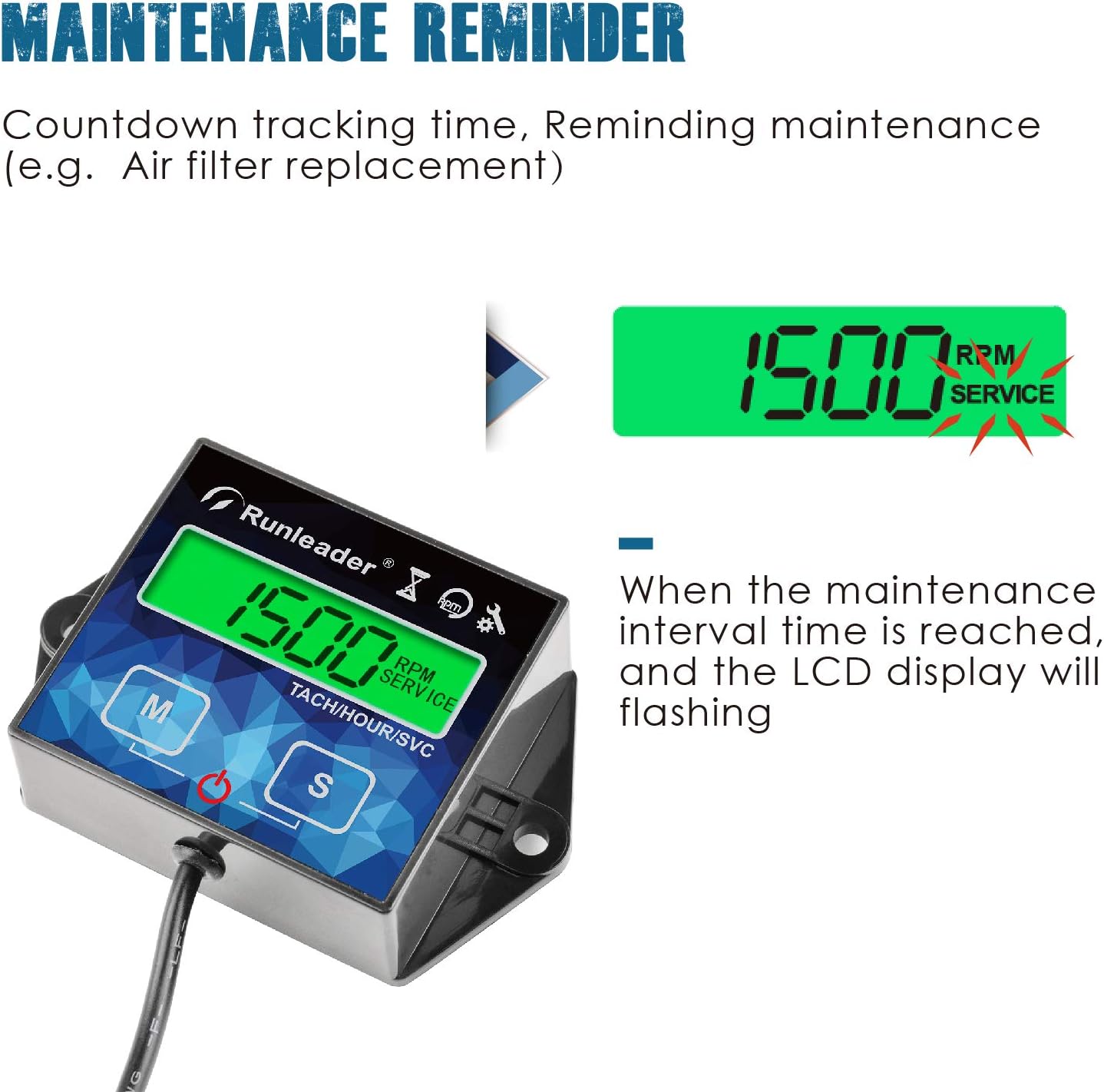
Figure 5: Real-time RPM Display
3.3 Maintenance Reminder (SERVICE)
The programmable service timer (SERVICE) allows you to set maintenance intervals. As the time approaches, the device counts down. When the set maintenance time is reached, a service warning icon will flash on the display, and the backlight will flash to remind you to perform the necessary maintenance (e.g., air filter replacement).

Figure 6: Maintenance Reminder in action
3.4 Backlight Modes
The RL-HM011G offers three backlight modes for optimal visibility:
- L-Aut (Automatic): Backlight adjusts automatically based on ambient light conditions.
- L-On (Always On): Backlight remains continuously lit.
- L-Off (Off): Backlight is turned off.
You can cycle through these modes using the control buttons. If set to L-Off, pressing any button will temporarily wake the backlight up.

Figure 7: Backlight Mode Settings
For a demonstration on setting backlight modes, refer to the official product video (starts at 1:19).
3.5 User Shutdown
The device can be manually shut down to conserve battery power when not in use. All recorded data is retained even after shutdown. To shut down, press and hold both the 'M' and 'S' buttons simultaneously.

Figure 8: LCD Display Shutdown
4. Maintenance
4.1 Battery Replacement
The RL-HM011G features a replaceable CR2450 internal battery. When the battery level is low, the device will indicate "bt-Lo". To replace the battery, carefully open the battery compartment, remove the old battery, and insert a new CR2450 battery. All data will be retained during the battery change.

Figure 9: Battery Replacement and Waterproofing Features
4.2 Waterproofing
The unit has an IP65 waterproof rating, meaning it is protected from dust ingress and low-pressure water jets from any direction. While designed to be robust, it is advisable to avoid direct high-pressure water exposure, especially around the battery cap, to ensure long-term durability.
5. Troubleshooting
- Incorrect RPM Readings: If the RPM display appears inaccurate (e.g., twice the actual RPM), verify that the correct engine firing pattern is programmed. Refer to Section 2.4 for guidance on setting the appropriate pattern for your engine type.
- Display Not Lighting Up: Check the backlight mode settings (L-Off, L-On, L-Aut) as described in Section 3.4. If set to L-Off, press any button to temporarily activate the backlight. Ensure the battery is not low ("bt-Lo" indicator).
- Total Hours (TOT) Reset: The total hours can be reset to 0 for new tracking or set to an initial value. This feature is available within the first hour of operation after a full reset. Refer to Section 2.3 and the official product video (starts at 1:41) for detailed steps.
- Signal Wire Length: The original signal wire length is 1.75 meters (68.8 inches). It can be extended to a maximum total length of 5.00 meters (approx. 196.0 inches) if needed for your installation. Ensure proper insulation for any extensions.
- Water Ingress: While the unit is IP65 rated, some users have reported issues with the battery cap not being completely watertight under certain conditions. It is recommended to avoid direct high-pressure water spray on the unit, especially around the battery compartment, to prevent potential water ingress.
6. Specifications
| Specification | Detail |
|---|---|
| Brand | Runleader |
| Model Number | RL-HM011G |
| Material | Acrylonitrile Butadiene Styrene (ABS) |
| Item Dimensions (L x W x H) | 2.89 x 1.85 x 0.79 inches |
| Item Weight | 2.82 ounces (80 Grams) |
| UPC | 791352512982 |
| Manufacturer | Ningbo Jiangbei Run Leader Electronics Co., Ltd |
| Batteries | 1 Lithium Metal battery (CR2450) required (included) |
| Country of Origin | China |
| Waterproof Rating | IP65 |
| Certifications | CE, ROHS |
7. Warranty and Support
The Runleader RL-HM011G Tachometer/Hour Meter comes with a 2-year warranty from the date of purchase. For technical support, warranty claims, or any product-related inquiries, please contact Runleader customer service through their official website or the retailer where the product was purchased. Please retain your proof of purchase for warranty validation.


