
1. Introduction
Thank you for choosing the Rii RM105 Wired RGB LED Backlit Mouse. This manual provides essential information for setting up, operating, and maintaining your new mouse. Please read it carefully before use to ensure optimal performance and longevity of your device.
2. Product Features
- Adjustable DPI: Built-in optical sensor with 4 standard DPI levels (1200, 1600, 2400, 3200) for precise control and adaptable pointer speed.
- RGB Multi-color Backlighting: Dynamic RGB LED backlighting that adds personalization and character to your computer setup.
- Ergonomic Design: Symmetrical and streamlined shape provides a comfortable and firm grip, allowing for long-term use without fatigue or wrist pain. Features an anti-fingerprint and sweat-resistant surface.
- Wired USB Connectivity: Ensures a stable and responsive connection without the need for batteries.
3. Setup
- Connect the USB cable of the Rii RM105 mouse to an available USB port on your computer.
- The mouse is plug-and-play and should be automatically recognized by your operating system. No additional drivers are typically required.
- The RGB lighting will illuminate upon successful connection, indicating the mouse is ready for use.

4. Operating Instructions
DPI Adjustment
Locate the DPI button, positioned behind the scroll wheel. Press this button to cycle through the four available DPI settings (1200, 1600, 2400, 3200). Each press will change the cursor sensitivity to suit your preference or task.
RGB Lighting
The mouse features automatic RGB LED backlighting that cycles through various colors. This lighting is active when the mouse is connected and powered. There are no user-adjustable settings for the lighting patterns or colors.

5. Maintenance
Cleaning
Use a soft, dry cloth to wipe the surface of the mouse. For stubborn dirt, a slightly damp cloth can be used, ensuring no liquid enters the mouse's internal components. Avoid harsh chemicals or abrasive cleaners, as these can damage the finish or internal parts.
Storage
When not in use, store the mouse in a clean, dry environment away from extreme temperatures, direct sunlight, and excessive dust.
6. Troubleshooting
Mouse Not Responding
- Ensure the USB cable is securely connected to your computer's USB port.
- Try connecting the mouse to a different USB port on your computer.
- Test the mouse on another computer to determine if the issue is with the mouse or your computer's USB port.
RGB Lights Not Working
- Verify the mouse is properly connected and receiving power (the mouse should function even if lights are off).
- If the mouse functions but the lights do not, there might be a specific issue with the LED component. Contact support if troubleshooting steps do not resolve the issue.
Cursor Movement is Erratic
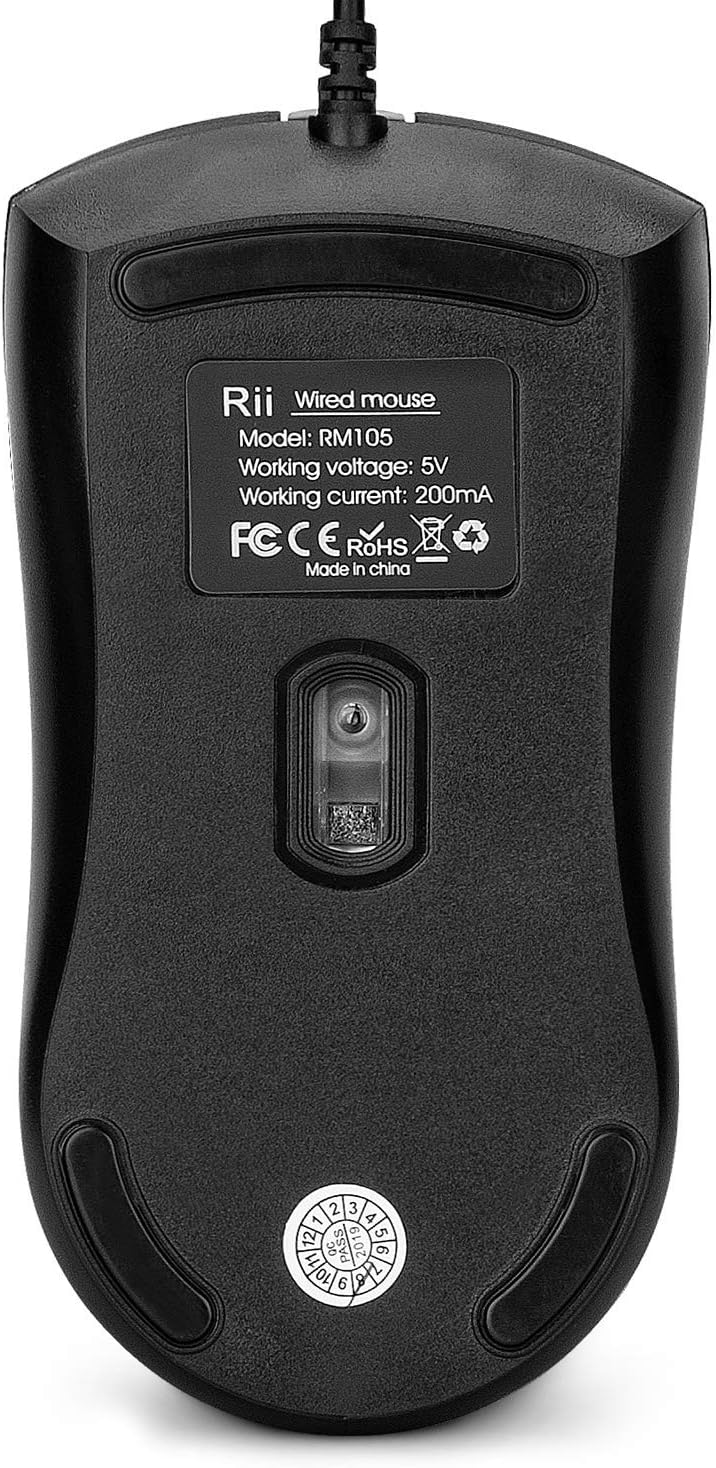
- Clean the optical sensor on the bottom of the mouse with a soft, dry cloth to remove any dust or debris.
- Ensure you are using the mouse on a suitable surface (e.g., a mouse pad). Highly reflective, transparent, or uneven surfaces can affect tracking performance.
7. Specifications
| Feature | Specification |
|---|---|
| Brand | Rii |
| Model | RM105 |
| Connectivity Type | USB Wired |
| Motion Detection Technology | Optical |
| DPI Levels | 1200, 1600, 2400, 3200 |
| Number of Buttons | 4 |
| Hand Orientation | Right |
| Special Features | Ergonomic, RGB Backlit |
| OS Compatibility | Windows, Linux, Mac, Chrome OS |
| Material Type | PC |
| Product Dimensions | 12 x 6.7 cm (Length x Width); 120 g |

8. Warranty and Support
The Rii RM105 mouse comes with a standard manufacturer's warranty. Please refer to your purchase documentation or the retailer's website for specific warranty terms and duration.
For technical support, warranty claims, or further assistance, please contact your retailer or visit the official Rii website for up-to-date contact information and support resources.