
Fitfiu GYM-100
FITFIU Fitness GYM-100 Multi-station Fitness Machine User Manual
Model: GYM-100
1. Introduction
Thank you for choosing the FITFIU Fitness GYM-100 Multi-station Fitness Machine. This comprehensive home gym system is designed to provide a full-body workout, allowing you to target various muscle groups including the chest, back, shoulders, arms, and legs. Please read this manual carefully before assembly and use to ensure safe and effective operation of your new fitness equipment.
2. Safety Information
Your safety is paramount. Adhere to the following safety guidelines at all times:
- Consult a physician before starting any new exercise program.
- Keep children and pets away from the machine during use.
- Place the machine on a flat, stable surface. Ensure adequate space around the machine for safe operation.
- Inspect the machine before each use for loose parts, worn cables, or any damage. Do not use if damaged.
- Wear appropriate athletic clothing and footwear.
- Do not exceed the maximum user weight of 150 kg.
- Perform exercises with controlled movements. Avoid sudden or jerky motions.
- If you experience pain, dizziness, or discomfort, stop exercising immediately.
3. Package Contents
Carefully unpack all components and verify that you have received all items listed below. If any parts are missing or damaged, please contact customer support.
- 1 x Weight bench
- 1 x 3.5 kg main weight
- 9 x 4.5 kg weights
- Tool set for assembly and maintenance
- 1 x User manual
4. Setup and Assembly
Assembly of the FITFIU Fitness GYM-100 requires careful attention to detail. It is recommended to have two people for assembly. Follow the step-by-step instructions provided in the included assembly video for the most accurate guidance.
4.1. Preparation
- Clear a spacious area for assembly.
- Lay out all parts and hardware. Refer to the parts diagram (if available in the video) to identify each component.
- Ensure you have the necessary tools from the provided kit.
4.2. Assembly Steps
The assembly process typically involves:
- Assembling the main frame and base.
- Attaching the seat and backrest components.
- Installing the weight stack and guide rods.
- Routing the cables through the pulleys. This step is crucial for smooth operation and is often detailed in the assembly video.
- Attaching the various exercise stations (butterfly, lat pulldown bar, leg developer).
Important: The manufacturer provides an assembly video. Please refer to this video for detailed visual instructions, especially for cable routing, which can be complex.

Overall view of the FITFIU Fitness GYM-100 Multi-station Fitness Machine.
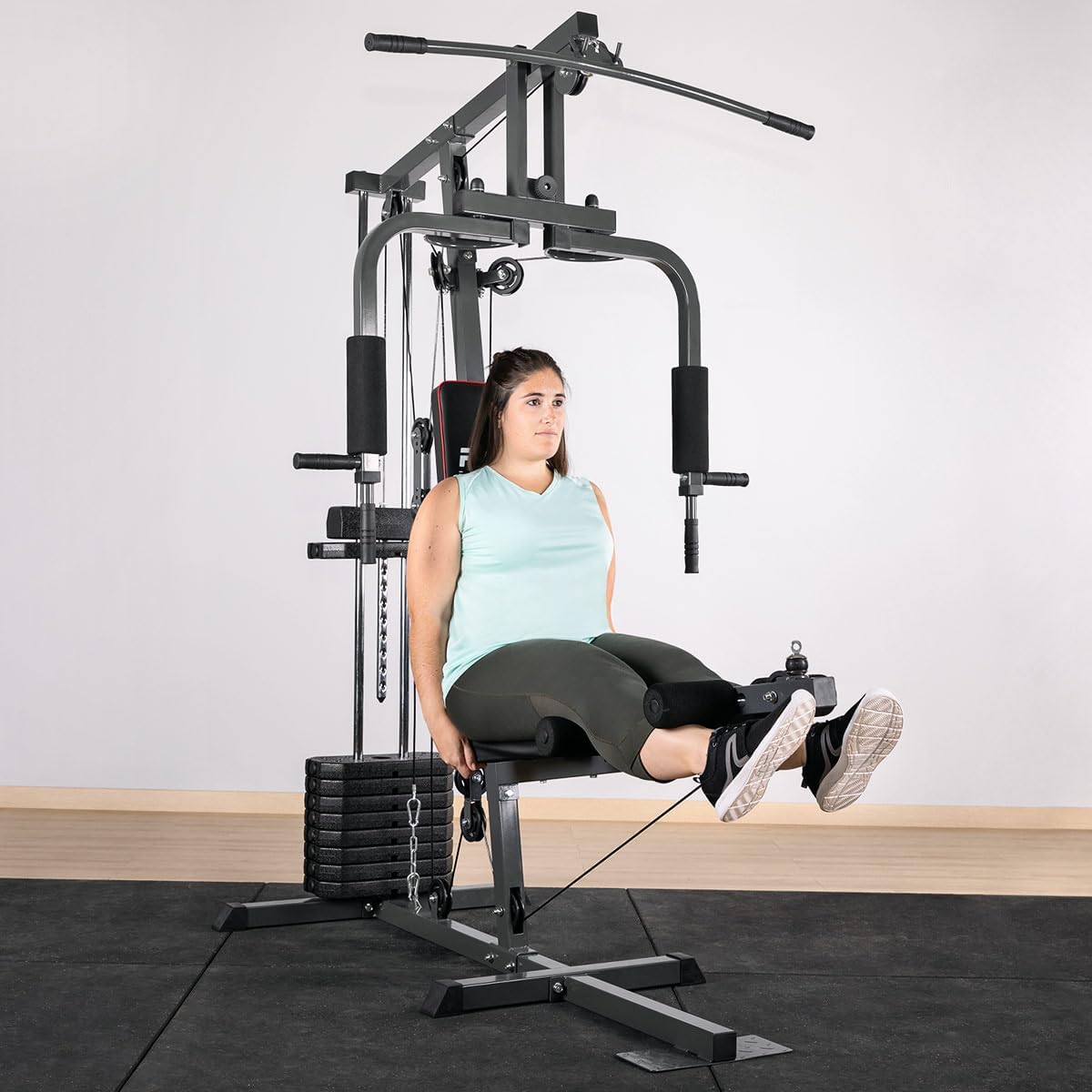
A user demonstrating the leg extension exercise on the GYM-100, showcasing the machine's setup.

Detailed view of the weight stack and the pin used to select desired resistance.
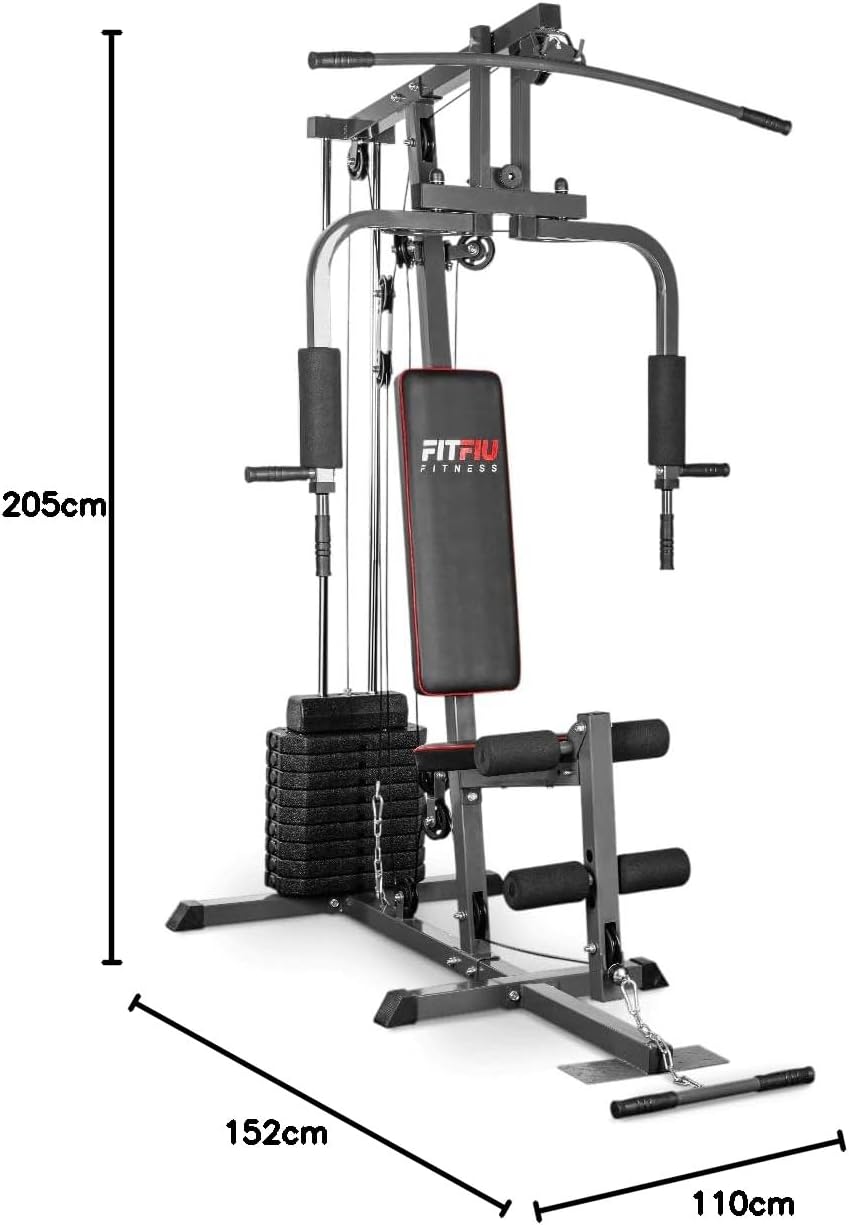
Diagram showing the dimensions of the GYM-100: 205cm height, 152cm depth, 110cm width.
5. Operating Instructions
The GYM-100 offers a variety of exercises for a full-body workout. Always warm up before exercising and cool down afterwards.
5.1. Adjusting Weight
To adjust the resistance, insert the weight pin into the desired weight plate on the stack. The machine supports up to 44 kg of adjustable weight.
5.2. Exercise Stations
- Butterfly Station: For chest and shoulder exercises. Sit with your back against the pad, grasp the handles, and bring them together in front of you.
- Lat Pulldown / Upper Pulley: For back and arm exercises. Grasp the lat bar, sit down, and pull the bar towards your chest.
- Lower Pulley / Rowing: For back, arm, and leg exercises. Attach the handle, sit on the floor or bench, and pull the handle towards your torso. Can also be used for bicep curls, tricep extensions, and upright rows.
- Leg Developer: For quadriceps and hamstring exercises. Sit on the bench, place your shins behind the pads, and extend your legs.
Ensure proper form for each exercise to maximize effectiveness and prevent injury. If unsure, consult a fitness professional or refer to exercise guides.
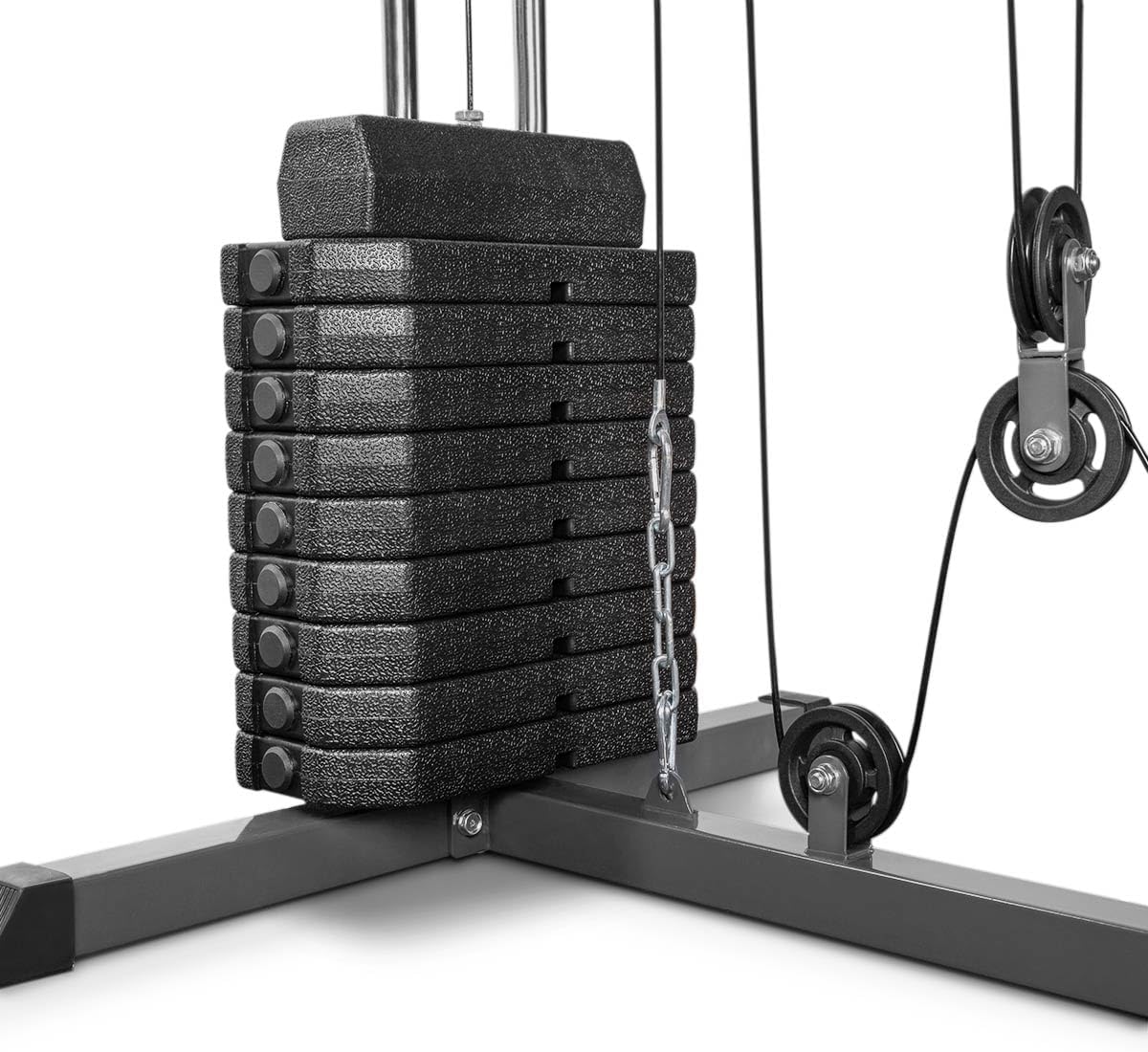
Detailed view of the weight stack and the smooth-running pulley system.

The padded seat and ergonomic butterfly handles designed for comfort during chest exercises.

The lower pulley system with a foot plate for various pulling and leg exercises.

A closer look at one of the butterfly station handles, showing its padded grip.

An intricate view of the pulley system, highlighting the smooth cable movements.
5.3. Official Product Videos
No official product videos with 'Seller' as creator type were found in the provided data to embed. Please refer to the manufacturer's official website or product page for any available instructional videos.
6. Maintenance
Regular maintenance will extend the life of your GYM-100 and ensure safe operation.
- Cleaning: Wipe down the machine, especially padded areas, with a damp cloth after each use to remove sweat and dirt. Use mild soap if necessary.
- Cable and Pulley Inspection: Periodically check all cables for fraying, wear, or damage. Ensure pulleys rotate freely and are not obstructed. Replace worn cables immediately.
- Lubrication: Apply a silicone-based lubricant to guide rods and pivot points as needed to ensure smooth movement and prevent squeaking.
- Fastener Check: Regularly check all nuts, bolts, and screws to ensure they are tight. Tighten any loose fasteners to prevent instability and noise.
7. Troubleshooting
Here are some common issues and their solutions:
- Squeaking Noises: Often caused by friction. Apply lubricant to guide rods, pulleys, and pivot points. Check for loose bolts.
- Rough Cable Movement: Inspect cables for damage or kinks. Ensure pulleys are clean and free of debris. Lubricate pulleys if necessary.
- Instability/Wobbling: Check all frame bolts and nuts. Ensure they are securely tightened. Verify the machine is on a level surface.
- Weight Pin Stuck: Ensure the weight plates are properly aligned. Wiggle the pin gently or lift the stack slightly to release pressure.
If you encounter issues not listed here or if problems persist, please contact FITFIU Fitness customer support.
8. Specifications
| Feature | Specification |
|---|---|
| Brand | Fitfiu |
| Model Number | GYM-100 |
| Product Dimensions (D x W x H) | 152 x 110 x 205 cm |
| Item Weight | 44 Kilograms |
| Maximum User Weight Recommendation | 150 Kilograms |
| Weight Stack | Adjustable, up to 44 kg (9 x 4.5 kg plates + 1 x 3.5 kg main weight) |
| Material | Steel, Padded Materials |
| Belt Type | Cable/Pulley |
| Color | Grey/Black |
| Category | Unisex |
| GTIN | 08436572521322 |
9. Warranty and Support
For warranty information, please refer to the documentation provided at the time of purchase or visit the official FITFIU Fitness website. If you require technical assistance or have questions regarding your GYM-100, please contact FITFIU Fitness customer support through their official channels.
Thank you for choosing FITFIU Fitness. Enjoy your workouts!
Related documentsGYM-100


Ask a question about this manual
Ask about setup, troubleshooting, compatibility, parts, safety, or missing instructions. Manuals+ will review the question and use this page’s manual context to help answer it.