
Losi LOS01015T2
Losi 1/18 Mini-T 2.0 2 Wheel Drive Stadium RC Truck Instruction Manual
Model: LOS01015T2
Introduction
The Losi Mini-T 2.0 1/18th-scale 2WD Truck is a scaled-down version of the 1/10th 22T Stadium Truck, reinvented with modern technology and Team Losi Racing engineering. This ready-to-run (RTR) vehicle offers performance comparable to 1/10 scale vehicles in a compact 1/18th size. It features a mid-motor configuration for improved balance, oil-filled shocks, an aluminum chassis, and waterproof electronics with a 2.4GHz radio system. This manual provides essential information for the safe operation, setup, maintenance, and troubleshooting of your Mini-T 2.0.
Safety Information
WARNING: Read the ENTIRE instruction manual to become familiar with the features of the product before operating. Failure to operate the product correctly can result in damage to the product, personal property and cause serious injury.
This is a sophisticated hobby product. It must be operated with caution and common sense and requires some basic mechanical ability. Failure to operate this Product in a safe and responsible manner could result in injury or damage to the product or other property. This product is not intended for use by children without direct adult supervision. Do not use with incompatible components or alter this product in any way outside of the instructions provided by Horizon Hobby, LLC. The product manual contains instructions for safety, operation and maintenance. It is essential to read and follow all the instructions and warnings in the manual, prior to assembly, setup or use, in order to operate correctly and avoid damage or serious injury.
What's in the Box?
- (1) Losi 1/18 Mini-T 2.0 RTR Truck
- (1) 3-CH 2.4GHz Transmitter
- (1) ESC/Receiver 2.4GHz
- (1) Dynamite 47T 280 Brushed Motor
- (1) Spektrum SX107 Micro Metal Gear Servo
- (1) Dynamite 7.4V 650mAh 2S 20C EC2 LiPo Hardcase Battery
- (1) Dynamite USB 2S LiPo charger
- (4) AAA batteries (for transmitter)

Image: The Losi Mini-T 2.0 RC Truck, showcasing its blue and white body with yellow accents.
Setup
1. Charging the Battery
Before first use, fully charge the included Dynamite 7.4V 650mAh 2S 20C EC2 LiPo Hardcase battery using the Dynamite USB 2S LiPo charger. Connect the charger to a compatible USB power supply (not included). The charging indicator will show the charging status. Ensure the battery is placed on a non-flammable surface during charging and never leave charging batteries unattended.

Image: An icon representing a USB power supply, indicating it is needed for charging.
2. Installing Transmitter Batteries
Install the four included AAA batteries into the 3-CH 2.4GHz Transmitter. Observe correct polarity as indicated in the battery compartment.
3. Connecting the Vehicle Battery
Once the vehicle battery is fully charged, connect it to the ESC/Receiver unit in the Mini-T 2.0 truck. Ensure the connection is secure.

Image: An overhead view of the Losi Mini-T 2.0 chassis, showing the internal components including the motor, ESC/receiver, and battery compartment.
Operating Instructions
1. Powering On
Turn on the transmitter first, then the vehicle. This sequence ensures proper binding and control. The ESC/Receiver unit will typically have an ON/OFF switch.
2. Driving the Vehicle
- Steering: Use the steering wheel on the transmitter to control the direction of the front wheels.
- Throttle: Use the trigger on the transmitter to control forward and reverse movement. Pull the trigger for forward motion, push for reverse.
- Braking: A quick push of the throttle trigger from a forward position will engage the brakes.

Image: The Losi Mini-T 2.0 RC Truck in action, driving on a dirt surface and kicking up a small cloud of dust.
3. Waterproof Electronics
The Mini-T 2.0 features waterproof electronics, allowing for operation in wet conditions. However, it is important to note that while the electronics are waterproof, the vehicle is not designed to be submerged. Always clean and dry the vehicle thoroughly after operating in wet conditions to prevent corrosion and damage to non-waterproof components.
Maintenance
- Cleaning: After each use, especially in dirty or wet conditions, clean the truck to remove dirt, dust, and moisture. Use a soft brush or compressed air for dry debris and a damp cloth for wet areas.
- Inspecting Components: Regularly check all screws, nuts, and bolts for tightness. Inspect the suspension, steering linkages, and drivetrain for any signs of wear or damage.
- Lubrication: Periodically lubricate moving parts as recommended in the full user manual to ensure smooth operation and reduce wear.
- Battery Care: Store LiPo batteries in a cool, dry place, ideally in a LiPo-safe bag. Do not fully discharge LiPo batteries, and avoid overcharging.
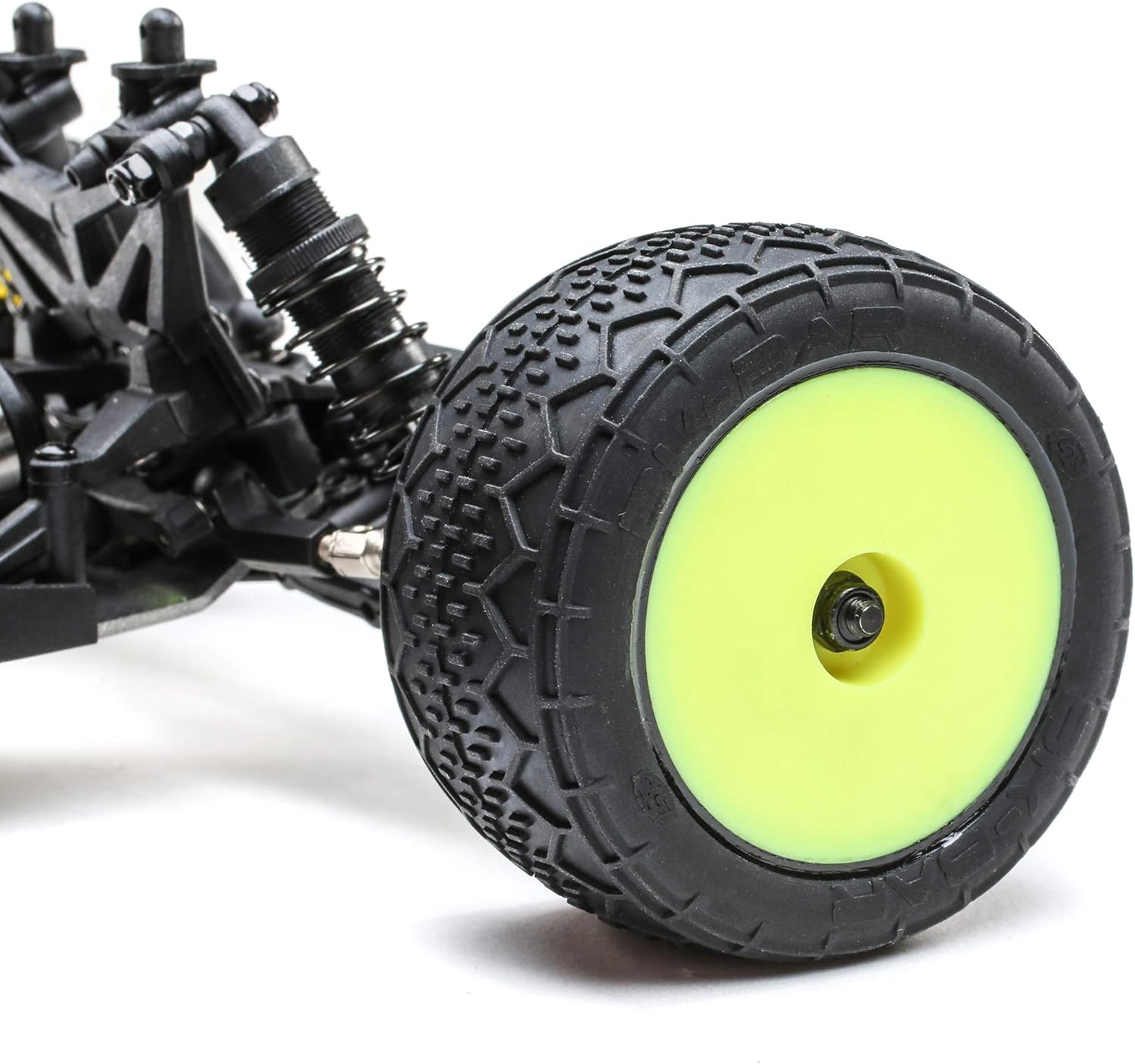
Image: A close-up view of the front wheel and suspension assembly of the Losi Mini-T 2.0, highlighting the tire tread and shock absorber.
Troubleshooting
| Problem | Possible Cause | Solution |
|---|---|---|
| Vehicle does not respond to transmitter. | Low battery in vehicle or transmitter; not properly bound; power switch off. | Charge vehicle battery; replace transmitter batteries; ensure both are powered on and bound. |
| Reduced range or intermittent control. | Interference; low battery; loose antenna wire. | Operate in an open area away from other radio sources; charge batteries; check antenna connections. |
| Steering not centered or inconsistent. | Trim adjustment needed; damaged servo or linkage. | Adjust steering trim on transmitter; inspect servo and linkages for damage. |
| Motor runs but wheels do not turn. | Stripped gears; loose driveshaft. | Inspect and replace damaged gears; secure driveshaft. |
Specifications
- Model: LOS01015T2
- Brand: Losi
- Product Dimensions: 17.7 x 8.1 x 5 inches
- Item Weight: 1.8 pounds
- Recommended Age: 14 years and up
- Batteries: 4 AAA batteries required (included for transmitter), 7.4V 2S 650mAh LiPo (included for vehicle)
- Release Date: September 1, 2020
- Manufacturer: Losi
Additional Resources and Support
For a comprehensive guide, detailed diagrams, and advanced troubleshooting, please refer to the official User Manual PDF:
Download Official User Manual (PDF)
For further support or inquiries, please visit the official Losi website or contact their customer service department.
Related documentsLOS01015T2


Ask a question about this manual
Ask about setup, troubleshooting, compatibility, parts, safety, or missing instructions. Manuals+ will review the question and use this page’s manual context to help answer it.