
Introduction
This manual provides instructions for the BOMAZ AKB75095307 Replacement Remote Control, designed for use with various LG Smart LED, LCD, and OLED televisions. This remote offers a direct replacement solution without requiring complex setup procedures.
Compatible LG TV Models include: 43LV340C, 49UJ6200, 49UJ6200-UA, 49UJ6300, 49UJ6300-UA, 65UK6090, UK6090PUA, 65UJ6200, 65UJ6200-UA, 43LG5500, 49UJ6500, 32LJ550B, 55LJ5500, 55UJ6050, 43UJ6200, 43UJ6500, 43UJ6560, 49UJ6500, 49UJ6560, 55UJ6520, 55UJ6540, 55UJ6580, 60UJ6540.

Image: Front view of the BOMAZ replacement remote control, showcasing its button layout and sleek design.
Setup
Battery Installation
The remote control requires two AAA batteries (not included). Follow these steps to install them:
- Locate the battery compartment cover on the back of the remote control.
- Slide the cover downwards or press the latch to open it.
- Insert two fresh AAA batteries, ensuring the positive (+) and negative (-) terminals align correctly with the markings inside the compartment.
- Replace the battery compartment cover until it clicks securely into place.
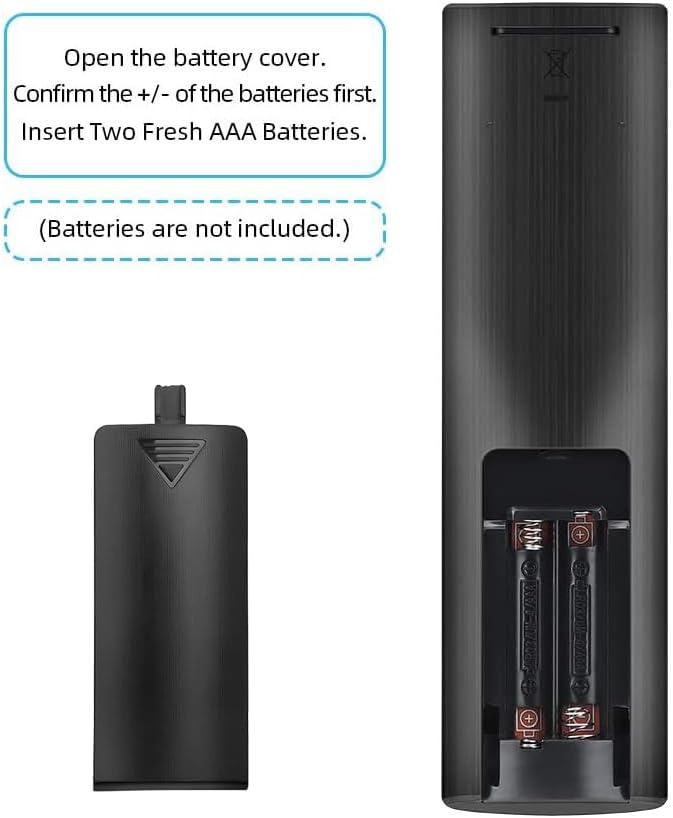
Image: Illustration showing the battery compartment of the remote control with instructions to insert two AAA batteries, noting they are not included.
Initial Use
This BOMAZ replacement remote control is designed for immediate use with compatible LG TVs. No programming or pairing is required. Simply install the batteries, and the remote is ready to operate your television.
Operating Instructions
To operate your LG TV with this remote control, point the remote directly at the television's infrared receiver and press the desired button. The remote has an operable distance of more than 8 meters.
Key Functions:
- Power Button (U): Turns the TV on or off.
- Number Buttons (0-9): Selects channels directly.
- VOL +/-: Adjusts the volume level.
- CH PAGE +/-: Changes channels sequentially.
- Netflix, Amazon: Dedicated buttons for quick access to streaming services.
- Navigation Pad (Up/Down/Left/Right) & OK: Navigates menus and confirms selections.
- BACK / EXIT: Returns to the previous screen or exits a menu.
- LIST / INFO: Accesses channel lists or displays program information.
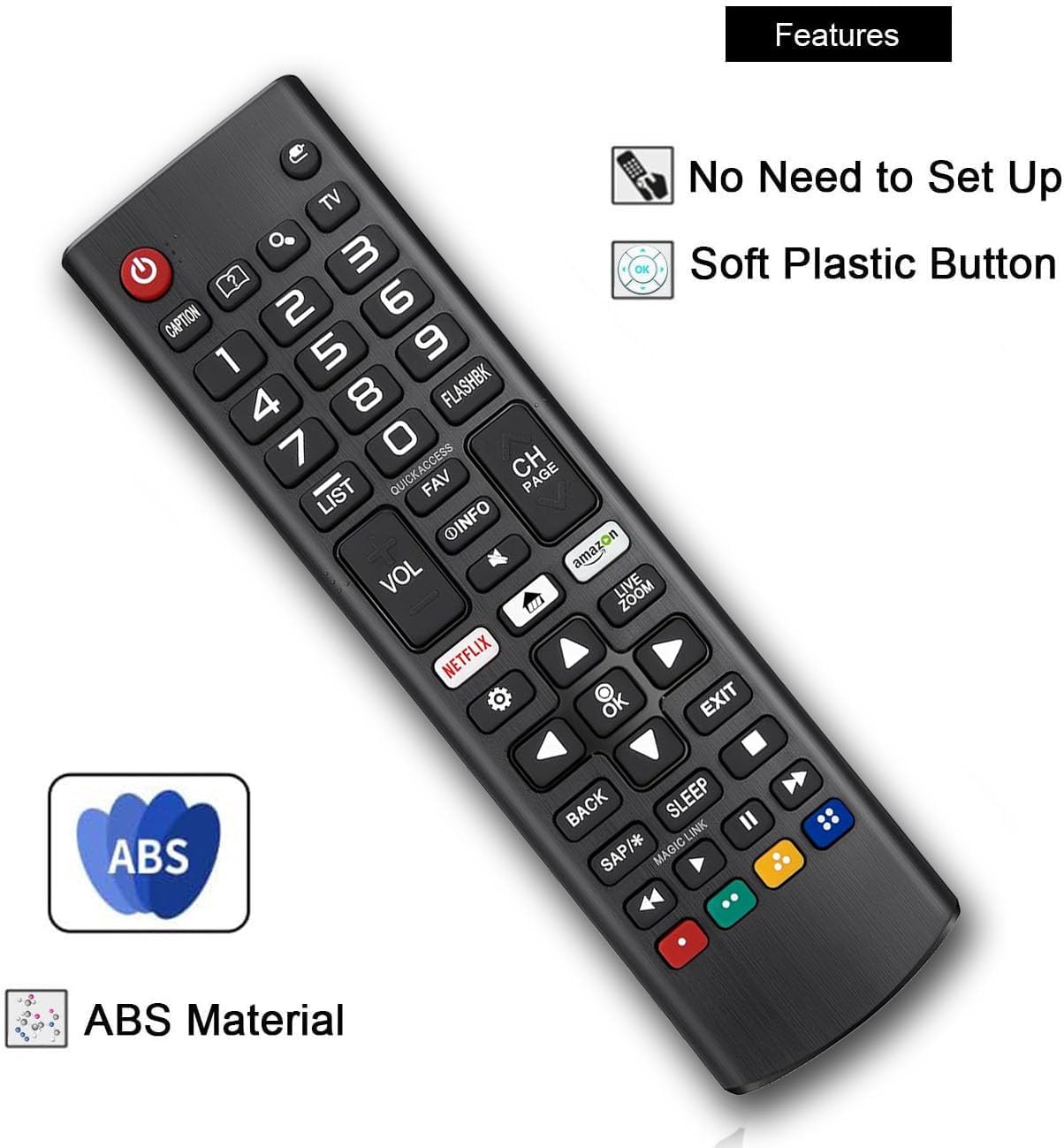
Image: The remote control highlighting key features such as no setup required, soft plastic buttons, and durable ABS material construction.
Maintenance
To ensure the longevity and optimal performance of your remote control, follow these maintenance guidelines:
- Cleaning: Wipe the remote control regularly with a soft, dry cloth. Avoid using liquid cleaners or abrasive materials, as they may damage the surface or internal components.
- Battery Replacement: Replace batteries when the remote's response becomes sluggish or stops working. Always replace both batteries at the same time with new ones.
- Storage: Store the remote control in a dry place, away from direct sunlight, extreme temperatures, and high humidity. If the remote will not be used for an extended period, remove the batteries to prevent leakage.
- Avoid Drops: While constructed from durable ABS material, avoid dropping the remote control, as this can cause internal damage.
Troubleshooting
If you encounter issues with your remote control, consider the following troubleshooting steps:
- Remote Not Responding:
- Ensure the batteries are correctly installed with the proper polarity (+/-).
- Replace old batteries with new AAA batteries.
- Check for any obstructions between the remote control and the TV's infrared receiver.
- Ensure you are within the operable distance (within 8 meters) and pointing the remote directly at the TV.
- Specific Buttons Not Working:
- Clean the remote control surface, especially around the problematic buttons, to remove any dirt or debris that might be interfering with button presses.
If the issue persists after attempting these steps, please contact the seller for further assistance.
Specifications
| Brand | BOMAZ |
| Model | AKB75095307 |
| Connectivity Technology | Infrared |
| Power Source | 2 x AAA Batteries (not included) |
| Material | ABS Material |
| Operable Distance | More than 8 meters |
| Button Quantity | 35 |
| Color | Black |
| Compatible Devices | LG Smart LED, LCD, OLED Televisions |
| Special Feature | No Programming Required |
Warranty and Support
Warranty Information
This BOMAZ remote control comes with a 120-day warranty from the date of purchase. This warranty covers manufacturing defects under normal use.
Customer Support
Should you encounter any issues with your remote control, or if you have questions not covered in this manual, please contact the seller directly for assistance. They will be able to provide support and resolve any problems you may experience.