
Introduction
The LinkOn USB-C Powerbank Neutron 5000mAh is a compact and portable power solution designed to quickly charge your mobile devices. Featuring 18W USB-C Power Delivery (PD) input/output and 18W USB-A QC3.0 output, it provides efficient charging on the go. Its durable aluminum construction and advanced battery technology ensure reliable performance and longevity.

Image: The LinkOn USB-C Powerbank Neutron 5000mAh in black with red accents, showing its sleek design and LED indicators.
Safety Information
- Do not expose the power bank to extreme temperatures (above 60°C/140°F or below -10°C/14°F).
- Avoid dropping, disassembling, or attempting to repair the device yourself.
- Keep away from water, moisture, and flammable materials.
- Use only certified charging cables and adapters.
- Dispose of the power bank responsibly according to local regulations.
Package Contents
- LinkOn USB-C Powerbank Neutron 5000mAh
- USB-C to USB-C Charging Cable
- User Manual
Product Overview
The LinkOn Powerbank Neutron features a sleek aluminum casing with a power button and LED indicators on the top surface. The front end houses the USB-C and USB-A ports.
Components:
- USB-C Port (Input/Output): Supports Power Delivery (PD3.0) for fast charging the power bank and compatible devices.
- USB-A Port (Output): Supports Qualcomm Quick Charge (QC3.0) for fast charging compatible devices.
- LED Indicators: Four small LED lights indicate the remaining battery capacity. Each light typically represents 25% of the charge.
- Power Button: Press once to check battery level or initiate charging.

Image: Close-up view of the LinkOn Powerbank showing the USB-C and USB-A ports, power button, and LED indicators.
Setup: Charging the Power Bank
Before first use, fully charge your LinkOn Powerbank Neutron.
- Connect the provided USB-C cable to the USB-C port on the power bank.
- Connect the other end of the USB-C cable to a compatible USB-C wall charger (not included) or a computer's USB-C port. For fastest charging, use an 18W PD compatible charger.
- The LED indicators will light up progressively as the power bank charges. All four LEDs will be solid when fully charged.
A full charge typically takes a few hours depending on the power source.

Image: A close-up of a USB-C cable being connected to a power bank, emphasizing the connection point.
Operating: Charging Your Devices
The LinkOn Powerbank Neutron can charge a variety of USB-powered devices, including smartphones, tablets, and small laptops.
Using the USB-C Port (PD Output):
- Connect your device to the power bank's USB-C port using a compatible USB-C to USB-C cable.
- The power bank will automatically begin charging your device. If not, press the power button once.
Using the USB-A Port (QC3.0 Output):
- Connect your device to the power bank's USB-A port using a compatible USB-A to device-specific cable.
- The power bank will automatically begin charging your device. If not, press the power button once.
You can charge two devices simultaneously using both the USB-C and USB-A ports, though fast charging speeds may be affected.

Image: The LinkOn Powerbank charging a smartphone, placed next to a coffee cup on a marble surface.

Image: The LinkOn Powerbank shown with a laptop, smartphone, GoPro, and Nintendo Switch, illustrating its broad compatibility.
Maintenance and Care
- Clean the power bank with a soft, dry cloth. Do not use harsh chemicals or abrasive materials.
- Store the power bank in a cool, dry place away from direct sunlight.
- If not used for extended periods, charge the power bank at least once every three months to maintain battery health.
- Avoid overcharging or completely draining the battery frequently to prolong its lifespan.
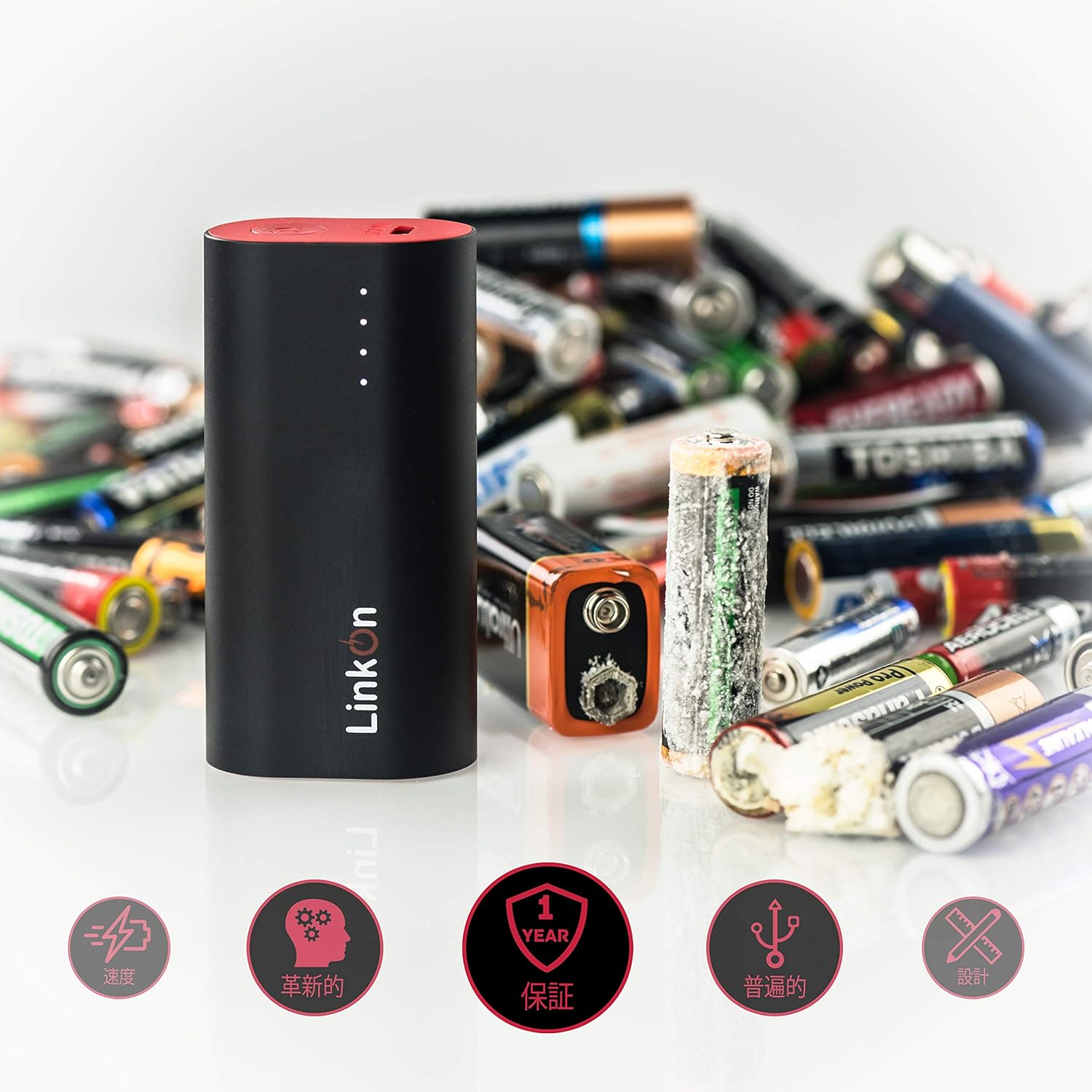
Image: The LinkOn Powerbank standing upright next to several old, corroded batteries, highlighting the importance of proper battery care and disposal.
Troubleshooting
| Problem | Possible Cause | Solution |
|---|---|---|
| Power bank not charging | Cable or adapter issue; power bank fully discharged; faulty port. | Try a different USB-C cable and wall adapter. Ensure the adapter is working. Allow a few minutes for a deeply discharged power bank to respond. |
| Device not charging from power bank | Power bank low on charge; incorrect cable; device incompatibility; power bank in standby. | Check power bank's LED indicators. Use the correct cable for your device. Press the power button to activate output. Some high-power devices may require specific charging protocols. |
| Slow charging | Non-fast charging cable/adapter; device not supporting fast charge; multiple devices charging. | Ensure both cable and device support PD or QC3.0. Use a single port for faster charging. |
| LEDs not lighting up | Power bank fully discharged or faulty. | Attempt to charge the power bank for an extended period. If still unresponsive, contact support. |
Specifications
| Feature | Detail |
|---|---|
| Model Number | EL-PB-33 |
| Battery Capacity | 5000 Milliamp Hours (mAh) |
| USB-C Input/Output | 18W Power Delivery (PD3.0) (5V/3A, 9V/2A, 12V/1.5A Max) |
| USB-A Output | 18W Qualcomm Quick Charge (QC3.0) (5V/3A, 9V/2A, 12V/1.5A Max) |
| Product Dimensions | 3.15 x 1.57 x 0.94 inches |
| Item Weight | 4.2 ounces |
| Battery Type | Lithium Metal (included) |
| Color | Black-5000mAh |
| Manufacturer | E-Link Technology Co.,Ltd. |
| Country of Origin | China |

Image: Diagram showing the dimensions of the LinkOn Powerbank: 3.15 inches (80mm) length, 1.57 inches (40mm) width, and 0.94 inches (24mm) height.
Warranty and Support
Your LinkOn USB-C Powerbank Neutron 5000mAh comes with a one-year full warranty. If you encounter any issues or have questions, please contact LinkOn customer support.
For support, visit the official LinkOn website or refer to the contact information provided in your product packaging.


