
FANGOR F-JP-1318
Contents
FANGOR Portable DVD Player User Manual
Model: F-JP-1318
Introduction
Thank you for choosing the FANGOR Portable DVD Player. This manual provides detailed instructions on how to set up, operate, and maintain your device. Please read this manual thoroughly before use to ensure optimal performance and longevity of your player.

Image: The FANGOR Portable DVD Player shown with its included remote control, highlighting its compact and portable design.
Package Contents
Please check that all the following items are included in your package:
- FANGOR Portable DVD Player
- AC Adapter
- DC Car Charger Adapter
- Remote Control
- AV Cable
- User Manual (Warranty Card included)

Image: A visual representation of all items included in the product package: the portable DVD player, AC adapter, car charger, remote control, AV cable, and user manual.
Product Overview
The FANGOR Portable DVD Player features a 14.1-inch wide LCD screen with a resolution of 1280*800, offering a vivid viewing experience. Its versatile design allows the screen to rotate 180 degrees and 270 degrees, enabling use as a tablet-style device. It is equipped with two high-quality speakers for clear audio playback.
- Large Screen & Rotation: 14.1-inch wide LCD screen with 270-degree rotation for flexible viewing angles.
- Portable & Built-in Speakers: Compact design with two high-quality speakers, ideal for on-the-go entertainment.
- Region-Free & Multi-Format Support: Supports region-free DVDs and a wide range of formats including CD, DVD-R/RW, VCD, MP3, WMA, VOB, AVI, MPEG1, XVID, and JPEG. Note: MP4 format is not supported.
- Multiple Power Options & Long Playback: Features a built-in 4000mAh battery providing up to 5 hours of continuous playback. Can also be powered by the included AC adapter or car charger.
- Diverse Connectivity: Equipped with AV input/output terminals and a USB port for expanded functionality.

Image: An annotated diagram of the portable DVD player, highlighting its 14.1-inch screen, 5-hour battery life, 3 power types, built-in speakers, various ports (USB, headphone, AV out, AV in), and simple button operations.

Image: This image illustrates the 14.1-inch high-quality TFT LCD screen, emphasizing its 1280x800 resolution, 270-degree rotation capability, screen ON/OFF function, and brightness adjustment feature.

Image: The player is shown displaying a movie, with icons above indicating its compatibility with multiple file formats including VOB, AVI, MPEG 1, MPEG 2, XVID, JPG/JPEG, MP3/WMA, and CD/DVD/CD-R/RW/VCD.
Setup
Powering On
Your FANGOR Portable DVD Player offers three convenient power options:
- Built-in Battery: The player comes with a 4000mAh rechargeable battery. Ensure it is charged before portable use.
- AC Adapter: For home use, connect the included AC adapter to the player's DC IN port and plug it into a standard wall outlet.
- DC Car Charger Adapter: For in-car use, connect the included car charger adapter to the player's DC IN port and plug it into your vehicle's cigarette lighter socket.

Image: This composite image demonstrates the three power options: car cigarette lighter power for in-car use (top), AC adapter for indoor use (bottom left), and the built-in 4000mAh battery for portable use (bottom right), showing children enjoying the player outdoors.
Connecting to a TV (AV Output)
To enjoy your media on a larger screen, connect the portable DVD player to a TV using the supplied AV cable:
- Connect one end of the AV cable to the AV OUT port on the portable DVD player.
- Connect the other end of the AV cable to the corresponding AV IN ports (yellow for video, red/white for audio) on your television.
- Select the correct AV input source on your television.

Image: The portable DVD player is shown connected to a large screen TV via an AV cable, demonstrating how to enjoy content on a bigger display, with a family watching a movie.
Operating Instructions
Disc Playback
- Open the disc cover gently.
- Place a DVD or CD disc onto the spindle with the label side facing up.
- Close the disc cover. The player will automatically detect and begin playback.
- Use the controls on the player or the remote control to navigate menus, play, pause, stop, skip tracks/chapters, and adjust volume.
USB/SD Card Playback
The player supports media playback from USB drives and SD cards:
- Insert your USB flash drive into the USB port or your SD card into the SD card slot.
- The player should automatically detect the media. If not, use the 'Source' or 'Mode' button to select USB or SD.
- Navigate through your files using the directional buttons and select the desired media to play.
Screen Rotation
The screen can be rotated for various viewing preferences:
- The screen can swivel 180 degrees horizontally.
- It can then be folded back 270 degrees onto the base, transforming the player into a tablet-like device.
Using the Remote Control
The included remote control provides full functionality for convenient operation from a distance. Refer to the remote control diagram in the included manual for specific button functions.
Maintenance
Proper maintenance ensures the longevity and optimal performance of your portable DVD player.
- Cleaning the Screen: Use a soft, lint-free cloth slightly dampened with water or a screen cleaning solution. Avoid harsh chemicals.
- Cleaning the Player Body: Wipe the exterior with a soft, dry cloth. The player is made of a scrub-resistant material to prevent scratches and is easy to clean.
- Disc Care: Handle discs by their edges. Keep them clean and free of dust and scratches.
- Battery Care: For optimal battery life, avoid fully discharging the battery frequently. If storing for a long period, charge the battery to about 50% every few months.
- Storage: Store the player in a cool, dry place away from direct sunlight and extreme temperatures.
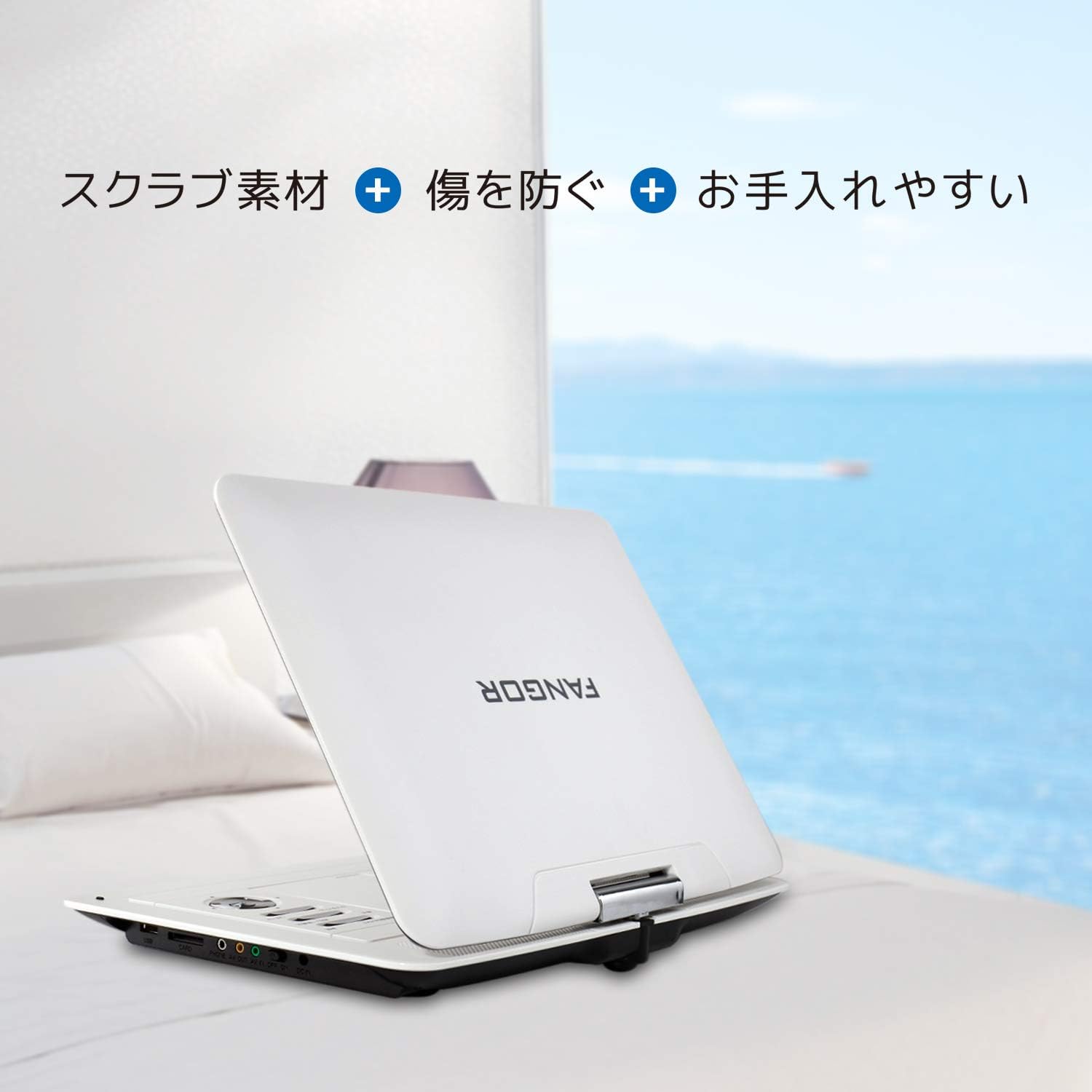
Image: The image highlights the player's scrub-resistant material, emphasizing its durability, scratch prevention, and ease of maintenance.
Troubleshooting
If you encounter any issues with your FANGOR Portable DVD Player, please refer to the table below for common problems and their solutions.
| Problem | Possible Cause | Solution |
|---|---|---|
| Player does not turn on. | Battery is drained; AC adapter/car charger not connected properly. | Charge the battery or ensure power adapters are securely connected. |
| No disc detected / Disc not playing. | Disc is dirty, scratched, or inserted incorrectly; unsupported disc format. | Clean the disc, reinsert it correctly, or try a different disc. Ensure the disc format is supported (e.g., not MP4). |
| No sound. | Volume is too low; headphones connected; TV volume low (if connected). | Increase volume on player/remote. Disconnect headphones. Check TV volume and input. |
| Picture is distorted or blurry. | Disc is damaged; screen settings incorrect; AV cable loose. | Try a different disc. Adjust brightness/contrast settings. Reconnect AV cable securely. |
| Remote control not working. | Batteries are dead or inserted incorrectly; obstacle between remote and player. | Replace remote batteries. Ensure clear line of sight to the player's IR receiver. |
Specifications
Key technical specifications for the FANGOR Portable DVD Player (Model F-JP-1318):
| Feature | Specification |
|---|---|
| Screen Size | 14.1 inches |
| Display Type | LCD |
| Screen Resolution | 1280 x 800 pixels |
| Screen Rotation | 270 degrees |
| Battery Capacity | 4000mAh |
| Continuous Playback Time | Up to 5 hours |
| Power Sources | AC Adapter, DC Car Charger, Built-in Battery |
| Supported Disc Formats | CD, DVD-R/RW, VCD |
| Supported File Formats (USB/SD) | MP3, WMA, VOB, AVI, MPEG1, XVID, JPEG |
| Connectivity | USB Port (x1), AV Input, AV Output |
| Color | White |
| Dimensions (approx.) | 38.2 x 32.8 x 8.6 cm |
| Weight (approx.) | 138.91 g (4.9 ounces) |
Image: A top-down view of the portable DVD player with dimensions indicated: 350mm width and 252mm depth.
Warranty and Support
FANGOR provides a comprehensive 36-month warranty for this product. This warranty covers manufacturing defects and malfunctions under normal use.
If you experience any issues with your product within the warranty period, please do not hesitate to contact our customer support. We aim to respond to all inquiries on the earliest business day.
For support, please refer to the contact information provided in the warranty section of your included user manual or visit the official FANGOR website.
Documents and downloads
Ask a question about this manual
Ask about setup, troubleshooting, compatibility, parts, safety, or missing instructions. Manuals+ will review the question and use this page’s manual context to help answer it.