1. Introduction
Thank you for purchasing the SCIJOY Waterproof Portable Bluetooth Speaker. This manual provides essential information for setting up, operating, and maintaining your speaker. Please read it thoroughly before use to ensure optimal performance and longevity of your device.
2. Key Features
- High-Fidelity Audio: Equipped with 2 x 9W 40mm Full Range Drivers for near distortion-free sound at high volumes, enhanced by advanced MaxxBass technology for natural bass.
- True Wireless Stereo (TWS) Function: Pair two SCIJOY speakers for an immersive 360-degree stereo sound experience, transforming your space into a private cinema.
- Extended Playtime: Enjoy over 12 hours of continuous music playback at medium volume, thanks to the high-capacity rechargeable lithium-ion battery.
- IPX6 Waterproof Rating: Designed to withstand powerful water jets, making it ideal for outdoor use, poolside, or even in the shower.
- Portable Design: Compact and lightweight, easily fits into a bag for music on the go.
- Fast & Stable Connectivity: Features Bluetooth 4.2 for quick and reliable pairing with your mobile phone or other devices, with a memory function for instant re-connection.
- Multiple Playback Modes: Supports Bluetooth and 3.5mm AUX input for versatile audio sources.
- Built-in Microphone: Allows for hands-free calling, even when wet.
Video 1: Overview of SCIJOY Wireless Waterproof IPX6 Bluetooth Speaker. This video demonstrates the speaker's TWS function, portability, fast connection, and waterproof capabilities, highlighting its suitability for various environments.
3. Package Contents
- SCIJOY Waterproof Portable Bluetooth Speaker
- USB Charging Cable
- 3.5mm AUX Audio Cable
- User Manual
4. Product Overview

Figure 1: Front view of the SCIJOY Bluetooth Speaker, showcasing its sleek design and durable mesh grille.
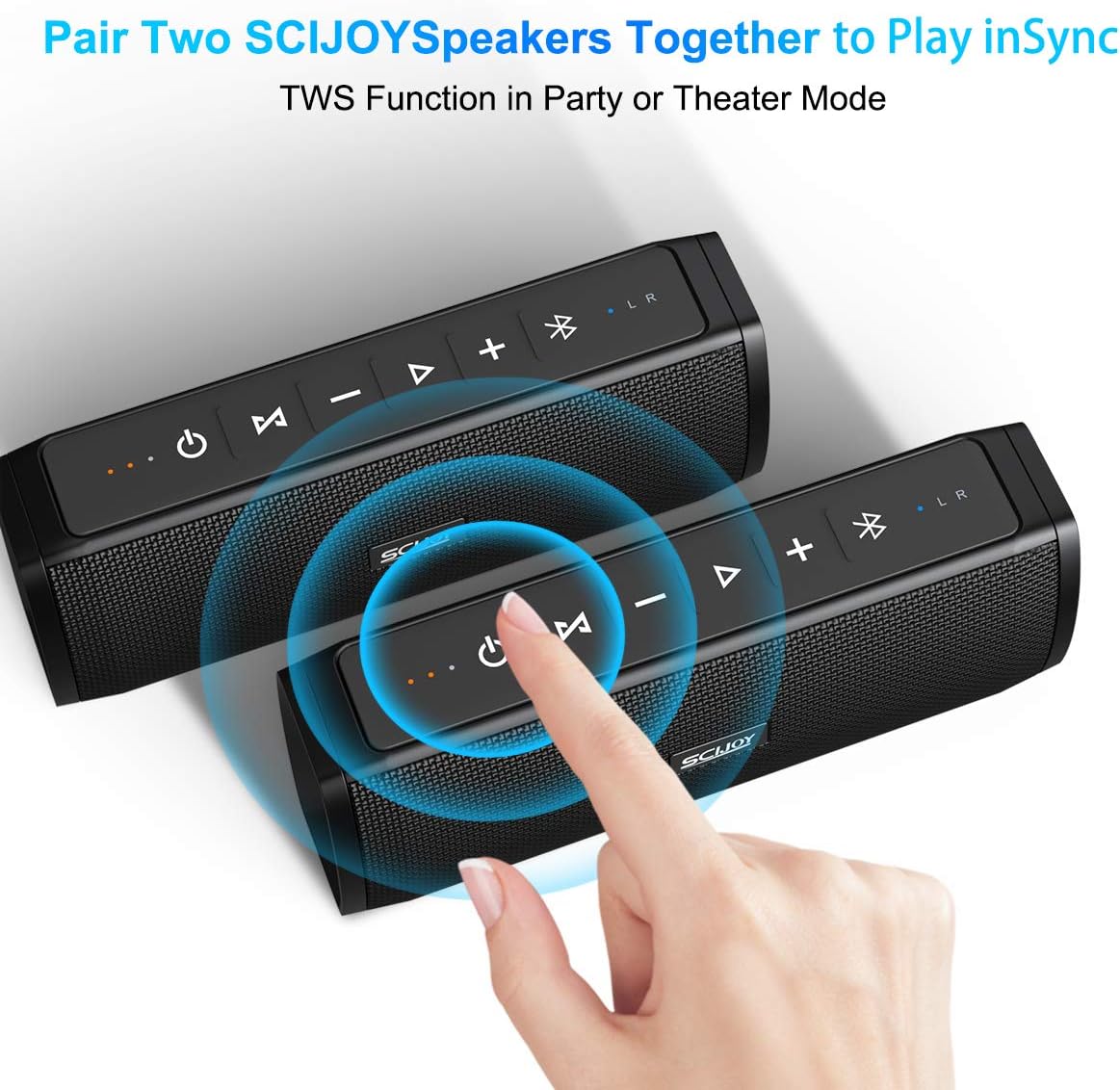
Figure 2: Top panel of the speaker with control buttons: Power, Skip Back, Play/Pause, Skip Forward, Volume Down, Volume Up, Bluetooth Pairing, and Mode.

Figure 3: Rear view of the speaker, showing the waterproof rubber cover protecting the charging and AUX ports.

Figure 4: Demonstrates connecting an external device via the 3.5mm AUX input, located under the waterproof cover.
Buttons and Indicators:
- Power Button (⏻): Press and hold to power ON/OFF. Short press to switch modes (Bluetooth/AUX).
- Play/Pause Button (▶‖): Play or pause music. Answer/end calls.
- Volume Up (+) / Volume Down (-): Adjust volume.
- Next Track: Short press the Skip Forward button (▶▶|).
- Previous Track: Short press the Skip Back button (|◀◀).
- Bluetooth Button (Ⓑ): Press and hold to enter pairing mode.
- LED Indicators: Display power status, charging status, and Bluetooth connection status.
Ports:
- Micro USB Charging Port: For charging the speaker.
- 3.5mm AUX Input: For wired connection to audio devices.
- Waterproof Rubber Cover: Protects the charging and AUX ports from water ingress. Ensure this cover is securely closed when using the speaker near water.
5. Setup
5.1 Charging the Speaker
- Open the waterproof rubber cover on the rear of the speaker.
- Connect the Micro USB charging cable to the speaker's charging port and the other end to a USB power adapter (not included) or a computer's USB port.
- The LED indicator will show charging status. A full charge takes approximately 3.5 hours.
- Once fully charged, disconnect the cable and securely close the waterproof rubber cover.
5.2 Bluetooth Pairing
- Ensure the speaker is charged. Press and hold the Power button (⏻) for 3 seconds to turn on the speaker.
- The speaker will automatically enter Bluetooth pairing mode, indicated by a flashing blue LED.
- On your mobile device, enable Bluetooth and search for available devices.
- Select "WT-003" from the list of devices.
- Once connected, the blue LED will stop flashing and remain solid. The speaker has a memory function and will automatically reconnect to the last paired device when powered on, if within range.

Figure 5: Illustrates the process of pairing two SCIJOY speakers for True Wireless Stereo (TWS) mode.
5.3 True Wireless Stereo (TWS) Pairing
To achieve a 360-degree stereo sound experience, you can pair two SCIJOY WT-003 speakers together.
- Ensure both speakers are powered on and not connected to any other Bluetooth device.
- On one of the speakers (this will be the primary speaker), press and hold the Bluetooth button (Ⓑ) for 2-3 seconds until you hear a prompt sound, indicating it's searching for another speaker.
- The two speakers will automatically connect to each other. You will hear a confirmation tone once TWS pairing is successful.
- Now, connect your mobile device to the primary speaker via Bluetooth as described in section 5.2. The audio will play through both speakers in stereo.
6. Operating Instructions
6.1 Music Playback
- Play/Pause: Short press the Play/Pause button (▶‖).
- Volume Control: Short press the Volume Up (+) or Volume Down (-) buttons.
- Next Track: Short press the Skip Forward button (▶▶|).
- Previous Track: Short press the Skip Back button (|◀◀).
6.2 Call Handling (Hands-Free)
- Answer Call: Short press the Play/Pause button (▶‖) when an incoming call rings.
- End Call: Short press the Play/Pause button (▶‖) during a call.
- Reject Call: Press and hold the Play/Pause button (▶‖) for 2 seconds when an incoming call rings.
- Redial Last Number: Double-press the Play/Pause button (▶‖).
6.3 AUX Mode
To use the speaker with a non-Bluetooth device, connect it using the provided 3.5mm AUX audio cable.
- Open the waterproof rubber cover on the rear of the speaker.
- Connect one end of the 3.5mm AUX cable to the speaker's AUX input and the other end to your audio device's headphone jack.
- The speaker will automatically switch to AUX mode. If not, short press the Power button (⏻) to cycle through modes until AUX mode is activated.
- Control playback and volume directly from your connected audio device.
- Remember to securely close the waterproof rubber cover after use.
7. Maintenance
7.1 Cleaning
- Wipe the speaker with a soft, damp cloth. Do not use harsh chemicals or abrasive cleaners.
- Ensure the speaker is completely dry before charging or opening the port cover.
7.2 Waterproofing Care
- Always ensure the rubber port cover on the back is firmly and completely sealed before exposing the speaker to water.
- The IPX6 rating means it can withstand powerful water jets, but it is not designed for submersion. Do not immerse the speaker in water.
- After exposure to water, wipe the speaker dry with a clean cloth.
- Avoid exposing the speaker to direct sunlight for prolonged periods, especially when wet, as this can degrade the material and seals.
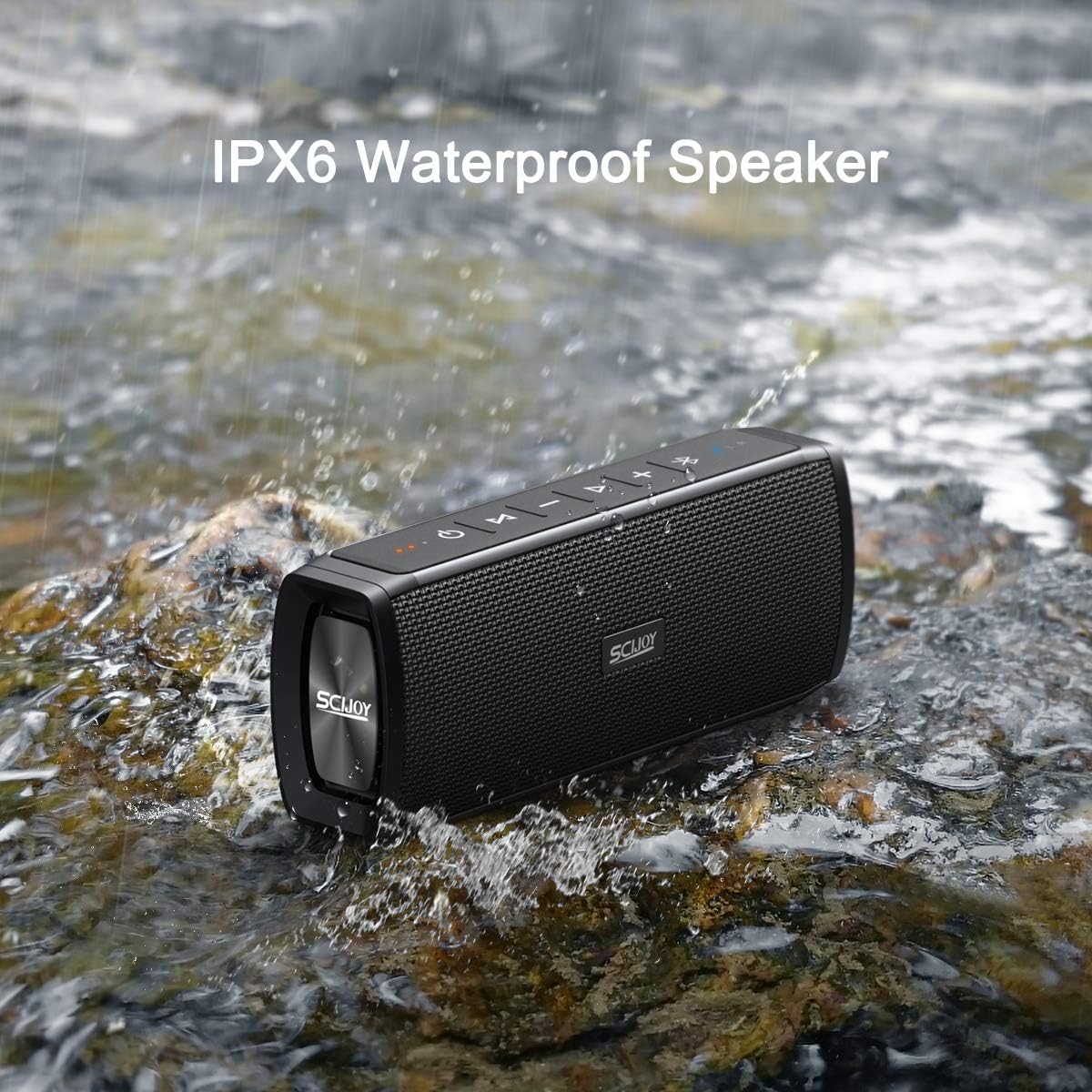
Figure 6: The speaker demonstrating its IPX6 waterproof capability, suitable for splashes and rain.
7.3 Battery Care
- Charge the speaker fully before first use.
- To preserve battery life, charge the speaker at least once every 3 months if not used regularly.
- Avoid extreme temperatures, as they can affect battery performance and lifespan.
8. Troubleshooting
| Problem | Possible Cause | Solution |
|---|---|---|
| Speaker does not turn on. | Low battery. | Charge the speaker fully. |
| Cannot pair via Bluetooth. | Speaker not in pairing mode; device Bluetooth off; too far from speaker. | Ensure speaker is in pairing mode (flashing blue LED). Turn on Bluetooth on your device. Move device closer to speaker (within 10 meters). Forget "WT-003" on your device and try pairing again. |
| No sound. | Volume too low; incorrect mode; device not playing. | Increase speaker and device volume. Ensure correct mode (Bluetooth/AUX). Check if audio is playing on your connected device. |
| TWS pairing failed. | Speakers already paired to other devices; too far apart. | Ensure both speakers are disconnected from other devices. Place speakers close to each other during TWS pairing. Repeat TWS pairing steps. |
| Sound distortion. | Volume too high; low battery. | Reduce volume on speaker and/or connected device. Charge the speaker. |
9. Specifications
| Feature | Detail |
|---|---|
| Brand | SCIJOY |
| Model Number | WT-003 |
| Connectivity Technology | Bluetooth 4.2, Auxiliary, USB |
| Speaker Type | Outdoor, Portable |
| Material | Plastic |
| Water Resistance Level | IPX6 Waterproof |
| Audio Output Mode | Stereo |
| Speaker Maximum Output Power | 16 Watts (2 x 9W drivers) |
| Battery Life | 12+ Hours (at medium volume) |
| Charging Time | Approx. 3.5 hours |
| Product Dimensions | 2.28"D x 3.03"W x 7.72"H |
| Item Weight | 1.7 pounds |
| UPC | 309272439007 |
10. Warranty and Support
For warranty information and customer support, please refer to the product packaging or contact SCIJOY customer service directly. You can often find contact details on the manufacturer's official website or through the retailer where you purchased the product.
Keep your purchase receipt as proof of purchase for any warranty claims.


