
OSITO BM8ML
Contents
OSITO Circulation System & Nerve Muscle Stimulator
User Manual
Introduction
The OSITO Circulation System is designed to improve foot circulation and alleviate symptoms of neuropathy, as well as provide pain relief for various body parts using TENS technology. This device utilizes EMS (Electrical Muscle Stimulation) for foot therapy and TENS (Transcutaneous Electrical Nerve Stimulation) for body pain relief, offering a comprehensive solution for discomfort and circulation issues.
Safety Information
Important Precautions:
- Do not use if you have a cardiac pacemaker or other implanted electronic device.
- Do not use if you are being treated for, or suspect you have, a Deep Vein Thrombosis (DVT).
- Do not use if you are pregnant.
Disclaimer: This foot massager and nerve stimulator is not intended to diagnose or cure any disease. Consult with your doctor for proper diagnosis and treatment if you suffer from any disease or health conditions.
Product Components

Image: The OSITO Circulation System unit, remote control, power adapter, and four electrode pads.
The OSITO Circulation System package includes:
- Main unit with footpads and LCD display
- Remote control (requires 2 AAA batteries, included)
- Power adapter
- 4 large electrode pads for body pain relief
- Connecting cables for electrode pads
Setup
- Unpack the Device: Carefully remove all components from the packaging.
- Power Connection: Connect the power adapter to the main unit and plug it into a standard electrical outlet.
- Remote Control Batteries: Insert the 2 AAA batteries into the remote control.
- Placement: Place the main unit on a flat, stable surface where you can comfortably sit and place your feet on the footpads.

Image: The OSITO Circulation System ready for use, showing the illuminated footpads and central display.
Operating Instructions
Foot EMS Therapy
- Prepare Feet: Ensure your feet are clean and slightly moist for optimal conductivity. Some users find soaking their feet or wiping them with a damp cloth improves sensation.
- Position Feet: Sit comfortably and place both bare feet on the designated footpads of the main unit.
- Power On: Turn on the device using the power button on the unit or the remote control.
- Select Mode: Use the 'MODE' buttons on the unit or remote to cycle through the 25 targeted stimulation modes.
- Adjust Intensity: Gradually increase the 'FOOT LEVEL' intensity (0-99 levels) using the '+' button until you feel a comfortable, yet noticeable, muscle contraction.
- Session Duration: The device has an automatic 25-minute setting. You can adjust the timer if needed.

Image: A user demonstrating the foot EMS therapy, sitting comfortably with feet placed on the device.
Video: Official OSITO video demonstrating the EMS & TENS Foot Massager and Nerve Stimulator in use, highlighting its features and benefits for circulation and pain relief.
Body TENS Therapy
- Connect Electrode Pads: Plug the connecting cables into the side ports of the main unit. Attach the electrode pads to the cables.
- Apply Pads: Place the electrode pads on the desired painful areas of your body, such as shoulders, arms, back, waist, or thighs. Do NOT place on the head or near the heart.
- Adjust Intensity: Increase the 'BODY LEVEL' intensity using the '+' button on the unit or remote to a comfortable level for pain relief.
- Combined Use: You can use the footpads and electrode pads together or separately.
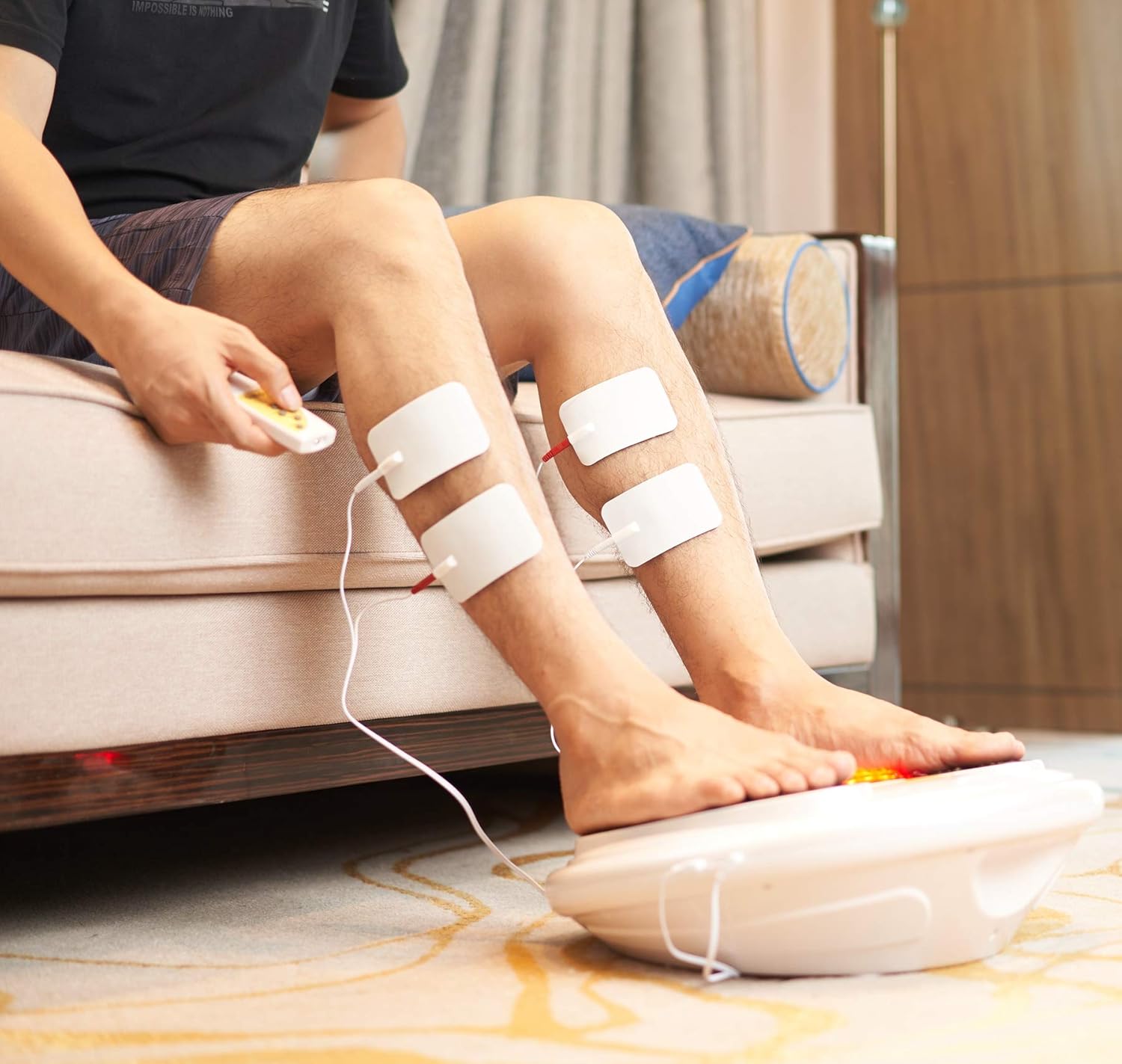
Image: A user applying electrode pads to his legs while using the OSITO Circulation System for body pain relief.
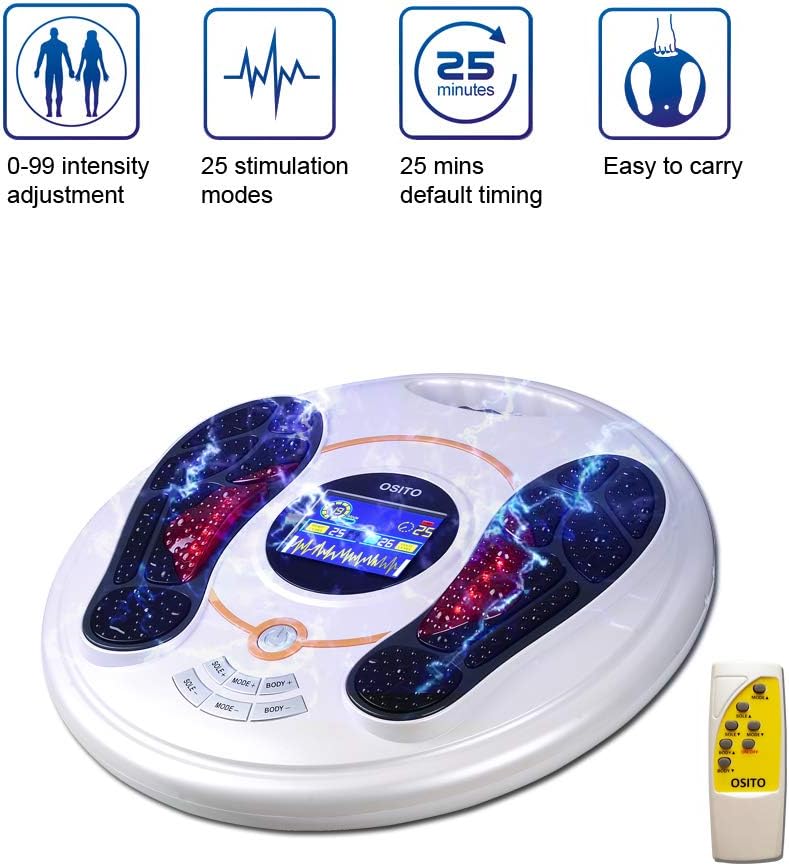
Image: A woman demonstrating the use of electrode pads on her shoulder, illustrating the device's capability for pain relief across different body areas.
Maintenance
To ensure the longevity and optimal performance of your OSITO Circulation System, follow these maintenance guidelines:
- Cleaning: Wipe the main unit and footpads with a soft, damp cloth after each use. Do not use abrasive cleaners or immerse the device in water.
- Electrode Pads: Ensure electrode pads are clean and stored properly after use to maintain their adhesive quality. Replace pads when they lose their stickiness.
- Storage: Store the device in a cool, dry place away from direct sunlight and extreme temperatures.
- Cables: Inspect all cables regularly for any signs of wear or damage. Replace if necessary.
Troubleshooting
If you encounter any issues with your OSITO Circulation System, please refer to the following common troubleshooting tips:
- No Sensation/Weak Sensation:
- Check if the device is properly plugged in and powered on.
- Ensure your feet (for EMS) or skin under electrode pads (for TENS) are clean and adequately moist.
- Increase the intensity level gradually. Some users with severe neuropathy may need higher settings.
- Verify electrode pads are making full contact with the skin and are not worn out.
- Device Not Turning On:
- Check the power connection and ensure the outlet is functional.
- Verify batteries in the remote control are correctly inserted and not depleted.
- Irregular Operation:
- Ensure all cables are securely connected.
- Try restarting the device by unplugging and re-plugging it.
If the problem persists, please contact OSITO customer support for further assistance.
Specifications
| Feature | Detail |
|---|---|
| Product Dimensions | 15.75 x 15.75 x 5.12 inches |
| Item Weight | 5.2 Pounds |
| Item Model Number | BM8ML |
| Power Source | Battery Powered (for remote), AC Adapter (for main unit) |
| Batteries | 2 AAA batteries required (included for remote) |
| Material | Plastic |
| Stimulation Modes | 25 Targeted Modes |
| Intensity Levels | 99 Levels |
| Default Timer | 25 minutes |
Warranty and Support
The OSITO Circulation System comes with an original one-year warranty. Upon purchase, an additional two years of warranty are provided, totaling a 3-year warranty. No additional warranty purchase is needed.
For product support, inquiries, or to visit the official store, please refer to the following link:
Ask a question about this manual
Ask about setup, troubleshooting, compatibility, parts, safety, or missing instructions. Manuals+ will review the question and use this page’s manual context to help answer it.