
1. Introduction and Overview
The Klein Tools VDV500-063 is a professional-grade analog tone generator designed for wire identification, wire tracing, and wire pair identification on open-ended, non-active wiring. This device is essential for professionals working with Ethernet, Internet, Telephone, Speaker, Coax, Video, and Data Cables, including RJ45, RJ11, and RJ12 connections. It provides five distinct tones for precise pair identification and features angled bed-of-nails (ABN) clips for secure wire attachment. The integrated RJ11 plug allows for easy connection to telephone or RJ45 data jacks. Additionally, it tests for continuity and polarity, with results clearly indicated by easy-to-read LEDs.

Image 1.1: The Klein Tools VDV500-063 Tone Generator, showing its main unit, RJ45 connector, and red and black alligator clips.
2. Safety Information
Please read all instructions and safety information carefully before using this instrument. Failure to follow these warnings can result in serious injury or property damage.
- Do NOT use on energized circuits. This device is designed for non-active wiring only.
- Do not use instruments if they are wet, as this could pose a shock hazard.
- Do not use instruments if they are damaged in any way. Inspect the device before each use.
- Turn off instruments and disconnect all test leads before attempting to replace batteries.
- Do not open the case, other than the battery compartment. There are no user-serviceable parts inside.
- The battery door must be in place and secure before you operate the device.
3. Product Features
- Professional grade analog tone generator for open-ended, non-active wiring.
- Five distinct tone cadences for exact pair identification.
- Rugged Angled Bed of Nails (ABN) clips securely attach to wires.
- RJ11 plug easily connects to telephone or RJ45 data jacks to tone individual conductors or wire pairs.
- Tests for continuity and polarity with response displayed on clearly labeled, easy-to-read LEDs.
- Auto Power-Off feature to conserve battery life.
- Low Battery Indicator for timely battery replacement.
- Designed for use with a Probe-Pro Tracing Probe (VDV500-123), sold separately.
4. Setup
4.1 Battery Installation
- Ensure the device is powered off and all test leads are disconnected.
- Locate the battery compartment on the back of the unit.
- Open the battery compartment cover.
- Insert four (4) AAA batteries, observing the correct polarity (+/-) as indicated inside the compartment. (Batteries are included with the unit).
- Securely close the battery compartment cover.
4.2 Connecting Test Leads
The VDV500-063 offers multiple connection options:
- RJ11/RJ45 Plug: For direct connection to telephone or data jacks.
- Angled Bed of Nails (ABN) Clips: For connecting to bare wires or terminals. These clips are color-coded (red and black) for easy identification.

Image 4.1: The VDV500-063 showing its integrated RJ45 connector and attached alligator clips, ready for various connections.
5. Operating Instructions
5.1 Power On/Off
Press the Power button (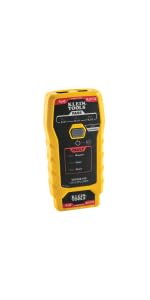 ) to turn the unit on or off. The unit will automatically power off after a period of inactivity to conserve battery life.
5.2 Test Mode (Continuity and Polarity)
To test for continuity and polarity:
- Connect the test leads (RJ11/RJ45 or ABN clips) to the non-energized circuit or cable you wish to test.
- Observe the LEDs in the 'TEST MODE' section of the device.
- POLARITY: 'NRM' (Normal) or 'REV' (Reverse) LEDs indicate the polarity of the circuit.
- CONT: 'Pass' (Green) indicates continuity, while 'Short' (Red) indicates a short circuit.

Image 5.1: Detailed view of the VDV500-063's control panel, highlighting the Test Mode and Tone Mode indicators and buttons.
5.3 Tone Mode (Wire Tracing)
To generate a tone for wire tracing:
- Connect the test leads to the non-energized wire or cable you wish to trace.
- Press the TEST TONE button to activate the tone generator.
- Use the Up (
 ) and Down (
 ) buttons to cycle through the five distinct tone cadences (800Hz, 1000Hz, 1500Hz, and two alternating tones). The active tone frequency will be indicated by an LED.
 - Use a compatible tracing probe (such as the Klein Tools VDV500-123 Probe-Pro, sold separately) to detect the generated tone along the cable path.
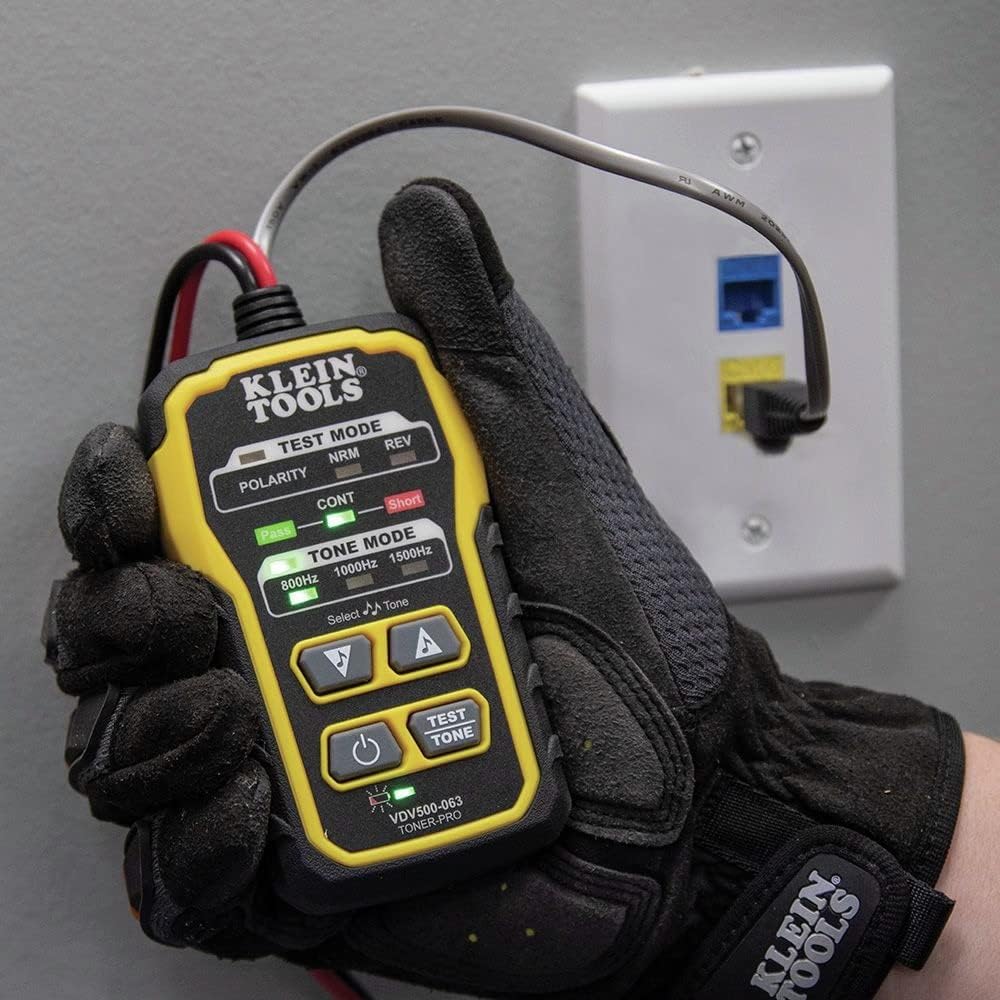
Image 5.2: The VDV500-063 connected to an RJ45 wall jack, demonstrating its use for toning data lines.
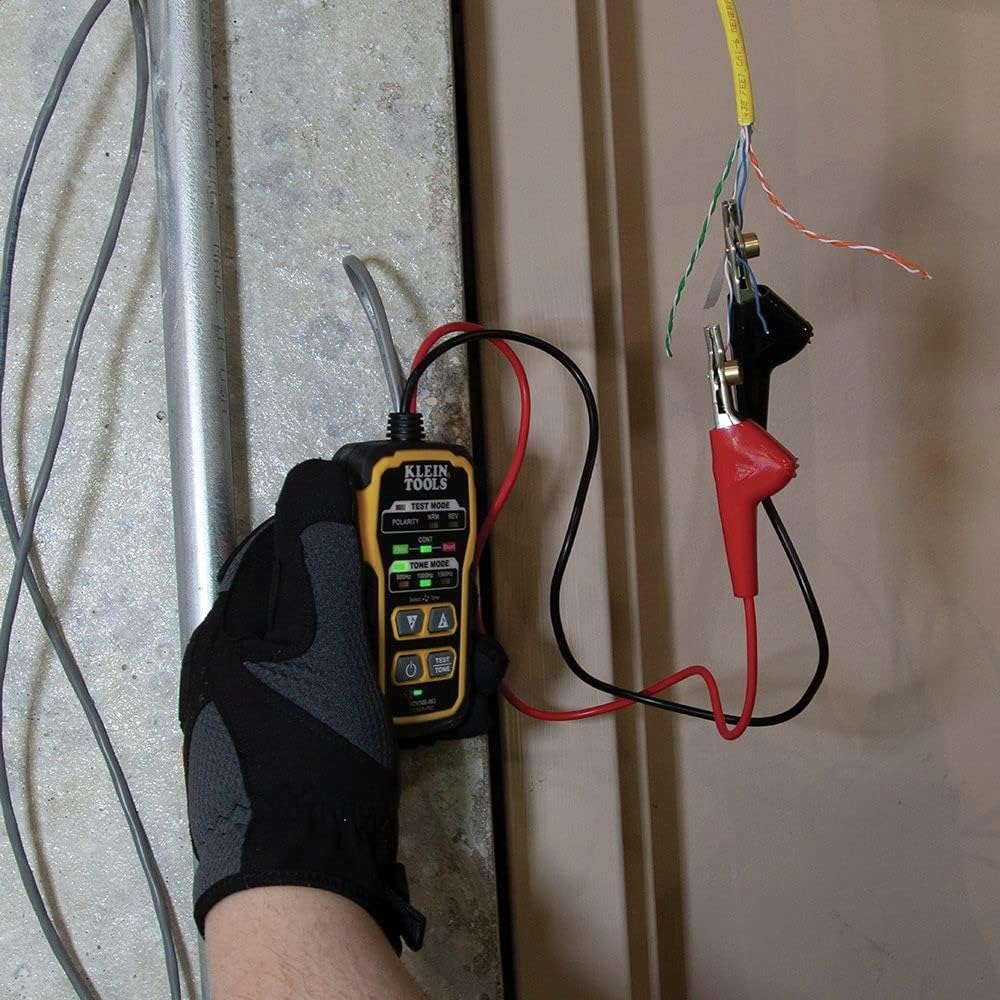
Image 5.3: The VDV500-063 connected to bare wires using its alligator clips, illustrating its versatility for various wiring types.
5.4 Using with a Tracing Probe (VDV500-123, sold separately)
While the VDV500-063 generates the tone, a separate tracing probe is required to detect the tone and trace the wire. The Klein Tools VDV500-123 Probe-Pro is recommended for optimal performance. Follow the instructions provided with your tracing probe for its operation.

Image 5.4: The Klein Tools VDV500-123 Probe-Pro, a compatible tracing probe (sold separately) used in conjunction with the VDV500-063.
6. Maintenance
6.1 Battery Replacement
When the low battery indicator illuminates, replace the batteries promptly to ensure accurate operation. Refer to Section 4.1 for battery installation instructions.
6.2 Cleaning
Clean the device with a dry, lint-free cloth. Do not use abrasive cleaners or solvents. Ensure the device is dry before storage or next use.
6.3 Storage
Store the device in a cool, dry place away from direct sunlight and extreme temperatures. If storing for extended periods, remove the batteries to prevent leakage.
7. Troubleshooting
- No Power: Check if the batteries are correctly installed and have sufficient charge. Replace batteries if necessary.
- No Tone Generated: Ensure the device is powered on and the TEST TONE button has been pressed. Verify that the test leads are securely connected to the non-energized wire.
- Incorrect Continuity/Polarity Reading: Double-check all connections. Ensure the circuit being tested is not energized.
- Low Battery Indicator: Replace the four AAA batteries immediately.
8. Specifications
| Feature | Specification |
|---|---|
| Brand | KLEIN TOOLS |
| Model Number | VDV500-063 |
| Power Source | Battery Powered (Hand_powered) |
| Batteries | 4 x AAA batteries (included) |
| Average Battery Life | 120 Hours |
| Item Weight | 7.4 Ounces (approx. 210 grams) |
| Product Dimensions (L x W x H) | 4.25 x 2.5 x 1 inches (approx. 10.8 x 6.35 x 2.54 cm) |
| Minimum Operating Voltage | 6 Volts |
| Measurement Type | Ohmmeter (for continuity) |
| Included Components | Toner-PRO Tone Generator |
| Special Features | Angled Bed of Nails (ABN) Teleco Clips; Lanyard Loop |
9. Warranty and Support
9.1 Manufacturer's Warranty
This Klein Tools VDV500-063 Tone Generator is covered by a 1 Year Manufacturer's Warranty. Please retain your proof of purchase for warranty claims. The warranty covers defects in materials and workmanship under normal use.
9.2 Customer Support
For technical assistance, troubleshooting beyond this manual, or warranty inquiries, please contact Klein Tools customer support. Visit the official Klein Tools website for contact information and additional resources.
You can find more information and support at the KLEIN TOOLS Store on Amazon or their official website.


