Product Overview
The Bestguarder WG-50 Plus is an infrared HD night vision monocular designed for long-duration surveillance and observation in low-light or complete darkness. It features a 5x optical magnification via a 50mm objective lens and includes an integrated IR illuminator for enhanced viewing distances.
- Magnification: Offers 5x optical magnification with a 50mm objective lens, suitable for long-range observation up to 1150 ft (350m) in full darkness.
- Wi-Fi Connectivity: Enables wireless sharing of photos and videos to iOS and Android devices, eliminating the need for traditional data cables.
- Recording Capabilities: Captures HD photos (up to 2592x1944 pixels) and records videos with sound (up to 1280x720 pixels).
- Ergonomic Design: Provides enhanced comfort and ease of operation. It is tripod mountable with two tripod jacks.
- Power Source: Operates on 4 AA batteries (not included).
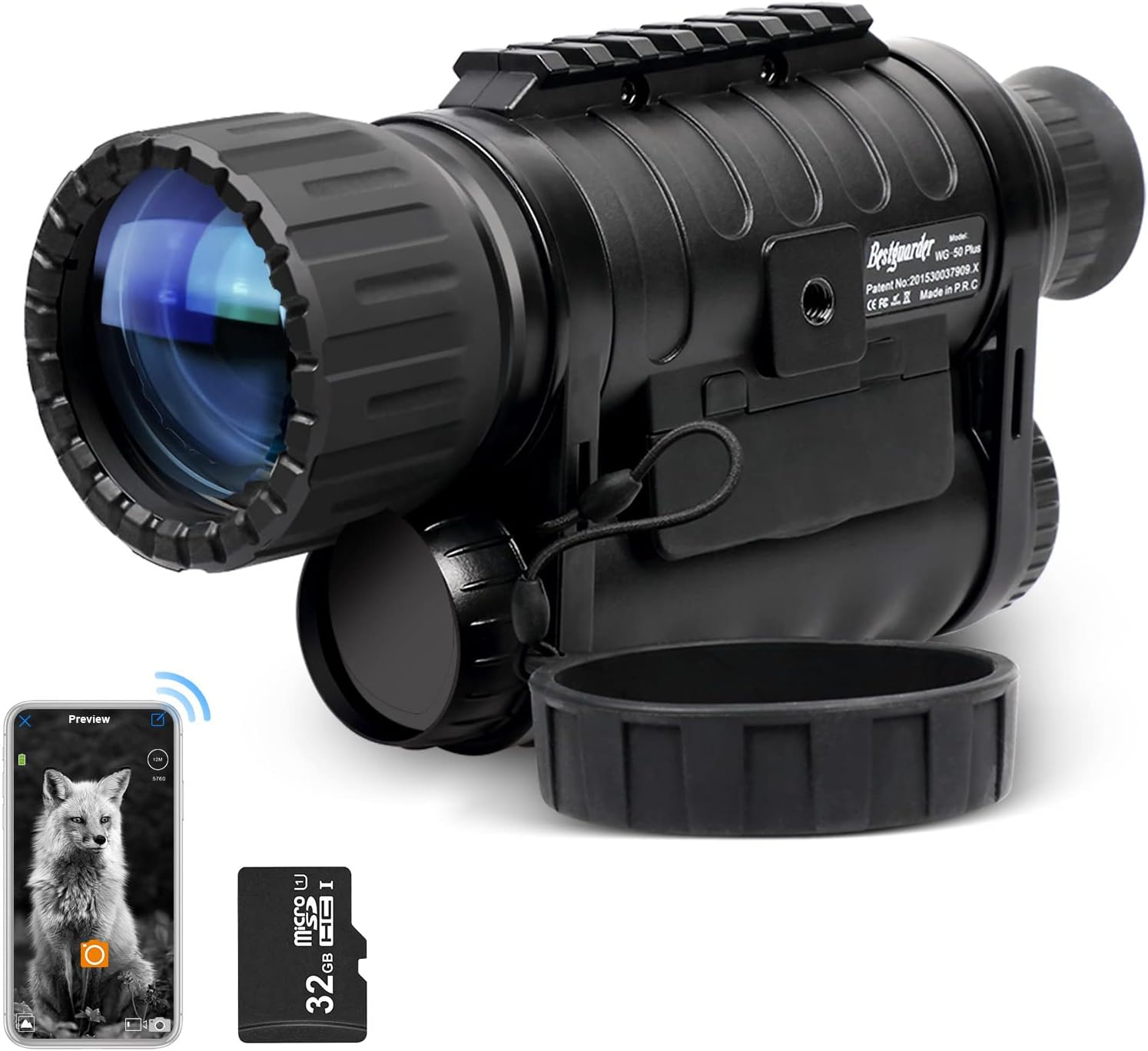
Figure 1: Bestguarder WG-50 Plus Night Vision Monocular with included accessories.
Setup
- Battery Installation: Locate the battery compartment, typically at the rear of the device. Insert 4 AA batteries, ensuring correct polarity.
- Memory Card Insertion: Open the side access panel to insert a micro SD card (up to 64GB, not included) for storing photos and videos.
- Power On: Press and hold the power button (usually marked with a power symbol) to turn on the monocular.
- Focus Adjustment: Adjust the focus ring on the objective lens (front) and the eyepiece (rear) until the image appears clear.
- Wi-Fi Connection (Optional):
- Activate the Wi-Fi function on the monocular via its menu.
- On your smartphone or tablet, search for available Wi-Fi networks and connect to the network generated by the monocular.
- Open the Bestguarder app (available for iOS and Android) to view live feed, transfer files, and control settings.
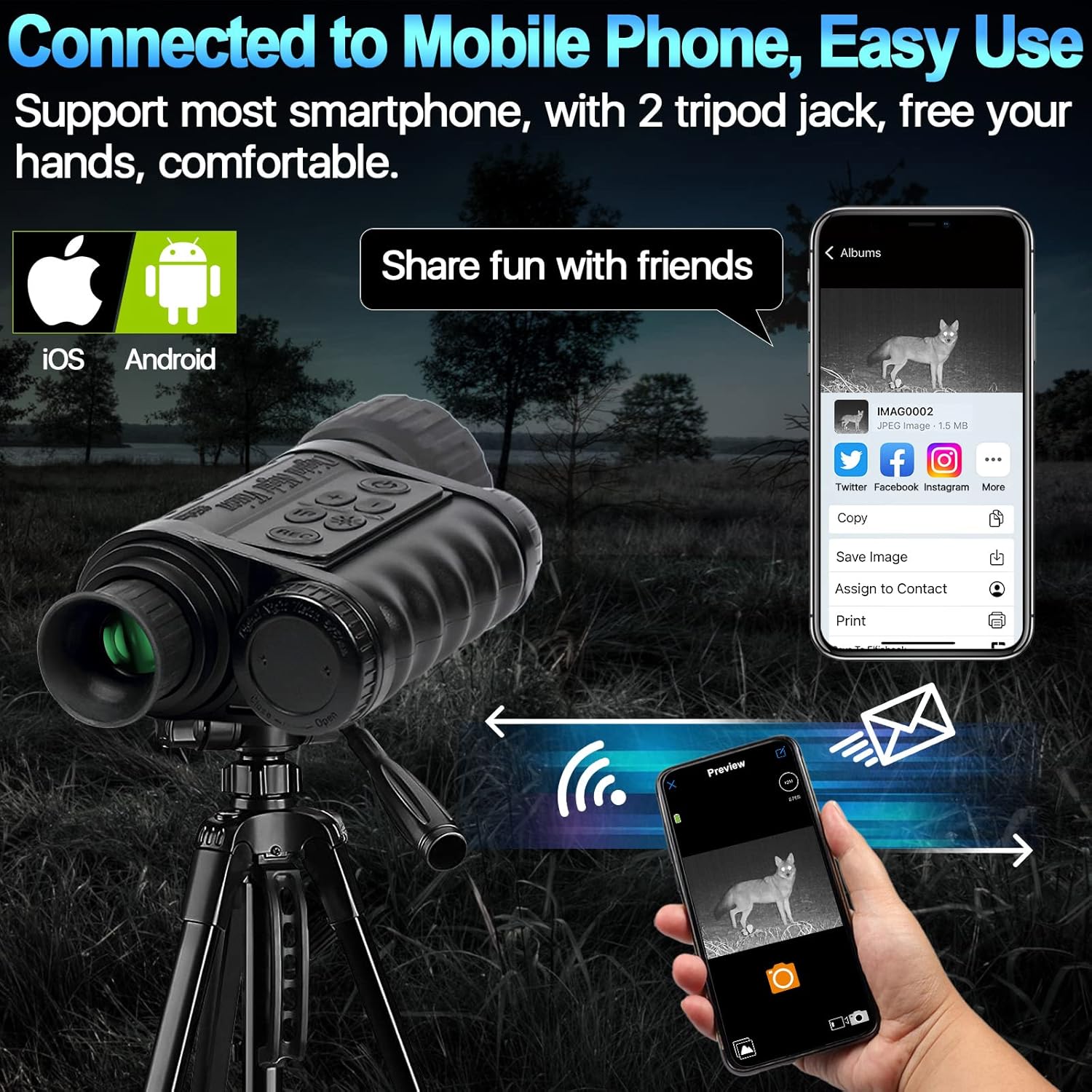
Figure 2: Wi-Fi connectivity for mobile device integration.
Operating Instructions
Basic Operation
- Power On/Off: Press the power button to turn the device on. Press and hold to turn off.
- Zoom Control: Use the zoom buttons (+/-) to adjust the digital zoom level. The monocular has a fixed 6x optical zoom.
- IR Illuminator: Press the IR button to cycle through different infrared illumination levels (up to 9 levels) to enhance visibility in dark conditions. The illuminator emits a visible red light.
- Mode Selection: Use the mode button to switch between photo, video, and playback modes.
Photo and Video Recording
- Taking Photos: In photo mode, press the REC button to capture a still image.
- Recording Videos: In video mode, press the REC button once to start recording and again to stop. Videos are recorded with sound.
- Playback: In playback mode, use the navigation buttons to browse recorded photos and videos.

Figure 3: Digital night vision camera functions including photo, video, time lapse, and audio recording.
Video 1: Overview of the Bestguarder WG-50 Plus Night Vision Monocular, demonstrating its features, controls, and night vision capabilities with examples of deer observation at various distances.
Maintenance
- Cleaning Lenses: Use a soft, lint-free cloth specifically designed for optical lenses to clean the objective and eyepiece lenses. Avoid abrasive materials or harsh chemicals.
- Battery Care: Remove batteries if the device will not be used for an extended period to prevent leakage.
- Storage: Store the monocular in a cool, dry place, away from direct sunlight and extreme temperatures. Use the provided carrying case for protection.
- Water Resistance: The device has an IPX4 waterproof rating, meaning it is resistant to splashing water from any direction. It is not designed for submersion.
Troubleshooting
| Problem | Possible Cause | Solution |
|---|---|---|
| Device does not power on. | Low or dead batteries; incorrect battery installation. | Replace with fresh AA batteries, ensuring correct polarity. |
| Image is blurry or out of focus. | Improper focus adjustment; dirty lenses. | Adjust objective and eyepiece focus rings. Clean lenses with an optical cleaning cloth. |
| Poor night vision performance. | IR illuminator off or set too low; excessive ambient light. | Increase IR illuminator level. Ensure observation is in sufficiently dark conditions. |
| Cannot connect to Wi-Fi. | Wi-Fi function not activated; incorrect app settings. | Ensure Wi-Fi is enabled on the monocular. Reconnect Wi-Fi on your phone and restart the app. |
| Screen appears sideways when held vertically. | This is a design characteristic of the device. | This is normal operation. The device is designed for optimal viewing in a horizontal orientation or when mounted. |
Specifications
- Model Name: WG-50 Plus
- Magnification: 6x (Optical), 5x (Digital Zoom)
- Objective Lens Diameter: 50 mm
- Infrared Illuminator: 850NM 3W Infrared LED
- Viewing Distance (Full Darkness): Up to 1150 ft (350m)
- Photo Resolution: 2592x1944, 1600x1200, 640x480 pixels (JPEG)
- Video Resolution: 1280x720, 640x480 pixels (30FPS with sound)
- Display: 1.5" TFT LCD
- Storage: Supports Micro SD card (up to 64GB)
- Power Source: 4 x AA batteries (not included)
- Waterproof Rating: IPX4
- Mounting Type: Tripod Mount (1/4" thread)
- Item Weight: 1.54 Pounds
- Material: Aluminum
- Dimensions (LxWxH): 7.87 x 3.94 x 2.76 inches
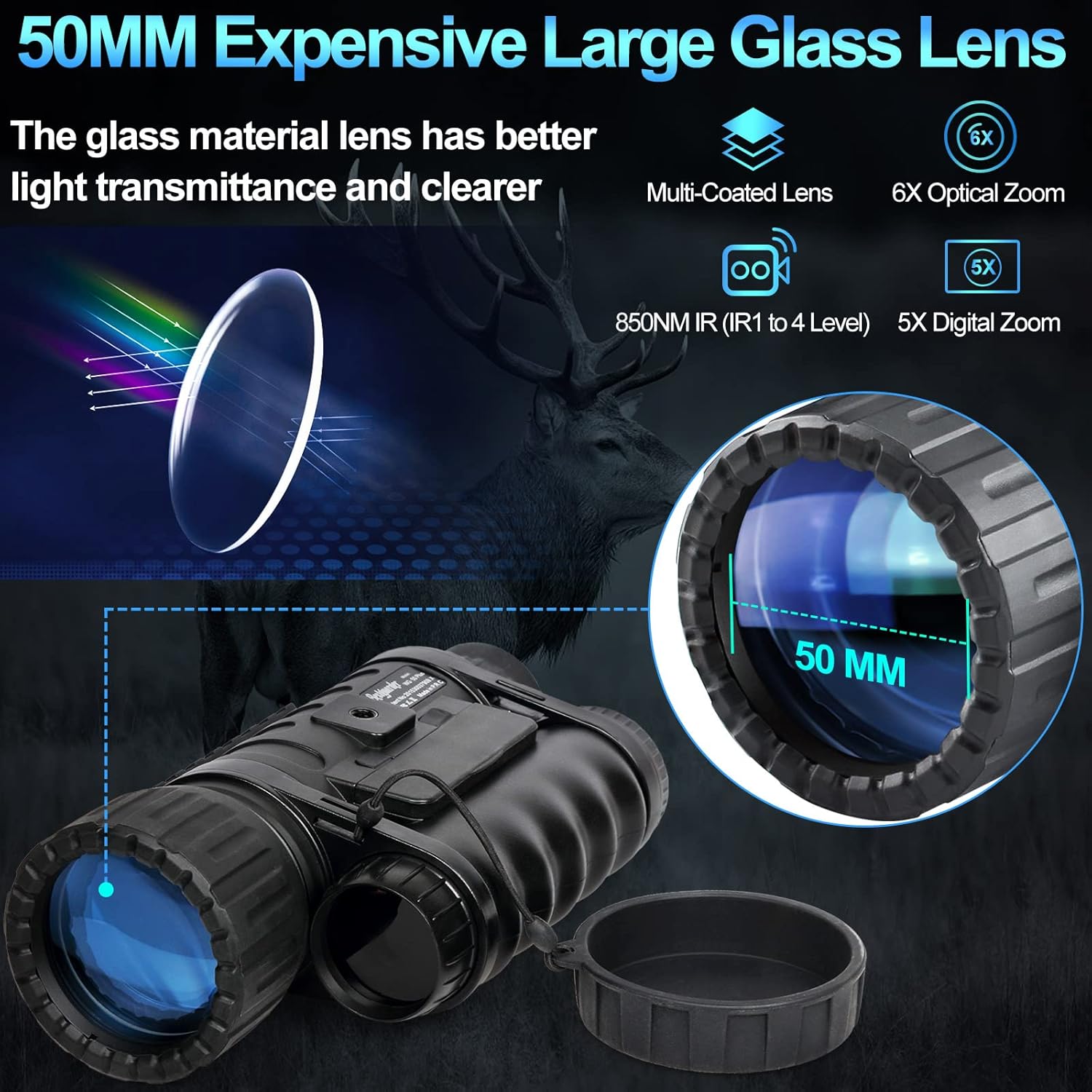
Figure 4: Illustration of the 50mm objective lens and optical/digital zoom capabilities.
Warranty and Support
While specific warranty details are not provided, Bestguarder offers professional 24-hour after-sales services to ensure a satisfactory customer experience.
For any questions, technical assistance, or valuable advice regarding your Bestguarder WG-50 Plus, please contact the Bestguarder service team.
Refer to the official Bestguarder website or your purchase documentation for the most current support contact information.


