
Introduction
This manual provides essential information for the proper installation, operation, and maintenance of your deleyCON CAT.7 Installation Cable. This high-performance cable is designed for robust network infrastructure, supporting data transfer rates up to 10 Gigabit per second (Gbps) and frequencies up to 1000 MHz. It features S/FTP PIMF double shielding and is halogen-free (LSZH), ensuring reliable and safe network connectivity.
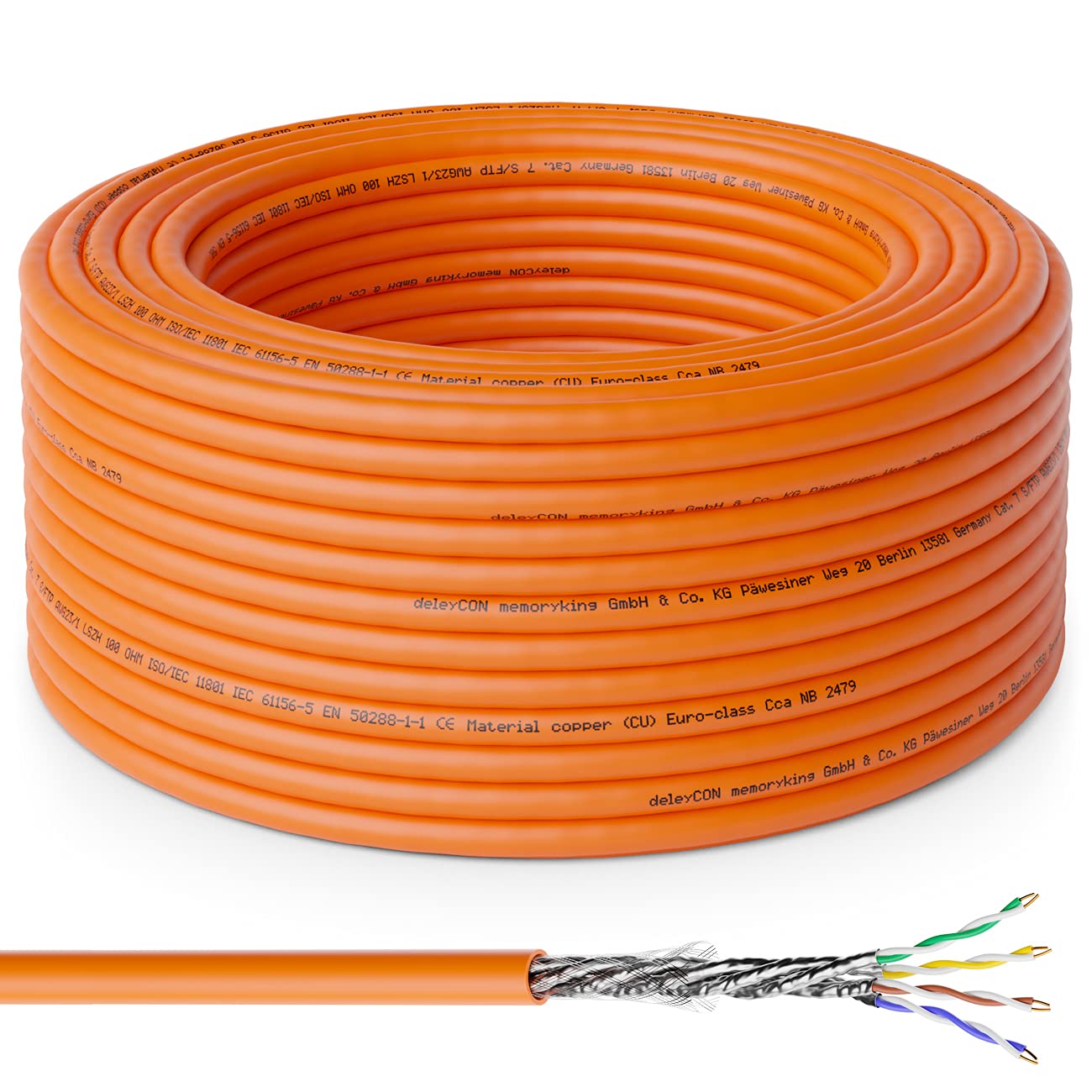
This image displays the deleyCON CAT.7 installation cable in a coiled form, highlighting its orange jacket. A detailed cross-section of the cable is also visible, illustrating the internal copper conductors and shielding layers.
Setup and Installation
The deleyCON CAT.7 Installation Cable is a rigid copper cable specifically designed for permanent network installations. It requires proper termination using LSA (LSA-Plus) connection technology. It is not suitable for crimping with standard RJ45 connectors.
Key Installation Considerations:
- Cable Type: This is a solid-core installation cable, distinct from flexible stranded patch cables. Ensure you are using the correct tools and connectors for rigid cables.
- Termination: Use LSA connection tools for network sockets, patch panels, and keystone modules. This method ensures a secure and reliable connection for rigid conductors.
- Bending Radius: Avoid sharp bends during installation to prevent damage to the internal conductors and shielding, which can degrade performance.
- Cable Management: Route cables neatly and secure them to prevent strain and accidental damage.

This image visually distinguishes between flexible stranded network cables (unsuitable for LSA) and rigid solid-core installation cables (suitable for LSA). It emphasizes that the deleyCON cable is of the rigid installation type, which is crucial for proper termination.

This image clarifies the correct termination method for this rigid installation cable. It explicitly shows that standard crimped RJ45 connectors are unsuitable (marked with a red cross), while LSA (LSA-Plus) connection terminals are the correct method (marked with a green checkmark). Various compatible network components like wall sockets, patch panels, and keystone modules are also displayed.

This image shows multiple deleyCON CAT.7 installation cables connected to a patch panel, illustrating a typical professional installation scenario. The cables are organized and secured, demonstrating proper cable management practices.
Operating Principles
The deleyCON CAT.7 Installation Cable is designed to facilitate high-speed data communication within a structured cabling system. It supports various network standards and applications.
Performance Characteristics:
- Data Transfer Rate: Supports up to 10 Gigabit per second (10 Gbps) Ethernet.
- Frequency Bandwidth: Operates at frequencies up to 1000 MHz.
- Compatibility: Fully compatible with IEEE 802.3 standards, including 10/100/1000Base-T and 10GBase-T. It also supports Power over Ethernet (PoE) and Power over Ethernet Plus (PoE+).
- Shielding: S/FTP PIMF (Screened Foiled Twisted Pair, Pairs in Metal Foil) double shielding minimizes electromagnetic interference (EMI) and crosstalk, ensuring stable signal transmission.

This graphic compares the maximum frequency and data transfer rates for CAT5, CAT6, and CAT7 cables. It clearly shows that CAT7 offers significantly higher performance with 1000 MHz bandwidth and 10 Gigabit per second data transfer capability.
Maintenance
The deleyCON CAT.7 Installation Cable is designed for durability and requires minimal maintenance once properly installed. Adhering to the following guidelines will ensure its longevity and optimal performance:
- Physical Protection: Protect the cable from physical damage, such as crushing, cutting, or excessive pulling.
- Environmental Conditions: Ensure the cable is installed within its specified temperature range (-20 °C to +60 °C). Avoid exposure to extreme temperatures or harsh chemicals.
- LSZH Feature: The Low Smoke Zero Halogen (LSZH) jacket material contributes to safety in case of fire by emitting minimal smoke and no toxic halogens. This feature does not require specific maintenance but highlights the cable's safety design.
- Regular Inspection: Periodically inspect visible cable runs for any signs of damage or wear, especially in high-traffic areas or where cables might be disturbed.
Troubleshooting
If you experience network connectivity issues or reduced performance, consider the following troubleshooting steps:
- Check Connections: Verify that all LSA terminations are correctly made and secure at both ends (e.g., patch panel, wall outlet). Loose or improperly terminated wires are a common cause of issues.
- Verify Compatibility: Ensure all connected network devices (routers, switches, network cards) are compatible with CAT.7 specifications and support the desired data rates (e.g., 10 Gbps).
- Cable Integrity: Inspect the cable for any visible physical damage, such as kinks, cuts, or severe bends, which can impair signal transmission.
- Test Equipment: If possible, use a cable tester to check for continuity, shorts, open circuits, and proper wiring configuration (e.g., T568A or T568B).
- Environmental Interference: While the S/FTP PIMF shielding is robust, ensure the cable is not routed too close to strong sources of electromagnetic interference (e.g., power lines, heavy machinery) if issues persist.
Specifications
| Feature | Specification |
|---|---|
| Model Number | MK4014 |
| Cable Category | CAT.7 |
| Shielding | S/FTP PIMF (Screened Foiled Twisted Pair, Pairs in Metal Foil) |
| Conductor Material | Rigid Copper (CU) |
| AWG (American Wire Gauge) | 4 x 2 x 23/1 |
| Frequency Bandwidth | Up to 1000 MHz |
| Data Transfer Rate | Up to 10 Gigabit per second (10 Gbps) |
| Jacket Material | LSZH (Low Smoke Zero Halogen) |
| Euro Fire Class | Cca S1 d1 a1 (BauPVo EN 50575:2014 compliant) |
| Operating Temperature | -20 °C to +60 °C |
| Compatible Standards | IEEE 802.3, 10/100/1000Base-T, 10GBase-T, PoE, PoE+ |
| Color | Orange |
| Length (for this variant) | 50 meters |
| Package Dimensions | 23.5 x 23.3 x 8.3 cm |
| Package Weight | 2.28 kilograms |

This diagram provides a visual breakdown of the CAT7 S/FTP PIMF cable's construction. It labels the copper conductors, insulation around each wire, individual pair shielding (PIMF), the overall outer shield (S/FTP), and the protective outer jacket.
Warranty and Support
The deleyCON CAT.7 Installation Cable is manufactured to high-quality standards and is GHMT certified, ensuring its performance and reliability.
GHMT Certification:
The cable has received GHMT Type Approval, confirming its compliance with international standards such as ISO/IEC 11801-1, ISO/IEC 61156-5, and EN 50173-1. This certification validates the cable's performance as a balanced, copper, Category 7 cable.
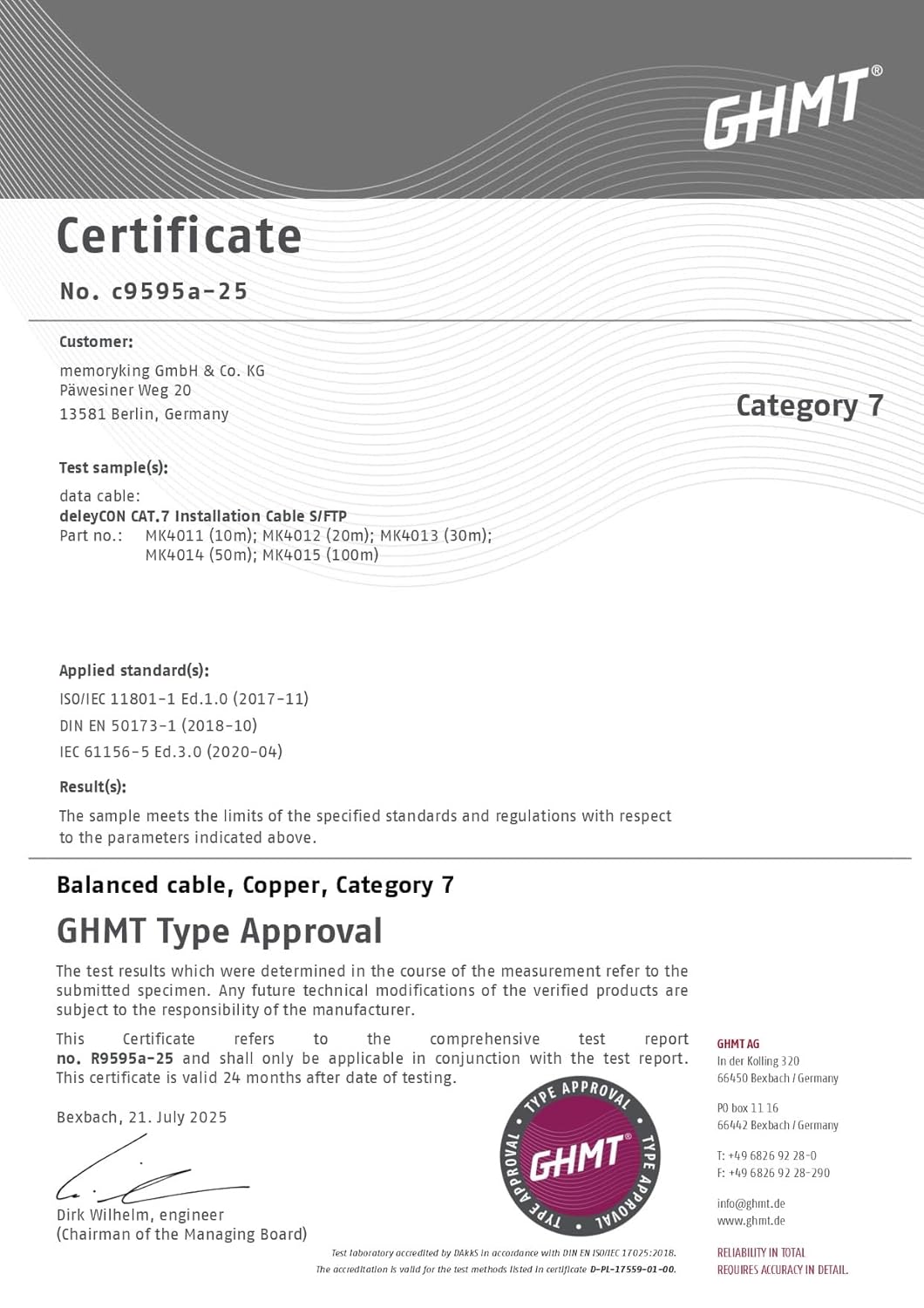
This is a GHMT certificate confirming the type approval for the deleyCON CAT.7 Installation Cable S/FTP. It details the tested sample, applied standards (ISO/IEC 11801-1, EN 50173-1, IEC 61156-5), and the result of the balanced cable, copper, Category 7 test.
Warranty Information:
Please refer to the manufacturer's official website or your point of purchase for specific warranty terms and conditions. Keep your proof of purchase for any warranty claims.
Customer Support:
For technical assistance or support, please contact deleyCON customer service through their official channels. Contact information can typically be found on the deleyCON website or product packaging.

