
1. Important Safety Instructions
Please read these instructions carefully before using the appliance and keep them for future reference. Incorrect operation can lead to damage to the appliance and injury to the user.
- Always ensure the appliance is unplugged from the power outlet before assembly, disassembly, or cleaning.
- Do not immerse the motor unit in water or any other liquid. Clean with a damp cloth only.
- Keep hands and utensils away from moving parts during operation to prevent injury.
- Never operate the appliance with a damaged cord or plug, or if it has been dropped or damaged in any way.
- This appliance is not intended for use by persons with reduced physical, sensory, or mental capabilities, or lack of experience and knowledge, unless they have been given supervision or instruction.
- Children should be supervised to ensure they do not play with the appliance.
- Ensure all attachments are securely locked in place before operating the appliance.
- The machine stops automatically when the arm is lifted for safety.
- Use only original Profi Cook accessories with this appliance.
2. Product Overview
The Profi Cook PC-KM 1189 is a versatile 3-in-1 multifunction food processor designed for kneading, chopping, and blending. It features a robust die-cast aluminum housing and durable metal gears for reliable performance.

Image: Profi Cook PC-KM 1189 Multifunction Food Processor with meat grinder and blender attachments. This image shows the main unit with the stainless steel mixing bowl, the meat grinder attachment on the front, and the glass blender on top.
Key Components:
- Motor Unit: The main body housing the 1500-watt motor and control dial.
- Mixing Bowl: An XXL 6.7-liter stainless steel bowl for large batches.
- Dough Hook: For heavy doughs like bread and pizza.
- Beater: For medium-heavy mixtures such as shortcrust pastry, crumble toppings, or mashed potatoes.
- Whisk: For light mixtures like egg whites, cream, or sponge batter.
- Splash Guard: Transparent lid with a refill opening.
- Glass Blender: 1.5-liter capacity with a scale and filling opening, ideal for smoothies and sauces.
- Meat Grinder: Integrated attachment for mincing meat. Includes various discs and accessories.
- Speed Control Dial: Illuminated dial with 8 speed settings and a pulse function.
- Release Mechanism: For tilting the multi-functional arm.

Image: Profi Cook PC-KM 1189 with labeled components including the plunger, glass blender, and XXL stainless steel bowl.
3. Setup
Before first use, unpack all components and wash all removable parts (mixing bowl, attachments, blender jug, meat grinder parts) in warm soapy water, then rinse and dry thoroughly. The motor unit should only be wiped with a damp cloth.
3.1 Assembling the Stand Mixer:
- Place the motor unit on a stable, flat, and dry surface.
- Ensure the speed control dial is set to 'OFF' and the appliance is unplugged.
- Press the release lever to tilt the multi-functional arm upwards.
- Place the stainless steel mixing bowl into its base and turn it clockwise until it locks securely.
- Select the desired attachment (dough hook, beater, or whisk). Insert the attachment into the shaft and turn it counter-clockwise until it clicks into place.
- Lower the multi-functional arm by pressing the release lever again until it locks into position.
- Attach the splash guard by aligning it with the bowl and turning it until it is secure.

Image: Beater attachment securely installed in the stainless steel mixing bowl, ready for use.
3.2 Assembling the Blender:
- Ensure the blender jug is clean and the blade assembly is securely attached to the bottom.
- Place the blender jug onto the designated blender port on top of the motor unit. Turn it clockwise until it locks.
- Place the lid securely on the blender jug.
3.3 Assembling the Meat Grinder:
- Attach the meat grinder housing to the front port of the motor unit and turn it counter-clockwise to lock.
- Insert the spiral shaft, blade, and desired grinding disc (fine, medium, or coarse) into the housing.
- Secure the locking ring.
- Place the feeding tray on top of the grinder.

Image: Close-up of the meat grinder attachment showing the fine, medium, and coarse grinding discs.
4. Operating Instructions
Always ensure the appliance is properly assembled and plugged into a suitable power outlet (240 Volts).
4.1 Using the Stand Mixer:
- Add ingredients to the mixing bowl. Do not overfill the bowl beyond its maximum capacity.
- Ensure the multi-functional arm is lowered and locked, and the splash guard is in place.
- Turn the speed control dial to the desired setting (1-8). Start with a lower speed and gradually increase if needed.
- For short bursts of power, use the pulse function.
- When finished, turn the dial to 'OFF' and unplug the appliance.
- Lift the multi-functional arm to remove the bowl and attachment.

Image: Dough hook attachment actively mixing dough in the stainless steel bowl.
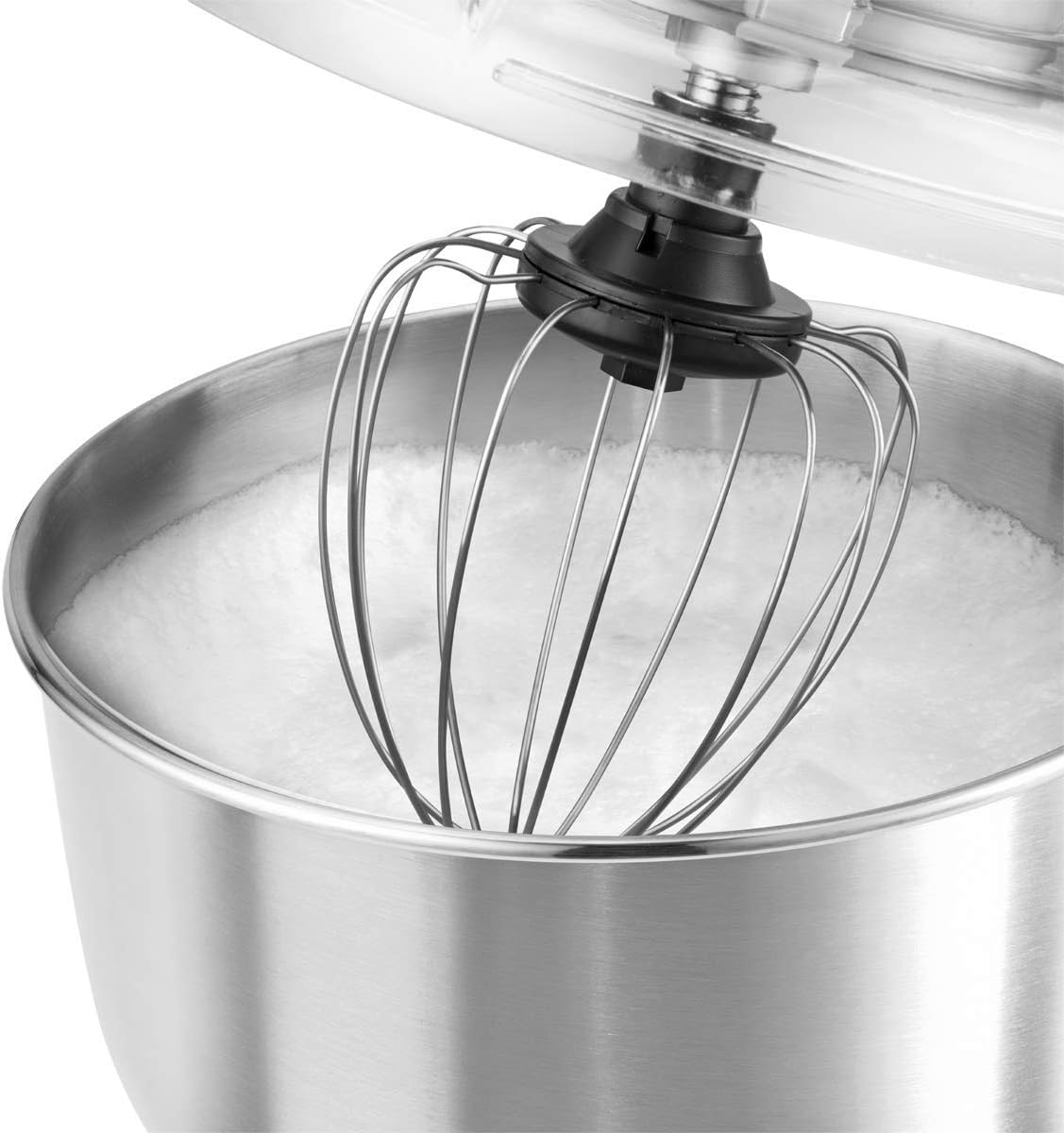
Image: Whisk attachment whipping ingredients to a fluffy consistency in the stainless steel bowl.
4.2 Using the Blender:
- Add ingredients to the blender jug. Do not exceed the 1.5-liter maximum fill line.
- Ensure the lid is securely in place.
- Turn the speed control dial to the desired setting.
- For adding ingredients during blending, use the opening in the lid.
- When finished, turn the dial to 'OFF' and unplug the appliance.
4.3 Using the Meat Grinder:
- Prepare meat by cutting it into small pieces that fit into the feeding tube.
- Place a bowl under the output to collect the minced meat.
- Turn the speed control dial to a medium setting.
- Feed the meat into the tube using the food pusher. Never use your fingers or other utensils.
- When finished, turn the dial to 'OFF' and unplug the appliance.

Image: Meat grinder accessories, including attachments for making cookies, kebbe, and sausages.
5. Maintenance and Cleaning
Regular cleaning ensures the longevity and optimal performance of your Profi Cook PC-KM 1189.
5.1 Cleaning the Motor Unit:
- Always unplug the appliance before cleaning.
- Wipe the exterior of the motor unit with a soft, damp cloth. Do not use abrasive cleaners.
- Never immerse the motor unit in water or other liquids.
5.2 Cleaning Attachments and Bowls:
- All removable parts, including the stainless steel mixing bowl, dough hook, beater, whisk, splash guard, blender jug, and meat grinder components, are dishwasher safe.
- Alternatively, wash these parts in warm soapy water, rinse thoroughly, and dry immediately to prevent water spots or corrosion.
- For stubborn food residue, soak the parts before cleaning.
6. Troubleshooting
If you encounter issues with your appliance, refer to the following common problems and solutions:
| Problem | Possible Cause | Solution |
|---|---|---|
| Appliance does not turn on. | Not plugged in; power outlet fault; arm not locked down. | Check power connection; try another outlet; ensure multi-functional arm is fully lowered and locked. |
| Attachments not mixing properly. | Attachment not correctly installed; too much/too little ingredients. | Ensure attachment is clicked into place; adjust ingredient quantities according to recipes. |
| Loud noise or vibration during operation. | Appliance not on a stable surface; bowl or attachment not secured. | Place on a flat, stable surface; ensure bowl and attachment are locked. |
| Blender leaks. | Blade assembly not tightened; lid not secured. | Ensure blade assembly is tightly screwed onto the jug; secure the lid properly. |
| Meat grinder jams. | Meat pieces too large; bones or hard material. | Cut meat into smaller pieces; ensure no bones or hard material are fed into the grinder. |
If the problem persists, please contact customer support.
7. Specifications
| Feature | Specification |
|---|---|
| Model Name | ProfiCook PC-KM 1189 |
| Brand | Profi Cook |
| Power | 1500 Watts |
| Voltage | 240 Volts |
| Mixing Bowl Capacity | 6.7 Litres (Stainless Steel) |
| Blender Capacity | 1.5 Litres (Glass) |
| Number of Speeds | 8 |
| Controls Type | Push Button / Rotary Dial |
| Material | Aluminum (housing), Stainless Steel (bowl), Glass (blender) |
| Special Features | Integrated Meat Grinder, Tilt-head design |
| Product Dimensions (D x W x H) | 47 x 37 x 26 cm |
| Item Weight | 9.3 Kilograms |
| Dishwasher Safe Parts | Yes (removable parts) |
| Country of Origin | China |

Image: Dimensions of the Profi Cook PC-KM 1189 multifunction food processor.
8. Warranty and Support
This Profi Cook PC-KM 1189 appliance comes with a 1-year warranty from the date of purchase.
The warranty covers manufacturing defects and material faults under normal household use. It does not cover damage resulting from improper use, accidents, unauthorized repairs, or normal wear and tear.
For warranty claims, technical support, or spare parts, please contact your retailer or the official Profi Cook customer service. Please have your proof of purchase and model number (PC-KM 1189) ready when contacting support.


