
HyperGear 15127
HyperGear Active True Wireless Bluetooth Earbuds User Manual
Model: 15127 | Brand: HyperGear
Introduction
This manual provides comprehensive instructions for the HyperGear Active True Wireless Bluetooth Earbuds, Model 15127. These earbuds are designed for an active lifestyle, featuring a secure-fit, sweat-proof design, and a portable pocket-sized charging case. They offer quick-pair technology, HD stereo sound, and built-in touch controls for music and calls.
What's in the Box
Upon opening your HyperGear Active True Wireless Earbuds package, you should find the following items:
- HyperGear Active True Wireless Earbuds (Left and Right)
- Portable Charging Case
- USB Charging Cable
- User Manual (this document)
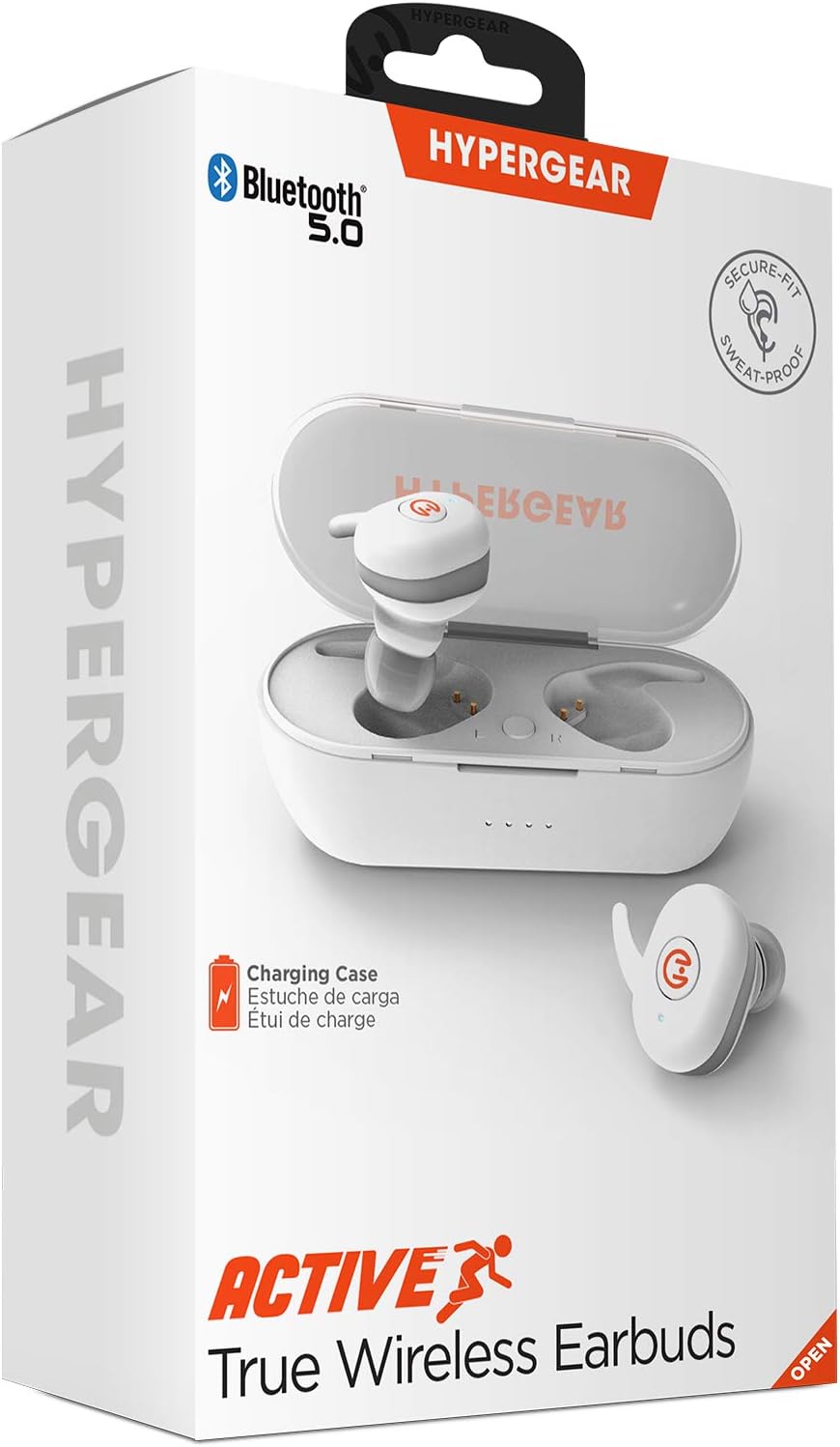
Product Overview
Familiarize yourself with the components of your HyperGear Active True Wireless Earbuds and their charging case.

The earbuds feature a compact design with touch control surfaces. The charging case is designed to be pocket-sized for easy portability and provides additional battery life.
Setup
Charging the Earbuds and Case
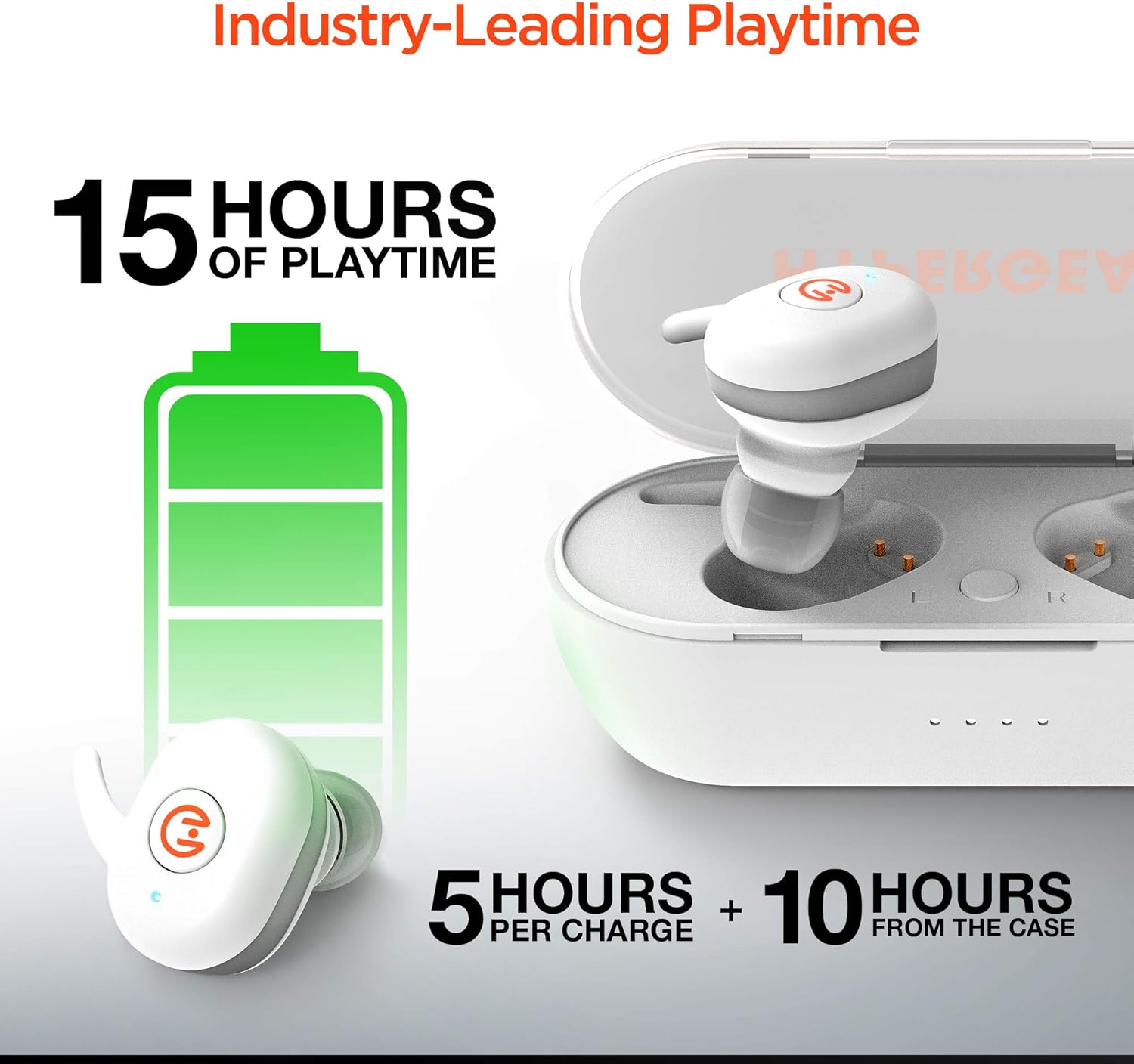
Before first use, ensure both the earbuds and the charging case are fully charged. The earbuds provide up to 5 hours of playtime on a single charge, with the charging case offering an additional 10 hours of battery life, totaling up to 15 hours of use.
- Place the earbuds into the charging case. Ensure they are properly seated in their respective slots (L for left, R for right).
- Connect the charging case to a power source using the provided USB charging cable.
- Indicator lights on the case will show charging status. Refer to the specific light patterns in your product's quick start guide for detailed information.
Pairing with Your Device
The HyperGear Active Earbuds feature quick-pair technology for seamless connection.
- Ensure the earbuds are charged and placed inside the charging case.
- Open the charging case. The earbuds will automatically enter pairing mode.
- On your device (smartphone, tablet, etc.), enable Bluetooth.
- Search for "HyperGear Active" in the list of available Bluetooth devices.
- Select "HyperGear Active" to connect. A voice prompt or indicator light will confirm successful pairing.

Thanks to Bluetooth 5.0, the connection is designed to be rock solid, delivering clear, skip-free calls and music.

Operating Instructions
Wearing the Earbuds
The earbuds are designed for a secure-fit. Gently insert each earbud into your ear canal and twist slightly to ensure a snug and comfortable fit. This helps optimize sound quality and noise cancellation.
Touch Controls
The HyperGear Active Earbuds feature built-in touch controls for easy management of your audio and calls.

| Action | Function |
|---|---|
| Single Tap | Play/Pause Music, Answer/End Call |
| Double Tap (Left Earbud) | Previous Track |
| Double Tap (Right Earbud) | Next Track |
| Long Press (2 seconds) | Activate Voice Assistant (Siri, Google Assistant) |
| Long Press (3 seconds) | Reject Call |
The earbuds deliver HD Stereo Sound, amplifying your day with full, balanced audio.

Maintenance
To ensure the longevity and optimal performance of your HyperGear Active Earbuds, follow these maintenance guidelines:
- Cleaning: Regularly clean the earbuds and charging case with a soft, dry, lint-free cloth. Avoid using abrasive materials or harsh chemicals.
- Water Resistance: The earbuds are IPX5 waterproof, meaning they are resistant to sweat and light splashes. Do not submerge them in water or expose them to heavy rain. Dry them thoroughly before placing them back in the charging case.
- Storage: When not in use, store the earbuds in their charging case to protect them from dust and damage. Store in a cool, dry place away from direct sunlight and extreme temperatures.
- Charging Contacts: Periodically check and gently clean the charging contacts on both the earbuds and inside the case to ensure a good connection.
Troubleshooting
If you encounter issues with your HyperGear Active Earbuds, try the following common troubleshooting steps:
- Earbuds not pairing:
- Ensure both earbuds are charged.
- Place them back in the case, close the lid, wait a few seconds, then open the lid again to re-enter pairing mode.
- Forget "HyperGear Active" from your device's Bluetooth settings and attempt to pair again.
- No sound from one earbud:
- Check if both earbuds are charged.
- Ensure they are properly seated in the charging case to make contact with the charging pins.
- Try resetting the earbuds (refer to the product's quick start guide for specific reset instructions, if available).
- Charging case not charging:
- Verify the USB cable is securely connected to both the case and the power source.
- Try a different USB cable or power adapter.
- Poor sound quality or disconnections:
- Ensure the earbuds are fully charged.
- Move closer to your connected device to reduce interference.
- Check for obstructions between the earbuds and your device.
- Clean any debris from the earbud speakers.
If problems persist, please contact HyperGear customer support.
Specifications
| Feature | Detail |
|---|---|
| Model Number | 15127 |
| Connectivity Technology | Wireless (Bluetooth 5.0) |
| Form Factor | In Ear |
| Noise Control | Sound Isolation |
| Color | White |
| Material | Silicone (ear tips), Hard Plastic (case) |
| Item Weight | 6 Grams (earbuds), 0.212 ounces (total product weight) |
| Product Dimensions | 2.36 x 2.36 x 2.36 inches |
| Water Resistance Level | IPX5 (Waterproof) |
| Frequency Range | 20 Hz - 20,000 Hz |
| Battery Life (Earbuds) | Up to 5 Hours |
| Total Playtime with Case | Up to 15 Hours |
| Control Type | Touch Control |
| Manufacturer | HYPERGEAR |
| UPC | 633755151279 |
Safety Information
Please read and follow these safety guidelines to prevent damage to your device or injury to yourself:
- Do not disassemble, repair, or modify the product.
- Keep the product away from extreme temperatures, direct sunlight, and high humidity.
- Avoid exposing the product to fire or placing it near heat sources.
- Do not use the product in environments where it could interfere with medical devices.
- Dispose of the product responsibly according to local regulations.
- This product complies with RoHS, FCC, and CE standards.
- Proposition 65 Warning: This product may contain chemicals known to the State of California to cause cancer and birth defects or other reproductive harm.
Warranty and Support
For warranty information, product support, or to register your product, please visit the official HyperGear website at myhypergear.com. You may also find FAQs and additional resources there.
For customer service inquiries, please refer to the contact information provided on the HyperGear website or your product packaging.
Related documents15127


Ask a question about this manual
Ask about setup, troubleshooting, compatibility, parts, safety, or missing instructions. Manuals+ will review the question and use this page’s manual context to help answer it.