1. Introduction
This user manual provides detailed instructions for the Hamans Duka ATuMan LS-P Smart Digital Laser Range Finder. This device is designed for precise and efficient distance, area, and volume measurements, offering a wide measuring range of up to 40 meters with high accuracy. Its compact and lightweight design makes it highly portable for various applications.
Key features include:
- Wide measuring range of 40M with an accuracy up to ±2mm.
- Compact size, capable of measuring distance, area, and volume accurately and quickly.
- 200mAh large capacity battery, supporting approximately 3,500 measurements per charge.
- Switchable units: meter (m), inch (in), and feet (ft).
- Lightweight design (28g) for easy portability.

Figure 1: Hamans Duka ATuMan LS-P Smart Digital Laser Range Finder, showcasing its sleek design and display.

Figure 2: The compact size of the LS-P device, easily fitting into a shirt pocket for convenient transport.
2. Product Overview and Dimensions
The LS-P laser range finder is designed for ease of use and portability. Below are its key dimensions.

Figure 3: Dimensions of the LS-P device. The device measures approximately 86mm (3.39in) in length, 22mm (0.87in) in width, and 11mm (0.43in) in thickness.
3. Setup
3.1 Charging the Device
The LS-P laser range finder has a built-in 200mAh Li-Po battery. Before first use, ensure the device is fully charged.
- Connect the provided USB charging cable to the device's charging port.
- Connect the other end of the USB cable to a standard USB power adapter (DC 5V <0.2A) or a computer USB port.
- The device's display will indicate charging status. A full charge can power approximately 3,500 measurements.
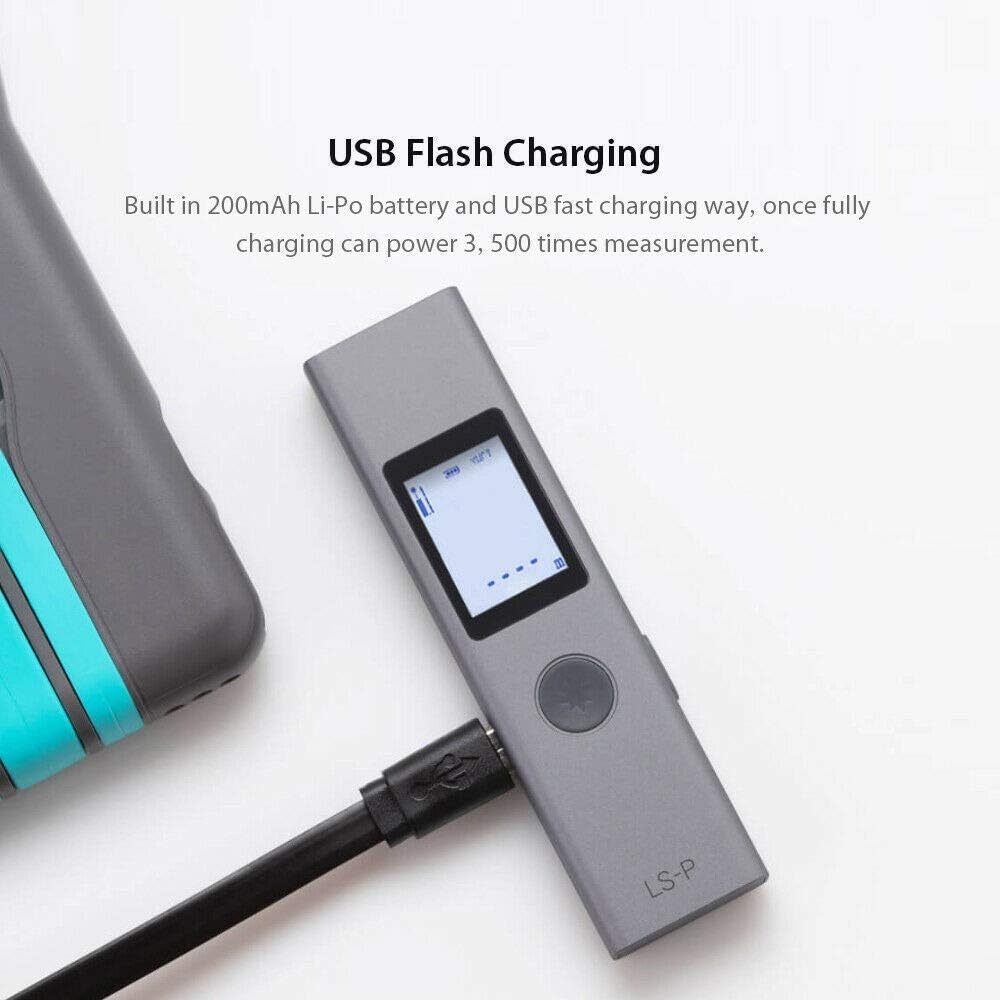
Figure 4: The LS-P device connected via USB for charging. The built-in 200mAh Li-Po battery supports fast USB charging.
3.2 Powering On/Off
To power on the device, press the main button. To power off, press and hold the main button for a few seconds.
4. Operating Instructions
The LS-P offers various measurement modes for different applications. The operation is designed to be simple and intuitive.

Figure 5: Overview of simple operation. One key to power on, one key to measure, and one key to change mode. Supported modes include Single, Continuous, Volume, Area, Head/Tail reference, Height, Angle, and Pythagorean measurements.
4.1 Basic Measurement Modes
- Single Measurement: Press the measure button once to take a single distance measurement.
- Continuous Measurement: Press and hold the measure button to activate continuous measurement, useful for scanning distances.
- Unit Switching: The device supports meters (m), feet (ft), and inches (in). Refer to the on-screen prompts or manual for specific button presses to cycle through units.
4.2 Advanced Measurement Functions
The LS-P supports advanced functions for various measurement needs:
- Area Measurement: Measure two sides (length and width) to calculate the area.
- Volume Measurement: Measure three dimensions (length, width, and height) to calculate the volume.
- Angle Measurement: Determine angles.
- Pythagorean Measurement: Use the Pythagorean theorem to calculate indirect distances (e.g., height of a building).
- Front and Rear Reference: Switch the measurement reference point between the front or rear of the device.

Figure 6: Examples of measurement applications including Distance Measurement, Area Measurement, Volume Measurement, and Angle/Pythagorean Measurement.
5. Maintenance
To ensure the longevity and accuracy of your Hamans Duka ATuMan LS-P Laser Range Finder, follow these maintenance guidelines:
- Cleaning: Use a soft, dry cloth to clean the device. Do not use abrasive cleaners or solvents. Ensure the laser emission and reception windows are clean for accurate readings.
- Storage: Store the device in a cool, dry place away from direct sunlight and extreme temperatures.
- Handling: Avoid dropping the device or subjecting it to strong impacts.
- Battery: Recharge the battery regularly, even if the device is not in frequent use, to maintain battery health.
6. Troubleshooting (Common Problems)
This section addresses common questions and issues you might encounter with your LS-P device.

Figure 7: Common problems and their solutions as provided in the product documentation.
6.1 What is the measurement range and accuracy of the LS-P range finder?
Under general conditions, the measurement range is 0.03-40 meters, with a measurement accuracy of ±2mm. Under unfavorable conditions (e.g., strong sunlight, poor reflective surface), the measurement range is 0.03-25 meters, and the measurement accuracy is ±3mm.
6.2 What are the functions of the LS-P rangefinder?
The LS-P range finder supports common single measurement, continuous measurement, angle display, front and back reference switching, area measurement, volume measurement, one-PIP measurement, secondary Pole measurement, and one-button distance/height measurement.
6.3 Does LS-P last a long time? Is the cost of use high?
The LS-P has a built-in 200mAh lithium polymer battery optimized by algorithms. After charging for 5 minutes, it can be measured continuously for 300 times. The battery life is approximately 3,500 measurements, resulting in almost no use cost in the later stage.
6.4 How can I measure more accurately?
For accurate measurements, hold the rangefinder static and avoid shaking. Do not block the laser emission and reception window of the LS-P. Errors can occur when measuring on transparent surfaces (e.g., water), porous surfaces (e.g., sound insulation material), or reflective surfaces (e.g., polished metal). For such surfaces, a white paper or target can be placed on the object to obtain accurate data.
6.5 Is the laser safe?
The LS-P internal laser is a Class 2 laser certified by international IEC60825 standard, using less than 1mW. Daily use does not cause any damage to the human body. However, prolonged exposure to the high-brightness laser can cause short-term visual damage to the eyes, so avoid direct eye exposure.
7. Specifications
| Specification | Value |
|---|---|
| Brand | Hamans (ATuMan/Duka) |
| Model | LS-P-LSERRNGFINDER-GREY |
| Material | Aluminum Alloy, Acrylonitrile Butadiene Styrene |
| Product Type | Portable Laser Rangefinder |
| Measurement Unit | m (Meter), ft (Foot), in (Inch) |
| Measurement Accuracy | ±2mm (general), ±3mm (unfavorable) |
| Operating Temperature | 0°C - 40°C |
| Storage Temperature | -20°C - 60°C |
| Battery | 180mAh/200mAh Lithium Polymer (approx. 3,000-3,500 measurements) |
| Measuring Range | 0.03-40M |
| Laser Type | Class2.620~670Nm, <1Mw |
| Charging Method | DC 5V <0.2A (USB) |
| Item Weight | 28 g |
| Product Dimensions | 8.59 x 2.24 x 1.12 cm |
| Included Components | Duka ATuMan LS-P Smart Digital Laser Range Finder |
8. Warranty and Support
For warranty information and technical support, please refer to the documentation provided with your purchase or contact the retailer/manufacturer directly. Keep your proof of purchase for warranty claims.


